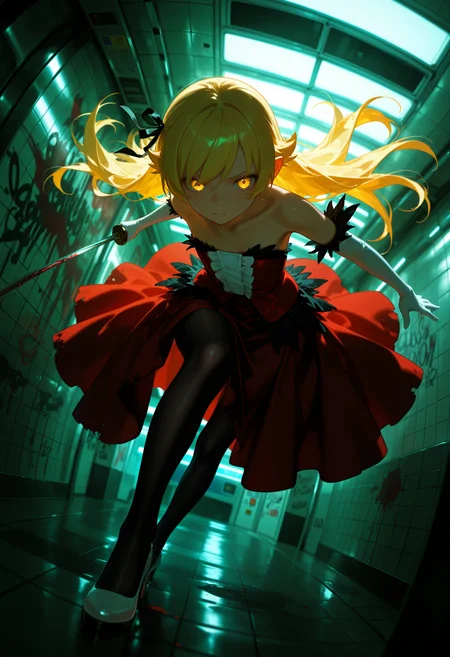
🛠️ Purpose & Design Philosophy
This workflow is a high-fidelity environment built for Illustrious. It prioritizes stability and professional texture over generation speed. It follows an "all-in-one" philosophy: configure your prompts, hit queue, and let the workflow handle the multi-stage refinement from start to finish.
Not for Speed: This is a heavy-duty refinement tool. If you want 2-second previews, use a basic workflow.
Personal Use: Built for my specific production needs. It is shared as-is for those who want a "set-and-forget" pipeline for Illustrious. Adjust the settings and models to fit your needs. The defaults on v19+ will be what I used for the sample images.
All-in-One Logic: The workflow handles generation, detailing, and upscaling in one continuous pass.
If you're needing something with more features: Try checking out Silly All-in-one, Multiple Characters With Regional Loras which is on civitai. I have no plans to implement additional features.
⚠️ Disclaimer & Compatibility
Install at Your Own Risk: Custom nodes can break your environment. I am not responsible for troubleshooting your specific installation.
ComfyUI: Built and tested on the non-app version. Desktop app users may face additional hurdles.
The "Your Version" Factor: Your node versions and environment are 99.9% likely to differ from mine.
Nodes 2.0: I do not recommend using Nodes 2.0. It creates unpredictable UI behavior; I will not provide support for issues involving this feature.
🤝 Support & Boundaries
I have not and never will monetize my workflow. CivitAI is the only platform I am maintaining this workflow on. If you find a version of my workflow posted and/or monetized anywhere and use it, then whoever posted it is responsible for providing you any support. This is the main reason why I don't monetize this: I don't want to be or feel obligated to provide support.
No DMs: DMs are disabled due to repeat spam. Please check the Discussions tab below; most questions have already been answered.
Modifications: You are free to hack this workflow apart. However, you are responsible for fixing it if it breaks.
Custom Requests: I do not make private workflows. If you need a custom solution, post a Bounty on CivitAI. There are many talented creators ready to help you for a fee.
Description
Release Notes: Illustrious Workflow v18c
This update brings significant structural improvements to the workflow, leveraging the organizational logic from the Anima v1c release. The primary focus of v18c is decluttering the workspace through subgraphs while maintaining granular control and technical transparency.
New Features & Workflow Logic
1. Smart Loader Subgraph
To reduce node density, the following components have been consolidated into a single subgraph:
Load Checkpoint
Load VAE
VAE Toggle Switch
How it works:
True (Default): The workflow utilizes the baked-in VAE from your selected checkpoint.
False: The workflow bypasses the internal VAE and loads the specific file selected in the
vae_namefield.
2. Unified Generation Parameters
Most initial image settings are now managed within a dedicated subgraph for a cleaner UI. This includes:
Resolution & Batch Size
Steps, CFG, & Denoise
3. Model Patches & Scaling
RescaleCFG: Now specifically targets the initial image generation. It is set to Bypassed by default to preserve the raw output of the sampler.
CFG Zero Star: Remains available for use across the entire workflow.
Developer Notes
Global Seed (Inspire): Testing confirmed that the Global Seed and Global Sampler nodes do not function as intended when nested within subgraphs. To ensure consistent behavior and proper seed management, these nodes remain separate on the main canvas.
Compatibility
Base Model: Optimized for Illustrious-based models.
FAQ
Comments (11)
The best just got better! Thanks G
There's "Preview Image with Pause" custom node so that one may place it before heavy processing to cancel undesirable output beforehand.
Thanks for the suggestion, but I would just hit cancel.
To me it's not worth adding another custom node for that function. I run with previews enabled, plus there are preview/image comparer nodes throughout the workflow.
I'm with you mate, that node is a life saver and the only workflow I've found on Civitai that uses it is https://civitai.com/models/1631386/illustrious-xl-modular-wf-v10-discontinued, but it's out of date and not working
Such a shame
please update ur workflow for wan svi v2 pro
Never heard of it until you mentioned it. I'll take a look at it, but not promising anything.
NGL, that looks like a huge pain and it wouldn't be an update, but a full remake. It's very unlikely I will be doing that any time soon.
I looked at how darksidewalker did his here. I think folks are going to be better off using his or other workflows already made for SVI v2 Pro. His has everything all neat and tidy in subgraphs. If I were to make one, it would all be on the canvas and not in subgraphs.
@Gladas ahh true he goat but i kinda used ur workflow many times so i loved that , but thnx i will try that
I love this workflow, all the cool features and the way everything is organized makes it easy to follow what each thing do and how everything is get feed to the next step. The fact that you don't use subgraphs is a huge blessing for me. I'm a bit of an old school and having everything in the open is the way I roll the best, it makes easy to understand, modify and customize. Is just beautifully well put together.
Thanks! I use a little bit of subgraphs to declutter what I can, but for the most part I prefer to have stuff out in the open. It makes it a lot easier to modify or troubleshoot.
omg all the options and even though i wont always use like, a lot of them with my 8gb rtx 4060, when i do, everything looks stupid gorgeous, tysm!