


Wanvideo 2.2 SVI Pro 2.0

I uploaded a version of ComfyUI without models (6.51G), it has all the nodes and workflows to run and avoid errors, if you have your own ComfyUI, you can ignore this part
https://drive.google.com/file/d/1Q7s78RTEspmvWUsJkQ1IA86m_ozg8uSb/view?usp=sharing
1.Model
ComfyUI\models\diffusion_models
Wan 2.2 fp8 (Original)
wan2.2_i2v_high_noise_14B_fp8_scaled.safetensors
wan2.2_i2v_low_noise_14B_fp8_scaled.safetensors
ComfyUI\models\vae
ComfyUI\models\text_encoders
ComfyUI\models\Loras
Lightx2v High LoRA
Lightx2v Low LoRA
The sampler's subgraph has an additional LORA reader, making it easy to use different LORAs in different samplers.


★ How to improve slow motion

Using Wan2.2 Distill Models with Lightx2v Lora, intensity set to 0.5
Wan2.2-Distill-Models
wan2.2_i2v_A14b_high_noise_scaled_fp8_e4m3_lightx2v_4step_comfyui.safetensors
wan2.2_i2v_A14b_low_noise_scaled_fp8_e4m3_lightx2v_4step_comfyui.safetensors
Wan2.2-Distill-Models GGUF
Wanvideo 2.2 Animate
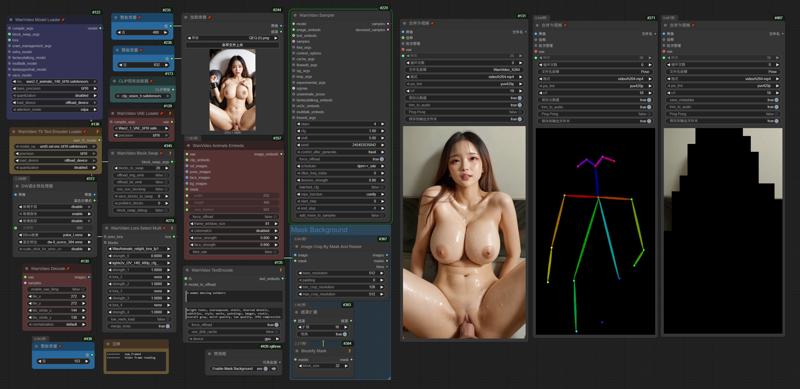 I uploaded a version of ComfyUI without models (4.38G), it has all the nodes and workflows to run and avoid errors, if you have your own ComfyUI, you can ignore this part
https://drive.google.com/file/d/1lcK9QX6FmLO6rQNP6200rbLiqnHpt0uK/view?usp=drive_link
1.Model
ComfyUI\models\diffusion_models
ComfyUI\models\vae
ComfyUI\models\text_encoders
umt5-xxl-enc-fp8_e4m3fn.safetensors
ComfyUI\models\clip_vision
ComfyUI\models\Loras
lightx2v_I2V_14B_480p_cfg_step_distill_rank256_bf16.safetensors
ComfyUI\models\detection
ComfyUI\models\sams\
---
ComfyUI\models\custom_nodes
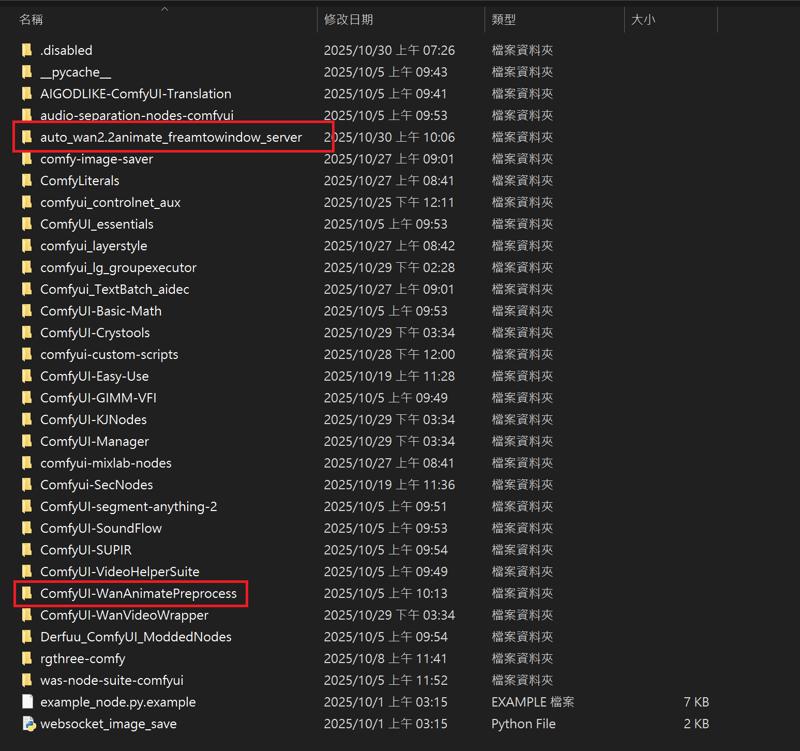
auto_wan2.2animate_freamtowindow_server
Download the ZIP file and extract to custom_nodes.
---
Wan2.2 Kijai I2V

I uploaded a version of ComfyUI without models (6.51G), it has all the nodes and workflows to run and avoid errors, if you have your own ComfyUI, you can ignore this part
https://drive.google.com/file/d/1Q7s78RTEspmvWUsJkQ1IA86m_ozg8uSb/view?usp=sharing
1.Model
ComfyUI\models\diffusion_models
Kijai bf16
Wan2_2-I2V-A14B-HIGH_bf16.safetensors
Wan2_2-I2V-A14B-LOW_bf16.safetensors
Kijai fp8
lightx2v Distill
lightx2v/Wan2.2-Distill-Models
(After testing, it can greatly improve video dynamics)
---
ComfyUI\models\vae
ComfyUI\models\text_encoders
umt5-xxl-enc-fp8_e4m3fn.safetensors
ComfyUI\models\clip_vision
ComfyUI\models\Loras
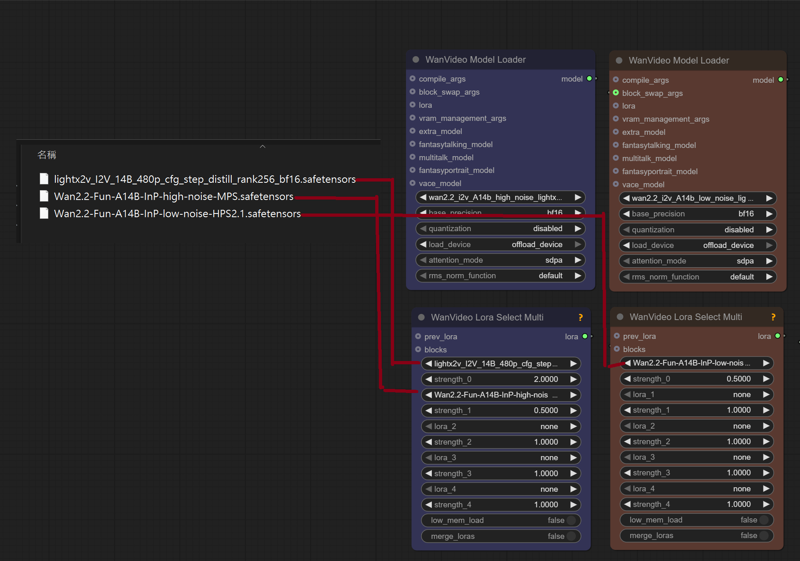
lightx2v_I2V_14B_480p_cfg_step_distill_rank256_bf16.safetensors
Wan2.2-Fun-A14B-InP-high-noise-MPS.safetensors
Wan2.2-Fun-A14B-InP-low-noise-HPS2.1.safetensors
---
InfiniteTalk + UniAnimate
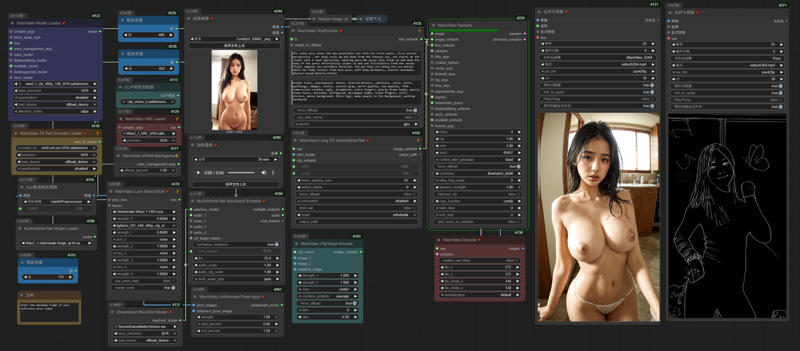 I uploaded a version of ComfyUI without models (4.38G), it has all the nodes and workflows to run and avoid errors, if you have your own ComfyUI, you can ignore this part
https://drive.google.com/file/d/1lcK9QX6FmLO6rQNP6200rbLiqnHpt0uK/view?usp=drive_link
1.Model
ComfyUI\models\diffusion_models
Wan2_1-InfiniTetalk-Single_fp16
ComfyUI\models\unet
ComfyUI\models\vae
ComfyUI\models\text_encoders
umt5-xxl-enc-fp8_e4m3fn.safetensors
ComfyUI\models\clip_vision
ComfyUI\models\Loras
UniAnimate-Wan2.1-14B-Lora-12000-fp16
lightx2v_I2V_14B_480p_cfg_step_distill_rank256_bf16.safetensors
---
InstantID
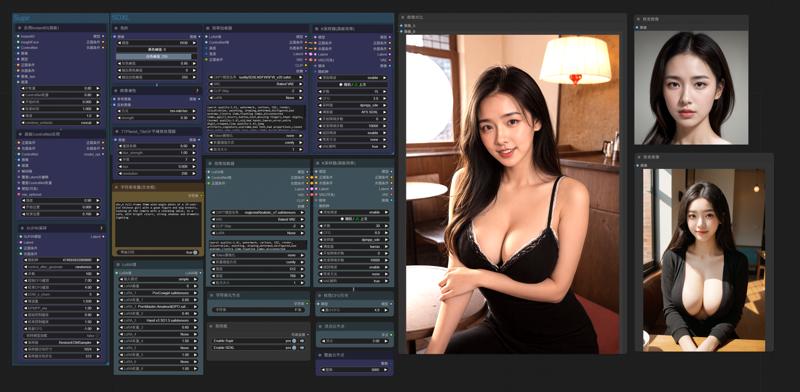
InstantID does not support the latest version of ComfyUI. Please download the old version. I deleted the model and kept the nodes to ensure that there will be no errors when running (5.62g)
https://drive.google.com/file/d/1_HPGG2iMAyovS3jO8ubhti4YIcOhOLUj/view?usp=drive_link
1.Model
ComfyUI\models\checkpoints
leosamsHelloworldXL_helloworldXL50GPT4V
ComfyUI\models\loras
pov-squatting-cowgirl-lora-1-mb
ComfyUI\models\unet
ComfyUI\models\clip\
CLIP-ViT-bigG-14-laion2B-39B-b160k
Rename 「open_clip_model.safetensors」 to 「CLIP-ViT-bigG-14-laion2B-39B-b160k」
Rename 「model.safetensors」 to 「clip-vit-large-patch14」
ComfyUI\models\vae
vae-ft-mse-840000-ema-pruned.ckpt
ComfyUI\models\controlnet
ttplanetSDXLControlnet_v20Fp16.safetensors
ComfyUI\models\instantid
Description
https://drive.google.com/file/d/1_HPGG2iMAyovS3jO8ubhti4YIcOhOLUj/view?usp=drive_link
InstantID does not support the latest version of ComfyUI. Please download the old version. I deleted the model and kept the nodes to ensure that there will be no errors when running (5.62g)
FAQ
Comments (60)
the drive is in view mode
couldn't able to download the custom nodes
Try the Confyui version without the model
https://drive.google.com/file/d/1ywaeSFJuSLED-6rAzOYsMGpU-ARt7HJZ/view?usp=drive_link
@gsk80276 thanks i download it
Can I upload a video and do a character video from it , beacause i dont see any video upload option here
@2882001j227 No, the workflow is I2V
Can somebody list which models should i get for 3090 and nsfw?
i keep getting the background of the video reference instead of the background from my image. node i need to disable?
Yes, you need to turn off the mask and background
@gsk80276 what is the point of that background thing then when it stops generating after the background process is finished?
@gsk80276 i seem to be doing something wrong. possible to send me screenshot?
"AdaptiveWanVideoAnimateEmbeds" cannot support the latest "WanVideoSampler". There is a problem with it. It cannot be imported into Dwpose when generating videos in segments. The characters in the video will not move in sync with the reference video. I have replaced it.
@gsk80276 thank you for your help
Testing this and so far it is really good compared to other I2V. The fact I can do 10+ seconds with this is especially nice. I haven't tried 20s or longer yet though, but plan to. This is a huge improvement to many of your other workflows which require nodes and stuff we can't easily get. This one was easy to install and you provided easy links to all but one file which was no longer available (fortunately I have).
I do have one issue I'd like to see fixed or if you can tell me how to fix it as Google couldn't help me finding the answer...
How to fix the nodes that have Japanese language connections to English? A portion of the nodes have the connecting dots in Japanese still so I can't modify this as easily since I don't know what they say.
Also, is there a way to use some of the few odd loras that have an A/B part on a single phase like A & B high, then just a single low? I've seen a few like the cowgirl that does this and I don't see how to apply it in your workflow.
「How to fix the nodes that have Japanese language connections to English? A portion of the nodes have the connecting dots in Japanese still so I can't modify this as easily since I don't know what they say.」
What is the workflow you use?
@gsk80276 Wan 2.2 Kijai I2V. I also ran into another two issues. I can generate 10s video on my system with your default 480x832 resolution... However, I cannot generate beyond that on my RTX 4090 and 64 GB RAM. Beyond that it freezes always at WanVideo Sampler (#2 - 0%). Even worse, when I tried to do 10s at 1280x720 (as it has no upscaling as far as I can tell) it crashed multiple drivers on my PC including GPU driver during the processing.
I thought context windows was supposed to let you do 81s every group, indefinitely, for however many frames you put but it would just gradually degrade right? If so why doesn't above 10s work and why does it fail at 1280x720 when others work for 81 frames at that resolution?
I feel like I'm misunderstanding something here...?
@kudon44 https://drive.google.com/file/d/1dAmPWfKPE9uThYIrHe2hHgDYpBvkpXBn/view?usp=sharing
There aren't many Chinese characters in my workflow.
You can use tiled_vae and WanVideoBlockSwap to reduce system consumption.
I have a 4090 48GB GPU, tested 1280*720 161 frames per second, WanVideoImageToVideoEncode used 26GB of VRAM, WanVideoSampler used 30GB, and the model was KJ FP8.
Using tiled_vae, block swap 30, I kept VRAM usage to 20GB
With the default Wan2.2-Animate.json as the workflow, running it would only 1. load the video - 2. perform dwpose - push to video combine - 3. perform sec segmentation - push to video combine - 4. perform blockify mask - push to video combine. It seems that the image is never loading, nor does the WanModelLoader and thus no generation at all, but getting the pose / masks / blocked masks videos all the time (seems that only preprocessing workflow has been running). Was I missing anything? Thank you.
just checked the logs, I was missing the detection .onnx files. Adding those would resolve this issue.
https://drive.google.com/file/d/1OjDBDUEkDEMZOYo2IU94kyhOFAvZYhDN/view?usp=sharing
The Comfyui I uploaded can solve this problem
Good Job brother !
It will be more amazing if you can make it render faster and have Upscaler :3 .
Thank you very much for your amazing work ! <3
Considering that some users' computer systems are not so good, I decided not to use it. Regarding speed, since using Sageattn is not easy for beginners, I will keep the default settings and only use Lightx2v.
@gsk80276 Thanks again bro !
BTW , the result is very good , i can keep my original style of my images and make it work like magic . Please add an Upscaler brother !
Cannot execute because a node is missing the class_type property.: Node ID '#483'
I am getting this error for wan animate. What to do?
Download the ZIP file and extract to custom_nodes.
ComfyUI\models\custom_nodes
auto_wan2.2animate_freamtowindow_server
https://drive.google.com/file/d/1wy8syijO7aKPCEIiWl2S-gIWJ9wxWrNM/view?usp=drive_link
@gsk80276 I already did that.
After updating the nodes using ComfyUI Manager, I encountered no errors. You can download another version of ComfyUI that I prepared for testing (the model has been deleted, but usable nodes are retained).
https://drive.google.com/file/d/18geDYU9h3_F8bkVOvyri78i751_BzVOJ/view?usp=sharing
I keep getting the error:
WanVideoAnimateEmbeds
'Tensor' object has no attribute 'get'
Is there any workaround for this?
After updating the nodes using ComfyUI Manager, I encountered no errors. You can download another version of ComfyUI that I prepared for testing (the model has been deleted, but usable nodes are retained).
https://drive.google.com/file/d/18geDYU9h3_F8bkVOvyri78i751_BzVOJ/view?usp=sharing
I'm using the wan 2.2 animate flow, I loaded all the models, uploaded a video and uploaded an image, ran it and I see it pulls the mask and allows me to adjust the green points, but how do I now make it replace my image with the person in the video? It doesn't seem to complete, just shows the masking spots...I'm guessing I need to connect something but I can't figure out what.
https://drive.google.com/file/d/1MlxsUvZdKRg_5GCPEYW-e6j4PO-QvO5Y/view?usp=drive_link
After selecting the green dots, adjust the values of the BlockifyMask node, depending on the desired size of the black square for the mask. Then, rerun COMFYUI to generate the video.
I think you had (or are still having) the same issue as me. There's a node hidden behind the one for SeC Video Segmentation called ONNX Detection Model. It needs to be populated with the .onnx files you downloaded (they go in ComfyUI\models\detection, if you don't have that folder, create it). Then the workflow should run correctly.
Thank you very much for sharing, the animate workflow is working very nicely. One thing I cant get to work though are the hair, I always get the original hair instead of the ones from the image input. Any way to fix that?
Adjusting the size of the black block through nodes
sorry for the dumb question but i have to ask: This is not likely for a 3060 12gbvram I am guessing. Nevertheless amazing, wish i could run this but i am still learning and this might be a bit much :D .. one day.
If only 81 frames are generated, using the block swap node in the Kijai workflow can save VRAM usage. Enabling tiled VAE during encoding and decoding should also be achievable. Note that at least 64GB of memory is recommended.
@gsk80276 Good to know. I do have 65Gb of ram and recently have been able to get good results with this card and 12gbvram. I will definitely be giving it a try.
I was able to run the Infinite Talk workflow on my RTX-3060 12GB. 480 x 832 at 4 steps (takes about 7 minutes) and 512 x 896 at 5 steps (takes about 11 minutes). Each was 5 second long. Set blocks_to_swop to 40 and ran. The GPU VRAM was used at about 45-50% and the RAM at 50-60. I do have 128GB of RAM, though, and use the 12GB GPU for AI work only, the monitor is hooked up to another GPU.
Pretty much satisfied with the results. Next step, will try to make longer clips.
If you have to use WanVideoWrapper then set the block swap to 40 for the main one and 15 for VACE, then set prefetch blocks to 2.
The block swap is horrible compared to default ComfyUI so I would avoid it like the plague unless you absolutely have to use it. That's 30% speed loss. With WanVACEAdvanced that's pretty much just BindWeave.
I have the same card and RAM amount and can generate videos with Wan 2.1 or 2.2 14B, although for video generations it benefits from using --no_cache for ComfyUI and also restart it if you can't get the RAM use below 50% after you unload the models and free the node cache.
Getting the error
WanVideoUniAnimateDWPoseDetector
cannot convert float NaN to integer
Try adjusting the score_threshold of the WanVideoUniAnimateDWPoseDetector node to 0.
Keep getting this error:
WanVideoAnimateEmbeds
shape '[1, 8, 4, 104, 60]' is invalid for input of size 205920
i use the latest version of comfy in mimic pc
Same issue trying to run the animate workflows. I run into the issue using the authors provided comfy package as well as my own.
same issue with my own comfy
none of this works lol
After reading the comments, it looks like it's not even worth trying. LOL. I'll pass.
Works fine for me.
most of you are not worth giving the download to because you cant get anything to work without being served it on a silver platter
@og1BFG But some do work. Why is that? There should be a general standard as a guide. All contributors should be doing that. It will only help them more.
@ArtPencil because it is much too complex and people forget that. that is the reason stuff like runninghub and discord bots are so popular, because people are lazy and maybe not interested enough to be bothered to put in the learning work.
you have multiple layers where versions can mismatch, from your python dependencies to your node packs to your loras and models, then you have inappropriate hardware just not fit for some jobs issue and misconfigured hardware where it would work but youre running your dram on too low a voltage or some shit like that.
sometimes its just outdated drivers, sometimes its stuff that just will not work on your budget AMD card, yada yada yada
there is so many vectors where shit can go wrong and its just too complex to do a one fits all guide.
if you want to learn, i will give you a simple guide, it will work every single time and given enough persistence, you will make ANYTHING work.
1. Open workflow
2. doesnt work. -> File -> export
3. Drag and drop exported .json to a LLM like claude.
4. EXPLAIN IN DETAIL what you were about to do or what your goal was and what doesnt seem to work. ALWAYS include errors.
5. keep going back and forth until you make it work.
6. If you run into weird trouble LLM can't explain do this: Go to your terminal that runs the comfyUI server and copy paste the whole screen into LLM, this always shows whats wrong before you even get to work.
once you got your first workflow to work you already covered dependencies, comfyui folder structure, where shit goes and where it doesnt, congrats - you are now a advanced user.
next step up is trying to make your own workflow for any simple shit and understanding how linking and workflow / pipelines work for achieving different goals.
soon you will be combining different stuff and making proprietary workflows that no one else has.
i am proud to have made to my knowledge probably the absolutely most advanced workflow for one particular problem / purpose, in existence, all self taught with LLM and I say this recognizing i am substandard intelligence and never did any coding or whatever IT work in my life. I am a forklift driver neanderthal. Even I could do it.
I am trying to put my image's face onto the video but the face that generates is different. I have changed values for pose_strength and face_strength (up and down for each) but nothing works. Does higher face_strength mean the picture is weighted more heavily and will show up in results more? Does video resolution have an impact? If I am only trying to change the face should I disable detect_hand and detect_body and enable detect_face?
im using the wan animate template and im stuck on propagate video. Any fix?
Is it creating the animation and pose videos just fine but not actually generating an output video?
@RL1775 it gets stuck at around 20% during sam segmentation
@RL1775 I've got 32gb ram that i suspect has something to do with it. When doing the segmentation ram spikes to 75% and stops there.
@AsianEngineer_877 yeah that's probably the reason. 32Gigs is a significant choke point for anything running Wan 2.2 unless you're using something like a 5090 32gb edition. I've run out of RAM using this workflow with 64gb on a 5080.
AdaptiveWanVideoAnimateEmbeds cannot find this node to install anywhere