Wanvideo 2.2 SVI Pro 2.0

I uploaded a version of ComfyUI without models (6.51G), it has all the nodes and workflows to run and avoid errors, if you have your own ComfyUI, you can ignore this part
https://drive.google.com/file/d/1Q7s78RTEspmvWUsJkQ1IA86m_ozg8uSb/view?usp=sharing
1.Model
ComfyUI\models\diffusion_models
Wan 2.2 fp8 (Original)
wan2.2_i2v_high_noise_14B_fp8_scaled.safetensors
wan2.2_i2v_low_noise_14B_fp8_scaled.safetensors
ComfyUI\models\vae
ComfyUI\models\text_encoders
ComfyUI\models\Loras
Lightx2v High LoRA
Lightx2v Low LoRA
The sampler's subgraph has an additional LORA reader, making it easy to use different LORAs in different samplers.


★ How to improve slow motion

Using Wan2.2 Distill Models with Lightx2v Lora, intensity set to 0.5
Wan2.2-Distill-Models
wan2.2_i2v_A14b_high_noise_scaled_fp8_e4m3_lightx2v_4step_comfyui.safetensors
wan2.2_i2v_A14b_low_noise_scaled_fp8_e4m3_lightx2v_4step_comfyui.safetensors
Wan2.2-Distill-Models GGUF
Wanvideo 2.2 Animate
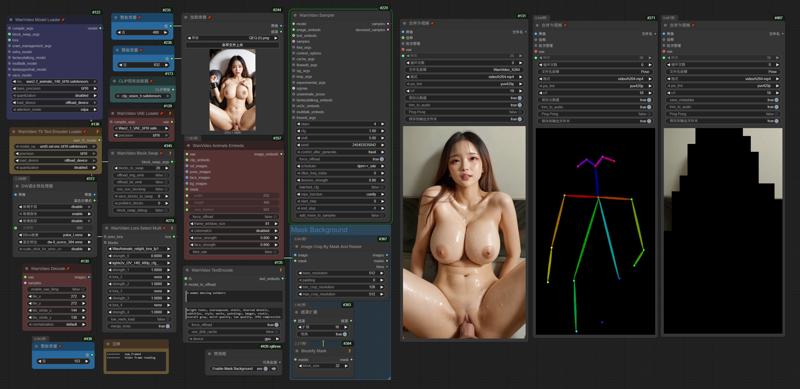 I uploaded a version of ComfyUI without models (4.38G), it has all the nodes and workflows to run and avoid errors, if you have your own ComfyUI, you can ignore this part
https://drive.google.com/file/d/1lcK9QX6FmLO6rQNP6200rbLiqnHpt0uK/view?usp=drive_link
1.Model
ComfyUI\models\diffusion_models
ComfyUI\models\vae
ComfyUI\models\text_encoders
umt5-xxl-enc-fp8_e4m3fn.safetensors
ComfyUI\models\clip_vision
ComfyUI\models\Loras
lightx2v_I2V_14B_480p_cfg_step_distill_rank256_bf16.safetensors
ComfyUI\models\detection
ComfyUI\models\sams\
---
ComfyUI\models\custom_nodes
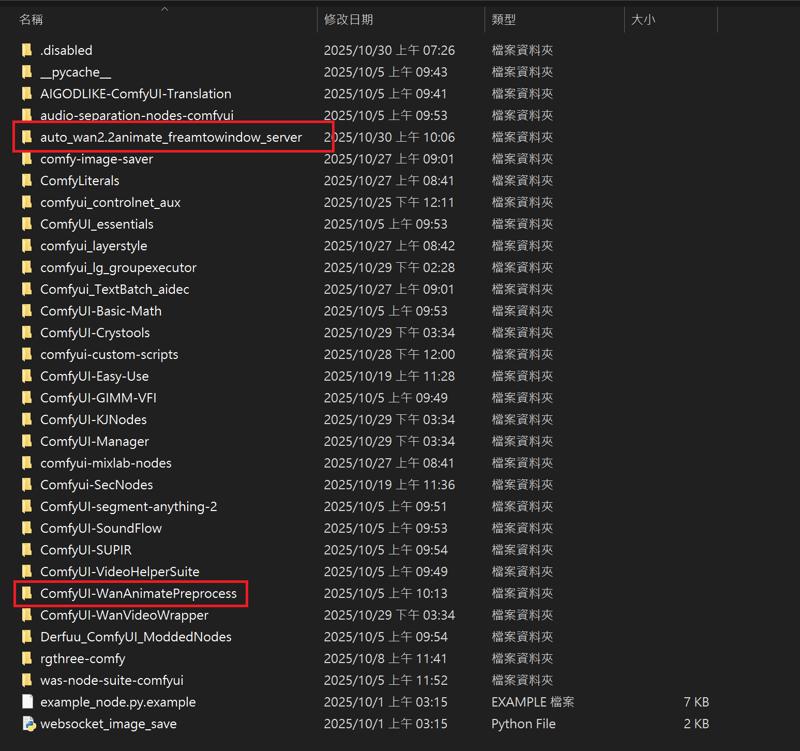
auto_wan2.2animate_freamtowindow_server
Download the ZIP file and extract to custom_nodes.
---
Wan2.2 Kijai I2V

I uploaded a version of ComfyUI without models (6.51G), it has all the nodes and workflows to run and avoid errors, if you have your own ComfyUI, you can ignore this part
https://drive.google.com/file/d/1Q7s78RTEspmvWUsJkQ1IA86m_ozg8uSb/view?usp=sharing
1.Model
ComfyUI\models\diffusion_models
Kijai bf16
Wan2_2-I2V-A14B-HIGH_bf16.safetensors
Wan2_2-I2V-A14B-LOW_bf16.safetensors
Kijai fp8
lightx2v Distill
lightx2v/Wan2.2-Distill-Models
(After testing, it can greatly improve video dynamics)
---
ComfyUI\models\vae
ComfyUI\models\text_encoders
umt5-xxl-enc-fp8_e4m3fn.safetensors
ComfyUI\models\clip_vision
ComfyUI\models\Loras
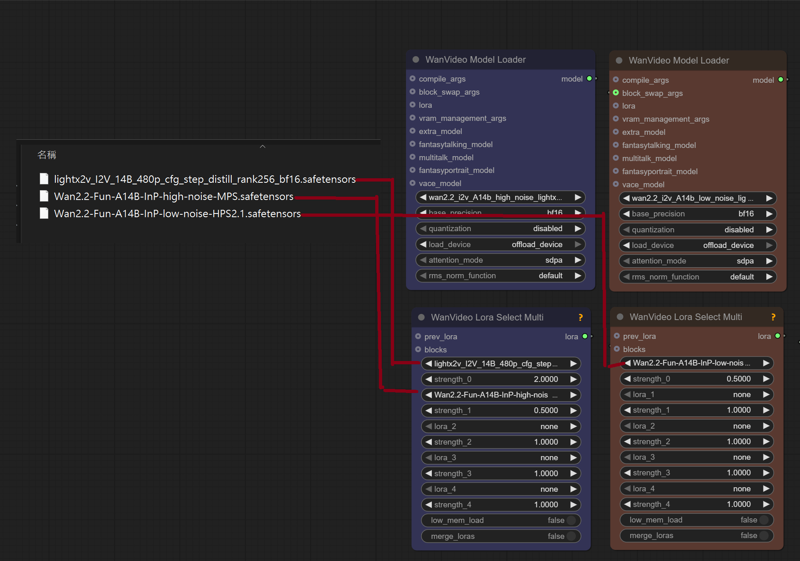
lightx2v_I2V_14B_480p_cfg_step_distill_rank256_bf16.safetensors
Wan2.2-Fun-A14B-InP-high-noise-MPS.safetensors
Wan2.2-Fun-A14B-InP-low-noise-HPS2.1.safetensors
---
InfiniteTalk + UniAnimate
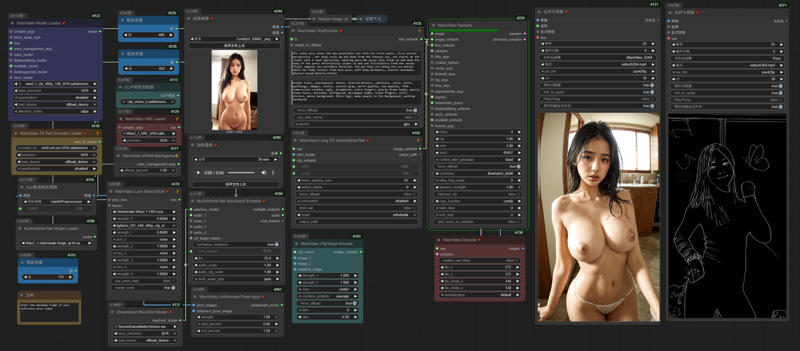 I uploaded a version of ComfyUI without models (4.38G), it has all the nodes and workflows to run and avoid errors, if you have your own ComfyUI, you can ignore this part
https://drive.google.com/file/d/1lcK9QX6FmLO6rQNP6200rbLiqnHpt0uK/view?usp=drive_link
1.Model
ComfyUI\models\diffusion_models
Wan2_1-InfiniTetalk-Single_fp16
ComfyUI\models\unet
ComfyUI\models\vae
ComfyUI\models\text_encoders
umt5-xxl-enc-fp8_e4m3fn.safetensors
ComfyUI\models\clip_vision
ComfyUI\models\Loras
UniAnimate-Wan2.1-14B-Lora-12000-fp16
lightx2v_I2V_14B_480p_cfg_step_distill_rank256_bf16.safetensors
---
InstantID
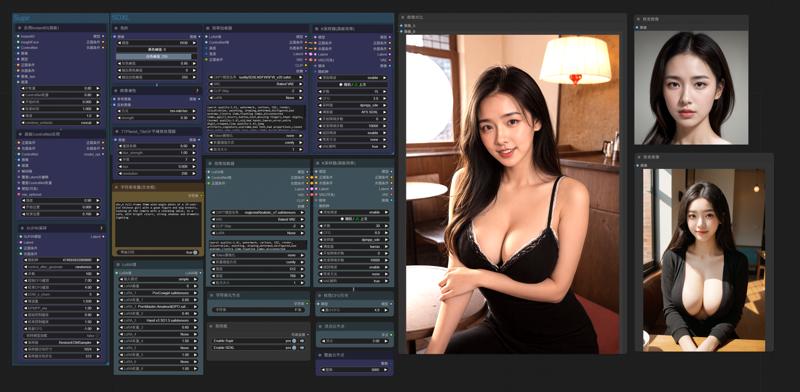
InstantID does not support the latest version of ComfyUI. Please download the old version. I deleted the model and kept the nodes to ensure that there will be no errors when running (5.62g)
https://drive.google.com/file/d/1_HPGG2iMAyovS3jO8ubhti4YIcOhOLUj/view?usp=drive_link
1.Model
ComfyUI\models\checkpoints
leosamsHelloworldXL_helloworldXL50GPT4V
ComfyUI\models\loras
pov-squatting-cowgirl-lora-1-mb
ComfyUI\models\unet
ComfyUI\models\clip\
CLIP-ViT-bigG-14-laion2B-39B-b160k
Rename 「open_clip_model.safetensors」 to 「CLIP-ViT-bigG-14-laion2B-39B-b160k」
Rename 「model.safetensors」 to 「clip-vit-large-patch14」
ComfyUI\models\vae
vae-ft-mse-840000-ema-pruned.ckpt
ComfyUI\models\controlnet
ttplanetSDXLControlnet_v20Fp16.safetensors
ComfyUI\models\instantid
Description
October 5, 2025
Added NO Unianimate input
September 19, 2025
Added Batch Generation
「AIO_Preprocessor」
「WanVideoUniAnimateDWPoseDetector」
SwitchPreprocessor
September 15, 2025
Added AudioCrop
Added Reference Pose Image
Automatically calculate DWpose frame number reading
FAQ
Comments (32)
The WF gguf loads and previews the OpenPose animation from the video correctly, then it goes back to Wanvideo Model Loader and skips the next error: 'dwpose_embedding.0.weight'. I didn't have this problem with the WF 720fp8, although this one is slower.
ading transformer parameters to cpu: 98%|████████████████████████████████████▍| 1633/1659 [00:00<00:00, 1769.38it/s]
!!! Exception during processing !!! 'dwpose_embedding.0.weight'
Traceback (most recent call last):
File "C:\ComfyUI_windows_portable\ComfyUI\execution.py", line 496, in execute
output_data, output_ui, has_subgraph, has_pending_tasks = await get_output_data(prompt_id, unique_id, obj, input_data_all, execution_block_cb=execution_block_cb, pre_execute_cb=pre_execute_cb, hidden_inputs=hidden_inputs)
File "C:\ComfyUI_windows_portable\ComfyUI\execution.py", line 315, in get_output_data
return_values = await asyncmap_node_over_list(prompt_id, unique_id, obj, input_data_all, obj.FUNCTION, allow_interrupt=True, execution_block_cb=execution_block_cb, pre_execute_cb=pre_execute_cb, hidden_inputs=hidden_inputs)
File "C:\ComfyUI_windows_portable\ComfyUI\execution.py", line 289, in asyncmap_node_over_list
await process_inputs(input_dict, i)
File "C:\ComfyUI_windows_portable\ComfyUI\execution.py", line 277, in process_inputs
result = f(**inputs)
File "C:\ComfyUI_windows_portable\ComfyUI\custom_nodes\ComfyUI-WanVideoWrapper\nodes_model_loading.py", line 1217, in loadmodel
set_module_tensor_to_device(patcher.model.diffusion_model, name, device=transformer_load_device, dtype=dtype_to_use, value=sd[name])
KeyError: 'dwpose_embedding.0.weight'
https://drive.google.com/file/d/1bfLzclmiArnPTHJQDW9VWrzwwCjT2QGD/view?usp=sharing
OK, I tested and this error did not occur. You can check whether the settings are the same as mine. Use GGUF model "WanVideoModelLoader" and "MultiTalkModelLoader" to select GGUF model, "WanVideoLoraSelectMulti" Merge_loras=false
The results I get are really bad. Are you using the GGUF models... like what are you doing that is making your results so good?
The hands and arms merge together and sometimes they disapear
I use bf16 and try Euler/beta, but Dwpose interferes with the generated results. Adjusting the detection value or reducing the intensity can help.
@gsk80276 using the unianimate DwPose, where do I go to adjust the detection value or reducing the intensity?
and where do you put the bf16? in the Wanvideo model loader "base_precision"?
@gsk80276 Do you mind sending me your exact workflow please.... my results are horrible
@gsk80276 and I cannot see anything in the picture you've included, everything is blurry
I use 4090 48g, so I can load 720p or 480 bf16/fp16
「wanvideo unianimate pose input」, you can adjust the control intensity
「wanvideo sampler」, denoiso_strength can add noise points to make the characters blend with the background
@gsk80276 the DWprocessor pose skeleton is zoomed in compared to the reference video, is that normal? Like if you scroll down and check the Gallery on your civitai page, you'll see that my video is zoomed in, as if it's been cropped in
how do I make it stay the same as the reference video and picture?
@LuciusJax Reference_Pose_Image will align the reference image with the uploaded image, so you will see it has different proportions
@LuciusJax Removing the link to Reference_Pose_Image will keep the reference image in proportion.
@gsk80276 Perfect!
thank you for all your advice
now my videos are finally looking like yours
@gsk80276 Now my last question is... sometimes my characters face changes.
like, the eyes change color, or the details of her face changes.
is there a way to stop that?
I see that your character keeps all it's face consistency
Oh! and also, do all videos have to be 10seconds long? can they be longer, or shorter like 5seconds? ... if yes, how can I configure the workflow for it to work?
@LuciusJax If the movement is too big, it is difficult to keep the face consistent. Wan VACE is better in this regard, but InfiniteTalk does not support it.
You can test different samplers, for me nsfw euler/beta is good, but not for dancing
AudioCrop is responsible for controlling the length of the generated video. How long it can be depends on your VRAM and RAM. If I use a 720p reference image, it can only generate 25 seconds. If I don't use it, it can generate 5 minutes. I have 48G VRAM and 128G RAM.
「WanVideoUniAnimateDWPoseDetector」 node, if stick_width, body_keypoint_size, hand_keypoint_size are all set to 1, the effect looks good
@gsk80276 so how would I have to set it up for a 9 second video? do I just put 0:09 in the audio crop... or do I have to also reduce the frame window size from 81 to something lower?
Like, everytime I try to make the video longer or shorter, it tells me it doesn't match
@LuciusJax AudioCrop 0:09, 1 second = 25 frames. The reference image frame calculation formula = audio seconds x 25 + 50. Therefore, the reference image video must be longer than 12 seconds. It is recommended to upload a long video so that the node can automatically calculate and cut it.
@gsk80276 thank you so so much for all the help
I'm going to post my video now, with all the updates you gave me
@gsk80276 By the way, In the WanVideo Sampler for the "Shift" number
what is the lowest and the maximum I could put it as. like right now "3" seems to be the magic number lol
@LuciusJax Shift affects the dynamics of the image. My nsfw example uses 8, but for dancing videos, I need to lower it. Increasing shift makes the dynamics bigger, but the image looks unnatural.
@gsk80276 So you're saying when the movements are minimal "not a lot of movements," we should raise the shift to "8?" Is "8" the maximum we should put?
and when the movements are really dynamic like dancing videos, we should do around "3"
@LuciusJax The default workflow for infinitetalk is 2, and the workflow for kijai is 11. You can try any value, depending on how much dynamics and picture balance you need.
https://www.reddit.com/r/unstable_diffusion/comments/1njs6xl/nfinitetalk_480p_unianimate_nsfw_test1min/
For nsfw like this, I use shift8 to determine the effect is very good. I haven't tested the dancing one yet. The character's dancing movements are too fast and often make the picture unnatural.
@gsk80276 Alright, thank you so much, I'm testing it right now as we speak
RuntimeError: The size of tensor a (32760) must match the size of tensor b (15600) at non-singleton dimension 1
Это классическая ошибка несовпадения размеров тензоров в PyTorch. В твоём случае она возникает в WanVideoSampler при сложении основного тензора x и pose embedding (dwpose_emb):
python
Копировать код
x.add_(dwpose_emb, alpha=unianim_data['strength']) Наверное я что то не то выбрал но вроде все перепроверил. И основные модели и лору
When the reference image video reads fewer frames than the audio, an error will occur. Please upload the complete reference image video, for example, 1 minute, to ensure that you do not encounter errors when generating a video within 1 minute.