Wanvideo 2.2 SVI Pro 2.0

I uploaded a version of ComfyUI without models (6.51G), it has all the nodes and workflows to run and avoid errors, if you have your own ComfyUI, you can ignore this part
https://drive.google.com/file/d/1Q7s78RTEspmvWUsJkQ1IA86m_ozg8uSb/view?usp=sharing
1.Model
ComfyUI\models\diffusion_models
Wan 2.2 fp8 (Original)
wan2.2_i2v_high_noise_14B_fp8_scaled.safetensors
wan2.2_i2v_low_noise_14B_fp8_scaled.safetensors
ComfyUI\models\vae
ComfyUI\models\text_encoders
ComfyUI\models\Loras
Lightx2v High LoRA
Lightx2v Low LoRA
The sampler's subgraph has an additional LORA reader, making it easy to use different LORAs in different samplers.


★ How to improve slow motion

Using Wan2.2 Distill Models with Lightx2v Lora, intensity set to 0.5
Wan2.2-Distill-Models
wan2.2_i2v_A14b_high_noise_scaled_fp8_e4m3_lightx2v_4step_comfyui.safetensors
wan2.2_i2v_A14b_low_noise_scaled_fp8_e4m3_lightx2v_4step_comfyui.safetensors
Wan2.2-Distill-Models GGUF
Wanvideo 2.2 Animate
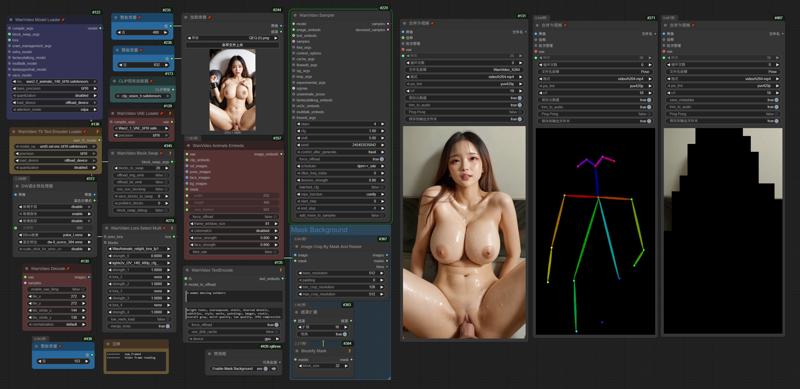 I uploaded a version of ComfyUI without models (4.38G), it has all the nodes and workflows to run and avoid errors, if you have your own ComfyUI, you can ignore this part
https://drive.google.com/file/d/1lcK9QX6FmLO6rQNP6200rbLiqnHpt0uK/view?usp=drive_link
1.Model
ComfyUI\models\diffusion_models
ComfyUI\models\vae
ComfyUI\models\text_encoders
umt5-xxl-enc-fp8_e4m3fn.safetensors
ComfyUI\models\clip_vision
ComfyUI\models\Loras
lightx2v_I2V_14B_480p_cfg_step_distill_rank256_bf16.safetensors
ComfyUI\models\detection
ComfyUI\models\sams\
---
ComfyUI\models\custom_nodes
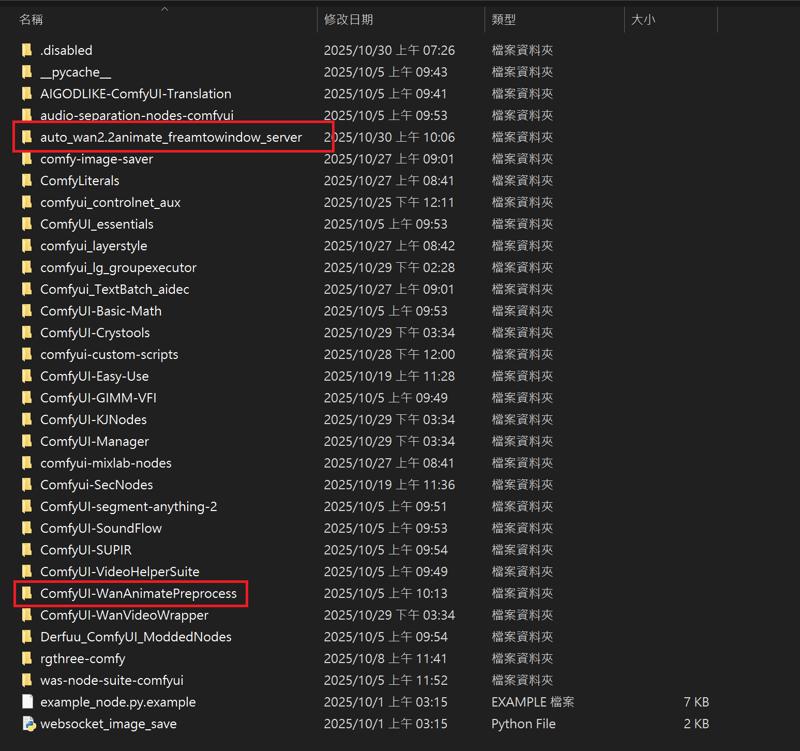
auto_wan2.2animate_freamtowindow_server
Download the ZIP file and extract to custom_nodes.
---
Wan2.2 Kijai I2V

I uploaded a version of ComfyUI without models (6.51G), it has all the nodes and workflows to run and avoid errors, if you have your own ComfyUI, you can ignore this part
https://drive.google.com/file/d/1Q7s78RTEspmvWUsJkQ1IA86m_ozg8uSb/view?usp=sharing
1.Model
ComfyUI\models\diffusion_models
Kijai bf16
Wan2_2-I2V-A14B-HIGH_bf16.safetensors
Wan2_2-I2V-A14B-LOW_bf16.safetensors
Kijai fp8
lightx2v Distill
lightx2v/Wan2.2-Distill-Models
(After testing, it can greatly improve video dynamics)
---
ComfyUI\models\vae
ComfyUI\models\text_encoders
umt5-xxl-enc-fp8_e4m3fn.safetensors
ComfyUI\models\clip_vision
ComfyUI\models\Loras
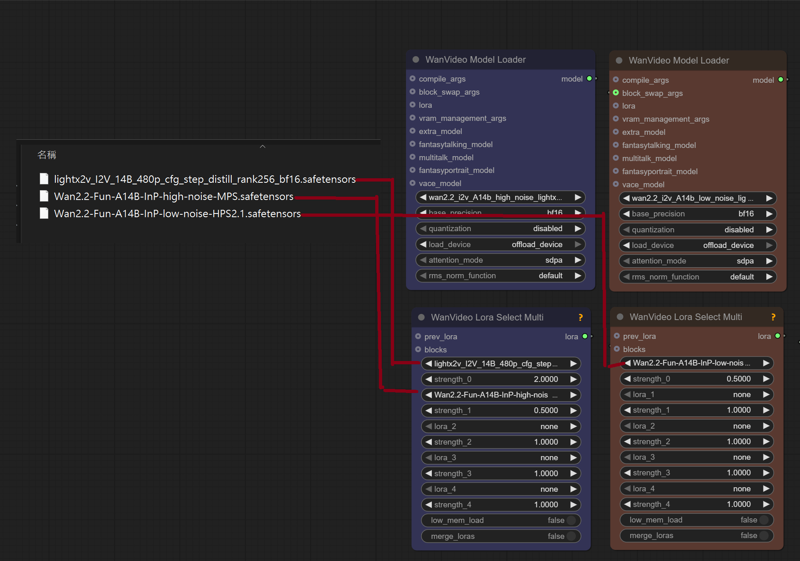
lightx2v_I2V_14B_480p_cfg_step_distill_rank256_bf16.safetensors
Wan2.2-Fun-A14B-InP-high-noise-MPS.safetensors
Wan2.2-Fun-A14B-InP-low-noise-HPS2.1.safetensors
---
InfiniteTalk + UniAnimate
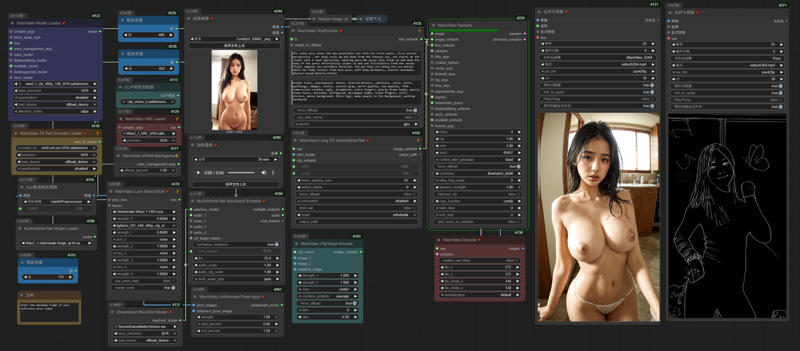 I uploaded a version of ComfyUI without models (4.38G), it has all the nodes and workflows to run and avoid errors, if you have your own ComfyUI, you can ignore this part
https://drive.google.com/file/d/1lcK9QX6FmLO6rQNP6200rbLiqnHpt0uK/view?usp=drive_link
1.Model
ComfyUI\models\diffusion_models
Wan2_1-InfiniTetalk-Single_fp16
ComfyUI\models\unet
ComfyUI\models\vae
ComfyUI\models\text_encoders
umt5-xxl-enc-fp8_e4m3fn.safetensors
ComfyUI\models\clip_vision
ComfyUI\models\Loras
UniAnimate-Wan2.1-14B-Lora-12000-fp16
lightx2v_I2V_14B_480p_cfg_step_distill_rank256_bf16.safetensors
---
InstantID
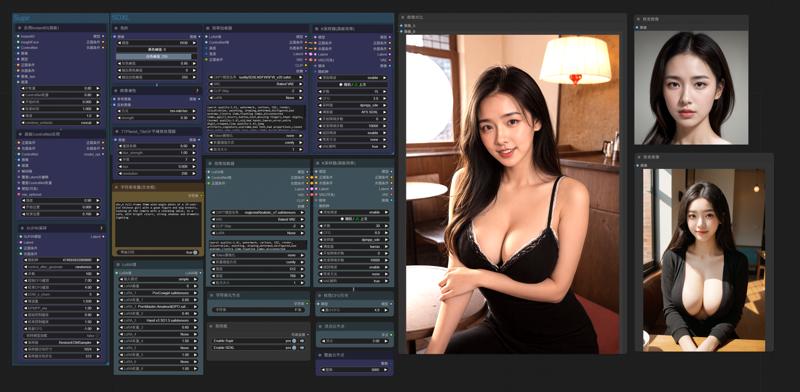
InstantID does not support the latest version of ComfyUI. Please download the old version. I deleted the model and kept the nodes to ensure that there will be no errors when running (5.62g)
https://drive.google.com/file/d/1_HPGG2iMAyovS3jO8ubhti4YIcOhOLUj/view?usp=drive_link
1.Model
ComfyUI\models\checkpoints
leosamsHelloworldXL_helloworldXL50GPT4V
ComfyUI\models\loras
pov-squatting-cowgirl-lora-1-mb
ComfyUI\models\unet
ComfyUI\models\clip\
CLIP-ViT-bigG-14-laion2B-39B-b160k
Rename 「open_clip_model.safetensors」 to 「CLIP-ViT-bigG-14-laion2B-39B-b160k」
Rename 「model.safetensors」 to 「clip-vit-large-patch14」
ComfyUI\models\vae
vae-ft-mse-840000-ema-pruned.ckpt
ComfyUI\models\controlnet
ttplanetSDXLControlnet_v20Fp16.safetensors
ComfyUI\models\instantid
Description
October 23, 2025
「Wan2.2-I2V-A14B-Distill-Lightx2v」
https://huggingface.co/lightx2v/Wan2.2-Distill-Models
Distillation-accelerated version of Wan2.2 - Dramatically faster speed with excellent quality
(After testing, using Wan2.1 Lightx2v LoRA & Wan2.2-Fun-Reward-LoRAs on a high-noise model can improve the dynamics to the effect of the original model. You can refer to my civitai instructions)
October 8, 2025
Replace Model 「Kijai Wan2.2 I2V A14 BF16」
October 3, 2025
Fix Video Seams (WanVideoContextOptions)
FAQ
Comments (12)
Is there a resource for explaining what the "Insight" model is? Is it just a drop in replacement for I2V? What is it's purpose? Is there a lora for insight also?
The model comes from China's adjustment of Wan2.2. It is not the official version. It integrates the acceleration model. In terms of high step count, it only needs 1 to 4 steps without using Lightx2v. However, after testing by Chinese players, the effect in I2V is not much different from the official version, and in T2V it is better than the official version.
@gsk80276 yes I have already seen this description, but it doesn't tell me anything. Insight is just a different acceleration method then lightx2v? Or does the name have something to do with consistency like "insight face" models for image gen?
No, it's a Wan 2.2 model. Like the various SDXL and FLUX models on Civitai's website, these are all based on a base model that has been modified to generate models specific to specific images.
In addition to the fusion acceleration model, this model has enhancements for text input and is another option for Wan 2.2 FP16 and GGUF. After all, there aren't many versions of Wan 2.2.
@gsk80276 When you say "generate specific images" does that mean it has certain biases like biased towards Asian people, specifically, which could cause undesirable results for non-Asian outputs? Asking because you have a ton of examples that are all Asian and I know it is a thing for some image generator models to be really biased.
@kudon44 According to the test of Chinese users, the author mentioned that he integrated a lot of American movies into the training data, so when using T2V, the character generation will be different from that of Asians. However, this has little effect on I2V. This model adds more dynamic aspects.
Thank you very much for your workflow ! (Wan 2.2 Insight )
The result is pretty good, no more slow motion :)
Still experimenting
Thank you, looks amazing. I will try it out tmr
How do you actually do long context? I keep getting errors
https://drive.google.com/file/d/18LEV9dnymyZAhzLEH__oXDU7sSDFO2qG/view?usp=drive_link
https://drive.google.com/file/d/1heih4dXFpp8be8oV0oGTZNcccxmID0VS/view?usp=drive_link
After turning on WanVideoContextOptions, it will generate frames based on the total number of frames you input, 5 seconds = 81 frames
@gsk80276 Okay so I can just put 162 in num_frames and keep 81 in context ? I hope my 5090 can handle 720p on 162 frames ^^
Yes, you can use 162, it will generate extra frames between 81 frames and 81 frames for seam processing, there is no need to change the value of 81 in the context, you can refer to this value 81, 4, 16~48, and the number of seconds of the generated video is converted based on the video rate of the original video, for example, fps 30, using 162 will not be 10 seconds, but 5 seconds