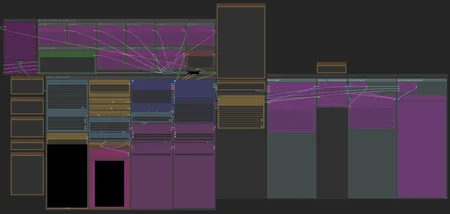
SVI Extend
https://github.com/vita-epfl/Stable-Video-Infinity/tree/svi_wan22
Create videos and extend them seemlessly using SVI.
Following SVI LoRAs are mandatory:
switch between default behaviour, anchor_samples and end_frames within the same subgraphs
connect an image to a part and enable the respective toggles to use end_frames or anchor_samples
NEW! v3
Extend existing videos using https://github.com/wallen0322/ComfyUI-Wan22FMLF
enable "video extension" toggle inside the settings
uses source video resolution by default
rescale video using the megapixel slider by enabling "video rescale" toggle
use included version of the nodes from inside .zip or download the latest version straight from the git if issues arise
More info inside the workflow.
AIO i2v+t2v
All in One workflow for for basic WAN 2.2 video generation.
Following features included:
Switch seemlessly between 2 and 3 sampler solutions
Toggle between i2v or t2v
Postprod
Facedetailer
uses t2v Model + LoRA for inpainting - resources needed included in workflow
Toggle between GIMM VFI and RIFE VFI Interpolation
Upscale
Tensorrt Upscale with Model
Basic Video Upscale with Model
RTX Video Super Resolution Upscale (insanely fast for decent quality)
Frame Clipper
Seamless Loops using custom RIFE nodes https://github.com/Artificial-Sweetener/comfyui-WhiteRabbit
Upscale + Interpolate
I recommend using this workflow instead of upscaling with the generating workflows, since you never really know what kind of results you get, ending up upscaling a bad video and wasting time. I included toggles so you can't use multiple interpolation or upscale nodes at once by mistake.
This includes:
WAN Facedetailer
use any WAN 2.2 T2V low model + the following T2V LoRA:
lower resolution from 768 to 512 if you have VRAM issues
Put the following file into "ComfyUI\models\ultralytics\bbox":
WAN Refiner (massive VRAM cost)
increase denoise if you want more inpainting
Sharpen, Gamma, Brightness and Contrast control
Frame clipper (remove unwanted frames at the start and/or end)
GIMM VFI + RIFE VFI interpolation (I recommend GIMM VFI, much higher quality but also much slower)
Tensorrt Upscale + Basic Video Upscale
both use basic image upscaling models
Tensorrt (faster than Basic Video Upscale) with AnimeSharp4x is recommended for anime
RTX Video Super Resolution Upscale
insanely fast
decent quality
FlashSVR + SeedVR2
experimental
Video upscale models that are more intricate than basic image upscaling models
haven't had great results for anime yet
takes a LOT longer
Saving last frame for manual extensions
mmaudio
added Audio combine node
combine audio from an existing video with the generated audio on top
generate nsfw audio with the nsfw model and then combine that video with another generated audio track from the base model for background noises
removed interpolation for easier and faster audio generation - you have the following options:
upload raw unupscaled video to MMAudio Video node and upscaled video to Combine video node
upload upscaled video to both nodes but lower custom_width and custom_height of the MMAudio video node to about half for faster generation and to prevent VRAM issues
upload raw video to both nodes and upscale afterwards
Inspired by https://civarchive.com/models/2137833
Following resources necessary (ComfyUI\models\mmaudio):
https://huggingface.co/Kijai/MMAudio_safetensors/resolve/main/mmaudio_synchformer_fp16.safetensors
Description
Just some minor changes
added GGUF/safetensors toggle
updated the current settings I use + additional explanation in the Info box
added automatic prompt back but it's a hit and miss
FAQ
Comments (13)
Do you mind sharing your current ComfyUI version or are you using multiple virtual environments for your different workflows?
0.5 seems to be the sweetspot, all older custom nodes still work and you get the benefits of some newer features like better VRAM management. At first I've been switching been the latest and 0.3.62 but 0.5 works for everything I've thrown at it so far. I definitely recommend keeping a 0.5 portable version atleast and another with the latest version for things this older one may not support in the future.
To add to this, it seems like the newest ComfyUI Version (v0.12.3) works perfectly fine with all the custom nodes I use. Looks like they worked out the kinks.
How would you recommend optimizing this for a 5090 32G vram gpu? it's running a bit slower than I think it should. Are you unloading models or swapping somewhere?
How much RAM have you got? I got a 5080 and use FP16 models and load them fully into my 96GB RAM, first load takes a minute but subsequent gens are 300-330s for a 6s vid at my 2base/2high/4low steps at around 736x1120 res, gets much faster if I lower res a bit.
If you want a speed up then I recommend getting sageattention to work if you haven't. What are your general seconds per iteration?
Python 3.13.9, Total VRAM 32607 MB, total RAM 64666 MB
pytorch version: 2.9.1+cu130
ComfyUI version: 0.10.0
Using sage attention
Requested to load WAN21
loaded partially; 19163.13 MB usable, 18911.34 MB loaded, 8341.63 MB offloaded, 250.03 MB buffer reserved, lowvram patches: 164
Patching torch settings: torch.backends.cuda.matmul.allow_fp16_accumulation = True
100%|███████████████████████████████████████████████████████████████████| 2/2 [01:16<00:00, 38.32s/it]
Patching torch settings: torch.backends.cuda.matmul.allow_fp16_accumulation = False
Requested to load WAN21
loaded partially; 19069.83 MB usable, 18811.32 MB loaded, 8441.65 MB offloaded, 250.05 MB buffer reserved, lowvram patches: 338
Patching torch settings: torch.backends.cuda.matmul.allow_fp16_accumulation = True
100%|███████████████████████████████████████████████████████████████████| 2/2 [00:35<00:00, 17.64s/it]
Patching torch settings: torch.backends.cuda.matmul.allow_fp16_accumulation = False
Requested to load WAN21
loaded partially; 19239.15 MB usable, 18961.35 MB loaded, 8291.62 MB offloaded, 250.05 MB buffer reserved, lowvram patches: 332
Patching torch settings: torch.backends.cuda.matmul.allow_fp16_accumulation = True
100%|███████████████████████████████████████████████████████████████████| 4/4 [02:23<00:00, 35.96s/it]
Patching torch settings: torch.backends.cuda.matmul.allow_fp16_accumulation = False
Requested to load WanVAE
loaded completely; 1510.76 MB usable, 242.03 MB loaded, full load: True
Requested to load WanTEModel
loaded completely; 9925.92 MB usable, 6419.48 MB loaded, full load: True
Requested to load WAN21
@Fferrett I do get about 30s/it at my settings and ~60s/it for the base pass myself, with the settings mentioned earlier.
Your speed looks good (probably a lot lower res), though I'm noticing the drop in speed after the 2nd high pass because of model switching. Was this the first pass or did torchcompile already run once? You will need to reduce the switching time somehow.
I guess ComfyUI will have to load the model from disk when switching due to the massive size of the full FP16 models. The easiest way would be to drop down to FP8 scaled models and see how it works out, you will need to be able to store both models in memory at once to reduce that switching time.
@LastAssignment using KJ's scaled FP8 speeds it significantly without a loss of quality for draft runs. That makes more sense. I didn't even look at the model running. Thank you for taking the time to support me. I was going to get 192GB of DDR5 for Christmas... but then AI stole my cookies and priced me out of that thought.
@Fferrett Yea, the whole RAM thing is insane. I got lucky that I bought a 96GB kit in august for 300€, the same kit is now sold for over 1,5k at the same shop... Happy to have helped!
@LastAssignment my 96 kit was 181€ 10 months ago, insane !
@Le_Fourbe And it's just getting worse... prices are still rising.
Great stuff as always. I have issues with WAN breaking the art style. I like illustrious models like MRitual, which have less traditional big anime eyes, but I cant keep it consistent.
I noticed the lightning loras are the culprit for the style change, however that increases gen time by a lot.
Any other tips for keeping the images art style more consistent?
The 1022 lighting low LoRA seems to be the best when it comes to keeping features intact:
https://civitai.com/models/1585622?modelVersionId=2337903
Had the best success with that so far. Atm I'm going solely for the 3 sampler solution with the 1022 for high and low, high at 0.65 on the 2nd high pass and 1.0 on low.
Edit: Forgot to mention, it's always a good idea to have a first frame where the eyes of the character are cleary visible, makes it much more consistent.