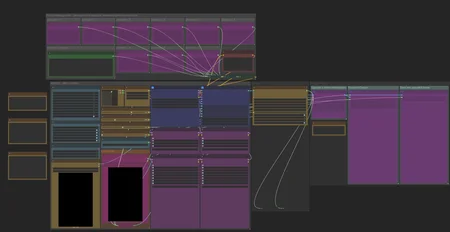
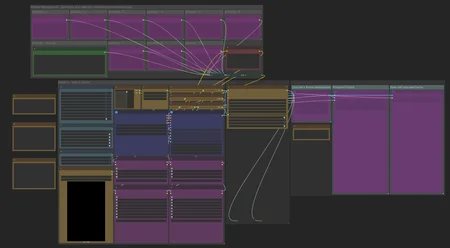
SVI Extend
https://github.com/vita-epfl/Stable-Video-Infinity/tree/svi_wan22
Create videos and extend them seemlessly using SVI.
Following SVI LoRAs are mandatory:
switch between default behaviour, anchor_samples and end_frames within the same subgraphs
connect an image to a part and enable the respective toggles to use end_frames or anchor_samples
NEW! v3
Extend existing videos using https://github.com/wallen0322/ComfyUI-Wan22FMLF
enable "video extension" toggle inside the settings
uses source video resolution by default
rescale video using the megapixel slider by enabling "video rescale" toggle
use included version of the nodes from inside .zip or download the latest version straight from the git if issues arise
More info inside the workflow.
AIO i2v+t2v
All in One workflow for for basic WAN 2.2 video generation.
Following features included:
Switch seemlessly between 2 and 3 sampler solutions
Toggle between i2v or t2v
Postprod
Facedetailer
uses t2v Model + LoRA for inpainting - resources needed included in workflow
Toggle between GIMM VFI and RIFE VFI Interpolation
Upscale
Tensorrt Upscale with Model
Basic Video Upscale with Model
RTX Video Super Resolution Upscale (insanely fast for decent quality)
Frame Clipper
Seamless Loops using custom RIFE nodes https://github.com/Artificial-Sweetener/comfyui-WhiteRabbit
Upscale + Interpolate
I recommend using this workflow instead of upscaling with the generating workflows, since you never really know what kind of results you get, ending up upscaling a bad video and wasting time. I included toggles so you can't use multiple interpolation or upscale nodes at once by mistake.
This includes:
WAN Facedetailer
use any WAN 2.2 T2V low model + the following T2V LoRA:
lower resolution from 768 to 512 if you have VRAM issues
Put the following file into "ComfyUI\models\ultralytics\bbox":
WAN Refiner (massive VRAM cost)
increase denoise if you want more inpainting
Sharpen, Gamma, Brightness and Contrast control
Frame clipper (remove unwanted frames at the start and/or end)
GIMM VFI + RIFE VFI interpolation (I recommend GIMM VFI, much higher quality but also much slower)
Tensorrt Upscale + Basic Video Upscale
both use basic image upscaling models
Tensorrt (faster than Basic Video Upscale) with AnimeSharp4x is recommended for anime
RTX Video Super Resolution Upscale
insanely fast
decent quality
FlashSVR + SeedVR2
experimental
Video upscale models that are more intricate than basic image upscaling models
haven't had great results for anime yet
takes a LOT longer
Saving last frame for manual extensions
mmaudio
added Audio combine node
combine audio from an existing video with the generated audio on top
generate nsfw audio with the nsfw model and then combine that video with another generated audio track from the base model for background noises
removed interpolation for easier and faster audio generation - you have the following options:
upload raw unupscaled video to MMAudio Video node and upscaled video to Combine video node
upload upscaled video to both nodes but lower custom_width and custom_height of the MMAudio video node to about half for faster generation and to prevent VRAM issues
upload raw video to both nodes and upscale afterwards
Inspired by https://civarchive.com/models/2137833
Following resources necessary (ComfyUI\models\mmaudio):
https://huggingface.co/Kijai/MMAudio_safetensors/resolve/main/mmaudio_synchformer_fp16.safetensors
Description
Requires ComfyUI >0.4, the subgraphs will otherwise not display the widgets and you'll have to go into the subgraphs to change settings.
No reroutes, renamed connection points for readability
2 Versions: painteri2v and WanFirstToLastFrame Workflows
2.2 Lightning 1030 on high recommended
Following lightning LoRAs are still recommended for Low (don't use them on high together with the 1030 LoRA)
FAQ
Comments (7)
The workflow works easily thats great, but why is my output having low quality and inconsistency compared to your outputs? Are there any special parameters that make it weird? The motion is fine, but the frame quality is horrid. Id say it feels like having a high noise
I can't really help you without seeing the exact settings you used, can you upload an example that I can download to inspect the settings?
@LastAssignment https://drive.google.com/drive/folders/16WG9GuTNTXHdA21ff3yDT2hE9vEA8q_J?usp=sharing Here you go, I have made some small tweaks such as removing upscaling and interpolation to make it less complicated. Really appreciate it if you could help! 🙏
@bzggy66 Yea, that's definitely not how it should look, lol. You used smoothmix on top of the lightning LoRAs, if you want to use smoothmix then you can just bypass the lightning LoRA nodes. Smoothmix already uses WAN 2.1 LoRAs at very high strength iirc, so adding another set of lightning will make it go haywire like in your example.
If you want to get quality like shown in my custom sampler example video then you need to use basic Q6/Q8 Models and add LoRAs on top of that yourself.
You could also just download my Smooth workflow for Smoothmix and not use any lightning LoRAs.
@LastAssignment I cannot find the gguf version for i2v smoothmix. Do you mind sharing which quantized model you’re using? I’ve been on Wan2.1 and switching to 2.2 in 1 day has a lot of information to be learned so I’m not sure which model is the most suitable for anime nsfw animation. Again thank you for figuring out what happened to my videos!
@bzggy66 I've been using the base WAN 2.2 Model just Q8, doesn't have any LoRAs integrated so you will have to do that yourself.
https://civitai.com/models/1820829/wan22-i2v-a14b-gguf
Smoothmix is easy but it doesn't have the best quality because it uses the 2.1 lightning LoRAs and lots of prebaked LoRAs on top. I recommend using that Q8 gguf + the lightning LoRAs at the strength I set. For basic NSFW anims I recommend using dr34ml4y at 0.75 high/0.25-0.5 low
https://civitai.com/models/1811313/wan-dr34ml4y-all-in-one-nsfw?modelVersionId=2553151 and smoothmixxxx animations at 0.5high/0.25low https://civitai.com/models/2040641?modelVersionId=2376136 to start off.
If you want to try smoothmix anyway then here is the gguf version: https://huggingface.co/Bedovyy/smoothMixWan22-I2V-GGUF/tree/main
@LastAssignment Thank you its working so much better now after changing the model! Really appreciate the advices