


!!! UPLOADING/SHARING MY MODELS OUTSIDE CIVITAI IS STRICLY PROHIBITED* !!!
Check my EXCLUSIVE models on Mage.Space: AniMage PXL • AniReal PXL • Lucid Dream • AniMage SD1.5 • Realistic Portrait
SDXL - Pony: AniVerse PXL • AniMerge PXL • AniToon PXL • AniMics PXL • AniVerse XL
SD1.5: AniVerse • AniThing • AniMerge • AniMesh • AniToon • AniMics
Also in Collaboration with Shakker.ai
This model is free for personal use and free for personal merging(*).
For commercial use, please be sure to contact me (Ko-fi) or by email: samuele[dot]bonzio[at]gmail[dot]com
⬇Read the info below to get the high quality images (click on show more)⬇
Aniverse - is just the beginning!
This is a long shot project, I’d like to implement something new at every update!
The name is a merge of the two words: Animation and Universe (and a word pun: Any+Universe -> Anyverse -> Aniverse)
-> If you are satisfied using my model, press on ❤️ to follow the progress and consider leaving me ⭐⭐⭐⭐⭐ on model review, it's really important to me!
Thank you in advance 🙇
And remember to publish your creations using this model! I’d really love to see what your imagination can do!
Recommended Settings:
Excessive negative prompt can makes your creations worse, so follow my suggestions below!
Before applying a LoRA to produce your favorite character, try it without first. You might be surprised what this model can do!
A1111 my settings:
I run my Home PC A1111 with this setting:
set COMMANDLINE_ARGS= --xformers
if you can't install xFormers (read below) use my Google Colab Setting:
set COMMANDLINE_ARGS= --disable-model-loading-ram-optimization --opt-sdp-no-mem-attention
My A1111 Version: v1.6.0-RC-28-ga0af2852 • python: 3.10.6 • torch: 2.0.1+cu118 • xformers: 0.0.20 • gradio: 3.41.2
If you want activate xformers optimization like my Home PC (How to install xFormers):
In A1111 click in "Setting Tab"
In the left coloumn, click in "Optimization"
in: "Cross attention optimization" select: "xformers"
Press in "Apply Settings"
Reboot your Stable Diffusion
If you can't install xFormers use SDP-ATTENTION, like my Google Colab:
In A1111 click in "Setting Tab"
In the left coloumn, click in "Optimization"
in: "Cross attention optimization" select: "sdp-no-mem - scaled dot product without memory efficient attention"
Press in "Apply Settings"
Reboot your Stable Diffusion
How to emulate the nvidia GPU follow this steps:
In A1111 click in "Setting Tab"
In the left coloumn, click in "Show all pages"
Search "Random number generator source"
Select the voice: "NV"
Press in "Apply Settings"
Reboot your Stable Diffusion
If you use my models, install the ADetailer extension for your A1111.
Navigate to the "Extensions" tab within Stable Diffusion.
Go to the "Install from URL" subsection.
Paste the following URL: https://github.com/Bing-su/adetailer
Click on the "Install" button to install the extension
Reboot your Stable Diffusion
How to install Euler Smea Dyn and Euler Max Sampler:
In A1111 click in "Extensions Tab"
click in "Install from URL"
Under "URL for extension's git repository" put this link: https://github.com/licyk/advanced_euler_sampler_extension
Once installed click in: "Installed" Tab
Click in "Apply and quit"
Reboot your Stable Diffusion
Now at the end of the list of the sampler, you have the new sampler.
How to use ADetailer with Euler Smea Dyn and Euler Max Sampler:
In A1111 click in "txt2img" tab
Expand and click in "enable ADetailer"
Scroll down and expand "inpaint" section
Click and turn on "Use separate Sampler"
Now select: "DPM++ 2M Karras" (or your favourite sampler)
VAE: VAE is included (but usually I still use the 840000 ema pruned)
Clip skip: 2
Upscaler: 4x-Ultrasharp or 4X NMKD Superscale
Sampling method: DPM++ 2M SDE Karras
Width: 576 (o 768)
Height: 1024
CFG Scale: 3 -> Steps: 15
CFG Scale: 4 -> Steps: 20
CFG Scale: 5 -> Steps: 25
CFG Scale: 6 -> Steps: 30...and so on...
MY FAVORITE PROMPT:
(masterpiece, best quality, highres:1.2), (photorealistic:1.2), (intricate and beautiful:1.2), (detailed light:1.2), (colorful, dynamic angle), RAW photo, upper body shot, fashion photography, YOUR PROMPT, (highres textures), dynamic pose, bokeh, soft light passing through hair, (abstract background:1.3), (sharp), exposure blend, bokeh, (hdr:1.4), high contrast, (cinematic), (muted colors, dim colors, soothing tones:1.3), morbid
NEGATIVE PROMPT:
(worst quality, low quality), negative_hand-neg, bad-hands-5, naked, nude, braless, cross, sepia, black&white, B&W, painting, drawing, illustration
YOU CAN ALSO USE THESE NEGATIVE EMBEDDINGS:
5) For MEN images: girl, woman, female, tits, BadImage_v2-39000, negative_hand-neg, bad-hands 5
HiRes.Fix Setting:
I don't use Hi.Res fix because:
1) in my computer don't work
2) my models don't need it. Use txt2image, aderailer and the suggested upscaler in the resources tab.
If you still want use it, this is the setting sent me by MarkWar (follow him to see his creations ❤️).
Hires upscale: 1.5
Hires steps: 20~30
Hires upscaler: R-ESRGAN 4x + Anime6B,
Denoising strength: 0.4
Adetailer: face_yolov8n
How to install and use adetailer: Click Here
Inpainting Setting:
When you see that I used Inpainting on my images, I only modify the face (Hires Fix on my old PC doesn't work and got stuck). This is my setting:
Click in the tab img2img, than click on inpaint ->
Paint the face (only the face, neck, ears...) and after that set:
Inpaint masked
Only masked
Only masked padding, pixels: 12
Sampling steps: 50
Set: Only masked
Batch Size: 8
in the Positive Prompt write: (ultra realistic, best quality, masterpiece, perfect face)Than click on GENERATE
ControlNet & Prompt guide video tutorial:
Thanx to: tejasbale01 - Spidey Ai Art Tutorial (follow him in youtube)
Animesh Full V1.5 + Controlnet | Prompt Guide |
Do you like my work?
If you want you can help me to buy a new PC for Stable Diffusion!
❤️ You can buy me a (Espresso... I'm italian) coffee or a beer ❤️
This is the list of hardware if you are courius: Amazon Wishlist
I must thank you Olivio Sarikas and SECourses for their video tutorials! (I'd really love to see a your video using my model ❤️ )
You are solely responsible for any legal liability resulting from unethical use of this model
(*) MarkWar is authorized by me to do anything with my models.
(**) Why did I set such stringent rules? Because I'm tired of seeing sites like Pixai (and many others) that get rich on the backs of the model creators without giving anything in return.
(***) Low Rank Adaptation models (LoRAs) and Checkpoints created by me.
As per Creative ML OpenRAIL-M license section III, derivative content(i.e. LoRA, Checkpoints, mixes and other derivative content) is free to modify license for further distribution. In that case such is provided by licensing on each single model on Civitai.com. All models produced by me are prohibiting hosting, reposting, reuploading or otherwise utilisation of my models on other sites that provide generation service without a my explicit authorization.
(****)According to Italian law (I'm Italian):
The law on copyright (law 22 April 1941, n. 633, and subsequent amendments, most recently that provided for by the legislative decree of 16 October 2017 n.148) provides for the protection of "intellectual works of a creative nature", which belong to literature, music, figurative arts, architecture, theater and cinema, whatever their mode or form of expression.
Subsequent changes, linked to the evolution of new information technologies, have extended the scope of protection to photographic works, computer programs, databases and industrial design creations.
Copyright is acquired automatically when a work is defined as an intellectual creation.
Also valid for the US: https:// ufficiobrevetti.it/copyright/copyright-usa/
All my Stable Diffusion models in Civitai (as per my approval) are covered by copyright.
Description
EDIT: 1.99Gb file is fixed - 1.60gb file is the bugged one
I re-uploaded the buggy one because someone ask me the file and because also if is bugged, is working good to a lot of people)
We have also understand how it work the bugged (1.60gb) version work, and I think it's a funny and interesting bug.
I try to explain to you with my horrible english
1) In A1111 load a random model (X)
2) Generate an casual image
3) Load Aniverse 1.4 Bug version
4) Generate an image and save it
5) Load another Model (Y) - (different to Model X)
6) Generate a casual image
7) Load again Aniverse 1.4 Bug version
8) Click over "PNG Info" tab
9) Load the saved image
10) Click over send to "TXT2Img" button
11) Click on Txt2img tab
12) Press generate
Now you have 2 different images with same parameters, seed, cfg, ect ect. using the same model ;)
I think it's interesting, because if you have patience, you can find the style that you like.
Sorry guys, the file was corrupted :_(
🙇🙇🙇🙇🙇
I've uploaded now the fixed version!
I'm really really sorry!
Hi boys & girls!
Here we are with a new version! I bet that if you are reading these lines you are wondering what THX Ed means.
The answer is very simple: Thank you edition!
This version of Aniverse was born with the idea of thanking you!
I swear I never expected such a warm welcome from you!
So I started saving your creations that you published using the previous Aniverse versions (about 2500 images), added another 600 images (to give the model a bit of variety) and trained using Aniverse 1.2.
And so Aniverse THX Ed was born.
I wish I could thank everyone, one by one, but it's literally impossible...
In any case, thanks everyone! You are amazing and created wonderful images.
Which is why I didn't put this version in early preview, because you are all partly creators of this version and it seemed right to me to thank you also by making it immediately downloadable for everyone.
I hope you will like this "outside the lines" version.
Unfortunately I discovered that I had a problem with dreambooth (it creates artifacts and "metallic" images so I couldn't use the pure version, but I had to merge it with version 1.2 of Aniverse (I prefer 1.2 over 1.3).
The result is creations similar to previous Aniverse releases, with more detail, better lighting, fewer facial flaws, and better hands (I hope).
- I'll say straight away that the pruned will arrive next week.
- Animerge V2.0 will arrive in two weeks (I still have to test it thoroughly, if it works it will be a small revolution)
- After that I'll take a little break to try to create Aniverse XL, hoping that no bugs arise.
Thanks again everyone! You are wonderful!
Samael
FAQ
Comments (121)
Guys, stay ready!
2 October will be published a new version of Animerge, trust me: give it a try ;)
ooooooooooo
Animerge is the next version of Aniverse and it's based on SDXL?
@chizqx847 Sadly, no XL for me. I tryied, but for do a checkpoint the time of training was: 625 DAYS!!!
So or I change my PC (but at the moment I haven't the money and I don't see a good future about that) or soon or later I will try to do LoRa XL. But this is the best that now I can do.
@chizqx847 14719 hours
https://user-images.githubusercontent.com/128039181/269650708-97c5e949-c96d-4ead-9962-11da5d26dc6a.png
@Samael1976 Thanks! As you know, Aniverse has an issue where the face is too similar (actually it's kinda identical even with loras added). Do you have plans to improve on this? lol
@yontan I like to see different points of view. What you call an "issue" is intentional for me. In the sense that this face is exactly what I sought and is a sort of "trademark" of Aniverse. Like for example the textures and the eyes.
You will probably be able to find what you are looking for in Animerge (my other model) in the future. (Have you tried Animerge V1.0 yet?) 2.0 is scheduled for October 2nd, but it will be very different from the usual model and I don't know if it will be what you are looking for.
PS: by the way, if you use different negative prompt, it can give you different faces, like I suggested in model details:
Neg Prompt:
Neg Prompt (1): FastNegativeV2 (nothing else, with this one I got the best results)
Neg Prompt (2): Easy Negative (nothing else, for a more realistic style and less saturated colors)
Neg Prompt (3): (worst quality, low quality) -> (To have the original model version and for an image that follow better your prompt)
Neg Prompt alternatives (4): BadImage_v2-39000 or Bad-Artist-Anime or Bad_Pictures or BadDream or VeryBadImageNegativeV_1.3
(one at time, not all together 😉. These negative embedding work very good, and give you different style of image, choose your favorite)
Neg Prompt (5) (for MEN images): girl, woman, female, tits, BadImage_v2-39000
@yontan PPS: Maybe next version of Aniverse will be different, because I'm trying a new way of training. ;)
@Samael1976 ok thanks, will wait for it (and also the next version of Aniverse!)
@yontan I think that next version of Aniverse will not come soon... have over 1.000.000 of steps of training XD XD XD

@Samael1976 Thank you! :)
@Samael1976 this is Animerge? Is it able to create those kind of 2.5D styles? Like this kind: https://i.gyazo.com/3d782cb7736cca3fbbdd77c9632523ba.png
Also, for Aniverse, I think it's trained purely on Japanese backgrounds lol I tried to specify los angeles/other USA backgrounds but the backgrounds always end up looking like Japanese streets/cities lol
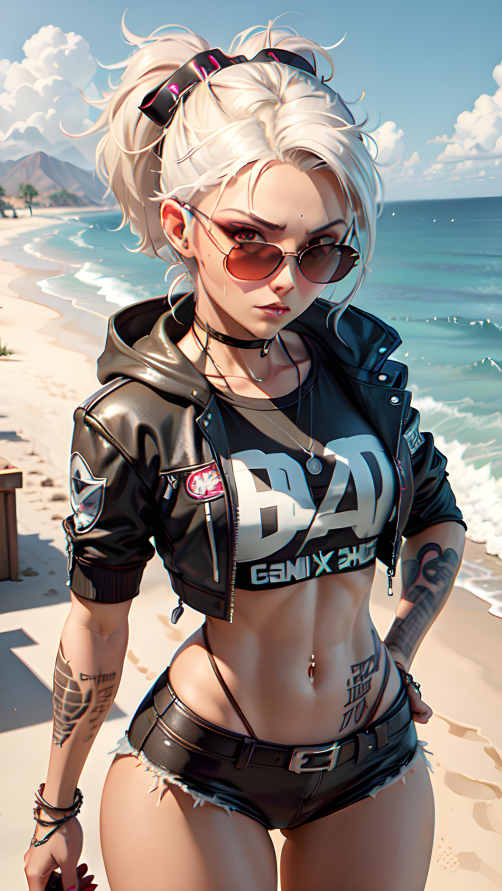
@yontan Go to look ;) I made a mistake, and I published 1 hour ago XD
https://civitai.com/models/144249?modelVersionId=166190
@yontan and it's hard to say if is the first version of Animerge... but it's pobbile (also because I saw a secret "little error" that usually my models do), but I'm not sure at 100%
@Samael1976 Thanks for the tips. Looks like my usual negative prompt is way too long (111 keywords + scene-specific ones !!)
As for embeds/lora, i use Neg4All https://civitai.com/models/102356/neg4allboth-positive-high-qualitydetails-and-negative-worse-qualitybad-hand-in-one-lora
@ze_thriller You are welcome ;)
The Best !!!!!
LoL thank you Eli! is not true, but I really appreciate your kindness <3
Excellent model, it's one of the best I'm working with
Thank you scuti ❤️
I really like this model. It's one of my faves. It works with my Loras, it also mixes great by starting with this and then using a more realistic CM as the hires CM. Produces awesome results
I really like this model. It's one of my faves. It works with my Loras, it also mixes great by starting with this and then using a more realistic CM as the hires CM. Produces awesome results
Something appears to be wrong with your pruned 1.4 model. I'm only able to reliably produce NaN errors (or blank frames if you disable those errors) in A1111 regardless of whether set to half precision or not. ComfyUI fares little better, mostly producing a solid black frame but occasionally a solid mid-grey or some abstract nonsense.
Full (non-pruned) version works just fine in both.
Note that there seems to be some kind of "cross-contamination" in A1111 which eventually lets the pruned version work after having used different models. I'm unable to reliably reproduce this.
The file size is also smaller than is typical of pruned fp16 models - 1.6GB instead of 1.98GB. This could just be an irrelevant different, but could indicate an incomplete upload.
Thank you Avvilimento.
About file size, it's correct, mine is 1,6 too, but maybe is corrupted also mine?
I can't use my A1111 now, because I'm training... but I see that MarkWar and Salammy users have created images using the pruned version without problems.
Last time I got a similar problem but with an another model, if you use A1111 (with the automatic installation) and you have set the "VAE" in config before run, remove it.
It fixed mine problem.
Let me now! And thank you again!
I take a image for a better understanding. Remove the Vae from here:
https://silverider76.iliadboxos.it:27440/share/JVT5ISPE37lDnR5D/01.jpg

toolkit basically says everythings broken also getting nothing but black gens
@nova1337 Have you try the solution that I wrote before?
PS: I can try to reupload it! But it's strange that Markwar and Salammy is working, I'm really confused!
@Samael1976 no because the lowest any model can go and still function on inference is 1.9ish gb, 1.6 means the model itself is actually broken like toolkit states
Just reupload a new (remaded) pruned version for security, (have a letter C in final name), but Civitai told me it has the same hash bla bla bla so I think is changed nothing.
Just reupload a new (remaded) pruned version for security, (have a letter C in final name), but Civitai told me it has the same hash bla bla bla so I think is changed nothing. Let me know! And thank you in advance!
don't know if it's related to toolkit or the model itself but yes ur pruned ver is basically missing its u net, https://github.com/arenasys/stable-diffusion-webui-model-toolkit/issues/40
@nova1337 I really don't know what to do, because I just made a new version of pruned starting from Full version, and it give me always 1.6GB, same hash bla bla and I used a second version of A1111 to be sure that the first version was broken.
So I really don't know what to do and I repeat that mine (I used for made over 400 images), Makwar and Salammy are working.
So really, if you can and if you want, do me a favour and try the solution that I said before. Just to understand if is it the model or the new version of A1111 that have some problem about that.
(Because I got the same problem with another model)
@nova1337 PS: I have try in this moment the (old) version that I upload in tensort.art, and is it working perfectly. So I presume that are some problems with the A1111
@nova1337 Damn, I think it's my problem, thank you <3
btw just found another model that merged 1.4 and it is also broken, therefore the issue is within 1.4 itself https://civitai.com/models/149311/anisuperinvincible
@Samael1976 no problem love aniverse/mesh so wanna help out any way i can xD
@nova1337 I'm working for fixing it <3
@nova1337 but isn't working...
Uploaded a new version (size corrected), but I really don't know if it give the same results... I'M SO SORRY GUYS!!! :_(
Any chance the 1.6 GB version is still available. People say it was broken like anisuperinvincible but that model works fine for me despite the smaller file size and the fact that model toolkit reports it as having a broken unet. Would be curious to test out the 1.6 GB pruned version to see if that works for me as well, especially seeing as the results changed with the newer pruned file.
@jmblsmit129 I must reupload in a different place, because here in civitai it don't permit me. But first I must fix Animerge 2.0 that have the same problem.
@jmblsmit129 uploaded!
@Samael1976 Wow that was fast! Both the 1.6 and 1.9 GB versions work fine for me. Not sure why others have issues with the 1.6 GB version. One thing that surprised me was that the 1.6 GB version produced different results. The images from the full and 1.9 GB version are identical. Curious what your pruning process was to produce the 1.6 GB version.
Thanks again for all your hard work! Your models are amazing. Looking forward to playing around with Animerge 2.0 :)
@jmblsmit129 you are welcome my friend ;)
@jmblsmit129 PS and if you can, just for curiosity, post a comparison of images between the 2 version ;)
@Samael1976 Here ya go https://civitai.com/images/2664526?period=AllTime&sort=Newest&view=categories&modelVersionId=165868&modelId=107842&postId=628423
The differences are more than I thought they would be. It's almost like another version :D Would have been a shame to just deleted it.
@jmblsmit129 LoL, you gave me a good advice! Really and thank you by the way! ❤️
I also leaved the 2 versions of Animerge 2.0, because personally I prefere the buggy one!
Thank you again!
@Samael1976 Absolutely no need to apologise. I can only begin to imagine how much time and effort goes into creating a checkpoint in the first place, so I for one have no misgivings about a minor hitch.
I should also apologise myself for not getting back to you sooner. Yesterday was... a day, and the less said the better. Now it's time to face today to see if things improve outside of AI...
@Avvilimento Trust me, I really really appreciated! Thank you so much!!!! I hope that version is good like the first one, no time to testing... :_(
I'm so sorry guys! 🙇🙇🙇🙇🙇
The file was corrupted. Now I've uploaded a new fixed version, I've no time to test it for see if it give the same results.(I've do a fast test and it seems very similar). I'm really so sorry guy :_(
Here the difference:
https://civitai.com/images/2662225?period=AllTime&sort=Newest&view=categories&modelVersionId=165868&modelId=107842&postId=627974
There is 2 downloads in the last version. Neither of those show me the weights you have in the pic, so what is the correct one? the 1.99GB or the 1.6GB? Neither of them is called -fix either. same name on both
@statistx you miss to read: "About this version" ;) It's all write here ;)
By the way:
1.99Gb file is fixed - 1.60gb file is the bugged one.
The galleries are made with the bug model (because to me and a lot of other users is working good)
@Samael1976 thanks, lol, i never noticed the field "About this version" and that you can open it
@statistx you are welcome my friend ;)
1.99Gb file is fixed - 1.60gb file is the bugged one
I re-uploaded the buggy one because someone ask me the file and because also if is bugged, is working good to a lot of people)
the galleries are made with the buggy one
(I write it again here so maybe the people can see this warning better)
Will you also fix the non-pruned version? Toolkit reports it like this:
Model is 5.28 GB. Multiple model types identified: UNET-v1-BROKEN, CLIP-v1-BROKEN. Model type UNET-v1-BROKEN will be used. Model components are: UNET-v1-SD.
(probably also explains the problems i reported when 1.4 was released)
@sci oh my god, I want to die. I can try... Thank you Sci!
@sci Sci, My A1111:
Model is 5.28 GB. Model type identified as SD-v1. Model components are: CLIP-v1-SD, UNET-v1-SD, VAE-v1-SD.
Contains no junk data. Wastes 3.30 GB on precision.
Uses the SD-v2 VAE.
Model will be pruned to 1.99 GB.
It tell me that's good!
@sci can you try to re-download? maybe a problem of downloading? Let me know!
@sci We have understand how it work the bugged (1.60gb) version work, and I think it's a funny and interesting bug.
I try to explain to you with my horrible english
1) In A1111 load a random model (X)
2) Generate an casual image
3) Load Animerge 2.0 Bug version
4) Generate an image and save it
5) Load another Model (Y) - (different to Model X)
6) Generate a casual image
7) Load again Animerge 2.0 Bug version
8) Click over "PNG Info" tab
9) Load the saved image
10) Click over send to "TXT2Img" button
11) Click on Txt2img tab
12) Press generate
Now you have 2 different images with same parameters, seed, cfg, ect ect.
I think it's interesting, because if you have patience, you can find the style that you like.
@Samael1976 redownloading fixed the errors in the model
@Samael1976 maybe because it fails to load part of the bugged model, it keeps using the working parts from the previous model
@sci Yes, we have think the same! It's pretty interesting! MarkWar definited this "bug" like a "air-merging".
You can have unique creations almost unique.
@sci Yes, we have think the same! It's pretty interesting! MarkWar definited this "bug" like a "air-merging".
You can have creations almost unique.
@sci do you want to laugh? when you asked me to fix the unpruned version, I had already done so. But due to the confusion in my head at that moment (confusion and mental tiredness, stress...) I completely forgot about it. Sorry for all this mess...
We have understand how it work the bugged (1.60gb) version work, and I think it's a funny and interesting bug.
I try to explain to you with my horrible english
1) In A1111 load a random model (X)
2) Generate an casual image
3) Load Aniverse 1.4 Bug version
4) Generate an image and save it
5) Load another Model (Y) - (different to Model X)
6) Generate a casual image
7) Load again Aniverse 1.4 Bug version
8) Click over "PNG Info" tab
9) Load the saved image
10) Click over send to "TXT2Img" button
11) Click on Txt2img tab
12) Press generate
Now you have 2 different images with same parameters, seed, cfg, ect ect. using the same model ;)
I think it's interesting, because if you have patience, you can find the style that you like.
So basically A1111 just uses the last loaded UNet to replace the broken UNet in the 1.6 GB model. I specifically tested for that by loading different models with the broken model but it's possible all the good working models I picked had the same or similar UNets.
At least the mystery is solved :D
@jmblsmit129 exactly!
So, what is THX? 🤔
I "slept" for a month and I've missed a lot 😀👌
@qwdrsa I want slept for a month me tooooooo XD XD XD
THX is Thanks edition (you can read about it in "about this version" ;)
(Not) important question: is this model suitable for LoRA training? This one is my favorite... but. I trained LoRA with AnyLoRA checkpoint and with some "Anime.vae"
Results are fine with sample prompts every epoch but when I use final LoRA files with this Aniverse checkpoint, faces are blurry somehow, like if there is high CFG scale. Once again, sample pictures generated automatically with Colab are pretty fine. Should I train on Aniverse instead of AnyLoRA to make my Lora look decent with this checkpoint?
Maybe I have to train without that "Anime.vae" or to change something else?
These blurry-like lowres artifacts (especially hair) are noticed through Aniverse 1.1 up to 1.4
P.S. I'm fairly new at training, I use Prodigy optimizer with LR 0.1, I've tried multiple net dims: 8, 32 and 64, alpha 1, 100 epochs with 1 repeats, single bucket: resolution is 448×704, train resolution is 512, clip skip 1, Prodigy set up with recommended defaults (kind of): weight_decay is 0.01, d_coef=2 and so on. My train set is 100% high quality PNGs, they are more like rasterized vector art with flat anime-like features absolutely without fancy realistic features or 3D, only gradients or very slightly grainy filled textures (but with crisp outlines anyway!)
I hope everything above is making sense. 😀👌
HI! the discussion is a bit complex, I hope Google translate translates correctly. I also noticed these artifacts (starting from 1.3, 1.2 was ok for me, but honestly I didn't check the configuration file). But I thought it was because of the change in training setup I had made. In fact, in 1.3 I tried to train at 1024px compared to the 768px of the previous versions. Given the artifacts I thought that was the cause. Then I realized that 1.4 also suffered from the same problems, despite training it at 768px. After the file corruption problems that Sci reported to me, I went to open the configuration file with a text reading program and saw that Dreambooth had become completely "corrupted". Even though I set certain features via the interface, the training configuration file was completely wrong. For example, I set 1e-6 or 2e-6 but inside the file it remained in 5e-6. Or the learning rate of unet set to 7.5 in the file remained 0. I'm sorry I realized this too late. Now I have installed an old version of Dreambooth which I hope works (checked the settings file and it seems ok) and I am training V1.5 of Aniverse. As for LoRa, I can't help you much. The LoRa that I had done with Animesh, I did it using Animesh itself and I remember having set the network to 128, but it is the only data that I remember by heart.
You should not train on tuned, late-gen models like this. Training should be on NAI or other very early, simple anime models that are foundational.
@NeuralEros sorry, but what? I've not understand... my english is limited.
@NeuralEros sorry, maybe I misunderstood and your reply was not for me :)
@Samael1976 it's best to train on a model like Anything or NovelAI
@NeuralEros can I ask you why?
@Samael1976 using other models makes the LORA hard to use - LORAs are most compatible with a wide range of models if NovelAI is used as a base
@Samael1976 using other models makes the LORA hard to use - LORAs are most compatible with a wide range of models if NovelAI is used as a base
@NeuralEros I retrained with AnyLoRA again, without vae and with higher min_snr_gamma of 6, instead of undefined. Pretty fine but every epoch seems to have different unet and text encoder learning depth or completion. Training without any "vae" was the best option for me. I did a post with my result (kind of) https://civitai.com/posts/651116. And now I'm banned on Colab for GPU over-usage 🤣
BUT! I found that I can train LoRA on my 4GB 1650, lol!
@NeuralEros yep, this really makes sense. I barely can use my LoRA trained on Aniverse
@qwdrsa AnyLora is decent for training, but Anything V3 is better, and NovelAI Anime Full is best
@NeuralEros I understand and thank you! But I think that depends on what kind of LoRa are you looking for, if a LoRa character or a LoRa style. I do an Example. Animesh LoRa, is trained with Animesh Full model checkpoint, and I think that it work pretty good.
@qwdrsa Google colab have banned Stable Diffusion for free account. If you pay, you can still use (I'm Paying a google colab for Animerge while Aniverse is training in my PC)
@NeuralEros NAI is kind of... leaked model, right? I would not use it (at least for public). But I would like to train with Anything V3. It will be a long journey. 4 GB of VRAM + more than 4.5 GB of RAM shared to GPU 🤣👌
I wonder why I can train LoRA with bare python `accelerator` but webui dreambooth screams with OOM...
@qwdrsa NAI is a leak, it's true, but without it we wouldn't have modern SD - the majority of DNA in every major anime and comic model comes from NAI, most loras are trained on it, etc. - and people openly state their models or loras are based on it without issue, because NAI is not pursuing people about it. So it's fine really. even many of the popular photorealism models have a decent chunk of NAI DNA.
@NeuralEros what about training on Anything V5
@alona_chemerys likely a little worse than anything v3 since v5 is more "specialized" and heavily merged, but probably not awful. the goal is not to train on models you like the output of, but instead to train on models that have DNA in common with the widest range of other models. that's how you get flexible loras.
I love this conversation! Thank you for all of these gold information ❤️
@NeuralEros true. Same with v3 though. Too inky and paint-like checkpoint and LoRA results with it are really artifact-prone with specific Unet burnouts. I would use instead neutral screencap-like base checkpoints, like "AnyLoRA Anime Mix" for really flat datasets and AnyLoRA usual for illustrations with color flows and gradients. I did LoRAs of artists with AnyLoRA and results are pretty solid. And SD 1.5 base checkpoint for anything more "realistic". Also, AnyLoRA is more lightweight to train on low VRAM.
@qwdrsa what about making lora that has alot of 3d dataset, since im trying to train a game character and the image is all 3d looking
@alona_chemerys SD 1.5 is the base for almost everything. AnyLoRA, I think, not so good for 3D. As said there before, "late-gen models" should not be used for training, especially merges. And yes! You can try for OpenJourney, I've seen some nice looking 3D results made with it while googling it: https://huggingface.co/prompthero/openjourney-v4/resolve/main/openjourney-v4.ckpt
Also, do not forget to use correct settings for training optimizer. For me, Prodigy is the easiest and straightforward adaptive optimizer to train a LoRA without burnouts. But there are some caveats to how to use this optimizer.
If you are interested, I can tell more about what I did to make this work, outside this comment section. 👌
@qwdrsa yea sure im also in civitai's discord server if u wanna dm, or just add my discord username "elegantspy"
@alona_chemerys my dc username is "surelyyes".
I can't add you because of your discord account privacy settings 👀
Hello @Samael1976,
This is a weird request but I'd like to download the original, corrupted version of the non-pruned 1.4 model. For the pruned model, you have both versions available, but for the non-pruned one, you seem to have replaced the original one with a newer one. I need the original file to test something lol, thanks in advance!
Hi, the discussion is a bit complex, but I would certainly prefer not to do it so as not to cause confusion for the majority of people who don't read the release notes. Then there's another problem I have with a site/app (pixai for the record) where users upload models without my permission (and without pixai doing anything to control and empower the creators to block the problem ). This thing, for me and many other creators, has become a big problem. so much so that until 3 days ago I thought I'd stop making any more models. I hope you can understand...
@Samael1976 please don't stop, pixai may implement some control but ultimately your models are some of the best out there, the community would be affected if you stopped creating. just my opinion
@PeterNjeim There was never a "corrupted" version of the 1.4 unpruned model. Only the pruned model had issues because it was missing clip. I posted steps on how to make a good working checkpoint from this by importing clip from another model. This changes the output but the results can be interesting depending on which model you use.
Check the comments on Animerge for the actual instructions.
https://civitai.com/models/144249/animerge?commentId=263029&modal=commentThread
@Samael1976 It's disappointing to hear about the situation at pixai. Hopefully they take some action soon on your behalf. It would be a shame for the community to lose such an amazing creator as yourself.
@jmblsmit129 I'm almost certain there was a corrupted version, there's a reason that the non-pruned model's file got reuploaded at the same time the non-corrupted version of the pruned model was uploaded (10 days ago at the time of writing), despite the non-pruned model being released earlier than that. The reason I know there was a corrupted version is because I used the Create function of Civitai to use the non-pruned model, and when I tried to replicate one of the images on a local instance, I couldn't do it. I followed Samael's steps and successfully got different images with the same prompt and seed, however I couldn't replicate the image I wanted, because I have no clue which model someone was using before me that Civitai's server had loaded (and I'll never know, which is why I asked for the corrupted model so I could experiment). I instead opted to test with the pruned model, since the difference in generations are minor, but still couldn't replicate the image exactly. Please don't speak confidently about something if you aren't sure, saying "never" means you're sure of something, but in this you weren't sure, you were guessing.
@PeterNjeim There were never any posts reporting that the unpruned 1.4 was corrupted and no announcement that it was reposted so I base my information on that.
I had downloaded the 1.4 (unpruned) a few hours after it was posted and used it for over a week and never noticed any issues.
Since I don't think you are making up any claims I wanted to verify this for myself. Checked my downloaded copy in Model Toolkit and to my surprise it reports the model having broken UNET, CLIP and VAE. So the unpruned 1.4 was corrupted but nobody mentioned this!
This solves one mystery in my mind about how the pruned version ended up being corrupt and unusable but now I'm left wondering how the unpruned became corrupt in the first place lol.
Going to do some tests to see how much different the repost version is compared to the original.
Sorry for the delay in my response, but I don't even have time to breathe 😓. In fact everything started from the full version. The fact is that on that day (in which the pruned bug was discovered) I was rather panicked by my inexperience and I did everything in a hurry to fix the problem, telling myself "then I'll go and write it". The problem is that I myself I forgot that I had also fixed the full... and I was concentrating on making the new version of Aniverse and trying to understand what problem Dreambooth had in the training phase. Sorry again for all this mess, from now on, before before publishing I will always test the files for corruption.
@Samael1976 No worries, everything worked out in the end.
This was a great learning experience. I was able to find out so much through Model Toolkit about checkpoint structure and stuff. Some really amazing things you can do with that extension lol.
@jmblsmit129 Thanks for your response. To check if a file was reuploaded, you can click on the Files dropdown and see when a file was uploaded by looking at when it was verified (now it says 11 days ago, and the VAE file says 7 days ago). You can also see under the Create button (big blue button at the top), that it says "Verified 11 days ago", that means the oldest file in the list of files in the Files dropdown is 11 days old.
Also, now that you mentioned you have the original file for 1.4 unpruned, is there any chance you could temporarily put it on Google Drive or something similar (gofile.io is a nice website for temporary file sharing, no account needed and free) so that I could download it? I'll let you know when I have it so that you can remove the file later (since Samael doesn't want external file sharing). Thanks in advance
@PeterNjeim if you give me a your email, I send you a link where download it (my private NAS)
@Samael1976 I sent a Discord friend request
The model creates beautifull pictures, but i see no one mentioning that there are often glitches in the faces. The examples pictures and those in the reviews tell me its not only on my computer.
in negative prompt try: mole, scars. Let me know if got better results
PS: usually I test with over 200 pictures (look my creations) do you notice the same glitches of yours? If not, maybe there is something in your prompt/settings
Thank you for your positive reply, using the negative prompt helped a lot!
Your examples have some glitches also, thanks for this great model, ill add a review.
@feelinill you are welcome my friend! I hope that next version will fix the glitches ;)
Sorry for my noob question, but what is the difference of pruned or not pruned?
Theorically speaking, only the file size. (and usally pruned is faster and use less ram)
Sorry for my noob question, but what is the difference of pruned or not pruned?
Pruned is compressed model that is not recommended when you merge models. If you just generate its the one to go for
A quick news. Starting Animerge V2.2 (that will be published here in Civitai on Monday, but it's already published in my Ko-Fi page)
The next versions will be in "early preview", for ONE week ONLY on my personal page on Ko-fi.
After that they will be downloadable for FREE (as always) here on Civitai too. I'm sorry I ended up doing this, but I really can't get over the costs between electricity bills (My home PC running Aniverse) and the use of Google colab to do Animerge and the various image galleries.
Having said that, in the hope that you can understand, I wish you a good day.
Una breve news. A partire da Animerge V2.2 (che verrà pubblicata qui su Civitai Lunedì ma che è già scaribaile dalla mia pagina di Ko-fi)
Le prossime versioni, saranno in "early preview", per UNA settimana SOLO sulla mia pagina personale su Ko-fi.
Dopodiché saranno scaricabili GRATUITAMENTE, (come sempre), anche qui su Civitai.
Mi dispiace di essere arrivato a fare questo, ma veramente non ne vado fuori con i costi tra bollette elettriche (Il mio PC di casa che allena Aniverse) e l'uso di Google colab per fare Animerge e le varie gallerie di immagini.
Detto questo, nella speranza che possiate comprendere, vi auguro una buona giornata.
Details
Files
Available On (1 platform)
Same model published on other platforms. May have additional downloads or version variants.