

Support me on ko-fi <3
If you want to support my work I would be incredibly happy! Every amount makes a difference! <3

Welcome to version 3! Now with ControlNet and better Faces!
Feel free to post your pictures! I would love to see your creations with my workflow! <333
Greetings! <3
This is a workflow that is intended for beginners as well as veterans. The veterans can skip the intro or the introduction and get started right away. Everyone who is new to comfyUi starts from step one!
What does it do?:
It contains everything you need for SDXL/Pony. Base generation, Upscaler, FaceDetailer, FaceID, LORAS, etc. I assembled it over 4 months. I work with this workflow all the time! All the pictures you see on my page were made with this workflow. I spent a long time working on how to optimize the workflow perfectly.
Important to know:
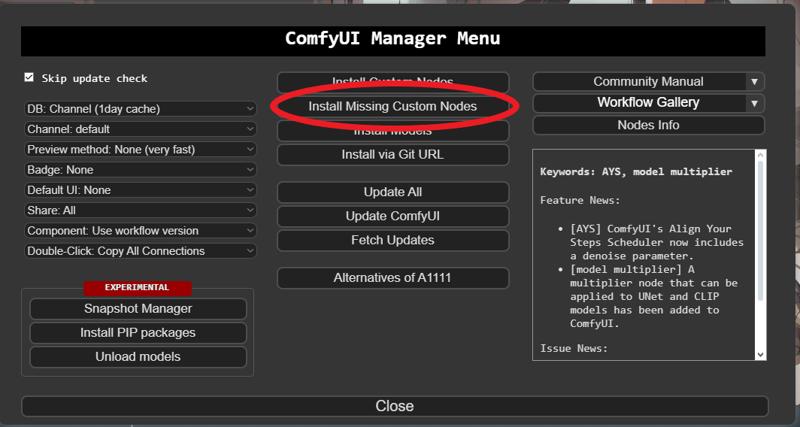
You will need additional nodes. These are all official nodes that can be downloaded directly from the ComfyUI manager! All you have to do is press Install missing nodes!
How do you use it?:
I highly recommend having worked with ComfyUI before, otherwise it could quickly become overwhelming. With great opportunity comes great ... error? No no! I have set up my workflow in a very structured way and will explain everything step by step!
Let's get started!:
Download the workflow and open it in ComfyUI.
I've color-coded all related windows so you always know what's going on.
Number 1: This will be the main control center. This is where you'll write your prompt, select your loras and so on. This area is in the middle of the workflow and is brownish. The "lora stacker" loads the desired loras. The "Efficient loader sdxl" loads the checkpoint, clip skip, vae, prompt, and latent information. The "KSampler SDXL" produces your image. Here you can select your scheduler, sampler, seed and cfg as usual! Everything that is above these 3 windows is not really needed, if you want to change something in this workflow yourself, you can continue your work here. But for now they are not important. Let's generate our first image! I will use PonyDiffusionV6XL in the example. https://civarchive.com/models/257749/pony-diffusion-v6-xl
If you choose a checkpoint that is not based on PonyXl you will most likely not get the same results as I did! Use the prompt: "score_8_up, score_7_up, score_6_up,feral pony, show accurate" and paste this in the upper window, the positive pompt window. The lower one can remain empty. If the question now arises what is score_8, this refers to the quality of the image generation of ponyxl. Not really important for now!
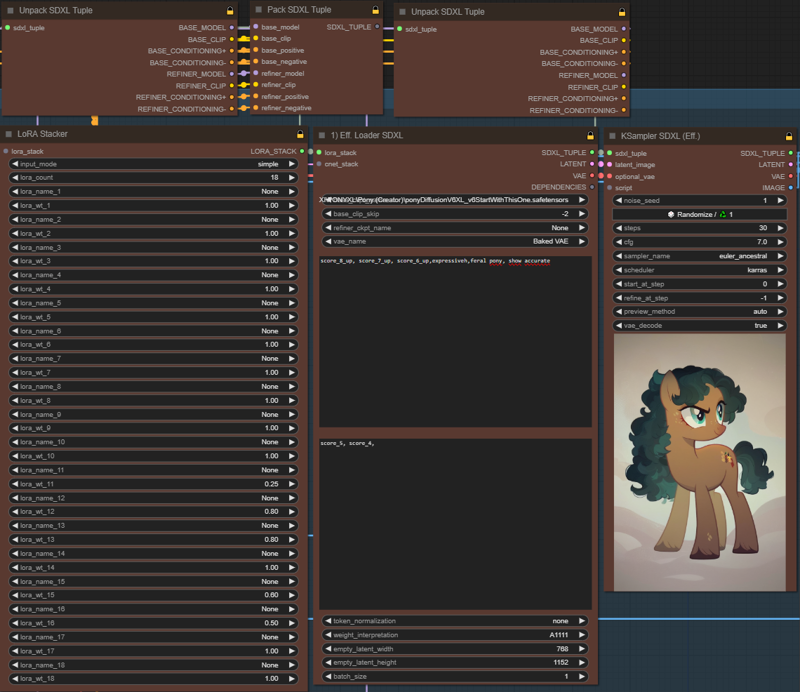 Congratulations the first picture is finished!
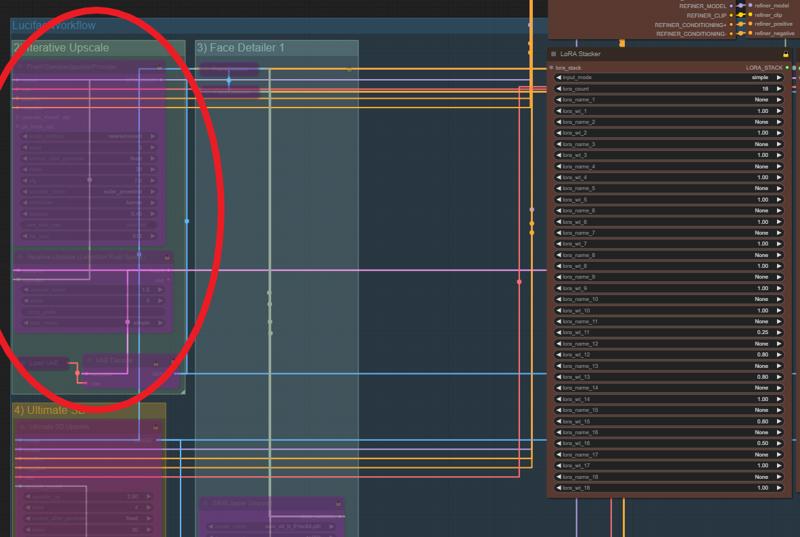
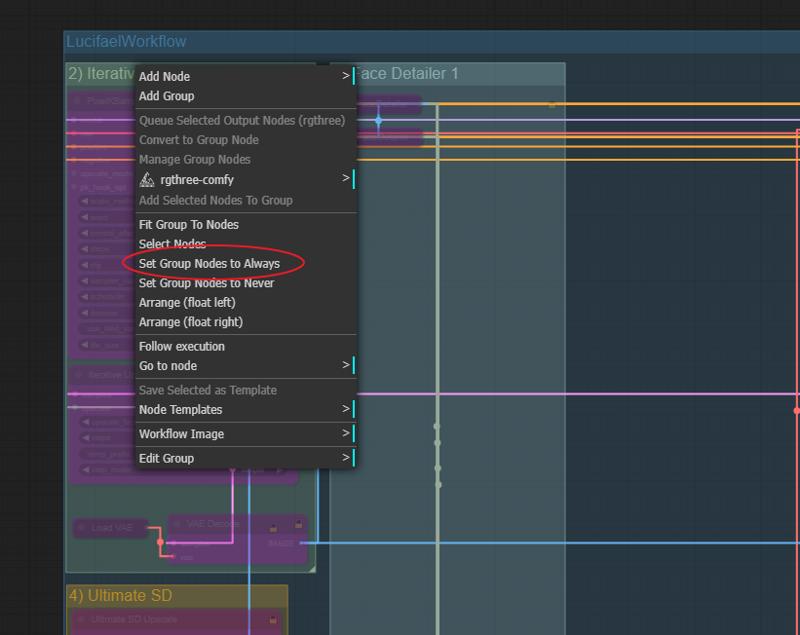
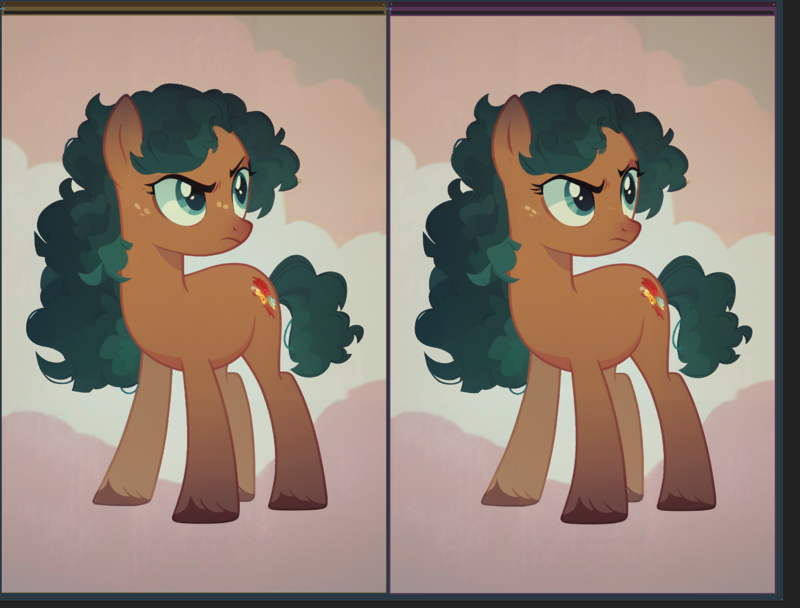
Number 2: You will see that this area is highlighted in purple, what is that? This purple background means that this area is currently ignored. To be able to use this node we have to unlock it. Right click on the upper edge of the green box where it says "Iterative Upscaler". And then Set Group Nodes to Always. Now the boxes are clearly visible and the nodes are unlocked. What happens here? The image is scaled up to a certain size and details are added. The upscaling factor determines the end resolution. The steps say in how many steps this should happen. For now we leave everything as I have set it and press Queue Prompt again to get the next image! Now you should see another image on the right-hand side of the image output which has a much higher resolution and also looks more detailed. On my pony you can see slight changes, on people etc. the details are clearer!
 Load VAE:
In the area of step 2) Iterative upscale, go to load vae at the bottom left. Open the node by clicking on the dot, then you can select your desired vae:
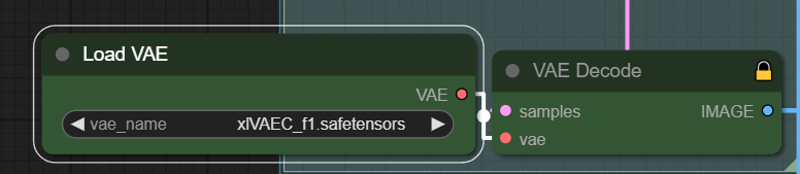 I use a very great vae that you can get here on civitai. I actually use it 24/7 and only change it very rarely! Check it out! : https://civarchive.com/models/152040/xlvaec
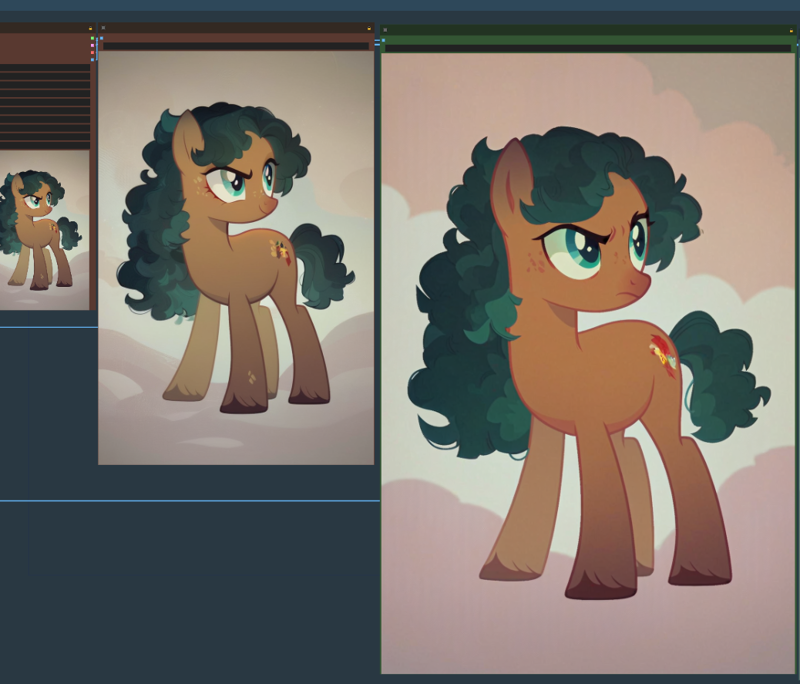 A more detailed larger pony has been successfully completed! Congratulations!
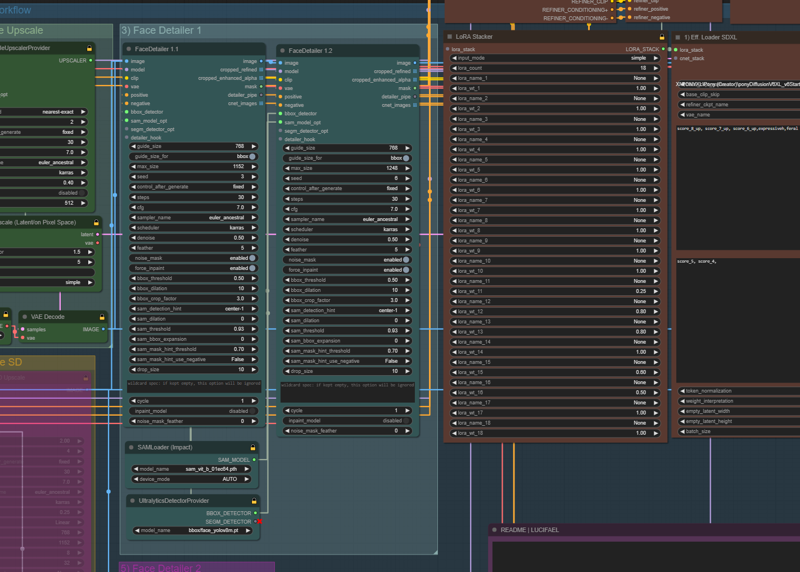
Number 3: The Face Detailer node. Here the face of the characters is significantly improved or repaired. We all know blurred faces or pictures where the characters look more hideous than the Hunchback of Notre Dame! We don't want that, no no! So we need a node to do it for us, and she does a great job! The node will improve all faces that are found, no matter how small or inconspicuous. In my pony picture the effect will unfortunately not be so obvious, but I will add an example picture where you can see it better. So let's go to the FACE DETAILER to the right of the Iterative Upscaler. I know the node looks bad and frightening. BUT. You don't have to change anything! I have set the nodes so that you don't really have to do anything specific and the faces will always be good. So all we have to do is activate it again with a right click and "Set Group Nodes to Always", press Queue Prompt again and let it run. As I already said, there will hardly be any difference in my pony example. The freckles have changed to white and a little more eyelashes have appeared, it's more noticeable on people!
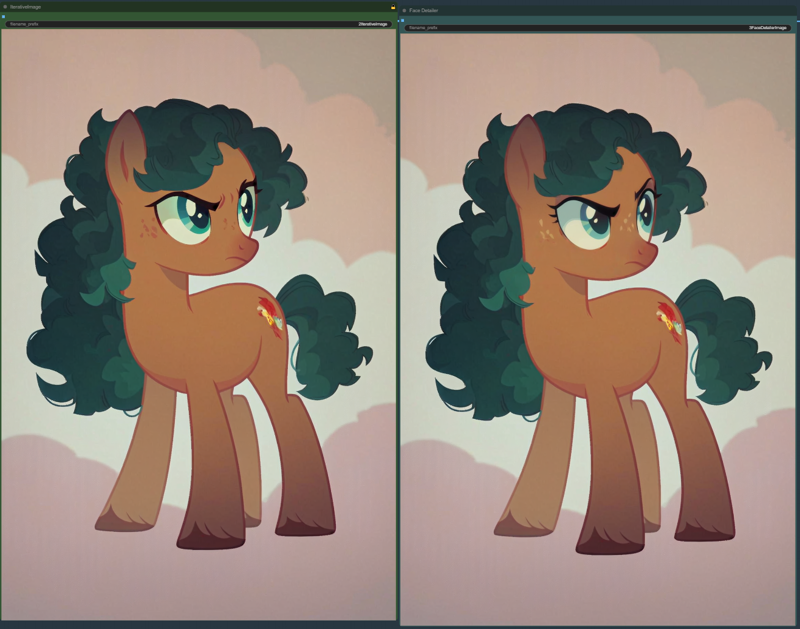 Up to this step is mostly my main workflow. This resolution is usually more than enough and so is the level of detail. If you want to improve the image significantly, step 4 comes into play.
Face Example:
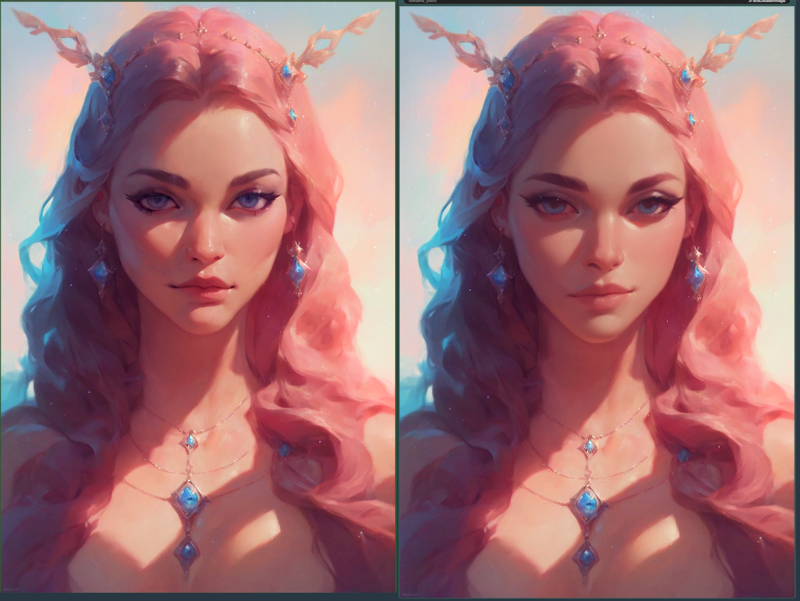 IMPORTANT! V3: New Face Detailer method! Scroll down to see the new method!
Number 4: The Ultimate SD upscaler. Unlike with iterative latent upscaling, the image is hardly changed and only made more beautiful! Of course, you can give even more freedom with a higher denoise, but there are usually too many disruptive factors. There are many different upscalers to be found on the internet. Personally, I change from time to time depending on my taste, but the model I use now is called: 4x-UltraSharp. I link this upscaler. https://civarchive.com/models/116225/4x-ultrasharp
Set the upscale factor or leave it at 2. This will take some time depending on your Hardware <3
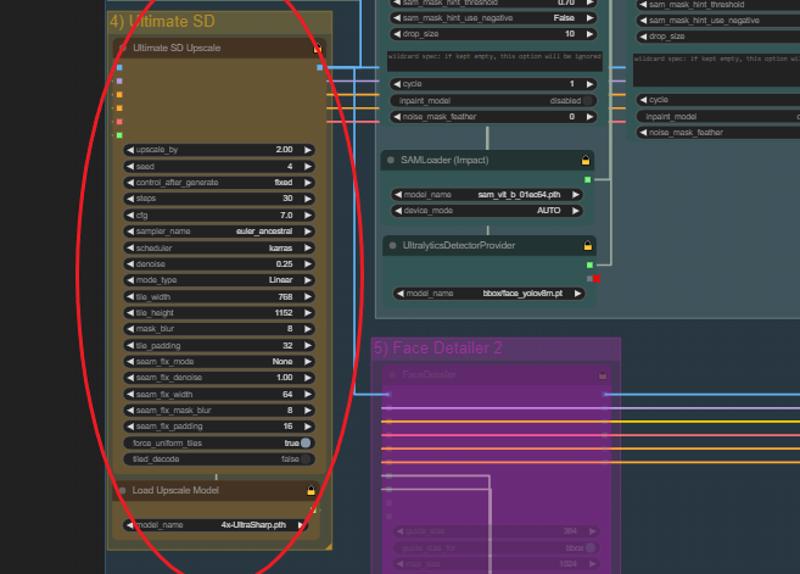
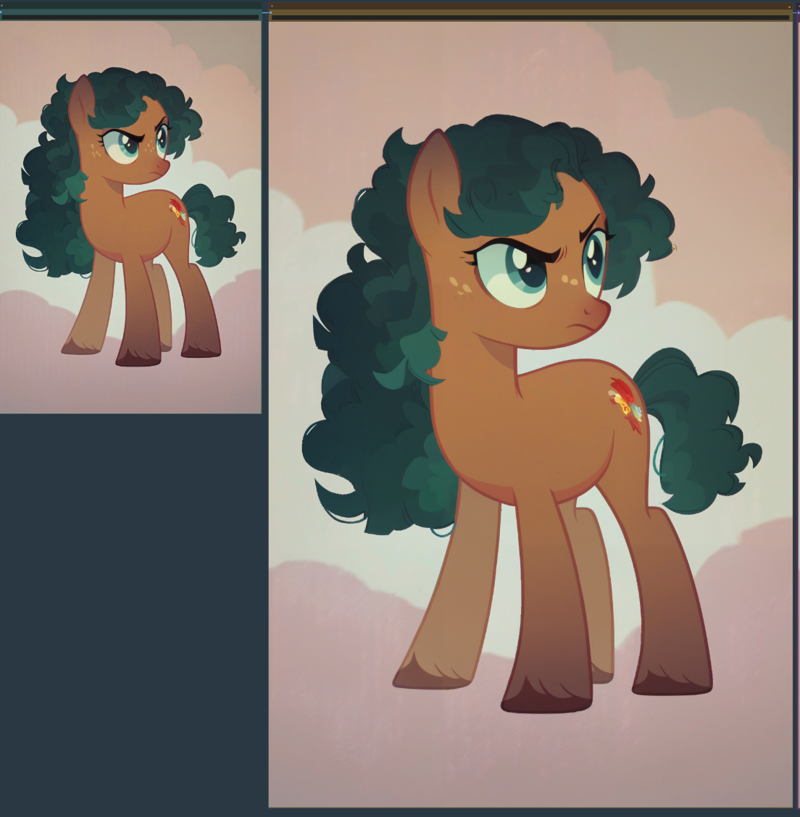 You can see that the image has hardly changed but the resolution has increased significantly, which is exactly what we wanted. A upscaled big image is finished. Congratulations!
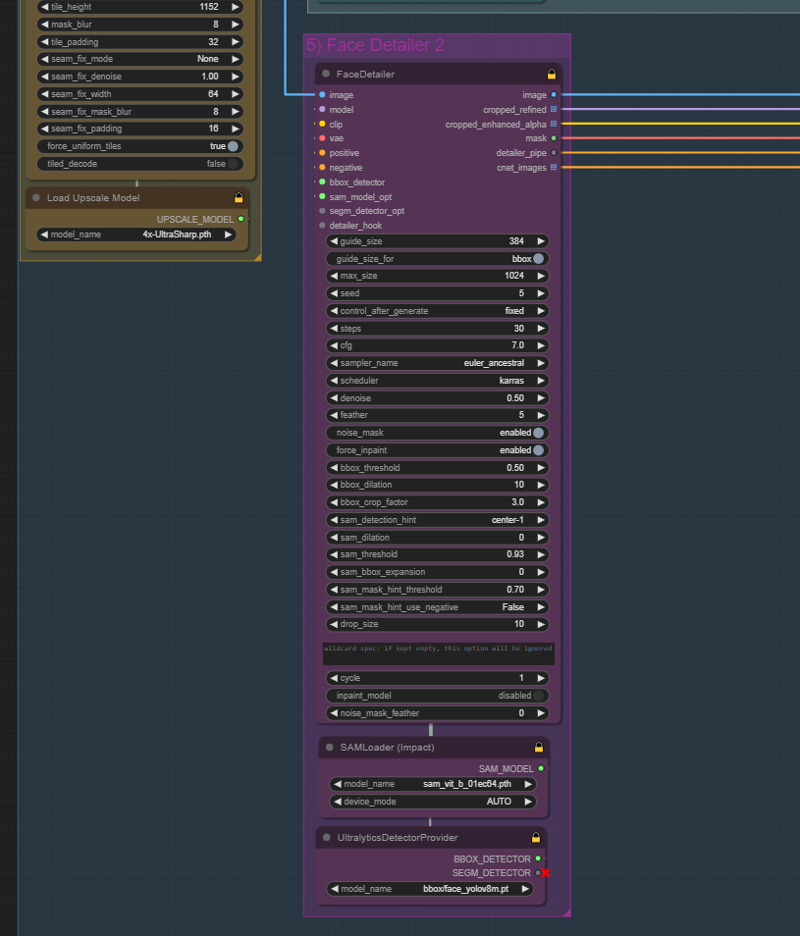
Number 5: Our actual last step. Another face detailer. It happens some time that faces distort at such a high resolution upscale. That's where our friend the face detailer comes into play. As always, right-click to unlock number 5 and let the whole thing run. As before, we could run 2 face detailers one after the other, but this is usually no longer necessary and saves a lot of time! Complete! Now we have a high resolution, beautifully detailed image. in my case a little pony. Not much has happened here in this example. Eyelashes were added and the entire face was freshened up again. In the other example with a human it is clearer!
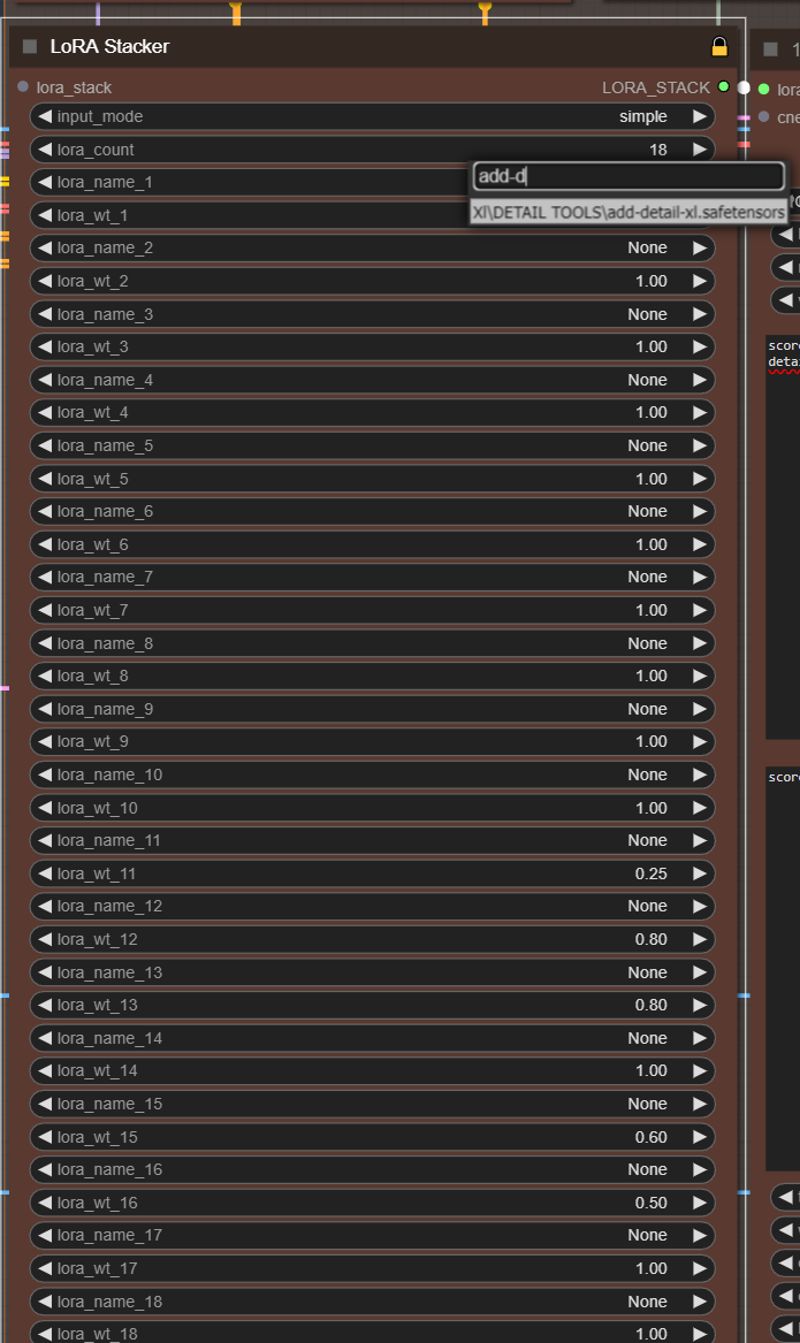
Lora stacker for beginners.:
Sooner or later everyone will get to the point where they will use Loras. This is where the Lora stacker comes into play! Very easy. Select a Lora in the bar and click on it. that's all. The number indicates the weight of the lora. The higher it is, the more valuable and more influential it is. In my example it is a lora to increase the level of detail. I once set 18 slots, you can also set them down with lora count. I often activated around 12 loras in my generated images, which is why I kept so many slots free! Just adjust it for yourself and if the slots are free it doesn't have a negative influence!
Optional FaceID:
FaceID works very badly with pony unfortunately. It's best to use it only with SDXL models!
If you don't want to use Face ID, simply bypass the whole group as usual and generate pictures as normal without face id!
FILES:
What do we need? We need 4 files that i will inlcude as a zip. They are not done by me and all the effort and thanks goes to the original makers of the files!
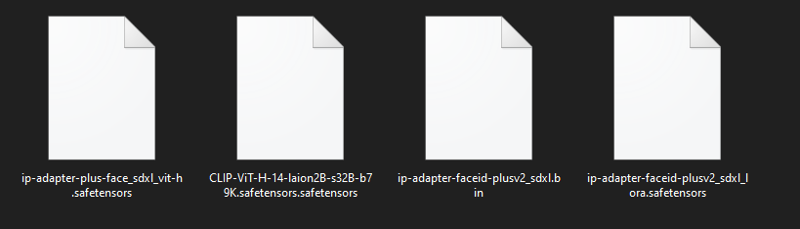 These files will be included in the zip so you don't have to search for them online!
1)
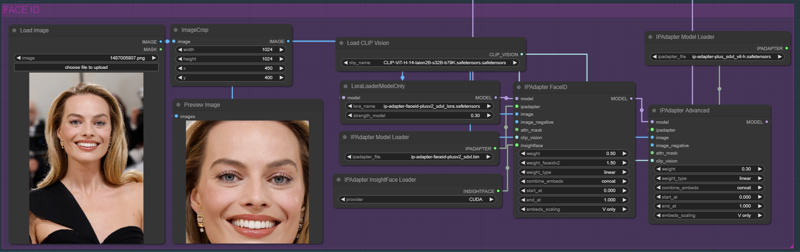
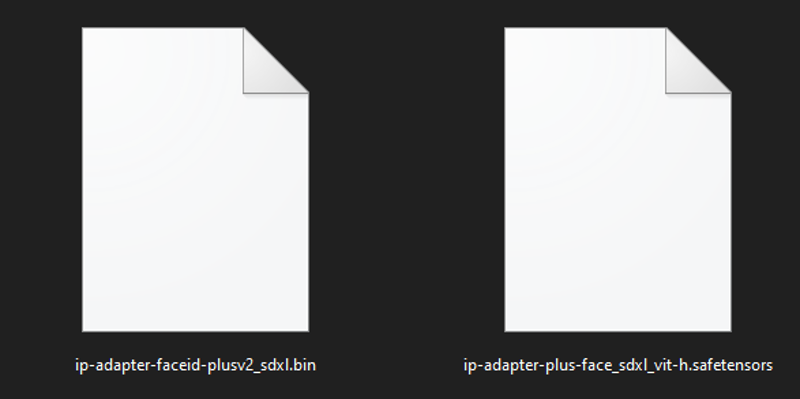 These two files must be placed in the folder I show you in the picture: ComfyUI_windows_portable\ComfyUI\models\ipadapter.

2)
 This file goes into: ComfyUI_windows_portable\ComfyUI\models\clip_vision

3)
 This one goes into: ComfyUI_windows_portable\ComfyUI\models\loras

That's all for the preparation, now we can start!
 I have attached the test picture with which we will try Face Id!
FaceID basic explanation:
1)
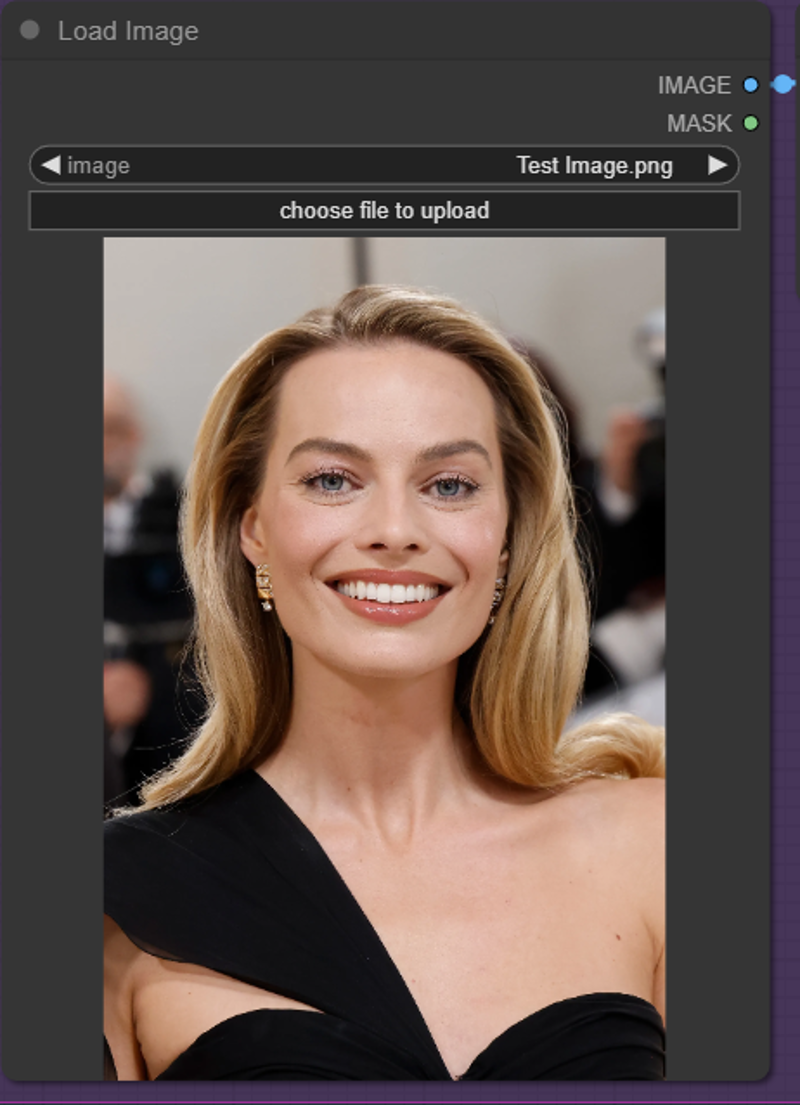 Upload the face you want to use.
2)
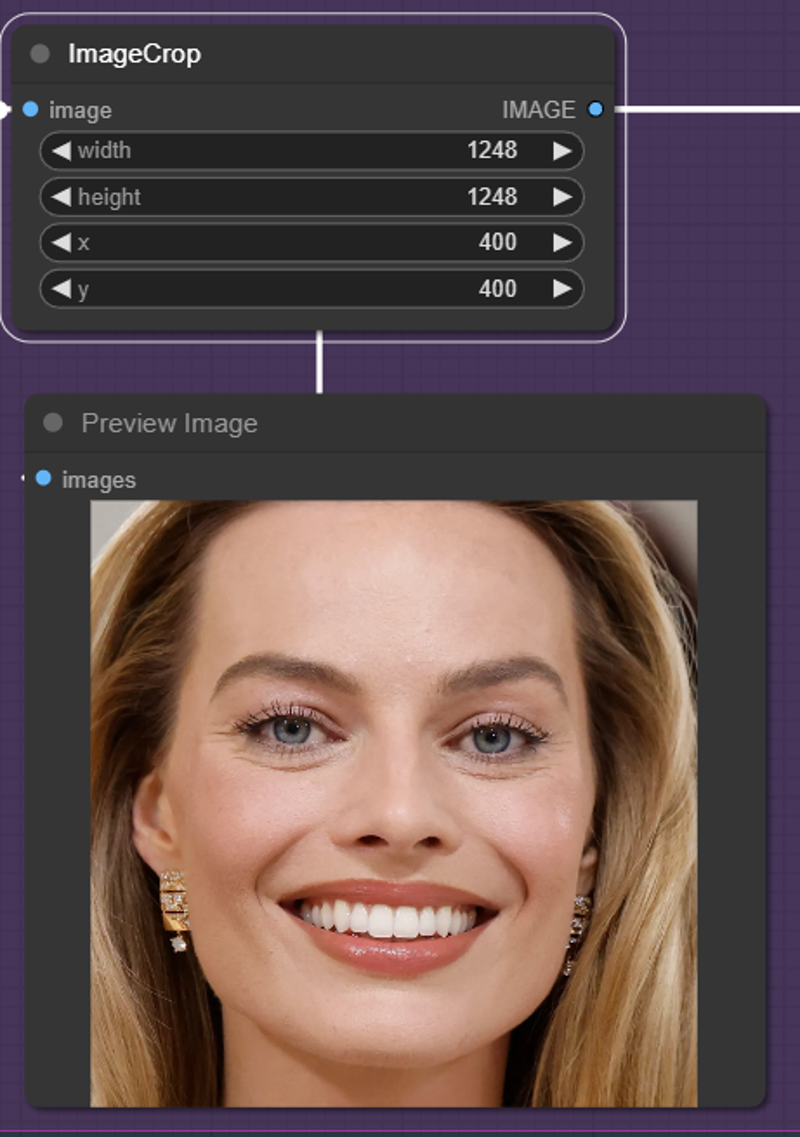 Crop the picture so that the whole face is visible! The higher the resolution of the image, the more it needs to be aligned. Otherwise 768x1125 should fit, you have to try it out.
3)
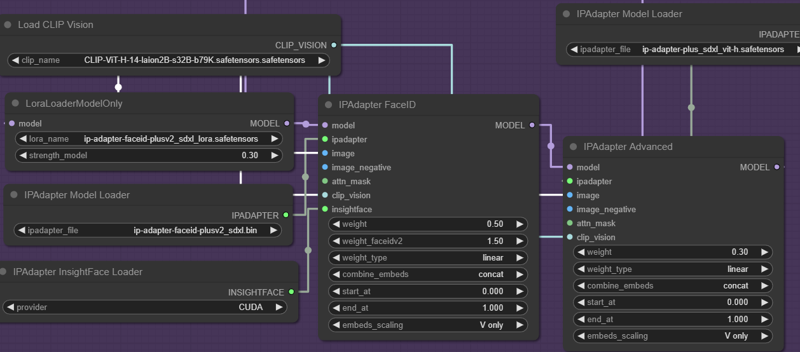 For the rest, you should really just test the weights until you find the right values that you like! Personally, I don't think FaceID is as good as it was with SD 1.5, but you can still get great results, just try it out!
Result:
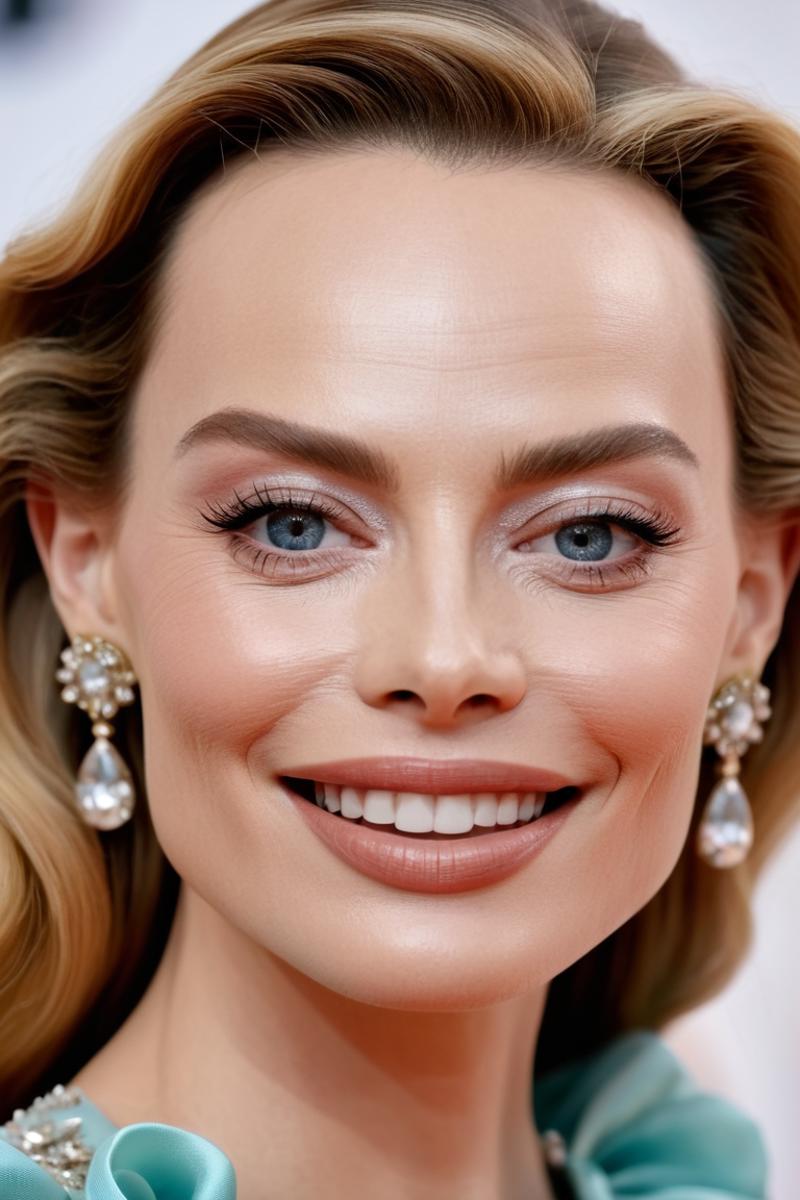
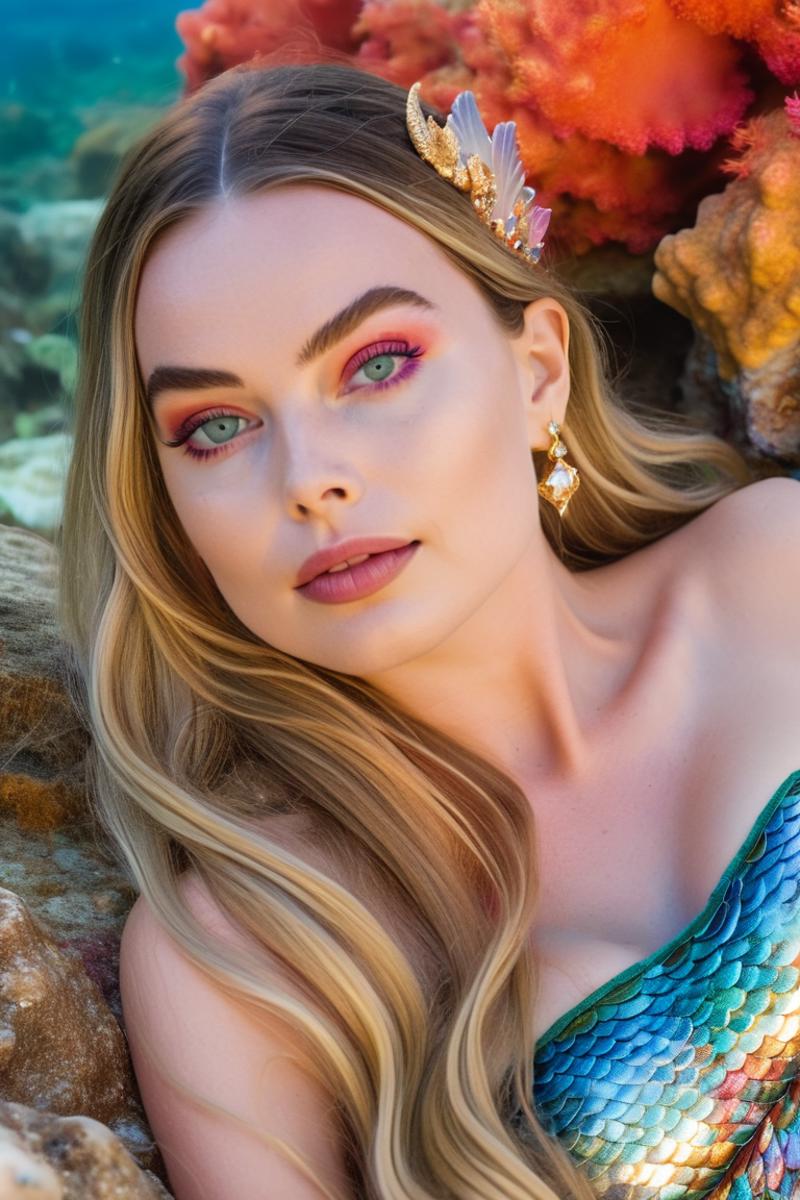
You see... somewhat modest. However, you must bear in mind that this face was created without loras and still has very flexible possibilities. For example, you can integrate yourself into a generation. It offers many exciting possibilities, please try it out and if you have great results, please share them here!
Image Saver:
Hit Missing Nodes in the Manager and download the missing node! And then off you go!
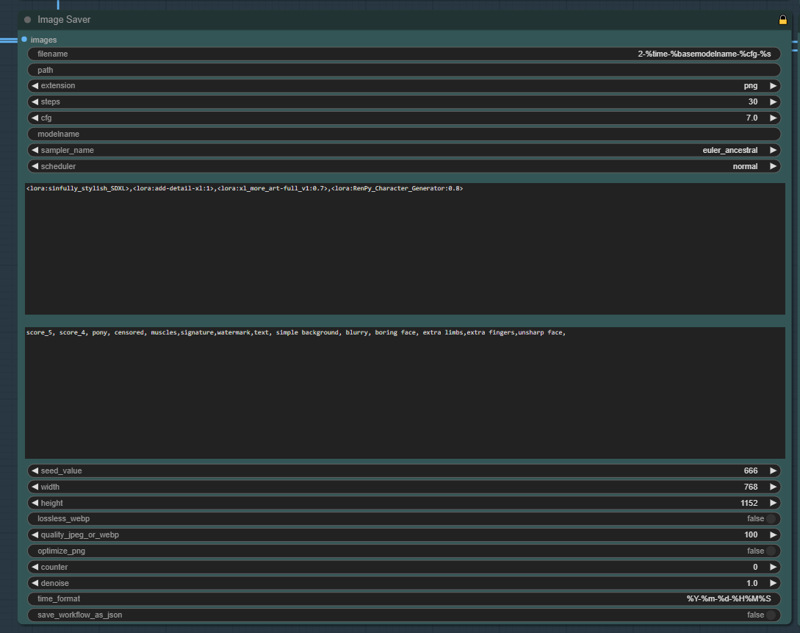
The Image Saver saves your images and integrates your data at the same time. If you are used to A1111 automatically recognizing everything in civitai then this is similar. Unfortunately not quite as good as there because we have to adjust things in my workflow. But if, like me, you use the same generation settings relatively often, you can hardly tell the difference! Enter the data you want to have when saving, i.e. CFG, sampler, steps, schedulter, etc., here. You have to do this where you save your images in the workflow, i.e. if you always save your images up to the last node, then it is enough to use the image saver at the end and change the entries! But if you want to be spontaneous, you have to customize everything like me. Believe me once customized and you will quickly find your way in!
Integrate Loras:
You have to integrate Loras here in the same form as you know it from A1111! : <lora:sinfully_stylish_SDXL>,<lora:add-detail-xl:1>,<lora:xl_more_art-full_v1:0.7>
CivitAi then knows which loras were used and integrates it into the picture as you know it! Thats it!
ControlNet!
What is ControlNet?:
ControlNet helps, for example, to reproduce positions exactly from a reference image.
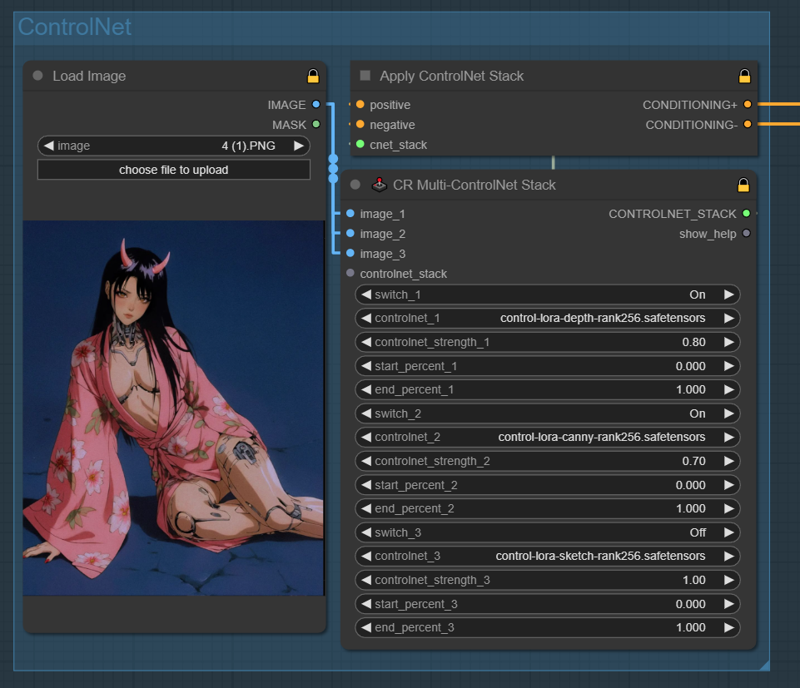
Today's reference picture is unfortunately not mine! A great creator from Instagram inspired me and I thought it would be great to use!
What do we need?:
We need files that we can use in ControlNet. Since I got bad feedback with version when I upload the files, I will now only upload my workflow and you have to look for the files yourself. Just search the internet and download!
 https://civarchive.com/models/136070/controlnetxl-cnxl
eurotaku Uploaded many on CivitAi!
Let's go!
1) Choose a reference image that you want to recreate. Load Image!
2) In the Multi ControlNet stack, select which models you want to use. Here you can select a maximum of 3, but that should be enough! I will not explain what each model does, there are enough tutorials for that!
3) Choose the strength and the length of the effect and that's it!
Important: If you take a reference picture where the person is standing and you have in the prompt that the person should sit, it can lead to strange results! Pay attention to this!
My prompt for the reference picture is this:
1girl,solo,long hair,breasts,looking at viewer,black hair,brown eyes,sitting,japanese clothes,open clothes,horns,kimono,nail polish,collar,no bra,arm support,blue background,floral print,oni horns,yokozuwari,joints,pink kimono,robot joints,mechanical parts
Result:
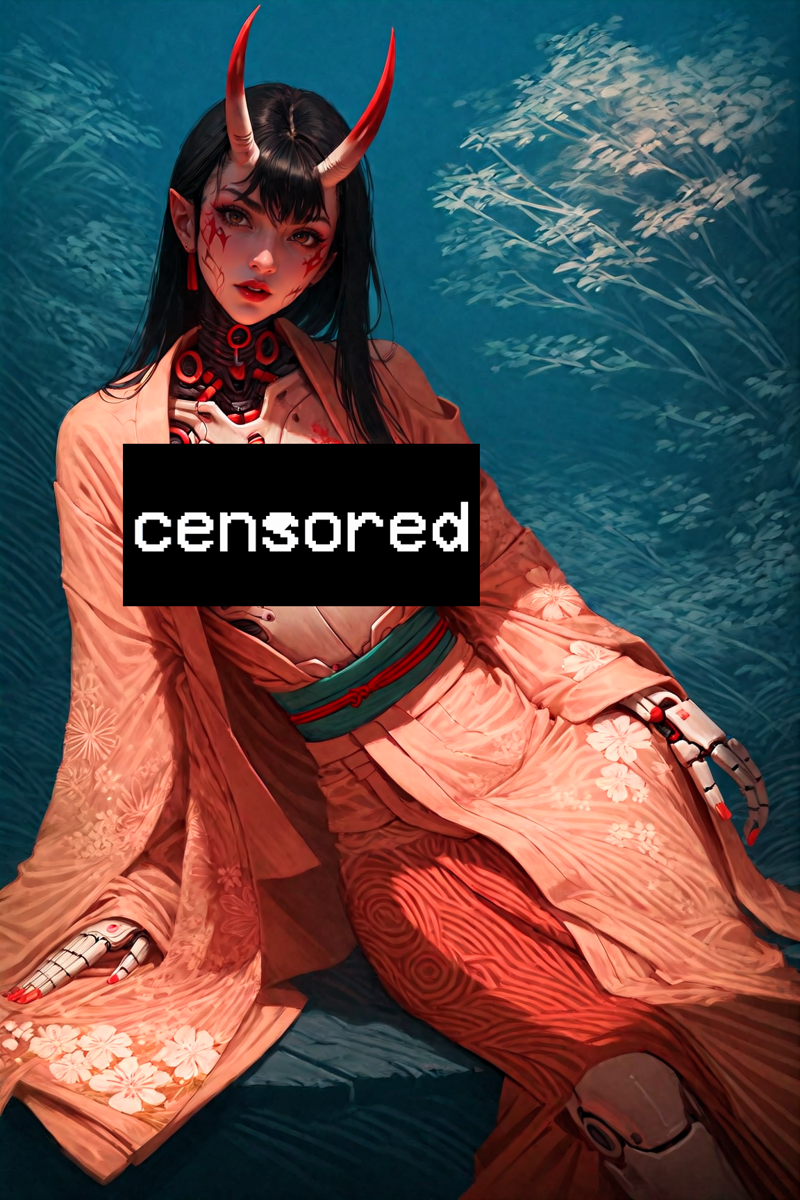 You can clearly see that the position has been taken! Perfect!
New Face Detailer method!
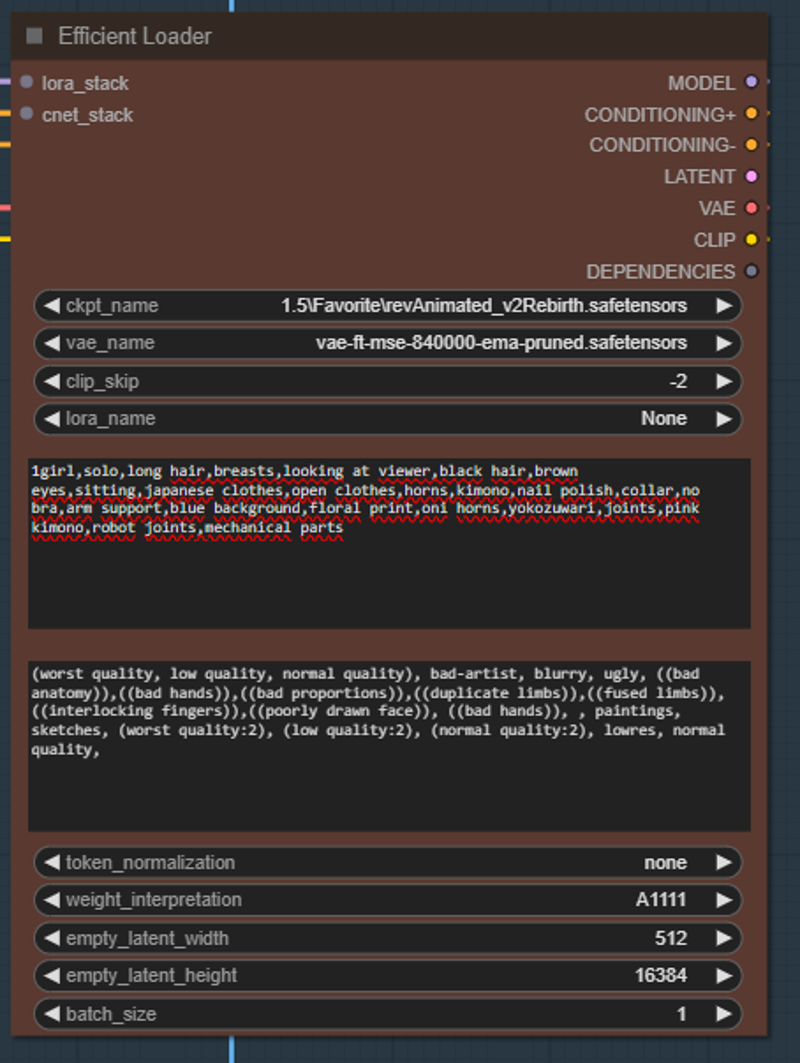 Unfortunately, pony and Xl in themselves are not always quite so beautiful when it comes to the face. While researching through several excellent creators and exchanges, I came across new methods to generate much more beautiful faces! I would like to say a big thank you to @Delnight!
The new method consists of using not only fringe models for the face but also old SD1.5 checkpoints. 1.5 generates fabulous and beautiful faces that you very rarely get with SDXL, especially with Pony it is as @Delnight! would say "hit and miss".
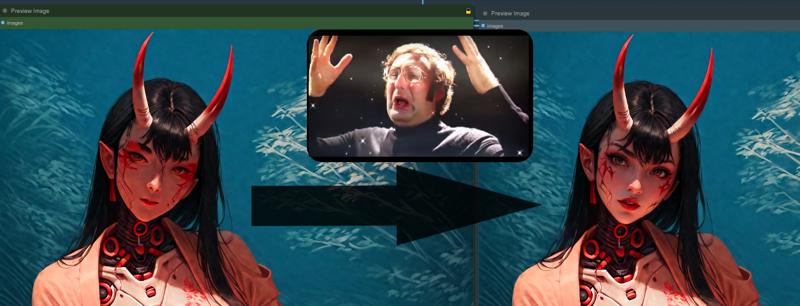 1.5 checkpoints that I would use:
https://civarchive.com/models/7371/rev-animated
https://civarchive.com/models/234898/vixons-fantasy-mix
How to use?
Simply load the 1.5 model in the efficient loader (under the main loader) and write in the prompt what your face should look like. I personally just write the prompt from the main sampler again, but you can also say here that the gesciht has summer spurs, vampire fangs or other stuff!
Have fun!
Description
V3 adds ControlNet + New FaceDetailer!:
ControlNet allows you to accurately render poses from reference images!
The new FaceDetailer method is creating insane results!
FAQ
Comments (85)
@Lucifael, Greetings! Could you please update your version 1 workflow to not require to specify the VAE in Step #2 like in your new versions? If you want to use a model that has a Baked VAE and you don't know or have the specific VAE in your list, you wont get the desired results.
I tried to do it myself but couldn't find the connector or node you used in your new versions.
Thanks!
In the area of step 2) Iterative upscale, go to load vae at the bottom left. Open the node by clicking on the dot, then you can select your desired vae. In principle, I would only use the built-in vae for each model at the beginning, otherwise you will always have the problem that the images will be too bright in color or something similar! Regards
@Lucifael Thank you for your reply on a weekend! Yes I figured that much, it has been working just fine with most models but I am experiencing a problem with Everclear PNY by Zovya model version with a Baked VAE, the preview and first saved image in Step #1 is fine, but after Step #2 the image turns out like very pixelated on the edges, like in gaming when the edges don't have anti-aliasing. And when I click the dot as you suggest to display the drop down list to select a VAE, it does not show a Baked VAE option, you have to select an actual VAE installed in your ComfyUI. I will keep trying to see if I can sort this out.
Cheers!
Please help, I'm having an issue I don't know how to resolve. A few seconds after I start generating, I get the following error:
Error occurred when executing LoadImage:
local variable 'x' referenced before assignment
File "C:\Users\hecto\Documents\ComfyUI_windows_portable\ComfyUI\execution.py", line 151, in recursive_execute output_data, output_ui = get_output_data(obj, input_data_all) File "C:\Users\hecto\Documents\ComfyUI_windows_portable\ComfyUI\execution.py", line 81, in get_output_data return_values = map_node_over_list(obj, input_data_all, obj.FUNCTION, allow_interrupt=True) File "C:\Users\hecto\Documents\ComfyUI_windows_portable\ComfyUI\execution.py", line 74, in map_node_over_list results.append(getattr(obj, func)(**slice_dict(input_data_all, i))) File "C:\Users\hecto\Documents\ComfyUI_windows_portable\ComfyUI\nodes.py", line 1460, in load_image img = node_helpers.pillow(Image.open, image_path) File "C:\Users\hecto\Documents\ComfyUI_windows_portable\ComfyUI\node_helpers.py", line 24, in pillow return x
Any help would be appreciated
Hello there. I'm sorry to ask but have you generated images before with ComfyUI using different workflows? What version of this workflow are you using and are you trying to load an image from your computer to use it for ControlNet or FaceID? If so, try the first version of this workflow where you don't need to load any image first to see if it works.
Very weird! I would bypass everything that has to do with controlnet and Face id and see if the rest works. If something is not working there, there is already a problem! For newcomers in ComfyUI I would generally recommend V1 first!
Seams to be generated from the control net (lower left)
"Load Image" was set to 1 for me, clicking on either arrow should put it to "example.png" Also under CR Multi-ControlNet Stack, turn all switches off. This got it of this specific error for me. Deactivating the CN-Nodes completly is not an option due to how the workflow is build.
Hello! I am also a beginner. After debugging for a long time, I found that this issue was caused by a failure to load such an image:
ComfyUI_windows_portable\ComfyUI\input\4 (1).PNG
I couldn't find where the input referenced this image, so I just randomly placed an image with this name here, and then this error was no longer reported (and then immediately encountered other errors lol)
Good news, I have completely solved this problem!
In the lower left corner of the workflow, setting all the controlnet_* in the CR Multi-ControlNet Stack to None will prevent errors
Great workflow! Sorry for the dumb question, what files are include in the V2 version?
Not a stupid question at all! The files that are included are for FaceID. Unfortunately there is no separate option, so I had to upload everything in one. Since I got bad feedback because of this, I now always link everything you would need in the description!
@Lucifael Thank you for your reply!
I am on a Mac mini M2 and image saver stop all with this error:
expected str, bytes or os.PathLike object, not NoneType
Thank you for the workflow I am really looking for. I am using the v3 version, but the faceswap model output part is empty, can you give information about where I need to connect it?
Can someone explain to me what i am doing wrong.. why is this so overengineered with over FIVE preview images, which take ages to generate and all the other stuff and then call it beginner friendly? I don't get it. I've been using ComfyUI for a couple months now. I think it's great that people share workflows, but i have yet to see an efficient usable one.
Fresh comfy install. Is that due to some nodes being updated?
That may well be the case!
@Lucifael part of the process. Do you have plans on debugging?
Error occurred when executing Apply ControlNet Stack: 'NoneType' object has no attribute 'copy' File "D:\ComfyUI_windows_portable\ComfyUI.............
i get tthe same error when i try so use controller anyone got a solution?
same issus here, any solution ? :(
Thank you for sharing!
However, the configuration in the workflow may not run as expected. Downloading the file provided and running the first step will result in an error:
local variable 'x' referenced before assignment
We should set all the controlnet_* in the CR Multi-ControlNet Stack to None in the lower left corner of the workflow to run it.
Sorry if this is a dumb question, but does anyone have any idea why the Load VAE node won't pick up my .safetensor vaes? It only seems to find ones with a .pth extension.
Unfortunately I have never had this problem myself, I hope someone from the community can help you!
nvm, I fixed it. Wrong path listed in the extended models path file, sorry for the dumb brain! 😂
@treiceleitner Have fun! :)
Anyone got an idea, why I get an error with Controlnets for Pony in ComfyUI?
I'm trying to use the ones from Hetaneko, but they get this error message:
https://github.com/comfyanonymous/ComfyUI/issues/3519
Other Controlnets(couldn't really find other Pony ones yet) ran without error.
Hello out there! I haven't updated the workflow for a long time but I can highly recommend using MistoLine with rank256! Poses and other things come out perfectly!
Hi, love your workflow! Will you be updating it perhaps to include SUPIR, Flux, and other diffuser options? Perhaps a way to use the controlnet union? I have tweaked my copy to include SUPIR and controlnet union, but eh..we need your superiority :D
i have raised the worfklow to the next level. but i am currently not sure if i will publish it. I have already prepared the flux workflows. I don't think there are any loras or anything else at the moment, so you can just use the ready-made workflows from the developers. Greetings! 😋
For ControlNet, I would just put MistoLine in! It really works 1-to-1 like the default image no matter what poses, outlines etc.
@Lucifael Oooh exciting, i hope you will consider publishing it. But, thank you in anycase! I have learnt a lot from studying and working with your workflows.
@Spyk3r Very nice keep going!
Yeah, would like to see v4 of this workflow.
hello, I'm dumb and i know i gonna pose a dumb question. i don't understand how to choose manually the resolution on the sdxl loader node (i want to put 1075x450 for 3440x1440 wallpaper at the end of the generated process). thanks in advance for your reply .
https://image.noelshack.com/fichiers/2024/34/7/1724597697-capture-d-cran-2024-08-25-163531.png
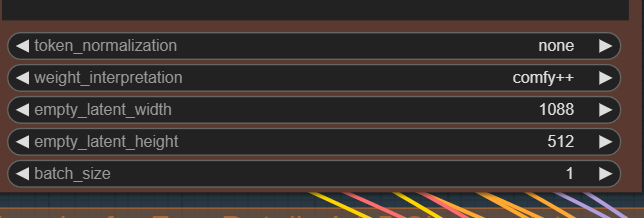
Ahiii lien NoelShack
where is tutorial?
Is there a fix for
Yoloworld_ESAM_Zho' has no attribute 'inference_sam_with_boxes
Im getting same error
@voice8173278 I figured it out, open your manger download the sam_vit_b model and change the SAMloader from ESAM to the sam_vit_b
@KindaHrny THANK YOU! Literally the only solution I could find online. Just sent you a nice tip
@wodz30 Of course
Whenever i generate a picture the faces are suuuuuper bad. I've tried all samplers, schedulers, cfg weight etc. Why is this happening? When I use others workflows the faces are somewhat better.
really good workflow. thanks for your hardwork
Thank you!
Awesome workflow, but i cant save metadata such as used loras and checkpoint with this one. Save image in workflow save only prompt, cfg, steps and seed for me. So i found another save image but it saves only checkpoint and taking long time to save idk why.
So my question is: Is there save img for comfyui that can save everything, Loras, checkpoint (Resources used section)?
It actually exists! The node is called Image saver!
+ Anything Everywhere
@Lucifael THX your coment made me to double check everything and i got it now. I just need to put proper prompts in prompt section of save image node in your workflow, like - <lora:lora_name.safetensors:2.0>, etc., and they appear in tools section after i upload it. Thnx again and sry for torubles.
Hello, I really like this workflow, but I’m pretty new to ComfyUI. I’ve installed TensorRT and already generated an engine file. The thing is, I need to place the TensorRT node right after the node that loads the checkpoint, but I’m not exactly sure how to do that. I know I need to use some wires, right? Also, what is the loading order of the first nodes?.
Hello! Which GPU model do you have?
@Lucifael RTX 4090
@MeikoDunois Good lord you wont need TensorRT !
@Lucifael Are you sure? Could you explain why? Sorry if this sounds ignorant, I'm still pretty new to ComfyUI. At least with Automatic1111, it was much faster when using TensorRT
@MeikoDunois The 4090 is by far the best on the market that you can get your hands on. I don't know how fast it should be for you, but how long is your generation usually?
@Lucifael When using A1111, I was used to generating images at 2048 resolution in 21 seconds with TensorRT, but this workflow in ComfyUI is quite different. This workflow puts the image through many more processes, so in this case It takes between 5 minutes and 6 and a half minutes
@MeikoDunois That's exactly what the process in comfyUi is, it's based on a series of “nodes” that guide your image to the final product. Everything is normal, you don't need tensorRt. if you still want to use it, it's best to switch it on directly after loading the checkpoint.
@Lucifael Thanks for responding!, you are very kind.
@MeikoDunois NP!
Hi, I'm a new user to ComfyUI and I've been trying out your amazing workflow. I've run into a problem and I'm wondering if anyone has had a similar experience. Essentially, after generating multiple images except the third and final image saver, comfy grinds to a halt, specifically stopping at this section:
Requested to load AutoencoderKL
Loading 1 new model
loaded completely 0.0 159.55708122253418 True
Requested to load BaseModel
Loading 1 new model
loaded completely 0.0 1639.406135559082 True
100%|██████████████████████████████████████████████████████████████████████████████████| 30/30 [04:39<00:00, 9.31s/it]
Unloading models for lowram load.
1 models unloaded.
Loading 1 new model
loaded completely 0.0 159.55708122253418 True
As you can see, after unloading models and loading a new one, it just gets stuck on the next line.
After around 50 minutes or so, Comfy picks up again and finishes the image. My controlnet and FaceID are disabled.
Very new to ComfyUI and having problems running step one of the tutorial in this workflow. I have installed all the missing nodes through the manager. I que up the prompt and I get a laundry list of error messages:
Prompt outputs failed validation: Failed to convert an input value to a INT value: clip_skip, %Y-%m-%d-%H%M%S, invalid literal for int() with base 10: '%Y-%m-%d-%H%M%S' Failed to convert an input value to a INT value: clip_skip, %Y-%m-%d-%H%M%S, invalid literal for int() with base 10: '%Y-%m-%d-%H%M%S' Eff. Loader SDXL: - Value not in list: base_ckpt_name: 'Xl\PONYXL\Pony (Creator)\ponyDiffusionV6XL_v6StartWithThisOne.safetensors' not in ['ponyDiffusionV6XL_v6StartWithThisOne.safetensors'] VAELoader: - Value not in list: vae_name: 'xlVAEC_f1.safetensors' not in ['taesd', 'taesdxl', 'taesd3', 'taef1'] Image Saver: - Failed to convert an input value to a INT value: clip_skip, %Y-%m-%d-%H%M%S, invalid literal for int() with base 10: '%Y-%m-%d-%H%M%S' Image Saver: - Failed to convert an input value to a INT value: clip_skip, %Y-%m-%d-%H%M%S, invalid literal for int() with base 10: '%Y-%m-%d-%H%M%S' Efficient Loader: - Value not in list: vae_name: 'vae-ft-mse-840000-ema-pruned.safetensors' not in ['Baked VAE'] - Value not in list: ckpt_name: '1.5\Favorite\revAnimated_v2Rebirth.safetensors' not in ['ponyDiffusionV6XL_v6StartWithThisOne.safetensors'] LoadImage: - Custom validation failed for node: image - Invalid image file: 4 (1).PNG CR Multi-ControlNet Stack: - Value not in list: controlnet_2: 'control-lora-canny-rank256.safetensors' not in ['None'] - Value not in list: controlnet_3: 'control-lora-sketch-rank256.safetensors' not in ['None'] - Value not in list: controlnet_1: 'control-lora-depth-rank256.safetensors' not in ['None']Hello, you dont have the same models as i have! Switch all models that appear red with your models and you can go !
I also had problems with this. In fact a lot of problems. However, many hours later I figured it out. This doesn't allow for some files, like AniversePony_XL. It seems to alow only SD 1.5 and PONY... looks like only Pony v6 (Start with this one) as I have yet to test other options.
The "INT value: clip_skip, %Y-%m-%d-%H%M%S" issue is because way down in image saver, #453 etc, the clip_skip info shows nan. if you select a number that error goes away.
Also looks like you don't have a VAE setup in #326 "Load Vae"
Hi! Happy New Year. Is there Any chance that you release v4.0 in New Year?
Any chance that an update with this could be made to optionally work with wildcards?
I like to work with a lot of multi-character series, and while this is great if you just want to generate one character, it's a bit less ideal if you want to generate two... or two dozen. Some fandoms (think of stuff like the "Trails" RPG series, or Idolmaster) could even have literally hundreds!
It'd be nice if we could also optionally use wildcards too, to make that much easier. :)
Also worth asking I suppose: Does this support Long Clip? Having come from an A1111/Forge background and being used to being forced to insert BREAK anytime the token counter got around 70, Long Clip seems like a godsend (though there's also no real simple way to tell you how many tokens you're using in Comfy... and that gets even more complicated if you're using wildcards, admittedly!)
This is my go to workflow. I have modified it to make it better for what I want. Made it where you don't have to have to enter the prompt twice. And split the positive prompt into 3 sections so I could have the required pony prompts, then2 others for creating the image I want. It works great.
Hello, i am waiting for v4. Meanwhile Any chance you can share your version?
@GrandpaFrost I uploaded my workflow.. hopefully it was the correct way..
https://civitai.com/models/1322686?modelVersionId=1493347
@submissivedraco Absolutely feel free to modify <3
Hi!
Nodes #561 and #562:
The "SEGM_Detector" points aren't connected and I can't find any node to connect them to?
Can anyone help me? Thanks in advance :)
Do you just see a red X there? If so, keep reading. Cause unless you disconnected them yourself, they're likely connected. Standard is only a ''BBOX'' model shown (in the UltralyticsDetectorP box ) above the detailers) which is likely why the SEGM shows the red X. You'll need a SEGM model in there. If you have ComfyUI manager you can check the ''model manager'' and search for ''yolo''. I'd recommend both the ''Face'' and ''Person''.
Incredible work, thank you. Will the face detailer work for multiple characters?
It won't generate the image in the third block for me. it makes the noisy image first then it upscales once. Then the code keeps running for a long while basically upscaling again but it never gives me that output?
After recent ComfyUi_portable update all Nodes are expanded and shifted a little bit. No effect on perfomance though
Does it work with Civitai metadata?
Very very good workflow, but we need Civitai metadata!))
Greetings! You are with us?
Hope you will release that v4 of worklow
why my model eyes always coming out very bad and doesnt look real ??
What a super job, thank you very much! The only problem I have atm is that the "Image Saver" node is still missing and I'm unable to understand how to fix it or where to find it, Manager is not finding it
same problem
i installed "ComfyUI Image Saver" and it seems to work fine.