


Photanima is an experimental finetune of Anima Base v1.0 to see whether it is a viable architecture for photography. Spoiler alert: it totally is.
Turbo LoRA baked in. If you're on a 30-series GPU, I recommend converting this on the fly with Quantization Toolkit + Lazy Torch Compile node for wicked fast gen times. All demo images generated with that combo. These are raw outputs; no upscaling or post-processing.
Most demo images contain workflows with custom sigma curve and ODE sampler. These both help significantly with realism. Standalone workflows provided further down this post.
❤️ If you enjoy Photanima, you can help offset the cost of training:
🤓 Technical details
v2 is trained on ~2000 images for 45,000 steps. This is an expansion of my Snakebite 2.3 dataset with around 700 new images and captions reworked for Anima. Training took approximately 48 hours on a Geforce 3090.
Pros:
Extremely fast.
Extremely good prompt adherence.
Anatomy is pretty stable. If it screws something up, changing your steps by +1/-1 usually fixes it.
Supports up to nearly 2MP with little-to-no distortions.
At first, I noticed that Photanima's style was inconsistent - it had a tendency to regress toward a cartoony/CGI look as my prompts became more complex. I was able to mostly overcome this by splitting Photanima into constituent content, style-early, and style-late blocks, then boosted the style blocks well past a strength of 1.
"Style-late" maps to blocks 7, 8, and 9 - these do alter composition to a degree, so we can't boost them as hard as "style-early."
Images are pretty consistent now, but there are some notable drawbacks.
Cons in v2:
It loses a little knowledge of certain artistic terms like
silhouette.Microdetail quality is somewhere between SDXL and ZIT. Honestly, it's really good for a 2B model. Two-step upscaling with Anima doesn't help much, but I'm sure the results would be amazing if you sent a Photanima image to a different model for refinement. Or if that's too much work: just add a little film grain. It does wonders and requires no extra VRAM.
Text capabilities are not as good as those of base Anima. Anything beyond 3 or 4 words is likely going to require numerous re-rolls. This is at least partly due to the Turbo LoRA.
Excessive fluff tags like
masterpiece, absurdres, hyperrealtend to fry the image. The model is photographic and highly aesthetic by default, so there's no need to drive it harder in that direction.
🛠️ Recommended Settings
v2.3 Turbo:
8-9 steps.
er_sde sampler on "ODE" mode.
CFG exactly 1.
Preferred resolution: 1040x1520 or 832x1216.
For maximum realism, begin your prompt with
real life photo. If that's not enough, addphoto \(medium\)and increase its strength until satisfied. You can usually go up to a crazy strength value like 5 or 6 without breaking the image.You can remove NegPip fluff to improve anatomy (e.g. fingers) at the cost of some photographic texture.
Workflow optimized for realism (recommended): Download
Workflow with zero custom nodes (sacrifices realism and speed): Download
v2.3 Base/Non-Turbo:
15-20 steps.
er_sde sampler on "ODE" mode.
CFG between 1-2. Raising CFG brightens the image.
beta or bong_tangent scheduler.
Workflow optimized for realism: Download
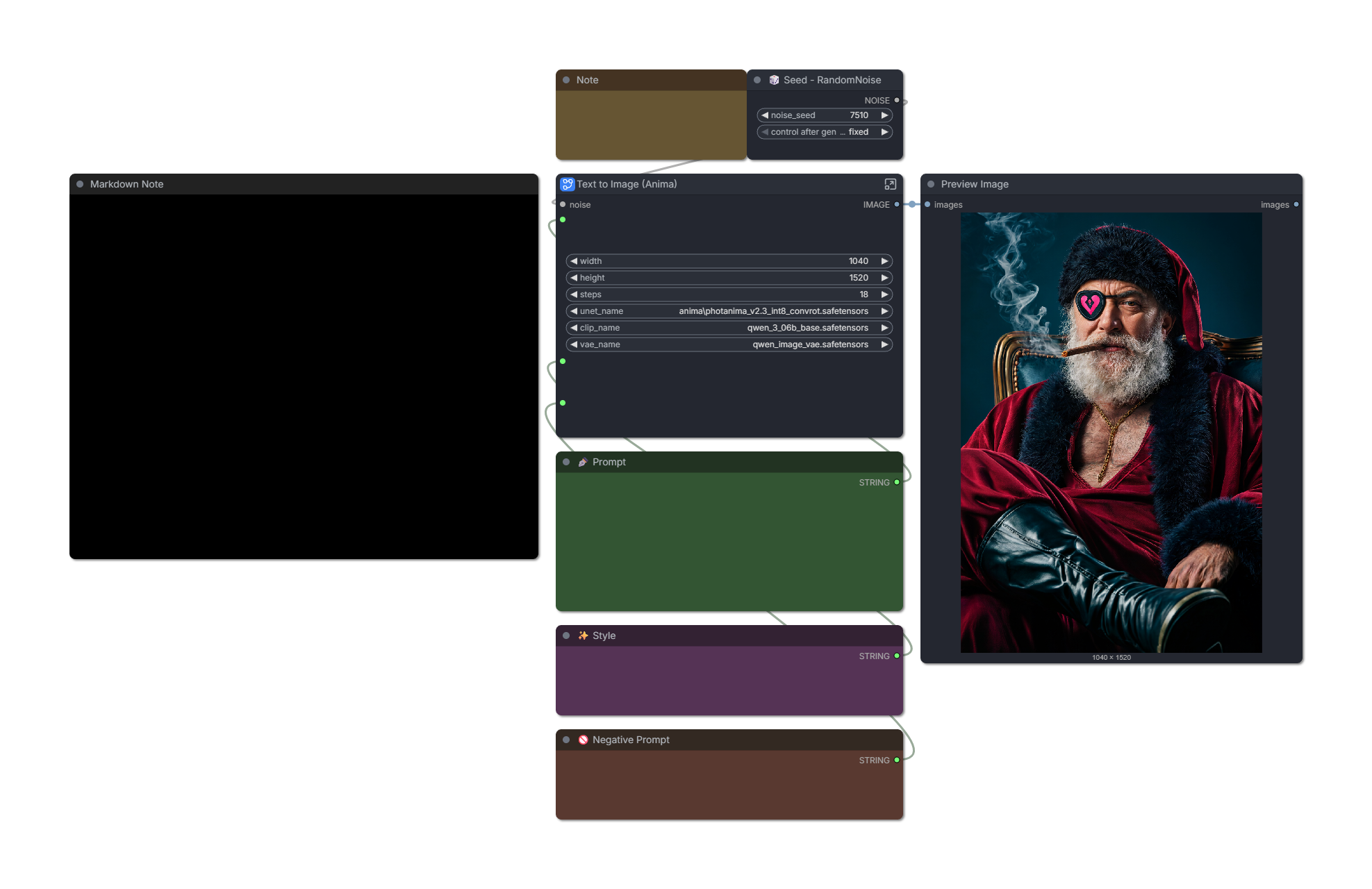
v2.2 Turbo:
6-8 steps. Images often look best at 6, but anatomy is more stable at 8-10, especially with complex prompts.
Custom sigma curve or simple scheduler: "1, 0.94, 0.9, 0.825, 0.6, 0.5, 0.3, 0.29, 0.2, 0.0"
You can reduce the first number on the sigma curve to 0.95-0.99 to improve realism. This reduces saturation and adds a little noise, but makes the model less stable.
Workflow optimized for realism (recommended): Download
Simple workflow with fewer custom nodes: Download
v2.2 Base/Non-Turbo:
You can get a good image in 25 steps, but 40 is often better.
er_sde sampler on "ODE" mode.
Custom sigma curve or simple scheduler: "1, 0.94, 0.9, 0.825, 0.6, 0.5, 0.3, 0.29, 0.2, 0.0"
CFG between 3.5 to 4.
Recommended fluff: "(photo \(medium\):1), real life, score_9, aesthetic"
Recommended negative prompt: "toon \(style\), anime coloring, painting \(medium\), airbrushed, mutation, distortion, ai-assisted, glossy, shiny, shiny skin, worst quality, score_3, score_4"
I have found it's helpful to decay conditioning strength from 2 to 1 over the first ~40% of steps. The stock workflow does this.
Workflow optimized for realism: Download
🗺️ Roadmap
I'm pretty excited about the potential of Anima, but let's be clear: I'm not claiming that this checkpoint is a "ZIT killer." The correct model to compare this against is SDXL/IL - and I'm confident that Anima can dethrone it with enough community effort.
Directions I'd like to explore next:
(✅ Done in v2) There are a handful of Anima "detailer" LoRAs on Civitai. These are not intended for photography, but with enough block pruning, you never know. The right mix could go a long way.
I suspect further increasing the dataset to ~3k images would help resolve remaining issues related to certain textures or model biases.
(✅ Done in v2) I'm eagerly awaiting the release of Anima Turbo 1.0. The current Turbo solution is based on Preview3 and I think it's holding back this model's potential a little.
I'm also looking forward to Anima support in OneTrainer. It will make trying experimental configs a lot less of a hassle compared to kohya-ss. For this v1 run, I stuck with safe values (prodigy, 1.0 LR, no fancy flags.)
Thank you. As always, I look forward to your feedback. Please share the model and upload some images to help it gain traction.
Description
v2.0 is trained on over 2000 images.
Lots of big improvements:
Added over 600 new images to the dataset.
Specifically selected photos with interesting textures, lighting conditions, or uncommon concepts.
Names of recurring subjects are now prefixed with
@, which should hopefully prevent their features from contaminating general concepts.Expanded set of face closeups to reduce the likelihood of "sameface syndrome."
Switched from Prodigy to ProdigyPlusScheduleFree optimizer, adjusted optimizer parameters.
Increased support for
AsianandAfricanfeatures by reinforcing captions.Used custom script for cleaning up issues with JoyCaption outputs.
Around 15% of the dataset is now captioned exclusively using booru tags; I was aiming for 50% but JoyCaption's tagging abilities are quite a bit worse than its natural language. I will need to test different models (or a higher JoyCaption quant) for tagging in the future.
Pulled back on use of third-party detail LoRAs.
Managed to increase strength of Photanima style blocks without damaging composition.
Upgraded from Anima Turbo LoRA v0.1 to v0.2.
FAQ
Comments (18)
New version is up, but I guess the images aren't appearing yet. Civitai please... 😢
Here as some SFW examples in the meantime (workflows included):
Comfy-UI-temp-ubyjy-00118.png (1040×1520)

Comfy-UI-temp-ubyjy-00069.png (1040×1520)

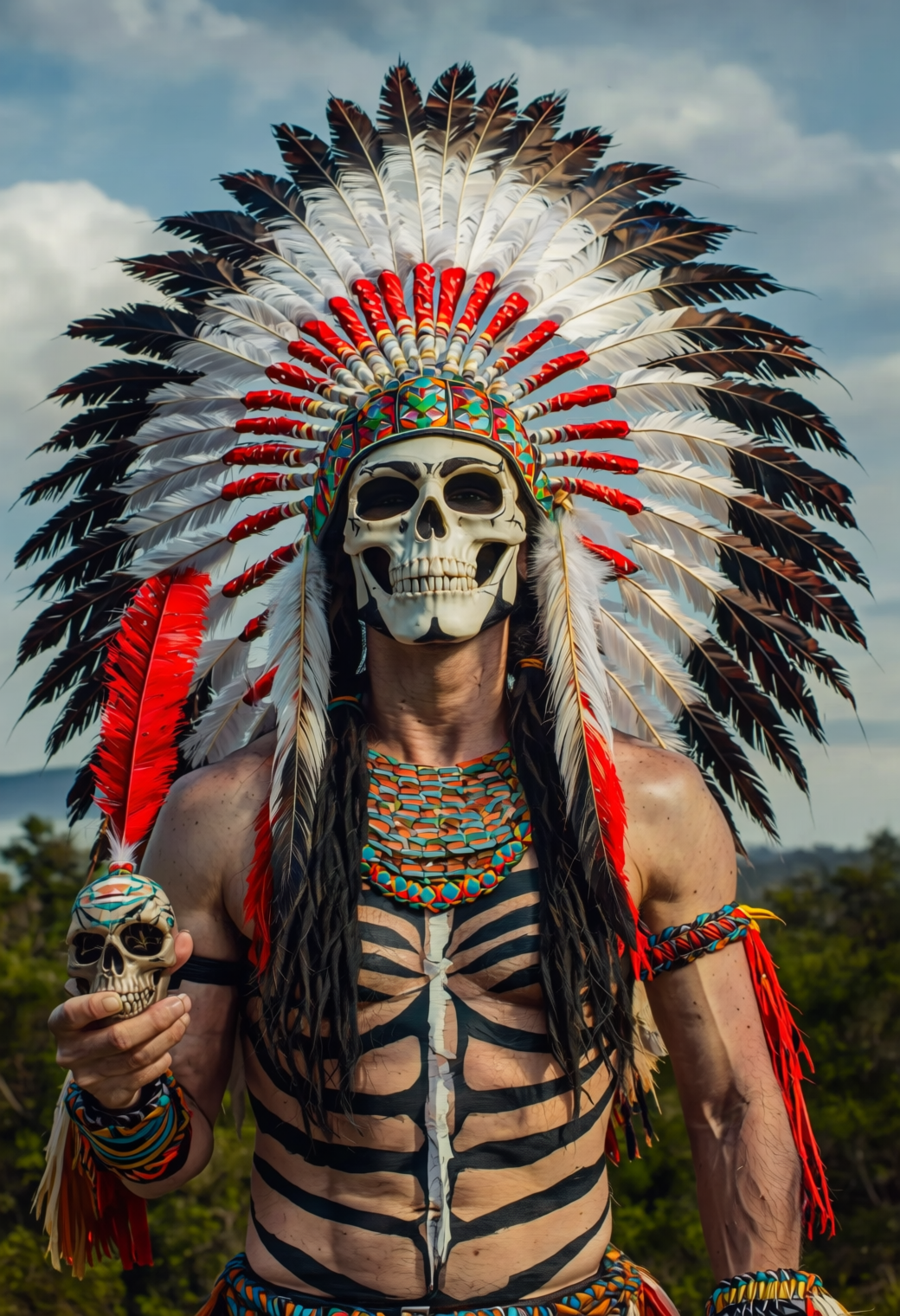

looks great!
can we get a version without the turbo lora?
@7WMHF Yes, running some tests on non-turbo version today, I intend to publish it soon.
Interesting, would you upload the non-Turbo versions eventually of the new ones?
Yes, I'm testing the non-turbo version and will upload it soon. Probably after Civitai gets their server problems under control.
I'm not getting anything realistic like your demo images,from your Turbo V2, but I am getting a neat 2.5d output that I'm liking. I couldn't get the INT8 Nodes to compile with my RTX 3060 12 Gig, not sure if it's because it's a 60 and not a 90, or if it's user error. Anyhow keep up the good work, hopefully INT8 and Convrot Become more popular.
Thanks! If you're doing all of these things, your results should be consistently photographic:
- er_sde sampler on "ODE" mode
- custom sigma curve: "1, 0.93, 0.9, 0.825, 0.55, 0.5, 0.2932, 0.29, 0.2, 0.0000" (you can lower the first number to ~0.98 for even more realism, but it's less stable.)
- target 1.5 MP resolution such as 1040x1520
- start prompt with "real life photo of" and also include "photo \(medium\)" somewhere. You can increase its strength if necessary, e.g. "(photo \(medium\):5)"
- do not use excessive fluff tags like "hyper real, absurdres, masterpiece", etc. These will cartoonify your images.
@liftweights I feel ya, it's a me issue, no slight to your model. I'm using RES4LYF aka ClownSharkSampler Nodes, so no er_sde sampler. I'm using Euler/Simple at the moment. An ETA of zero, which is essentially ODE mode. I'm familiar with Sigmas as of recent, I've not tried out the Custom Sigmas node yet, it looks interesting. The SigmasSchedulePreview Node is neat for Visualising the Sigmas Curves.
Can't wait for the non-turbo version of v2 :D I just find the cosmo dmd2 so superior and I like the option to weight the lora myself during trial and error
Oh and by the way the Int8 stuff in your workflow is great, but somehow it only works on your models not the other ones xD
It's up 🙂
Which model is giving you trouble with INT8?
@liftweights All the other Anima models I have fail when I try to run them through your workflow with int8. Claude seems to think it has to do with a bf16 vs fp16 thing but I have no idea. edit: however, if I use modelmergesimple and place your model in the first spot it works even if I do a ratio of 0.01. But if I place yours in the second spot it's back to not working in the workflow.
@etherslayer11 Thanks for those details. I double-checked and can confirm that the Toolkit should be compatible with both fp16/bf16 weights. If you could supply me with the following info, it will help me investigate further:
- Traceback from the console. This alone might be enough to figure out the cause.
- A workflow or description of connected nodes.
- Name of an incompatible Anima checkpoint. Personally, I've used the Toolkit with Photanima, Anima Base, and AnimaYume without issue.
I would also recommend trying a simple setup:
Load Diffusion Model -> Enable INT8 on MODEL, with model_type=anima, runtime_backend=torch_int_mm, outlier_method=none.
If that works, you can reintroduce LoRAs/compile/Triton one at a time until the problem emerges.
@liftweights Yeah I did try all those things, I tried changing all the various settings on the int8 nodes themselves as well as trying to switch to a standard scheduler. The problem seems to be located in the samplercustomadvanced, that's "where" it seems to fail, instantly on model load whenever the model isn't one of yours.
Here's the error log since you seem interested:
I did resolve the issue and Claude was partly right. I have a 5080 card and apparently that forces a bf16 regardless of launch parameters in the .bat, so I added a monkeypatch from here:
anina_fp16_patch.py · RicemanT/Loras_Collection at main
Which makes the model do fp16, which causes the other models to now work.
Why your models did already work, though, I have no idea, that's a huge mystery to me.
Regardless of having a 5080 card, however, the speed gain is substantial, so I don't want to not use it. So thanks for that, and the models.
@etherslayer11 Your log shows the INT8 adapter skipped 281 patched layers and quantized 0, which suggests bake_loaded_loras was off:
```
[INT8 Model Adapter] Complete (quantized=0, existing_int8=0, baked_patches=0, configured_int8_patches=0, skipped_patched_layers=281, ...)
```
Please turn that on if you have model merge or LoRA patches before INT8. However, the specific traceback is a dtype mismatch in Anima’s normal llm_adapter, not in the INT8 matmul path, so that setting alone may not fix the crash.
You likely still need the model/compute dtype to be consistent, e.g. all fp16 or all bf16.
I'm thinking a mismatched merge attempt is likely the root cause here. But if it still fails, then we're looking at an edge case related to 50-series GPU and Comfy dtype handling around peprocess_text_embeds.
EDIT: The monkeypatch is a useful diagnostic since it proves the failure is dtype-related, but I would treat it as a workaround rather than the preferred fix. It globally changes Comfy/model dtype behavior, so it may mask the real source of the mismatch, affect unrelated workflows, or become fragile when Comfy/PyTorch update. It may also force fp16 in places where newer 50-series handling intentionally chose bf16.
@liftweights I did try with lora bake on and off, and with the int8 lora stack on and off.
As for the fix, yeah, it's not ideal obviously but it fixes the matter for me personally, a non-creator consumer of the tech :P