

Version 3.2
A new version has been released. It's not a significant update other than the color correction section has been completely disabled for the time being. I haven't been able to improve the speed of that section, so I just turned it off. Anyone doing a fresh install of this workflow should not have any trouble installing all the custom nodes. I replaced the nodes that wouldn't install correctly, so as of today (25 November 2025) everything works.
Tip for users: Wan 2.2 LoRAs (low noise) work very well in Wan 2.1 workflows. Since this workflow uses Wan 2.1 Vace, it might help you to know that you can use your favorite Wan 2.2 Low Noise LoRA in this workflow.
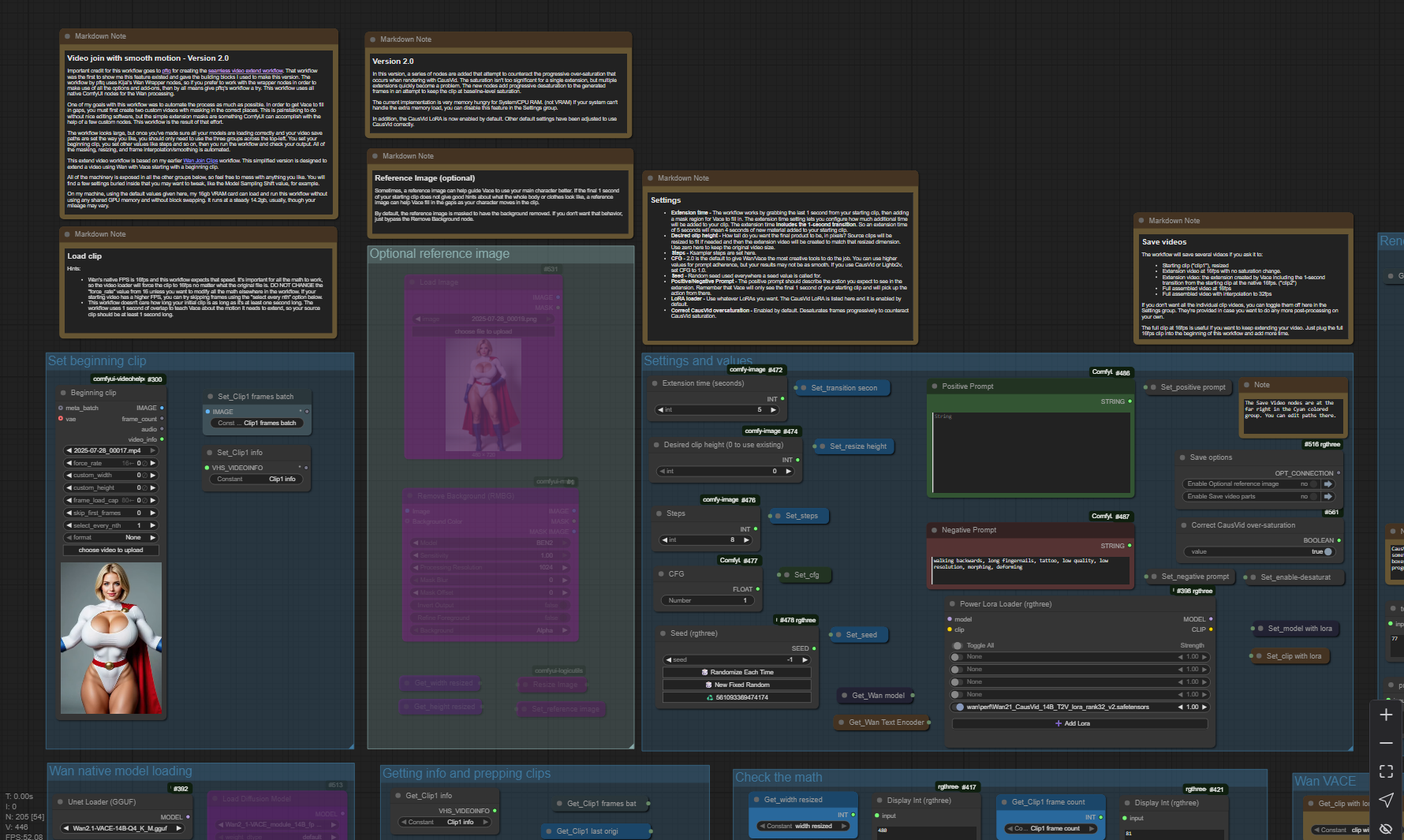
Important credit for this workflow goes to pftq for creating the seamless video extend workflow. That workflow was the first to show me this feature existed and gave the building blocks I used to make this version. The workflow by pftq uses Kijai's Wan Wrapper nodes, so if you prefer to work with the wrapper nodes in order to make use of all the options and add-ons, then by all means give pftq's workflow a try. This workflow uses all native ComfyUI nodes for the Wan processing.
One of my goals with this workflow was to automate the process as much as possible. In order to get Vace to fill in gaps, you must first create two custom videos with masking in the correct places. This is painstaking to do without nice editing software, but the simple extension masks are something ComfyUI can accomplish with the help of a few custom nodes. This workflow is the result of that effort.
The workflow looks large, but once you've made sure all your models are loading correctly and your video save paths are set the way you like, you should only need to use the three groups across the top-left. You set your beginning clip, you set other values like steps and so on, then you run the workflow and check your output. All of the masking, resizing, and frame interpolation/smoothing is automated.
This extend video workflow is based on my earlier Wan Join Clips workflow. This simplified version is designed to extend a video using Wan with Vace starting with a beginning clip.
All of the machinery is exposed in all the other groups below, so feel free to mess with anything you like. You will find a few settings buried inside that you may want to tweak, like the Model Sampling Shift value, for example.
On my machine, using the default values given here, my 16gb VRAM card can load and run this workflow without using any shared GPU memory and without block swapping. It runs at a steady 14.2gb, usually, though your mileage may vary.
I hope you enjoy.
Description
In Version 2.0, CausVid is enabled by default. The corresponding settings for CFG and Steps are adjusted to fit a CausVid rendering. Note: I highly recommend using CausVid version 2. Don't even touch CausVid v1. In addition, a lot of complicated workflow was added to correct for the oversaturation that results from repeated extensions using CausVid. The results are not perfect, but they're a huge improvement over no correction at all.
Warning: This new saturation correction uses a great deal of system RAM. That's normal RAM, not VRAM. If anyone reading this has an idea of how else to accomplish what I've done without the memory issue, please reach out and I'll make the change in the workflow. It may be that it can't be helped without writing a new custom node for color correction. For now, however this is a decent start. If the new desaturation nodes are causing you problems, you can disable that feature with an on/off toggle in the Settings section.
FAQ
Comments (4)
Nice work!
BTW degradation its VACE fault not CausVid. Devs are aware and i hope that we will get fix along with official WAN2..2:
https://github.com/ali-vilab/VACE/issues/44
That's good to know, thanks. I'm mostly satisfied with my workaround for now even though it chews up ram, but a built in fix in the model would be great.
Thank you for this really, really nice workflow!
You're welcome! Glad you like it and find it useful.