Generate pictures through text,change faces on the pictures
and finally repair and enlarge them
Wan-2.1 SkyReelsV2-DF Loop
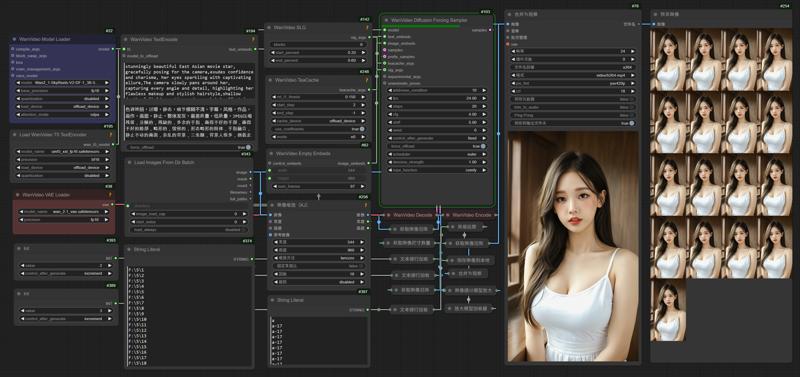
1.Comfyui
This is the Comfyui version of the deleted model. It installs the necessary nodes to ensure perfect operation and avoid installation errors. You only need to put the model download back to use it
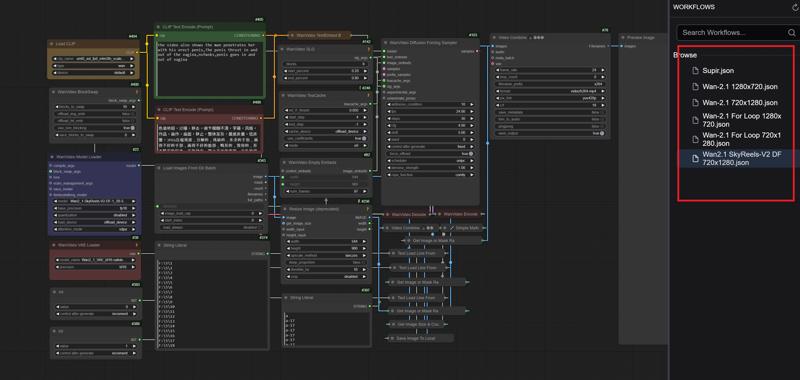
English
https://drive.google.com/file/d/1G3TOuSiygNLtTcx4vuaY92FaLWK1Tdbu/view?usp=drive_link
中文版本
https://drive.google.com/file/d/1AmVGLAVueKNvblbwC7FuwEFfeN3oB8TV/view?usp=drive_link
Official Comfyui
https://github.com/comfyanonymous/ComfyUI/releases
2.Model
ComfyUI\models\diffusion_models
Wan2_1-SkyReels-V2-DF-1_3B-540P_fp32.safetensors
Wan2_1-SkyReels-V2-DF-14B-540P_fp16.safetensors
Wan2_1-SkyReels-V2-DF-14B-540P_fp8_e4m3fn.safetensors
Wan2_1-SkyReels-V2-DF-14B-720P_fp16.safetensors
Wan2_1-SkyReels-V2-DF-14B-720P_fp8_e4m3fn.safetensors
Wan2_1-SkyReels-V2-DF-14B-720P_fp8_e5m2.safetensors
ComfyUI\models\vae
ComfyUI\models\text_encoders
umt5_xxl_fp8_e4m3fn_scaled.safetensors
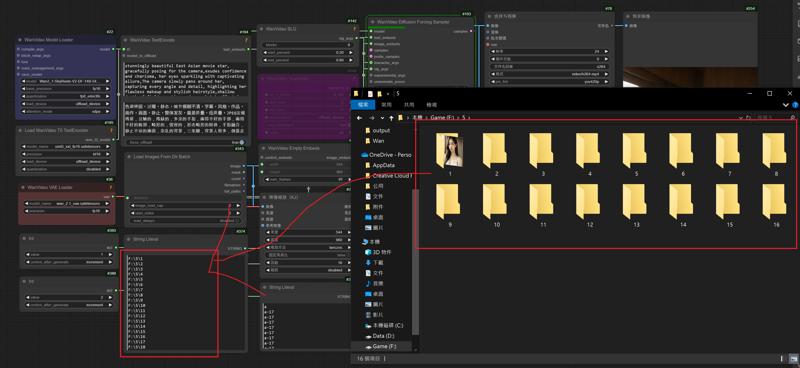
3.Add a new folder and put the pictures in "Folder 1"
Enter the folder name into the node
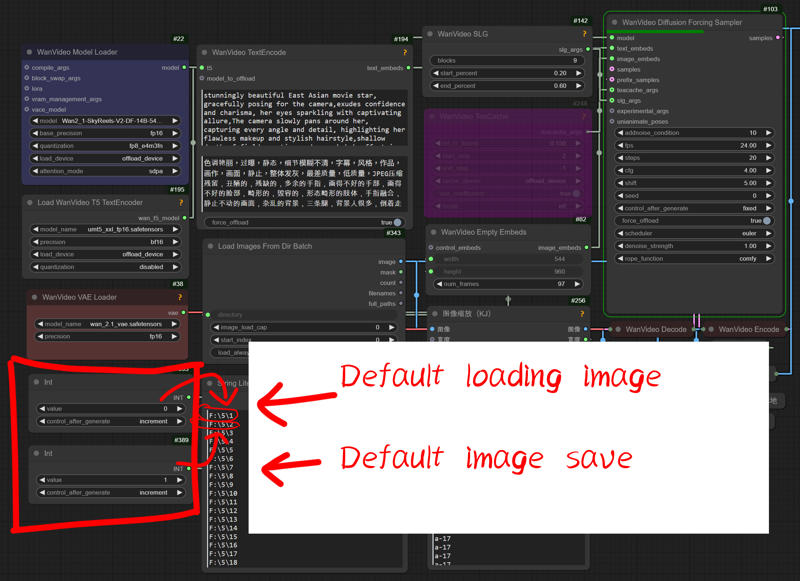
4.Set the default settings for loading and saving images to "0" and "1"
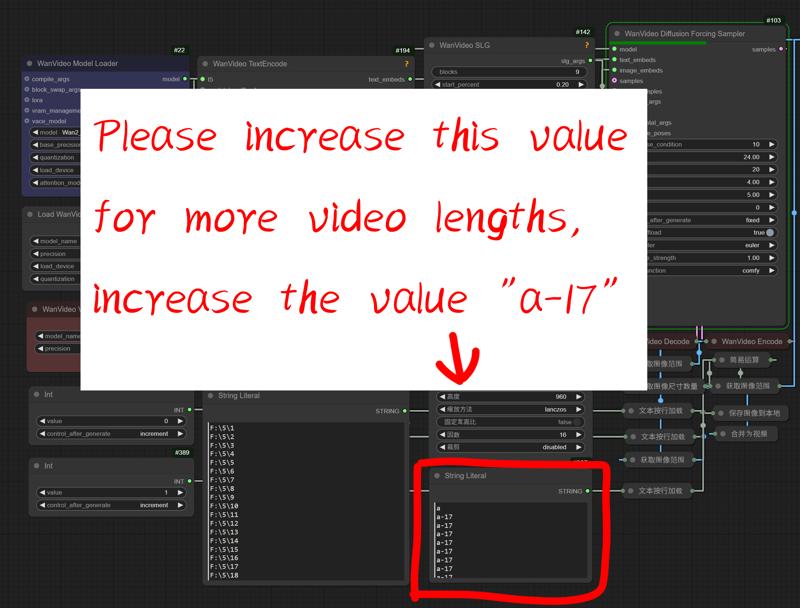
5.For longer video length please add this value
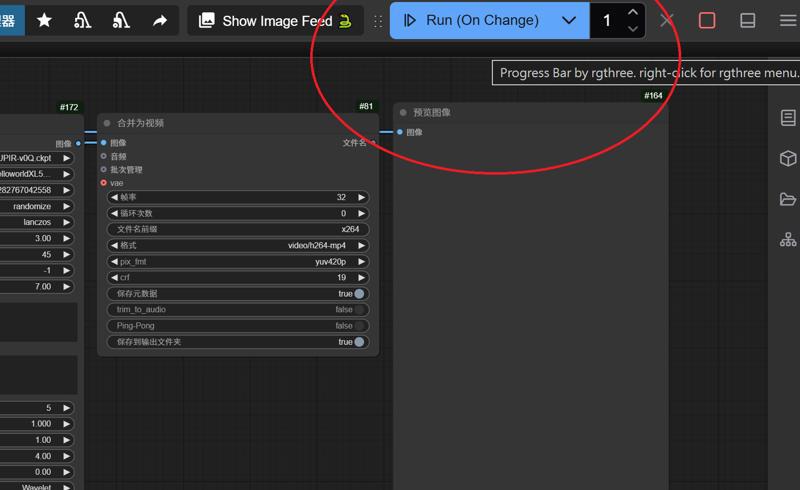
6.Switch mode to start generating videos repeatedly,Or generate it manually
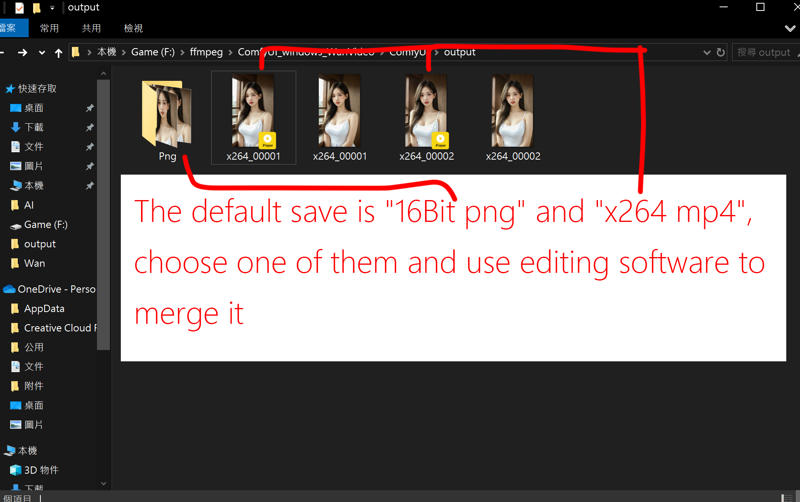
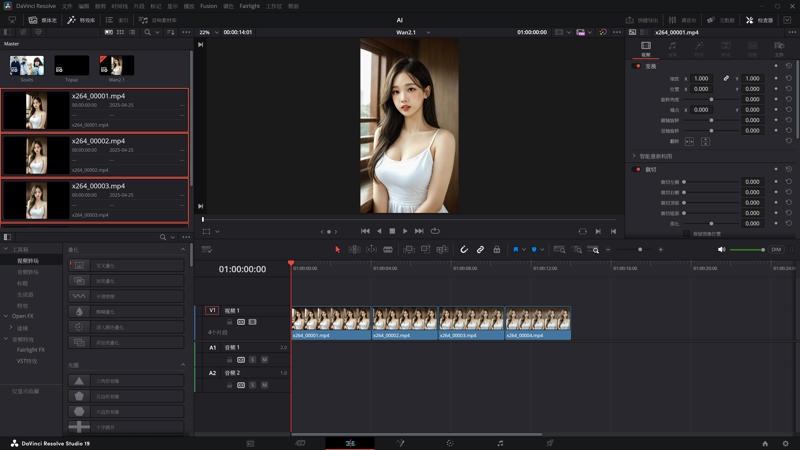
7.Merge videos using software such as "DaVinci Resolve" or "Adobe Premiere"
---
Wan-2.1 Image to Video Loop
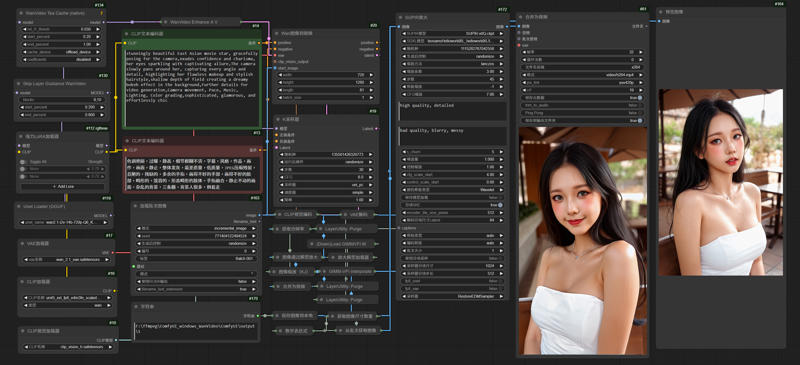
1.Comfyui
This is the Comfyui version of the deleted model. It installs the necessary nodes to ensure perfect operation and avoid installation errors. You only need to put the model download back to use it
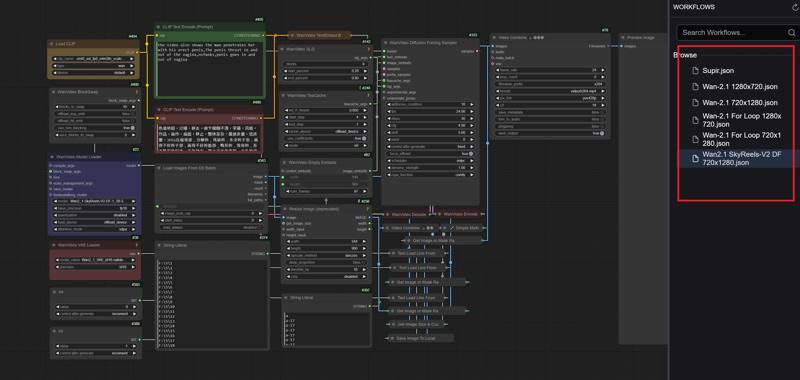
English
https://drive.google.com/file/d/1G3TOuSiygNLtTcx4vuaY92FaLWK1Tdbu/view?usp=drive_link
中文版本
https://drive.google.com/file/d/1AmVGLAVueKNvblbwC7FuwEFfeN3oB8TV/view?usp=drive_link
Official Comfyui
https://github.com/comfyanonymous/ComfyUI/releases
2.Model
ComfyUI\models\checkpoints
leosamsHelloworldXL_helloworldXL50GPT4V
SUPIR-v0Q
ComfyUI\models\clip
CLIP-ViT-bigG-14-laion2B-39B-b160k
ComfyUI\models\unet
ComfyUI\models\vae
ComfyUI\models\text_encoders
umt5_xxl_fp8_e4m3fn_scaled.safetensors
ComfyUI\models\clip_vision
ComfyUI\models\upscale_models
3.Edit your paths
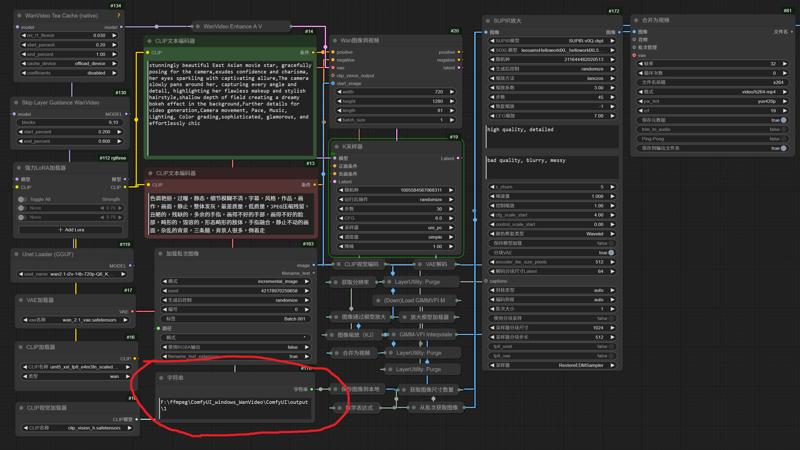
4.Edit your inage name to 999

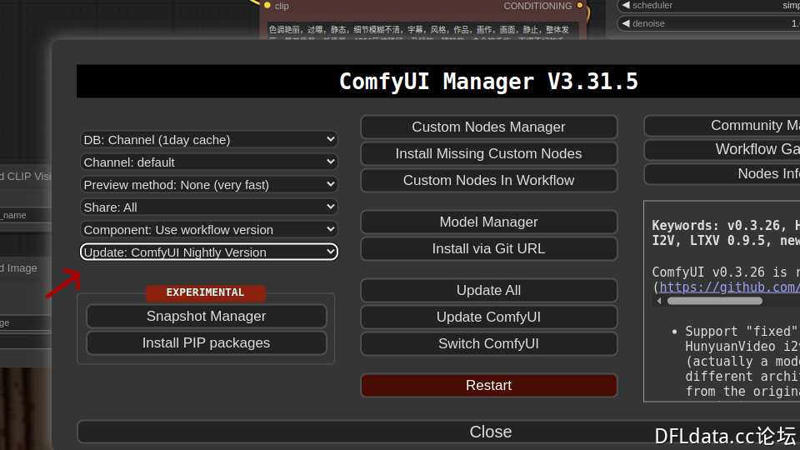
5.Updated Comfyui to Nightly
6.Change the magnification factor used by Supir to enlarge the resolution of the endframe
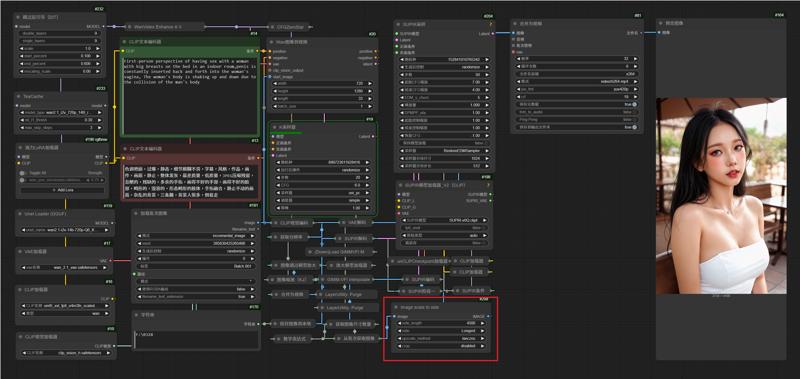
7.Edit Execution Mode
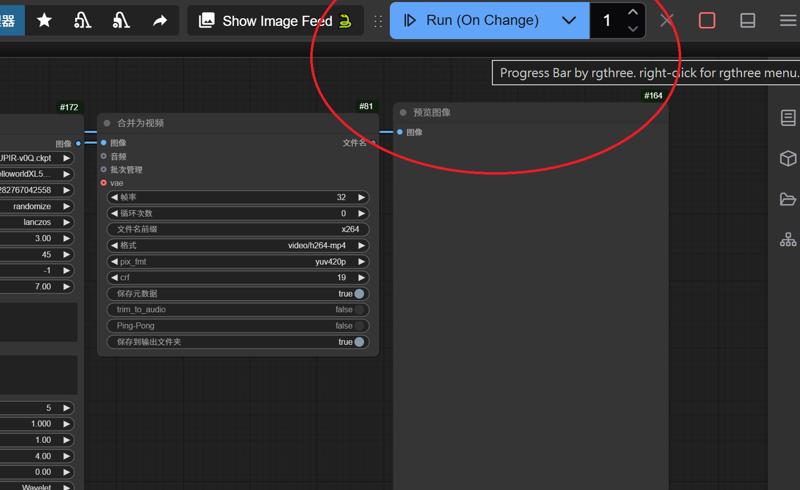
---
Wan-2.1 Image to Video LoRA GIMM-VFI
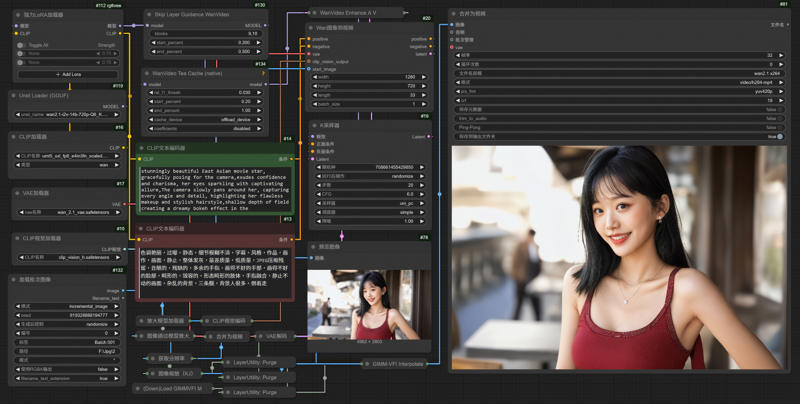
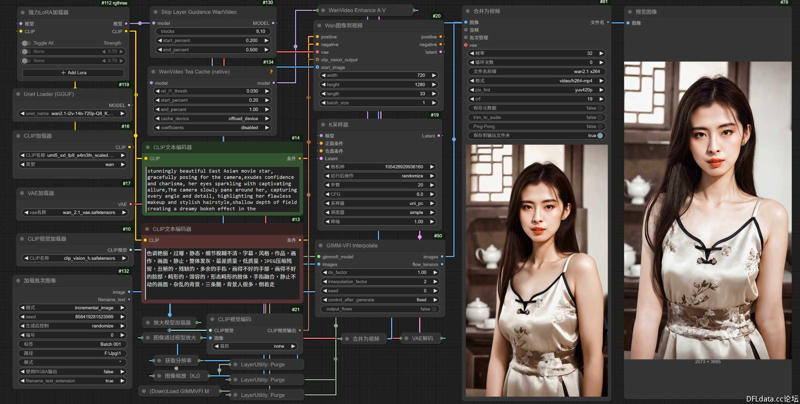
1.Comfyui
This is the Comfyui version of the deleted model. It installs the necessary nodes to ensure perfect operation and avoid installation errors. You only need to put the model download back to use it
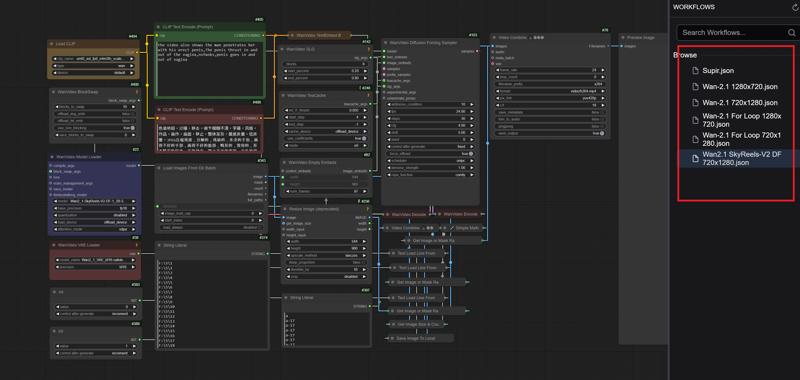
English
https://drive.google.com/file/d/1G3TOuSiygNLtTcx4vuaY92FaLWK1Tdbu/view?usp=drive_link
中文版本
https://drive.google.com/file/d/1AmVGLAVueKNvblbwC7FuwEFfeN3oB8TV/view?usp=drive_link
Official Comfyui
https://github.com/comfyanonymous/ComfyUI/releases
2.Model
ComfyUI\models\unet
ComfyUI\models\vae
ComfyUI\models\text_encoders
umt5_xxl_fp8_e4m3fn_scaled.safetensors
ComfyUI\models\clip_vision
ComfyUI\models\upscale_models
2.Edit your paths
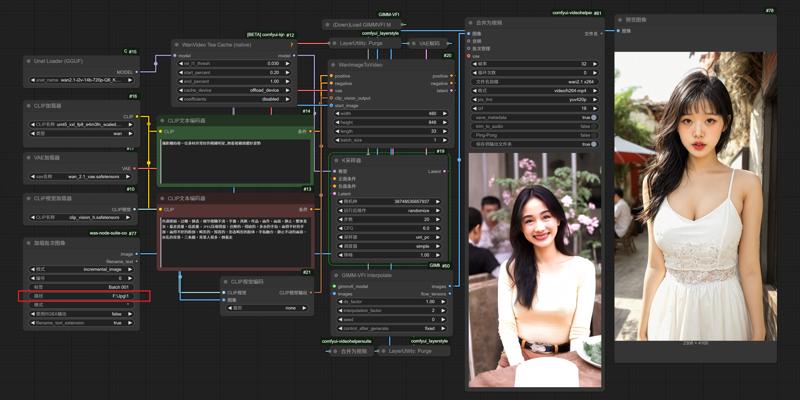
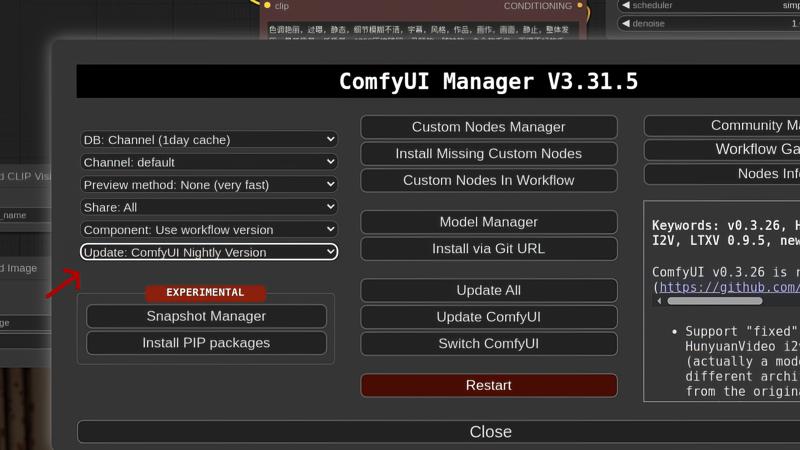
3.Updated Comfyui to Nightly
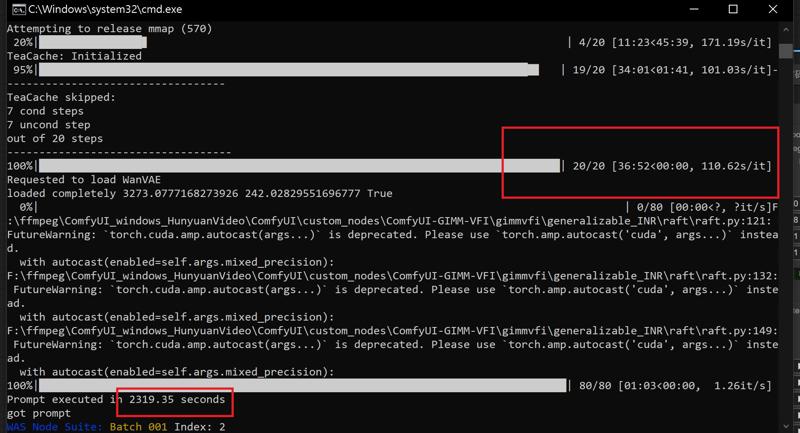
RTX 4090 24G Vram
Model: wan2.1-i2v-14b-720p-Q6_K.gguf
Resolution: 1280x720
frames: 81
Steps: 20
Rendering time:
---
Supir Face restoration
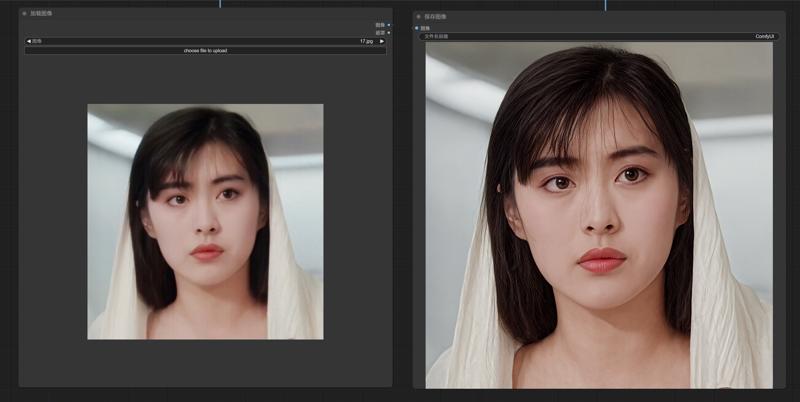
Workflows link
https://drive.google.com/file/d/1ysLZlKmAuDrWGGXmE7qRkOVw7GinuTeW/view?usp=drive_link
---
SD1.5 & SDXL - InstantID
1.Comfyui
This is the Comfyui version of the deleted model. It installs the necessary nodes to ensure perfect operation and avoid installation errors. You only need to put the model download back to use it
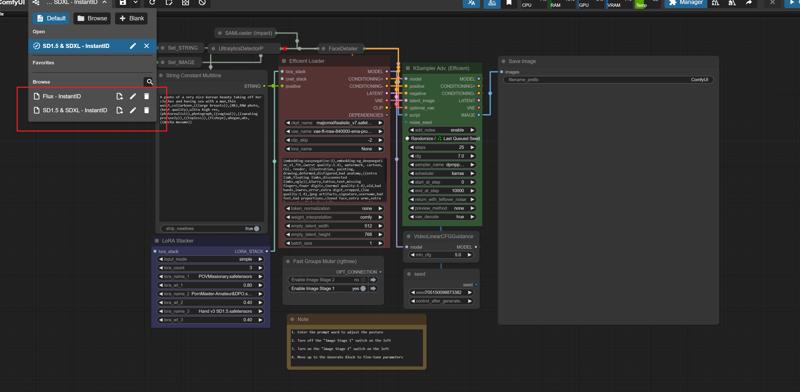
English
https://drive.google.com/file/d/10lwz7YsGxXRgGQGQr7WKAPIwSz5Qc90E/view?usp=drive_link
中文版本
https://drive.google.com/file/d/1EJ4GAw0C0ysn_CLg8Gczt2z4MQHY9A16/view?usp=drive_link
Official Comfyui
https://github.com/comfyanonymous/ComfyUI/releases
2.Model
ComfyUI\models\checkpoints
leosamsHelloworldXL_helloworldXL50GPT4V
lustifySDXLNSFWSFW_v20
majicmixRealistic_v7
SUPIR-v0Q
ComfyUI\models\loras
POVMissionary
pov-squatting-cowgirl-lora-1-mb
ComfyUI\models\vae
vae-ft-mse-840000-ema-pruned.ckpt
ComfyUI\models\clip
CLIP-ViT-bigG-14-laion2B-39B-b160k
ComfyUI\models\controlnet
ttplanetSDXLControlnet_v20Fp16.safetensors
3.InstabtID
ComfyUI/models/insightface/models/antelopev2
ComfyUI/models/instantid
ComfyUI\models\controlnet
4.
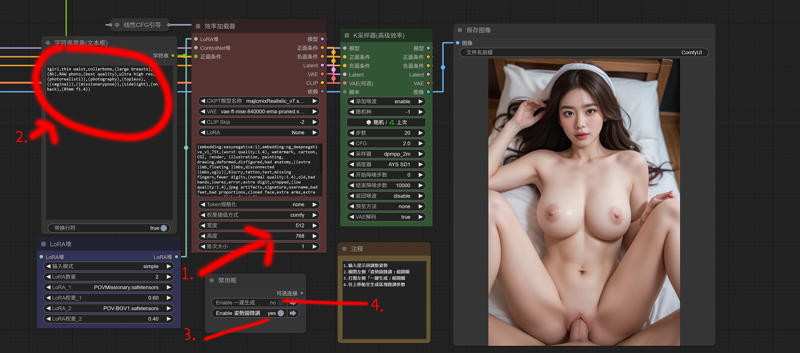
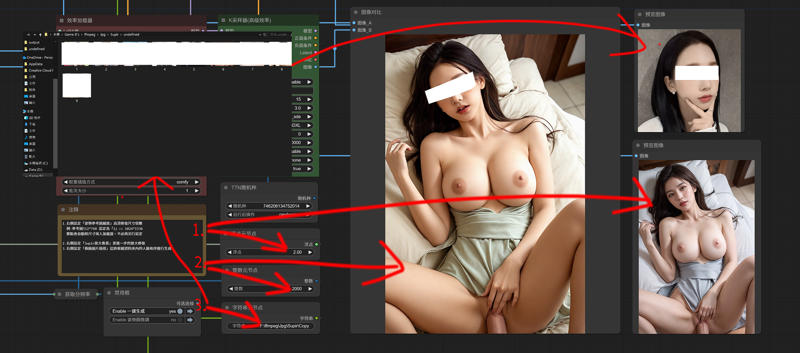
---
Flux - SDXL
ComfyUI\models\loras
Flux_小红书真实风格丨日常照片丨极致逼真
ComfyUI/models/unet/
ComfyUI/models/clip/
ComfyUI/models/vae/
Description
Mar 30, 2025 Upgrade
TeaCache (retention mode)
CFGZeroSter
SUPIR Mode Loader (v2) (CLIP)
FAQ
Comments (36)
请问nsfw的工作流是哪一个?没有看到
SD1.5跟FLUX都可以跑,本質是文生圖換臉,找喜歡的模型與姿勢Lora
我打開了1.5工作流,遇到When loading the graph, the following node types were not found,提到的全部是supir的插件沒有,我到github下載後放入節點的資料夾,一樣跑出這個問題不知道是什原因?
@anguschu 這裡有節點包,刪除舊的把這邊放進去試試
https://drive.google.com/file/d/1AGHCXptnHJzivcyhHxCMg2-00f2gRzN-/view?usp=drive_link
(google)
https://pan.baidu.com/s/1M5dxSt4m13zvwpBzkkpEyA?pwd=4q69 (百度雲)
我看了之前您對其他人的記錄,我再運行wan2.11280x720的工作流,我是4090 ram64gb,跑一張圖將近快20分鐘最後顯示cuda 不夠的問題,這個是記憶體要到90g以上嗎?還是放大影片的工作流可以單獨拉出來運作?
經過我觀察與測試,在進行Supir放大時,Ram能達到70g,你把Supir節點最下面的1024、512都改成384,我測試能壓在60附近那邊
I receive this 2 errors 😭
1.-PreviewImage
'NoneType' object is not subscriptable
2.- CLIPVisionEncode
'NoneType' object has no attribute 'to'
what could it be?, i reinstalled comfyui and i download your custom node folder too
Right click to reset your Load Image Batch node and select incremental mode,Check and confirm the model of Wan2.1
@gsk80276 i tried that too, same issue 😭. i will try different things, and see if i can find out whats going on.
Maybe try an older Comfyui version
@gsk80276 No luck either, but thanks for responding, you are very kind!
workflow is good, but it doesent even start my 5090 is fully packed and still stucked at 0/30 steps for 15 minutes already. whats wrong? i have all the right models
What model are you using?
Check your RAM and then VRAM, you're probably crashed out at 100%.
@squired maybe but why i have 64 gb ram rtx 5090 gpu and all good
When I use my own Instantid workflow, it can use up to 90g of RAM, but this is because the workflow mounts too many nodes. Wan2.1 does not have such high requirements.
想问问大佬工作流从哪里把原图放进去。。找了半天硬是找不到。。
我的方式都是從本地讀取資料夾內的圖片,你找可以輸入路徑的地方
K採樣器
transformer options not found in extra args, curently SkipLayerGuidanceWanVideo only works with TeaCacheK.
更新Comfyui版本至最新,之前官方Teacahe不支持Slg KJ,我更新後目前使用是能支持沒問題
@gsk80276 Tea的問題解決了,但有新的問題,GIMMVFI_interpolate,'CUDA_HOME' not set, unable to find cuda-toolkit installation.
@3239184724272 也許要下載獨立的新版本試試
@gsk80276 好的,可以把下載解壓完成新版comfyui直接覆蓋到原本舊版的comfyui上嗎?
@3239184724272 最好是只移模型節點就好,怕報錯
Can you re do these in English or something or lay them out in a way that more makes sense, these are very hard to troubleshoot when they are not in English and not laid out in a way that makes sense.
Has anyone actually got these working because trying to understand the layout of how these work especially the flux one is like mind bending.
The nodes installed for the workflow completely killed my comfyui portable install. Use at your own risk of trashing the install. Its probably not the authors fault, but these nodes it downloaded killed my comfyui.
yes. same for me. it make the comfyui crash
大佬,那个CLIP-ViT-bigG-14-laion2B-39B-b160k和clip-vit-large-patch14里面那么多模型和文件,该下哪个,下完改名吗?
@gsk80276 阿俚噶多
@gsk80276 OK
请教大佬,相似度问题,为什么我换的相似度都很低啊?
玄學、有時我們覺得不錯的人臉圖,不一定能換好的結果,然後圖片的人臉占比越大越像,與要換的人臉型膚色差距越大越不像
!!! Exception during processing !!! 'NoneType' object has no attribute 'mul'
Traceback (most recent call last):
File "D:\comfy\ComfyUI\execution.py", line 327, in execute
output_data, output_ui, has_subgraph = get_output_data(obj, input_data_all, execution_block_cb=execution_block_cb, pre_execute_cb=pre_execute_cb)
^^^^^^^^^^^^^^^^^^^^^^^^^^^^^^^^^^^^^^^^^^^^^^^^^^^^^^^^^^^^^^^^^^^^^^^^^^^^^^^^^^^^^^^^^^^^^^^^^^^^^^^^^^
File "D:\comfy\ComfyUI\execution.py", line 202, in get_output_data
return_values = mapnode_over_list(obj, input_data_all, obj.FUNCTION, allow_interrupt=True, execution_block_cb=execution_block_cb, pre_execute_cb=pre_execute_cb)
^^^^^^^^^^^^^^^^^^^^^^^^^^^^^^^^^^^^^^^^^^^^^^^^^^^^^^^^^^^^^^^^^^^^^^^^^^^^^^^^^^^^^^^^^^^^^^^^^^^^^^^^^^^^^^^^^^^^^^^^^^^^^^^^^^^^^^^^^^^^^^^^^^
File "D:\comfy\ComfyUI\execution.py", line 174, in mapnode_over_list
process_inputs(input_dict, i)
File "D:\comfy\ComfyUI\execution.py", line 163, in process_inputs
results.append(getattr(obj, func)(**inputs))
^^^^^^^^^^^^^^^^^^^^^^^^^^^^
File "D:\comfy\ComfyUI\custom_nodes\ComfyUI_InstantID\InstantID.py", line 292, in apply_instantid
face_embed = extractFeatures(insightface, image)
^^^^^^^^^^^^^^^^^^^^^^^^^^^^^^^^^^^
File "D:\comfy\ComfyUI\custom_nodes\ComfyUI_InstantID\InstantID.py", line 172, in extractFeatures
face_img = tensor_to_image(image)
^^^^^^^^^^^^^^^^^^^^^^
File "D:\comfy\ComfyUI\custom_nodes\ComfyUI_InstantID\utils.py", line 17, in tensor_to_image
image = tensor.mul(255).clamp(0, 255).byte().cpu()
^^^^^^^^^^
AttributeError: 'NoneType' object has no attribute 'mul'
flux-instantid出现这个,要怎么处理呢
Looks like we don't have an active mirror for this file right now.
CivArchive is a community-maintained index — we catalog mirrors that volunteers upload to HuggingFace, torrents, and other public hosts. Looks like no one has uploaded a copy of this file yet.
Some files do get recovered over time through contributions. If you're looking for this one, feel free to ask in Discord, or help preserve it if you have a copy.