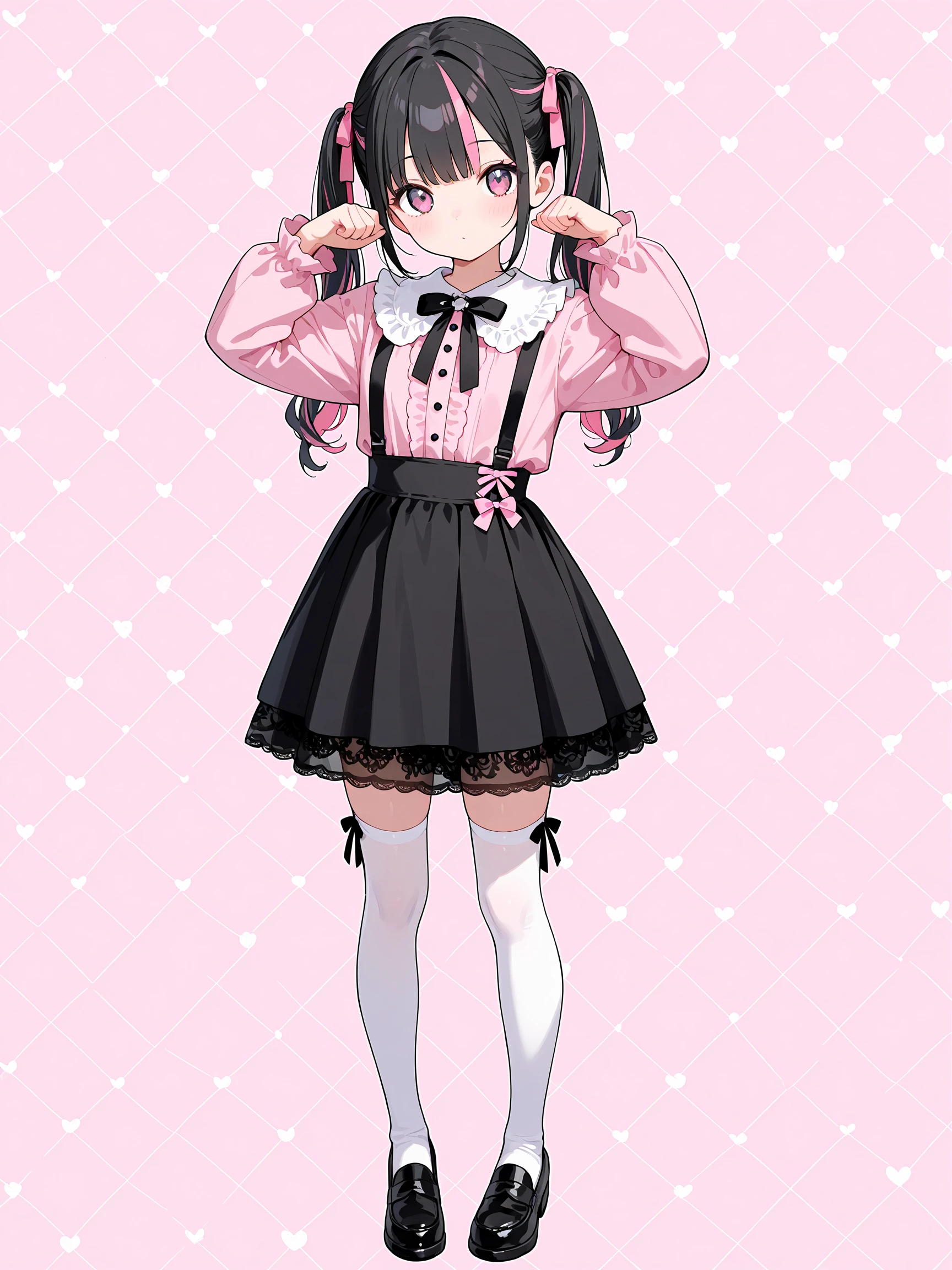
WKH KAWAII XLについて
RedFukuモデルの派生モデルです。
RedFukuより素でかわいい絵柄が出るような感じを目指しています。
◆SeaArt推奨設定(参考値) / SeaArt Recommended Settings
あくまでSeaArt上で生成する場合に限った推奨設定です。あらゆる場面でこの値が最適だとは限りません。
These recommendations apply specifically to generating on SeaArt.
◆生成モード / Generation Mode:標準 / Standard Recommended
品質モードでは白飛び・黒潰れ・髪や布の質感消失などの劣化が発生する場合があります。
標準モードが最もモデル本来の質感を再現する可能性が高いです。
Using “Quality” mode may cause loss of fine details such as:
– blown highlights
– crushed shadows
– reduced texture fidelity (hair/fabric/reflections)
The Standard mode provides the most faithful and reliable output.
◆サンプラー/Sampler:DDIM / Euler a
本モデル単体ではこの2種が最も品質が高く破綻が少ないようです。
RedFuku Negative併用時は他のサンプラーでも品質低下を抑える可能性があります。
These samplers provide the most stable performance with this model.
When combined with RedFuku Negative, other samplers also maintain good results.
◆ステップ数 / Steps:40
SeaArtのガイドでは、通常25ステップ程度で高品質な結果が得られるとされており、RedFukuも十分な品質を得られます。
ただし本推奨設定時はステップ数に関わらず消費クレジット数は変わりません…なら最大40全ツッパしなきゃ損でしょう。
On SeaArt, around 25 steps generally offer high-quality results.
However:
SeaArt charges the same Credit cost regardless of step count at the recommended resolution.
→ 生成時間の増加を許容でき、高品質を狙う場合は40ステップが最適。※あえて短ステップでやる表現手法もあります。
→ Lower steps may reduce quality, while higher steps rarely have downsides
◆CFG scale:6–7
RedFuku単体では基本は7で問題ありません。
ただし異なる設定・LoRA併用時は微調整が必要になる可能性があります。
A CFG of 7 usually provides excellent results.
Adjust slightly if using special prompts or LoRAs.
◆解像度 / Resolution:長辺1536pxがおすすめ
Set the long side to 1536 px and adjust aspect ratio as needed.
本モデルは低解像度で急激に品質が低下する傾向があります。
This model shows a noticeable quality drop at lower resolutions.
◆解像度例 / Sample Resolution Presets:
4:3 — 1536×1152
3:2 — 1536×1024
16:10 — 1536×960
16:9 — 1536×864
白銀比 / Silver Ratio — 1536×1088
◆推奨/Recommended:RedFuku Negative併用 / Use together with“RedFuku Negative”
より破綻の少ない手指表現と高い輪郭精度が期待できます。思った以上に良い感じですガチ。
Description
WKH KAWAII XLについて
RedFukuモデルの派生モデルです。
RedFukuより素でかわいい絵柄が出るような感じを目指しています。
◆SeaArt推奨設定(参考値) / SeaArt Recommended Settings
あくまでSeaArt上で生成する場合に限った推奨設定です。あらゆる場面でこの値が最適だとは限りません。
These recommendations apply specifically to generating on SeaArt.
◆生成モード / Generation Mode:標準 / Standard Recommended
品質モードでは白飛び・黒潰れ・髪や布の質感消失などの劣化が発生する場合があります。
標準モードが最もモデル本来の質感を再現する可能性が高いです。
Using “Quality” mode may cause loss of fine details such as:
– blown highlights
– crushed shadows
– reduced texture fidelity (hair/fabric/reflections)
The Standard mode provides the most faithful and reliable output.
◆サンプラー/Sampler:DDIM / Euler a
本モデル単体ではこの2種が最も品質が高く破綻が少ないようです。
RedFuku Negative併用時は他のサンプラーでも品質低下を抑える可能性があります。
These samplers provide the most stable performance with this model.
When combined with RedFuku Negative, other samplers also maintain good results.
◆ステップ数 / Steps:40
SeaArtのガイドでは、通常25ステップ程度で高品質な結果が得られるとされており、RedFukuも十分な品質を得られます。
ただし本推奨設定時はステップ数に関わらず消費クレジット数は変わりません…なら最大40全ツッパしなきゃ損でしょう。
On SeaArt, around 25 steps generally offer high-quality results.
However:
SeaArt charges the same Credit cost regardless of step count at the recommended resolution.
→ 生成時間の増加を許容でき、高品質を狙う場合は40ステップが最適。※あえて短ステップでやる表現手法もあります。
→ Lower steps may reduce quality, while higher steps rarely have downsides
◆CFG scale:6–7
RedFuku単体では基本は7で問題ありません。
ただし異なる設定・LoRA併用時は微調整が必要になる可能性があります。
A CFG of 7 usually provides excellent results.
Adjust slightly if using special prompts or LoRAs.
◆解像度 / Resolution:長辺1536pxがおすすめ
Set the long side to 1536 px and adjust aspect ratio as needed.
本モデルは低解像度で急激に品質が低下する傾向があります。
This model shows a noticeable quality drop at lower resolutions.
◆解像度例 / Sample Resolution Presets:
4:3 — 1536×1152
3:2 — 1536×1024
16:10 — 1536×960
16:9 — 1536×864
白銀比 / Silver Ratio — 1536×1088
◆推奨/Recommended:RedFuku Negative併用 / Use together with“RedFuku Negative”
より破綻の少ない手指表現と高い輪郭精度が期待できます。思った以上に良い感じですガチ。