English (日本語版は下にあります)
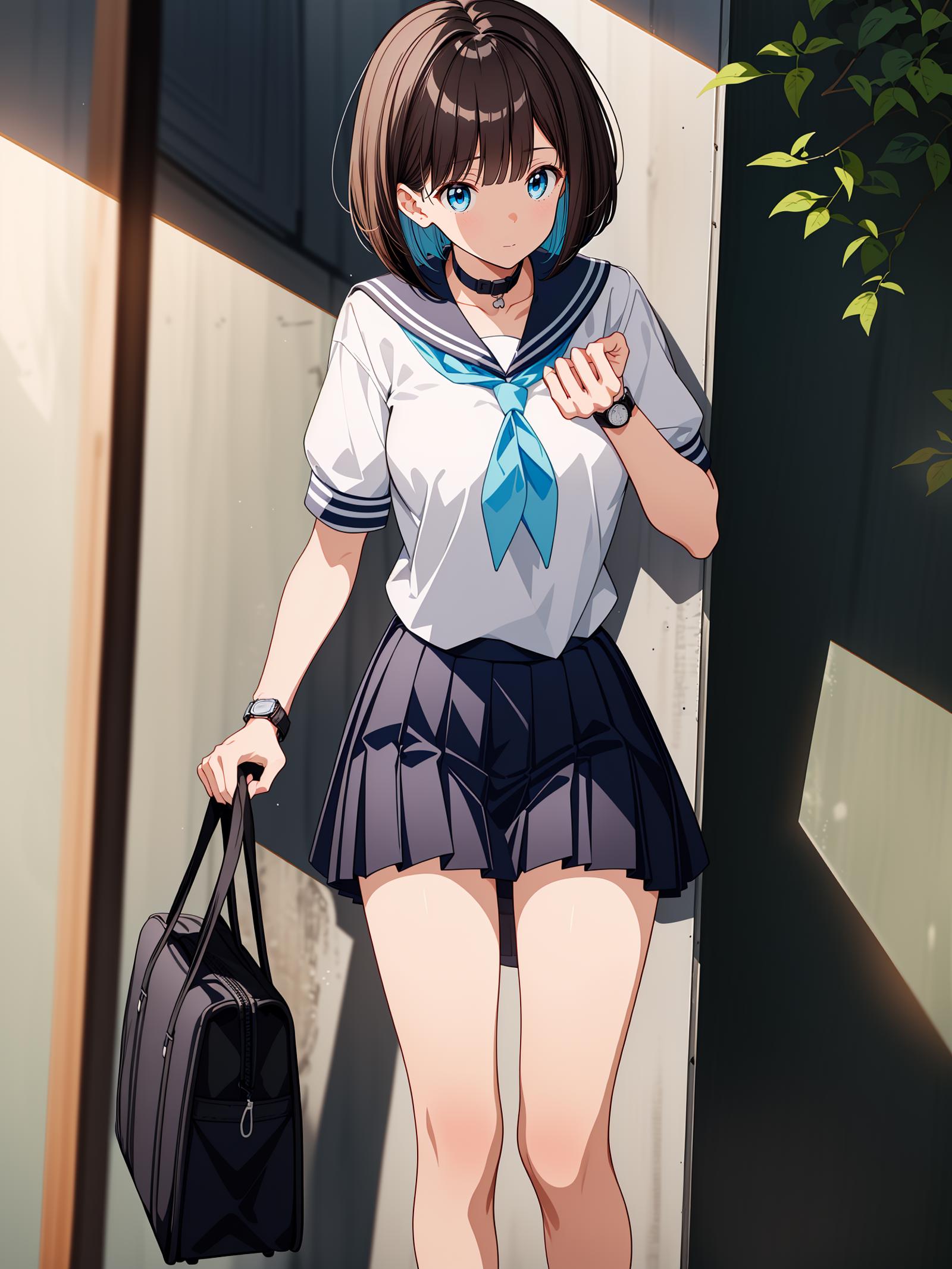
A set consisting of an Openpose bone image, lineart and depth map to show a female character in a stereotypical anime pose, looking at her watch on the back of the wrist.
To increase flexibility, two lineart images have been provided: one with a school bag, and one without. The depth map includes the school bag.
To use it:
Ensure you have at least two (optionally three) ControlNets enabled
Put the Openpose bones in the first ControlNet, with a weight between 0.9 and 1.1, in mode "Balanced"
Put the lineart image ("lineart") in the second ControlNet, with a weight between 0.9 and 1.1, in mode "ControlNet is more important"
(optional) Put the depth map in the third ControlNet, with a weight between 0.15 and 0.3, in mode "Balanced"
Please set preprocessor to "None" for all of them.
Please use a resolution of 512x768 or similar aspect ratio. SD will have trouble generating the fingers correctly, so manual touch-up of the image or inpainting is recommended. Note that models may differ in how they render the result. I have tested this with anime models only, so I don't know how it fares with realistic models. If you use the depth map, bear in mind that it was created with a female mannequin.
All the images were generated from a 3D mannequin from CLIP STUDIO PAINT.
To be up to date on my activities, feel free to follow me on Twitter (Japanese only; https://twitter.com/EinarRainhart).
If you have suggestions for the next series of poses, feel free to drop a comment!
日本語
Openposeのボーン画像、線画、そして深度マップを使ったセットで、典型的なアニメのポーズをとる女性キャラクターが手首の裏で時計を見ている様子を表現します。柔軟性を高めるために、学生鞄があるバージョンとないバージョンの二つの線画を用意しました。深度マップには学生鞄が含まれています。
使い方は以下の通りです。
ControlNetを2つ以上(3つ目はオプション)有効にしてください
OpenPoseのボーン画像を最初のControlNetに入れて、重みを0.9から1.1の間に設定して、モードを「Balanced」にしてください
lineartを2番目のControlNet (「lineart」)に入れて、重みを0.9から1.1の間に設定して、モードを「ControlNet is more important」にしてください
(オプション)3つ目のControlNet(「depth」)に深度マップを入れて、重みは0.15から0.3の間で、モードは「Balanced」に設定してください。
全部のプリプロセッサに「None」を設定してください。
解像度は512x768または同じアスペクト比を使用してください。SDでは、指を正確に生成するのが難しいので、画像の手動での修正やインペイントが推奨されます。モデルによっては、結果の生成が異なる場合があります。私はアニメ風のモデルでしかテストしていないので、リアルなモデルではどうなるかわかりません。深度マップを使用する場合、それが女性のマネキンで作成されたことを考慮してください。
このポーズはCLIP STUDIO PAINTの3Dマネキンから生成されました。
私の活動について最新の情報を知りたい方は、ぜひTwitterで(https://twitter.com/EinarRainhart)フォローしてください。
次のポーズシリーズについての提案があれば、気軽にコメントしてください!
Description
Details
Files
Available On (1 platform)
Same model published on other platforms. May have additional downloads or version variants.