🔀 V67 BREAK – Z Image Turbo
https://civitai.com/user/angelomaiota/models
https://civitai.red/user/angelomaiota/models
Premise, if you decide to use my model, I will give you 500 Yellow Buzz if your image is chosen for the cover of "CIVITAI," even if used in combination with other models.
R+ images will be hidden from the gallery. LoRA model trained with Z Image Turbo.
🧩 TRIGGER WORDS (activate the LoRA)
text
(BREAK, END, /n:1.3), split, divide, separate, barrier, boundary, delimiter, gap, pause, stop, cut, rift, breakpoint, partition, schismPut any of these anywhere in your prompt. They tell the model: “This is a juxtaposition scene – do not blend.”
✂️ SEPARATION KEYWORDS (place between subjects)
These are the visual instructions that create the break. Use them exactly as written.
KeywordMeaningBest used withBREAKSharp, hard cutsplitview, breaklineENDOne world ends, another beginsboundaryhold, contrastripe/nLiteral newline / line break symboldualframe, coexistJuxtaposedSide by side, realisticjuxtareal, dualframeVERSUSTension / conflictversusframe, contrastripeANDPeaceful co‑existencecoexist, andseparateNEXT TOSimple proximitysidebysideDIVIDED BY physical barriersplitview
⚙️ OPTIMAL SETTINGS for Z Image Turbo
ParameterRecommended valueLoRA weight0.7 – 0.9 (higher = stricter separation)CFG scale4.0 – 6.0Steps20 – 30SamplerAny (Euler a, DPM++ 2M, etc.)
Best aspect ratios
Side‑by‑side →
16:9(1344×768) or3:2(1216×832)Vertical division →
2:3(832×1216) or9:16(768×1344)Diagonal / complex →
1:1(1024×1024)
NEGATIVE PROMPTS (copy‑paste this)
text
blending, merging, fusion, morphing, gradient, smooth transition, subjects mixing, blended boundaries, fade, seamless, unified, dissolve, crossfadeThese are critical – without them, the model will try to blend.
🖼️ 10 COMPLETE EXAMPLES (works on Z Image Turbo, Midjourney, DALL‑E, Stable Diffusion)
Just copy the prompt as is. Adjust platform syntax if needed (e.g., --ar 16:9 for MJ).
1. Nature vs. Industry
An AI image of: ancient mossy oak tree BREAK smoking factory with chimneys, same frame, divided by a polluted river, boundaryhold, environmental contrast, photorealistic, 8k
2. Past vs. Future
An AI image of: Roman legionary in bronze armor END cybernetic soldier with plasma rifle, /n as a glowing line between them, versusframe, cinematic lighting, dusty battlefield
3. Fantasy vs. Reality
An AI image of: glowing fairy on a park bench Juxtaposed WITH an elderly man reading a newspaper, coexist, magical realism, morning light, London park
4. Scale Contrast
An AI image of: tiny astronaut figurine on a wooden table BREAK real astronaut floating above Earth, sidebyside, same pose, wonder, hyperdetailed
5. Climate Change
An AI image of: lush green forest with deer END burned dead forest with ash, same mountain range, boundaryhold, dramatic sky, environmental message
6. Myth and Modernity
An AI image of: dragon curled around the Eiffel Tower, tourists taking photos, juxtareal AND modern Paris, coexist, golden hour, surreal tourism photography
7. War and Peace
An AI image of: muddy WWI soldier in trench BREAK children flying kites in a meadow, divided by barbed wire, contrastripe, powerful juxtaposition
8. Ocean and Desert
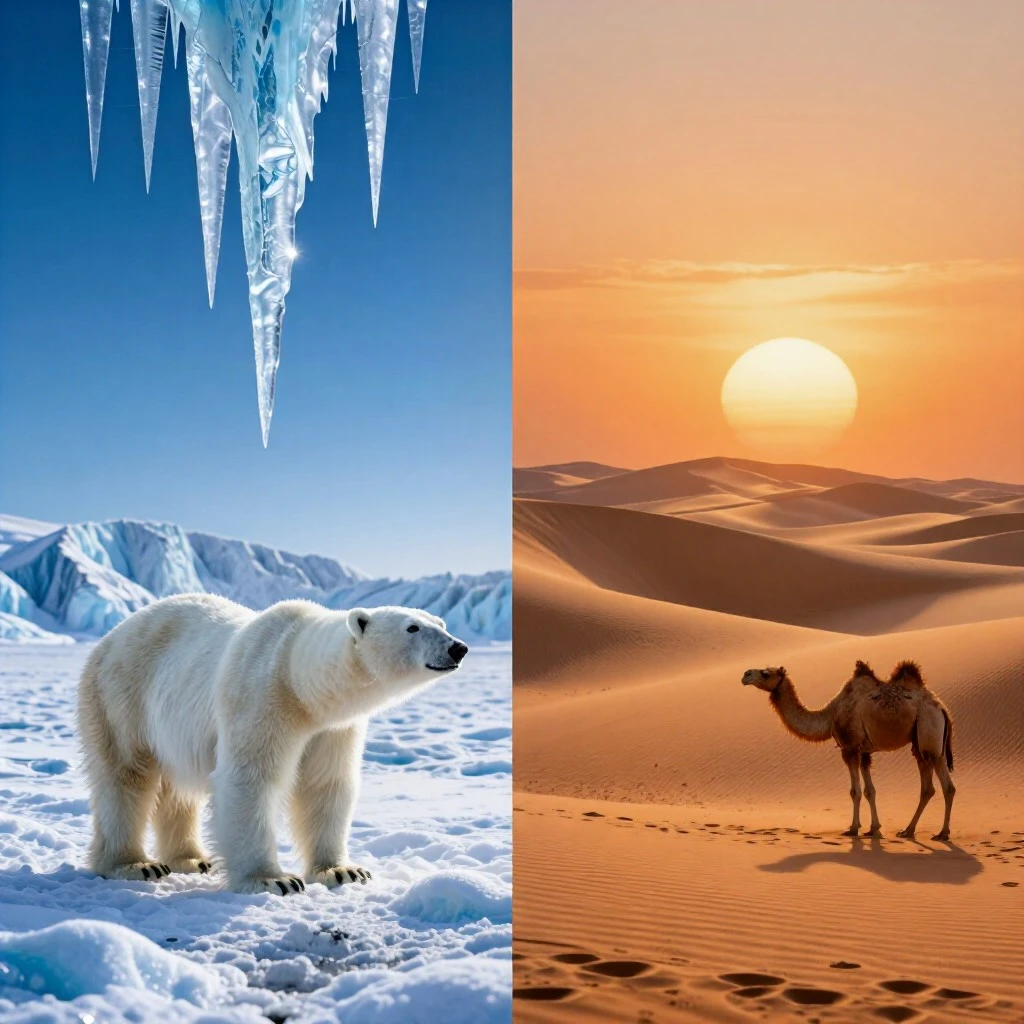
An AI image of: crashing waves with white foam Juxtaposed WITH rolling sand dunes, diagonal splitview, impossible geography, juxtareal, surreal landscape
9. Youth and Age
An AI image of: young ballerina practicing at a mirror END the same woman as elderly watching from a chair, same studio, andseparate, emotional portrait, soft light
10. Monk vs. Cyberpunk
An AI image of: Zen monk meditating in an ancient temple /n neon cyberpunk city seen through a torn paper wall, versusframe, contrastripe, future vs. past, conceptual
🎯 ADVANCED TECHNIQUES
Triple juxtaposition (three subjects, two breaks)
An AI image of: ancient temple BREAK futuristic city AND floating alien sphere above both, splitview, three worlds, boundaryhold
Temporal narrative with END
An AI image of: 1950s diner with neon and classic cars END same location today abandoned, same angle, time passage, andseparate
Invisible boundary (no visible line, still separate)
An AI image of: wolf in snowy forest Juxtaposed WITH same wolf as constellation in night sky, coexist, magical realism
Using /n as a literal newline character
An AI image of: glowing text line "HELLO" /n "WORLD" in neon, each word on a different plane, splitview, boundaryhold
📝 SIMPLE PROMPT TEMPLATE
text
An AI image of: [first subject] [SEPARATION KEYWORD] [second subject] , [trigger word] , [atmosphere] , [quality]Example filled:An AI image of: a rusty robot BREAK a blooming flower, dualframe, contrastripe, hope vs decay, photorealistic, 8k
✅ QUICK SUMMARY CARD
text
LoRA name:      V67 BREAK
Base model:     Z Image Turbo (any version)
Trigger words:  dualframe, splitview, contrastripe, coexist, versusframe, boundaryhold, juxtareal, sidebyside, breakline, andseparate
Separators:     BREAK, END, /n, Juxtaposed, VERSUS, AND, NEXT TO, DIVIDED BY
Weight:         0.7 – 0.9
Negative:       blending, merging, morphing, gradient, smooth transition, fade
🔀 Final line
Two worlds. One frame. No mixing.
Use BREAK, END, /n – and Z Image Turbo will obey.
📐 TERMINOLOGY PRESENTATION
BREAK – AND – /n
Three ways to separate subjects in a prompt
1. BREAK – The Hard Cut
TermDescriptionBREAKCreates a sharp, intentional visual division. No blending, no transition. Best for opposites, conflict, dramatic contrast.
Example: day BREAK night
2. AND – The Peaceful Co‑existence
TermDescriptionANDPlaces two subjects side by side without conflict. They share the frame but remain distinct. Best for harmony, magical realism, subtle contrast.
Example: fairy AND an elderly man on a bench
3. /n – The Newline Symbol (Literal Line Break)
TermDescription/nActs as a visible or conceptual line break – like pressing "Enter". Can be a glowing line, a crack, a row of symbols. Best for adding a literal separator element.
Example: HELLO /n WORLD in neon text
🔁 Quick Comparison (Two‑Column Table)
TermEffectBREAKSharp cut, high tension, oppositionANDPeaceful co‑existence, low tension/nLine break (literal or symbolic)
✅ Usage Rule (Two‑Column Table)
RuleExplanationPositionPlace the separator between two subjects, with spaces before and after, no extra punctuation.Trigger wordsUse splitview with BREAK, coexist with AND, dualframe with /n for best results.
🧪 Example Prompts (Two‑Column Table)
PromptSeparator Usedocean BREAK desert, splitview, surrealBREAKa dragon AND a castle, coexist, magical realismANDangel /n demon with a glowing line, versusframe/n
📌 Final Note
BREAK for opposition.
AND for harmony.
/n for a visible or conceptual line.
These three terms are the core vocabulary of the V67 BREAK LoRA. Use them between subjects – and the model will keep them separate.
Description
Details
Files
Available On (1 platform)
Same model published on other platforms. May have additional downloads or version variants.