













All versions require PickScore nodes to be installed.
Gemini 2.0 version also requires Gemini 2.0 Flash to be installed.
All versions that are using Gemini 2.0 are updated and are also using system prompt node that can be found in the creepy_nodes pack on github and in ComfyUI manage.
NOTE: If you have an issue loading the Gemini node, try to pip install sounddevice
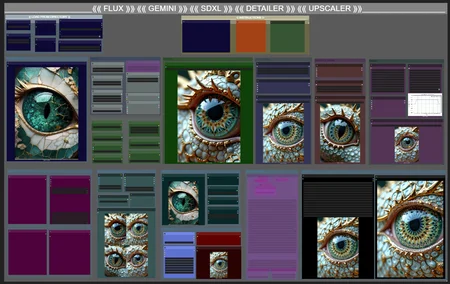
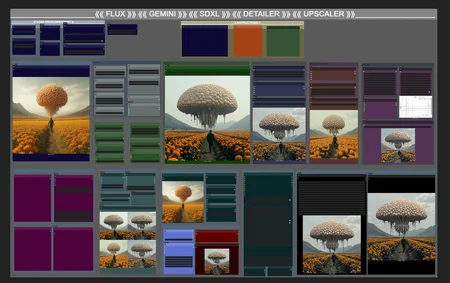
This is a fully automatic workflow, mix the Detailer Deamon and Flux Redux, as well as Flux Dev and Stable Diffusion 3.5 Turbo.
I have included 2 nodes to clear VRAM/Cache at strategic places, but I can't say what the minimum system requirements might be. I have 12GB VRAM and 32GM system RAM, and the workflow is working well for me.
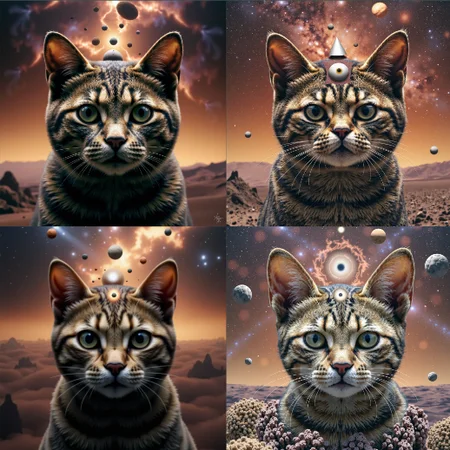
1 generation creates 5 images, of which one is upscaled, ran through detailer and finished with Stable Diffusion 3.5 Turbo.
If you have missing nodes, just go in tho manager and install them from there.
Upload an image and Florence will extract a prompt from it. Redux will make sure the images keep the style/theme and Detail Deamon will produce 4 images with variation on every run.
The images are then evaluated by Scorepicker and the best of the 4 images are choosen (the other 3 are also saved).
The choosen image will go through an upscaler. And after that the workflow changes the checkpoint from Flux dev to Stable diffusion 3.5 Turbo. With the SD 3.5 checkpoint the final image then go through a face detailer and finally through Ksampler with low denoise (0.15-0.3).
Description
This version is the same as the previous one, but except for this one is adding SDXL as a finisher. Face/eye-detailer can be used or bypassed.
Remember, it's the instructions you give Gemini in its system prompt that matters the most.
FAQ
Comments (4)
an error when a node Patch Sage Attention is not in "disabled" position:
Requested to load Flux
Patching comfy attention to use sageattn
!!! Exception during processing !!! No module named 'sageattention'
Traceback (most recent call last):
File "C:\ComfyUI_windows_portable\ComfyUI\execution.py", line 349, in execute
output_data, output_ui, has_subgraph = get_output_data(obj, input_data_all, execution_block_cb=execution_block_cb, pre_execute_cb=pre_execute_cb)
File "C:\ComfyUI_windows_portable\ComfyUI\execution.py", line 224, in get_output_data
return_values = mapnode_over_list(obj, input_data_all, obj.FUNCTION, allow_interrupt=True, execution_block_cb=execution_block_cb, pre_execute_cb=pre_execute_cb)
File "C:\ComfyUI_windows_portable\ComfyUI\execution.py", line 196, in mapnode_over_list
process_inputs(input_dict, i)
File "C:\ComfyUI_windows_portable\ComfyUI\execution.py", line 185, in process_inputs
results.append(getattr(obj, func)(**inputs))
File "C:\ComfyUI_windows_portable\ComfyUI\comfy_extras\nodes_custom_sampler.py", line 707, in sample
samples = guider.sample(noise.generate_noise(latent), latent_image, sampler, sigmas, denoise_mask=noise_mask, callback=callback, disable_pbar=disable_pbar, seed=noise.seed)
File "C:\ComfyUI_windows_portable\ComfyUI\comfy\samplers.py", line 1014, in sample
output = executor.execute(noise, latent_image, sampler, sigmas, denoise_mask, callback, disable_pbar, seed)
File "C:\ComfyUI_windows_portable\ComfyUI\comfy\patcher_extension.py", line 111, in execute
return self.original(*args, **kwargs)
File "C:\ComfyUI_windows_portable\ComfyUI\comfy\samplers.py", line 981, in outer_sample
self.model_patcher.pre_run()
File "C:\ComfyUI_windows_portable\ComfyUI\comfy\model_patcher.py", line 984, in pre_run
callback(self)
File "C:\ComfyUI_windows_portable\ComfyUI\custom_nodes\comfyui-kjnodes\nodes\model_optimization_nodes.py", line 149, in patch_attention
self._patch_modules(False, sage_attention)
File "C:\ComfyUI_windows_portable\ComfyUI\custom_nodes\comfyui-kjnodes\nodes\model_optimization_nodes.py", line 30, in patchmodules
from sageattention import sageattn
ModuleNotFoundError: No module named 'sageattention'
Sage attention has to be installed if you want to use the node for it. Otherwise you'll have to bypass or remove it. Here's a guide for installing Sage attention and Triton on windows system: https://www.zanno.se/triton-sageattention-and-teacache/
It says in the info box in the workflow as well.
@Creepybit https://www.zanno.se/triton-sageattention-and-teacache/
Web server is returning an unknown error Error code 520
Visit cloudflare.com for more information.
2025-06-04 06:28:11 UTC
it might be easier to adapt your workflow to quantized SD3.5 large to avoid the need for memory savings...