


Reference Sheet for Head | Concept LoRA
Big thanks to @YuruSama for assisting me with the dataset. Much appreciated!
Refer to the version details for Changelog. Keep in mind, that despite this LoRA, that some Views are very difficult to generate. This only helps, but dont solve the issue.
Weight can go from 0.5 up to 1. I recommend 0.7. Works with almost every Character. All previews are done without any additional help, except the tags and helping tags. Hairstyle can be messy sometimes. Use of 3D Checkpoint recommended.
ControlNet can also be helpful in this case, and I have included the depth map for it in the Training Images tab.
How to use it? Install ControlNet in your WebUI and include your image with the following settings:
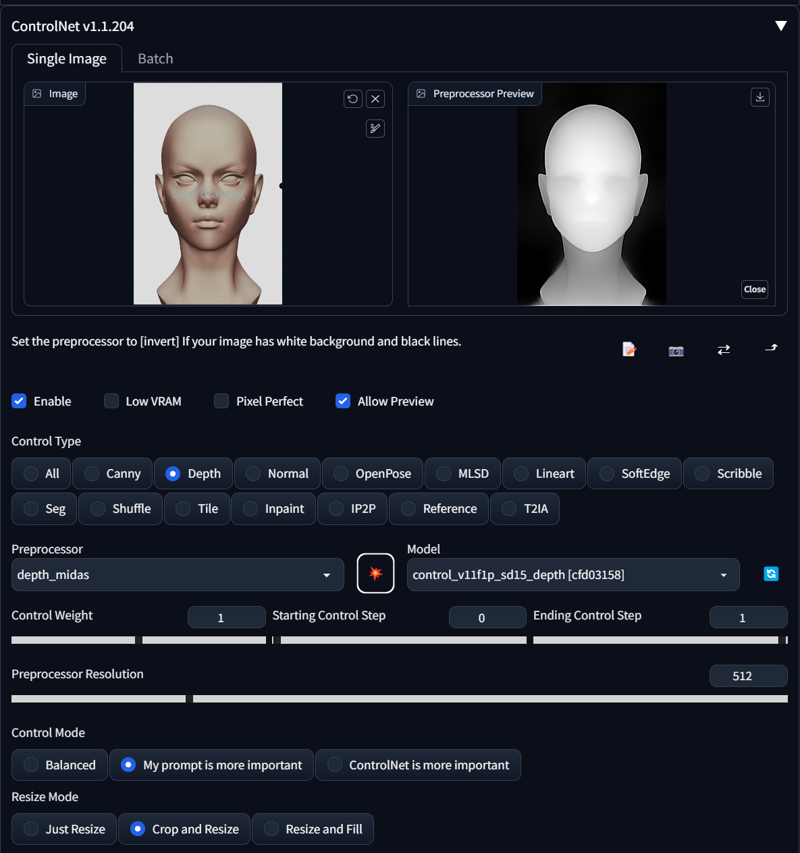
KEEP IN MIND TO REMOVE ALL FACIAL FEATURES, IF YOU ARE DOING A BACKVIEW.
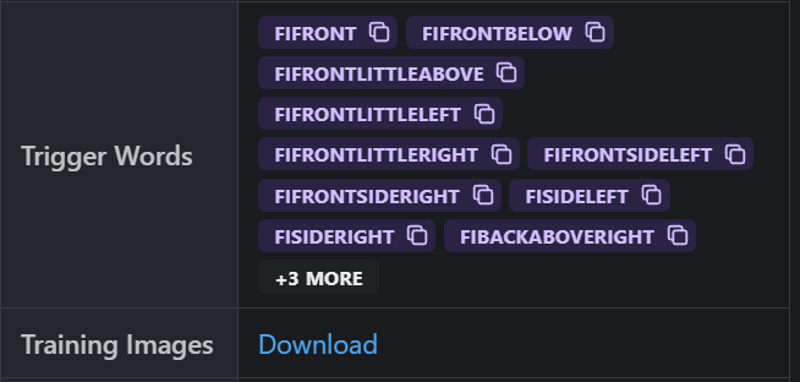
Trigger Words:
FIFront
FIFrontBelow
FIFrontLittleAbove
FIFrontLittleLeft
FIFrontLittleRight
FIFrontSideLeft
FIFrontSideRight
FISideLeft
FISideRight
FIBackAboveRight
FIBackAboveLeft
FIBackRight
FIBackLeft
FIFrontBelowLeft
FIFrontBelowRight
FISideAboveLeft
FISideAboveRight
FISideBelowLeft
FISideBelowRight
FISideLeftBentBackwards
FISideLeftBentForwards
FISideRightBentBackwards
FISideRightBentForwards
FIFrontBelow
FIAbove
FIBackLittleAbove
FIBack
FIBackBelowRight
FIBackBelowLeft
FIBackBelow
Currently little Unstable or bleeding:
FIFrontLittleLeft (Bleed)
FIBackBelow
FIAbove (Unstable)
FIFrontBelow (Unstable)
Use of additional helping Prompt recommended:
from above
from side
from below
from behind
How to use LoRA's in auto1111:
Download LoRA
Copy the file to
stable-diffusion-webui/models/loraSelect your LoRA and use the triggerword
Make sure to change the weight if needed (by default it's
:1)Have Fun!
Description
FAQ
Comments (1)
I was searching for that type of Lora !
Thanks a lots ! <3
Details
Available On (1 platform)
Same model published on other platforms. May have additional downloads or version variants.