













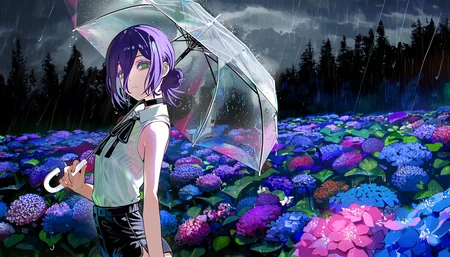





Aesthetic Quality Modifiers - Masterpiece
Training data is a subset of all my manually rated datasets with the quality/aesthetic modifiers, including only the masterpiece tagged images.
ℹ️ LoRA work best when applied to the base models on which they are trained. Please read the About This Version on the appropriate base models, trigger usage, and workflow/training information.
Recommended prompt structure:
Positive prompt (quality tags at the start of prompt):
masterpiece, best quality, very aesthetic, {{tags}}, {{natural language}}Description
FAQ
Comments (22)
does it work like a regular lora? (anima version)
I would love to see a Klein 9b version of this one <3 !
Which quality modifiers in your collection is most recommended? masterpiece, best quality or complete?
For narrow applications like simply trying to create a more aesthetically pleasing image this "masterpeices" version would probably be preferable due to the smaller dataset size
Excellent model! I've also tried training some style LoRAs on anima and experimented with mixing NL and Booru tags, but in my tests, I haven't seen any significant improvement compared to using pure Booru tags for labeling. Could you please share what aspects of the image you primarily use NL to supplement annotations for, in order to achieve better results? My current strategy is to use NL to describe the overall composition and lighting effects, leaving the subject description to Booru tags.
Hello, thank you!
NL captioning workflows can be quite complicated I am learning, but my attempts so far involve having a VLM use the tags as grounding.
I try to have it name a character, then describe their copyright, artist and basic appearance - roughly similar to how inference prompting in NL is recommended for the model.
I also use a different system prompt for single or multiple character scenes to try to prevent it misattributing names.
I've shared my small script for reference here:
https://github.com/motimalu/diffusion-workflows/blob/main/nl-captioning/label-large.py
pls upload it on seaart
I've noticed that the Aesthetic Quality Lora (Anima ver.) sometimes seems to override other prompts. It looks like the model prioritizes the Lora's aesthetic goals, leading to less accurate following of specific instructions.
Following up on my previous message about the Aesthetic Quality Lora—I wanted to provide a concrete example.
When using this Lora, the model sometimes modifies specific actions on its own. For instance, if the prompt specifies "hands on ground," the output might show a pose that's close but not exactly what was requested (like one hand on ground, the other relaxed), as if the Lora's aesthetic preferences override the exact instructions.
Without the Aesthetic Lora, the base Anima model follows prompts very accurately. So I think the issue definitely seems Lora-related rather than model-related.
Prompt adherence was likely mostly affected here by training of the llm adaptor, which can now be disabled with the training I script used.
You may be interested in this thread on the matter for Anima: https://huggingface.co/circlestone-labs/Anima/discussions/60#6998b3f592a56ca2caee79fd
@motimalu Imo the prompt adherence is better when I use your lora.
The description for Anima might be misleading. After all, quality tags after the main ones are relevant for ILXL and Noob, but for Anima, they should be at the beginning
Hello, thanks for pointing that out, yes optimal settings will differ by base model.
I've moved these recommendations to the "About this version" section of the model card.
u got an anima training guide ?
Hello, I'm not sure its worth investing time in writing a guide for the preview version at this point (hopefully the full release is soon) but you can reference the training software and configuration used in the "About this version" section of the model card.
Did you train the anima lora at 1mp or would you say it would work great together with the Anima Yume finetuned checkpoint that aims for 1536 x 1024 / 1024 x 1536?
Hi, yes trained at 1024 x 1024 on Anima Preview
So might expect a weaker effect with Anima Yume because it both diverges from the base and targets different resolutions
@motimalu Thanks, and will you train the lora on anima preview 2 too ?
@deitychaser Yes testing a few different datasets on anima preview 2 now
@motimalu Very cool, its very useful. The main benefit why I use it isn't even necessarily the quality and detail boost (but its also a factor), but especially that it allows me to get my character in the scene back into a bigger frame because if I use alot of natlang for effects and styles and specifics about the scenery then the character tends to get lost in a sort of wide shot scenery and anima tends to ignore any close-up prompts. With the aesthetic quality modifier this get resolved and I can keep my natural language descriptions and get the image composition I want. So I assume your previous dataset has lots of closer character focused shots. If possible then keep this bias!
@deitychaser Thank you, I've released a version for anima preview 2 that uses an only slightly updated dataset now
Details
Files
Available On (1 platform)
Same model published on other platforms. May have additional downloads or version variants.