Intro
After Discovering The Adaptive Guidance Custom Node, which is kind of a simple custom node that just messes with sampling guidance in a novel way, this sort of unlocked the de-distilled models BUT also allows for some interesting results with distilled hyper models and schnell which i am still loving with its Apache license, so what i wanted to do was create a very simple workflow i could share that also uses GGUF Unet AND GGUF Text Encoders!
My other workflows i have tested have been more towards helping others learn but this the first one i am sharing i am actually hoping people can actually use to easily create images and get into Comfy more as i have completely abandoned Forge and Webui.
Please leave a comment
This workflow has been tested with a 4060Ti, 4080 Super, and 4090 on windows 2022 and Windows 11.
Loras
I have tested this with Loras and this works best if you just drag the loras as their own nodes onto this workflow and attach them or use the power Lora loader
Unet Models Flux
you will need a GGUF Model (i don't recommend lower than Q6) in the UNET folder
Recommended Models
Flux Fusion V2 GGUF (Best Result)
or
Any Schnell base or merge in GGUF format
The settings given works with both the hyper models and schnell models but will not work with dev models and de-distilled models, the workflow CAN be adjusted to work with dev and de-distilled models but that was not my intention with this one.
VAE
I use the vae from the official schnell hugging face page, but this works with the ae one as well, Flux appears to have little difference in VAE models right now
GGUF Text Encoders
and then you will need clip_l and the gguf version of t5, i recommend Q6 or Q8
https://huggingface.co/city96/t5-v1_1-xxl-encoder-gguf this leads to faster clip loading and offloading.
Required Custom Nodes:
the adapter guider is here
https://github.com/asagi4/ComfyUI-Adaptive-Guidance
GGUF if you dont already have it is here and unlocks gguf in both text encoders and unet
https://github.com/city96/ComfyUI-GGUF
Aspect Ratio Empty Image
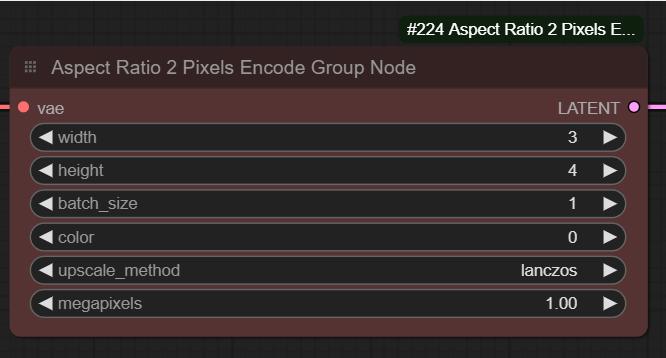
youll notice i have a aspect ratio selector, i really wish this would catch on but without any custom nodes you can put in the aspect ratio like 16/9 4/3 3/5, etc , and then a base megapixels and it will bring you the image you want