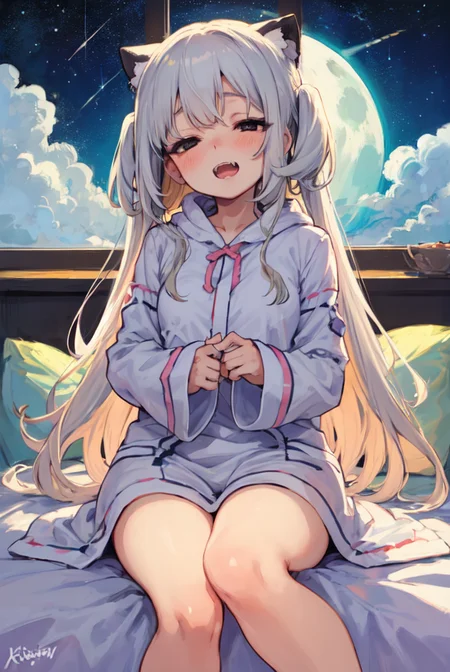
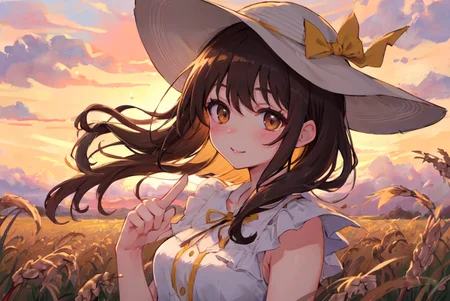

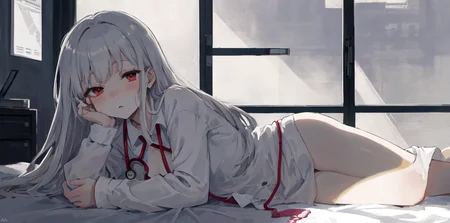
Anime Style Mergemodel
All sample images using highrexfix + ddetailer
Put the upscaler in the your "ESRGAN" folder
<Parameters>
https://huggingface.co/GIMG/AIChan_Model/tree/main/Blend/MIX-Pro/V4/Parameters
<Source>
https://huggingface.co/andite/mikapikazo-diffusion/blob/main/mikapikazo-40000.ckpt
https://huggingface.co/andite/cutesexyrobutts-diffusion/blob/main/csrb-diffusion.ckpt
https://huggingface.co/andite/piromizu-diffusion/blob/main/piromizu-20000.ckpt
https://huggingface.co/andite/yohan-diffusion/blob/main/yohan-diffusion.safetensors
https://huggingface.co/nuigurumi/basil_mix/blob/main/Basil%20mix.safetensors
https://civarchive.com/models/22607/loconlora-airconditioner-style
https://civarchive.com/models/14393/thick-coat-cg-style
https://huggingface.co/closertodeath/mouseymix/blob/main/mouseymix.safetensors
https://huggingface.co/andite/pastel-mix/blob/main/pastelmix-fp16.safetensors
<My models>
Description
FAQ
Comments (45)
The model looks amazing! Did you use the 'Merge Block Weight U-net' extension to mix the models or was it done just through the basic model mixing UI? Thanks!
Block Merge was used only for basil_mix.
I can't seem to replicate the sample images, could you elaborate on your setup?
Eta: 0.4, Clip skip: 2 + Eta Noise Seed: 314159
@P317cm Where do you find Eta noise seed in automatic1111?
@ComradePedro Setting - Sampler Parameters 👈 here
@P317cm There are two Eta sliders, which one to modify? One for DDIM or ancestral sampler?
@ComradePedro "Eta noise seed delta" You'll find an that-!
Did you use any VAE?
"kl-f8-anime2.ckpt" 👈 This
I get very nice images, similar to what's posted here, but most of them are very "washed out" and I have to adjust contrast manually to get results as the samples shown in the page. Am I doing something wrong?
I'm new to A.I image generation, so naturally it took me the entire afternoon to figure it out, but I did. The reason the images are washed out is probably because you don't have the righ VAE selected. If you're also using Automatic1111 WebUI, then go to the "Settings" tab, Scroll down until you find "Stable Diffusion", under "SD VAE" select "kl-f8-anime2", that's the proprietary VAE for using this model. This should fix the washed out colors and give better image clarity in your generations too. Hope this helps!
Thanks, that fixed some of my problems :)
@niwashiart553 thank you
colors are very dull and grey, any ideas why?
other user said "I'm new to A.I image generation, so naturally it took me the entire afternoon to figure it out, but I did. The reason the images are washed out is probably because you don't have the righ VAE selected. If you're also using Automatic1111 WebUI, then go to the "Settings" tab, Scroll down until you find "Stable Diffusion", under "SD VAE" select "kl-f8-anime2", that's the proprietary VAE for using this model. This should fix the washed out colors and give better image clarity in your generations too. Hope this helps!"
I renamed kl-f8-anime2.ckpt to select it under "SD VAE", but it didn't work
How do you mix? The eyes really maintain mika pikazo's style
CTD/mouseymix + andite/pastel-mix*0.5 = mouseypastel-mix
andite/mikapikazo-diffusion + andite/cutesexyrobutts-diffusion*0.5 = mikacute
mikacute + nuigurumi/basil_mix = mikacutebasil_mix !U-net
weight | 1,0.9,0.7,0.5,0.3,0.1,1,1,1,1,1,1,0,0,0,0,0,0,0,0.1,0.3,0.5,0.7,0.9,1 - Base alpha | 0
mikacutebasil_mix + mouseypastel-mix*0.5 = MIX-Pro-V3
I downloaded vae, but it was ckpt. I can't find it in SD VAE, it's only in Checkpoints
That's "vae" right.
That should still be the right file. They can be ckpt, pt, or safetensors files
for CKPT VAE, rename it as filename.vae.pt
Could you tell me the ratio of the merged recipe?
CTD/mouseymix + andite/pastel-mix*0.5 = mouseypastel-mix
andite/mikapikazo-diffusion + andite/cutesexyrobutts-diffusion*0.5 = mikacute
mikacute + nuigurumi/basil_mix = mikacutebasil_mix !U-net
weight | 1,0.9,0.7,0.5,0.3,0.1,1,1,1,1,1,1,0,0,0,0,0,0,0,0.1,0.3,0.5,0.7,0.9,1 - Base alpha | 0
mikacutebasil_mix + mouseypastel-mix*0.5 = MIX-Pro-V3
@P317cm Thank you so much.
Could you please tell me why is the contrast of my generated images very low?
Do you use a VAE? That might add/fix some deeper colors if you're having problems with dull images. I recommend this model's VAE or the pastel mix VAE, but many anime models have one that you can download on this site. Right next to the download button on each civitai page, there should be a little dropdown arrow where you can see the other files on that model page. Then in files, you'll put that file into your VAE folder
@Bunger_Beesechurger thanks a lot for answering! cheers!
2gb fp16 version?
I'm having so much trouble getting SD to Detect the Vae no matter what i do it won't show up anything got ideas?
Would you mind pruning the model a bit? I'd love to download this, but as it stands, this is twice as large as my largest downloaded models. Would really appreciate it!
Hint. What should I choose at the top left? mix top? or VAE? i nub :c
When I select the top left "MIX TOP" I get an error.
top left at stable diffusion webui? choose mixProV3_v3, for VAE you just need to put it alongside this model
You sure the VAE is correct?
Is this model same as swl-models/mix-pro-v3 at Hugging Face ?
Update: Well.... after test, I believe that they are the same model because they can produce the same picture.
yes. but that is replica. original is my hugging face.
https://huggingface.co/GIMG/AIChan_Model/tree/main/Blend/MIX-Pro
I use SD Autmatic111 web I use SD Autmatic111 webui. Your images are insanely beautiful there is some kind of finishing or technique to make them look so beautiful. Can you share any tips?
Anyone else having problems with VAE file?
SD just refuses to work with it, it just gives me "this file is corrupted" error and shuts down.
@P317cm didn't work by using different vae, but then i deleted both model and vae, downloaded model again and used this vae, now it works perfectly, thanks.
Details
Files
mixProV4_v3.safetensors
Mirrors
mixProV4_v3.safetensors
7241_mixProV4_v3.safetensors
mixProV3_v3.safetensors
mixProV3_v3.safetensors
MIX-Pro-V3.safetensors
mix-pro-v3.safetensors
MIX-Pro-V3.safetensors
mix-pro-v3.safetensors
mixProV3_v3.safetensors
MIX-Pro-V3.safetensors
mixProV3_v3.safetensors
mixProV3_v3.safetensors
mixProV3_v3.safetensors
MIX-Pro-V3.safetensors
mixProV3_v3.safetensors
chilloutmix_NiPrunedFp32.safetensors
mixProV3_v3.safetensors
mix-pro-v3.safetensors
MIX-Pro-V3.safetensors
mixProV3_v3.safetensors
Available On (1 platform)
Same model published on other platforms. May have additional downloads or version variants.