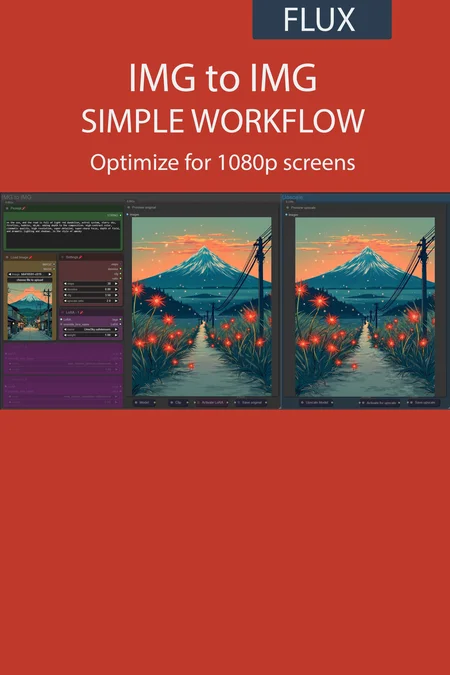
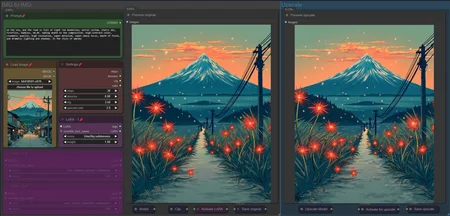
✨ FLUX — IMG to IMG — Simple Workflow
A clean, all-in-one FLUX img to img workflow built entirely with the UmeAiRT Toolkit for ComfyUI. Only 9 nodes. No spaghetti wires. Load an image, describe what you want, and let FLUX redraw it. Step-by-step guide for this workflow: FLUX - IMG to IMG
⚠️ IMPORTANT — Nodes 2.0 Required
This workflow is built for the Nodes 2.0 (Vue) interface of ComfyUI. If you don't enable it, the workflow may have display problems.
How to activate Nodes 2.0:
Open ComfyUI
Go to Settings (⚙️ icon, bottom-left)
Find "Use Nodes V2 (Vue)" and toggle it ON
Refresh the page
Load the workflow
If you prefer the classic interface, check out the Legacy version of this workflow instead (link).
🔀 Manual or auto version?
The download contains both:
FLUX_Img2Img_manual.json — manual: you choose and download the model files yourself (list below).
FLUX_Img2Img_auto.json — auto: choose the model version in the 📦 Bundle Auto-Loader; it downloads the files of that version the first time you run it.
🎯 Features
Image-to-image with FLUX.1 Dev — FP8, full fp16 or GGUF (Q8 to Q3) to fit your VRAM
Denoise control — from a light touch-up to a complete reinterpretation of your image
Automatic model download in the auto version, with the 📦 Bundle Auto-Loader
Built-in SeedVR2 upscaler — high-quality upscaling, on/off
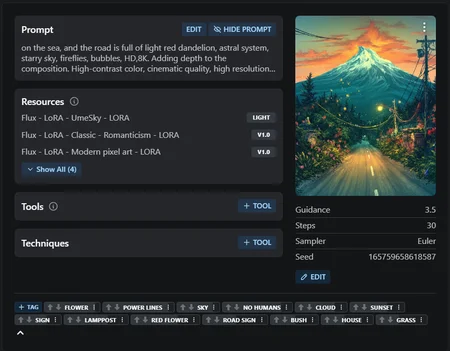
3 LoRA slots — each with its own on/off toggle and strength, and you can chain more LoRA nodes
Full metadata embedding — every image is saved with its generation parameters
📦 Custom Node Required
Only one custom node to install:
👉 ComfyUI-UmeAiRT-Toolkit — version 1.22.0 or newer
Install via ComfyUI Manager (search "UmeAiRT") or use the UmeAiRT Auto-Installer. The Toolkit packages everything internally — no other custom nodes needed.
📂 Files you need (manual version)
Diffusion model — pick one for your VRAM : fp8 (18 GB), fp16 (30 GB), Q8 (18 GB), Q6 (16 GB), Q5 (14 GB), Q4 (12 GB), Q3 (8 GB)
in ComfyUI/models/diffusion_models/FLUX/
Text encoder (T5) — pick the one matching your model : fp8, fp16, Q8, Q6, Q5, Q4, Q3
in ComfyUI/models/text_encoders/T5/
Text encoder (CLIP) : clip_l.safetensors
in ComfyUI/models/clip/
VAE : ae.safetensors
in ComfyUI/models/vae/
As many LoRAs as you like (optional) : like this one
in ComfyUI/models/loras/
The SeedVR2 upscaler models are downloaded automatically the first time it runs.
☕ Support
These workflows are free and will stay free. If they save you time and you'd like to help, you can buy me a coffee on Ko-fi — thank you!
Description
Reforged for CIVITAI metadata
FAQ
Looks like we don't have an active mirror for this file right now.
CivArchive is a community-maintained index — we catalog mirrors that volunteers upload to HuggingFace, torrents, and other public hosts. Looks like no one has uploaded a copy of this file yet.
Some files do get recovered over time through contributions. If you're looking for this one, feel free to ask in Discord, or help preserve it if you have a copy.