





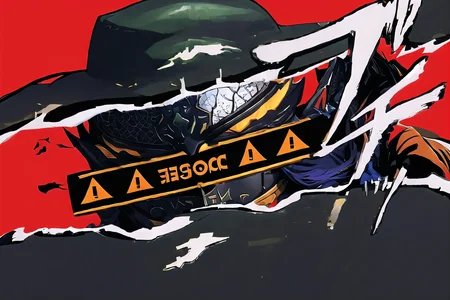

Persona Cut In | Concept LoRA
Weight can go from 0.9 up to 1.0. I recommend 1. Works with almost every Character, every Style and Photorealistic Models.
Use of width 768 and height 512 recommended.
Refer to the version details for Changelog.
V2:
Trigger Word:
IncrsPersCutIn
Helping Prompt:
simple background
V1:
Trigger Word:
Persona Cut In
How to use LoRA's in auto1111:
Download LoRA
Copy the file to
stable-diffusion-webui/models/loraSelect your LoRA and use the triggerword
Make sure to change the weight if needed (by default it's
:1)Have Fun!
Description
Dataset cleaned
Trained on 768
More flexible
FAQ
Comments (1)
I've been waiting for this!
Details
Downloads
1,841
Platform
CivitAI
Platform Status
Available
Created
11/5/2023
Updated
10/7/2026
Deleted
-
Trigger Words:
IncrsPersCutIn
simple background
Files
Available On (1 platform)
Same model published on other platforms. May have additional downloads or version variants.