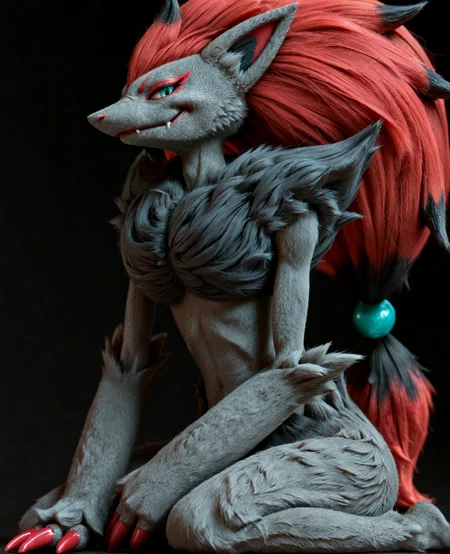
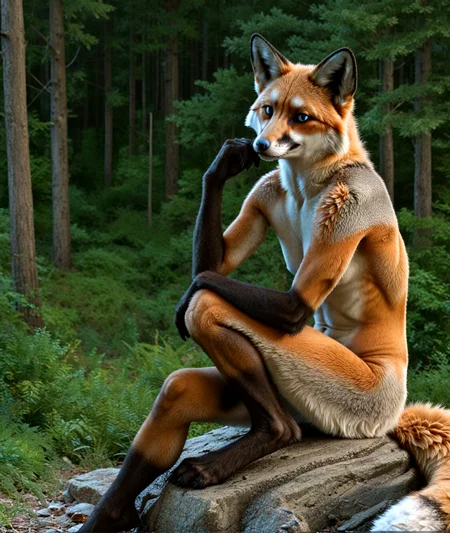
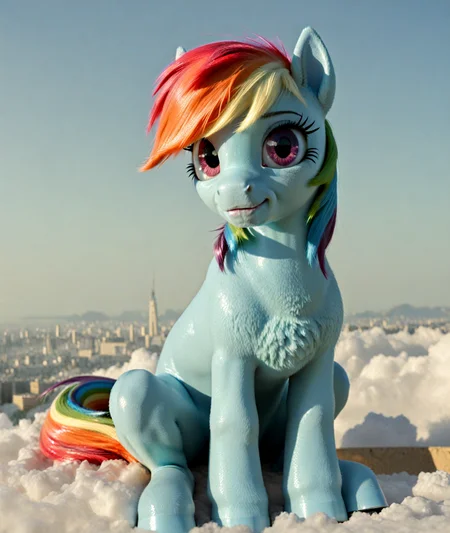
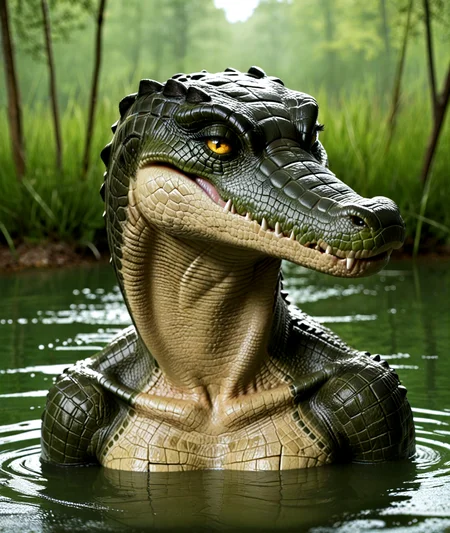



Furry Model Merging Resources
All models are available to use with the links provided below, if you are unsure about a model then you can try them before downloading. They're also now available for use here. I would recommend reading the usage guide below or look at the gallery and the prompts if you are new so you can get an idea for prompting and make the most out of your buzz.
Future Releases
They'll come as they go. These things take time.
BreakPoint
Sat on this one for seven months, here you go.
Realism - Enhanced.
Improvement to TheTerribleTimmy
Bravo Zulu (V-Pred Model)
Sat on this one for three months, here you go.
Realism/2D Model, finetune of 3wolfmondaiSDG_v10
Thanks to qek for their help!
I would strongly recommend zsnr off.
*zsnr off*

zsnr throws all the weights off and this model was tuned without zsnr active, you'll need the node above to turn it off.
Usage Guide
Here's a quick sampler and scheduler guide:
List of working Samplers for zsnr off:
All of Them, except sa_solver and sa_solver_pece.
List of working Samplers for zsnr on:
DDIM | seeds_2 | er_sde | gradient_estimation_cfg_pp (CFG: 2) | gradient_estimation | res_multistep_cfg_pp | res_multistep | deis | ipndm_v | dpmpp_2m_sde_heun_gpu (CFG: 2.5 - 3) | dpmpp_2m_sde_heun (CFG: 2.5 - 3) | dpmpp_2m_sde_gpu (CFG: 2.5 - 3) | dpmpp_2m_sde | dpmpp_2m | dpmpp_sde_gpu | dpmpp_sde | dpmpp_2s_ancestral_cfg_pp | dpmpp_2s_ancestral | dpm_adaptive | dpm_fast | lms | dpm_2 | exp_heun_2_x0_sde | exp_heun_2_x0 | heunpp2 (CFG: 4 - 6) | heun (CFG: 3 - 5) | euler ancestral | euler_cfg_pp (CFG: 2 - 2.5) | euler
Optimal Samplers for zsnr on: dpmpp_2m, dpmpp_2m_sde, euler, euler_ancestral
Schedulers - Don't use linear_quadratic and exponential, the rest are good.
CFG: 3 - 6
Steps: ≥25
I can't guarantee functionality, but they're posted on the below sites for use.
PixAI:
https://pixai.art/model/1966105706285623265
This one works for on-site generation.
TensorArt:
https://tensor.art/models/951908180273684193
This one works for on-site generation.
SeaArt.AI:
This one does not work for on-site generation.
TheTerribleTimmy! - (Illustrious Realism Model)
Realism Illustrious.
Usage Guide
Use the same settings as MyPreciousJimmy!, guide is in that section.
If you lack the hardware to use this model locally, you can use them on the sites linked below (and here):
PixAI:
https://pixai.art/model/1851155741065773330
TensorArt:
https://tensor.art/models/834232328764066788
SeaArt.AI:
https://www.seaart.ai/models/detail/e5abb38332068b8216b2c9a11bc0ca97
MyPreciousJimmy! - (Illustrious Realism Model)
Realism Illustrious.
Usage Guide (for Illustrious model):
Sampler: Euler A, or DPM++ 2M if you want much more detail. I run Euler A because the detail can sometimes be too much. I have a guide further below.
CFG: 2 - 7.5, 2 - 4 is a good range. I run 3, images get very cooked past 7.5, don't move past 4 when prompting for 'realism'. Adjust this to also increase detail.
Steps: 17 - 50, I go with 25. You may want more or less depending on what you're going for and your hardware.
Scheduler: Automatic, or Karras. I run Karras. Feel free to experiment with this because I haven't experimented with this thoroughly, but I have ran some tests so I can offer some guidance, it follows below.
Samplers & Schedulers
Samplers Tested:
DPM Samplers (DPM++ 2M, DPM++ SDE, DPM++ 2M SDE, DPM++ 2S a, DPM++ 3M SDE, DPM2 a)
Euler Samplers (Euler a, Euler)
DDIM Samplers (DDIM, DDIM CFG++)
Schedulers Tested:
Uniform
Karras
Exponential
Polyexponential
SGM Uniform
KL Optimal
Align Your Steps
Simple
Normal
DDIM
Beta
I tested side-by-side each of the mentioned Samplers and Schedulers at what I consider optimal settings for this model when it comes to general content (CFG 3, Steps 25) and I tested for noise and detail. I did not test for artifacting or generation errors. These are my results while prompting for realistic or photorealistic images (this isn't comprehensive, this is simply my observations after limited testing, I'd post the grid tests but each file is 250 MB).
Results follow in the image below:
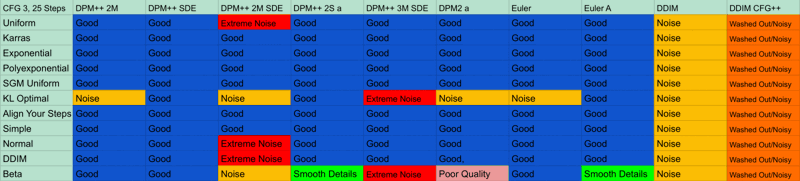
What is Good?
Noise and quality fall within acceptable ranges.
What is Smooth Details?
Noise is nonexistent, details are generally much smoother/flatter.
What is Noise?
Image have visible noise at the set CFG (3). You should increase CFG if you wish to generate on these Schedulers. (DDIM is good for prompting niche concepts. I felt that I should point this out, as I've been using DDIM since I first began generating).
What is Noisy/Washed Out?
Images have visible noise and is washed out. Do not use for generation (generally).
What is Poor Quality?
Finer details (eyes, vasculature, fingers, etc.) tend to generate at poor quality. Inpainting, upscaling, or refining is recommended.
What is Extreme Noise?
Noise severely degrades the image quality at these settings. Do not use.
This is in no way a comprehensive test of these schedulers and samplers. This is simply a quick guide as to what should generally be used when prompting for realistic or photorealistic imagery at what I consider to be optimal settings for the model.
If you lack the hardware to use this model locally, you can use them on the sites linked below (as well as this site):
PixAI:
https://pixai.art/model/1843720708298681858
TensorArt:
https://tensor.art/models/826612528500065571
SeaArt.AI:
https://www.seaart.ai/models/detail/e5abb38332068b8216b2c9a11bc0ca97
CalypsoRealism - (Realism Model)
Decided to revisit DisgustinglyReal and make some adjusts using some improvements from other models I merged. Better lighting, better detail, better "realism". Wowzers. It's a "realism" model, meaning that it was designed for realistic content, but if you really, really want to try, you can force specific non-realistic styles. But again, this model was designed for "realism". There's two different file versions, CalypsoRealism and CalypsoRealism9M. What are the differences? CalypsoRealism is the base model and does "realism" slightly better, with more nonsensical details and detail density. CalypsoRealism9M is an adjustment to that.
If you're unsure of the differences or which one is the best, I posted a couple comparisons in the gallery. You can decide which version is best for you.
Though not necessary in the slightest, you can read Version Differences for more information.
DisgustinglyReal - (Realism Model)
A quick merge I made out of boredom between several custom models I merged, posted for fun.
It's a realism model, and at times disgustingly so. It has some Pony merged into it so it does respond to score tags, but it isn't primarily Pony as it is based off my other model, Echo Alpha, so E621 tags apply. If you used Echo Alpha and wanted more "realism", this is that.
This does realism, only realism.
Use however you please.
BlackDays - (Environmental Detailer)
What is this model?
Unpublished.
Because no one ever used it. It offered more dynamic lighting and more vibrant/dark environments. It could also do many other unique things compared to other Pony models, but no one cared because I didn't put 'Super Hi-Res Omega Furry Realism' as the name. It's still available on other sites if you care to see it.
Echo Alpha Conceptualizer
An actual SDXL model, cool. Too bad it's unpublished. Bye-bye!
Want to use these models but don't have the hardware to give it a spin?
That's fine! You can use these models at the sites below:
PixAi: DisgustinglyReal - https://pixai.art/model/1780659938859289461
BlackDays - https://pixai.art/model/1803604141625589045
Echo Alpha Conceptualizer - https://pixai.art/model/1803609373522101881
TensorArt:DisgustinglyReal - https://tensor.art/models/762017856750648818
BlackDays - https://tensor.art/models/785758026486397196
Echo Alpha Conceptualizer -
SeaArt:DisgustinglyReal - https://www.seaart.ai/models/detail/cqup0vte878c73fjnrs0
BlackDays - https://www.seaart.ai/models/detail/cs8fudle878c73fuke90
Echo Alpha Conceptualizer -
Usage Tips (for Pony/SDXL models):
You know what to do if you actually bothered to read this far.
Do with these models as you please, crediting unnecessary.
Feel free to post whatever images created in the gallery below.
I'm not responsible for generations produced with these models, generate responsibly.
Description
Further development upon MyPreciousJimmy!. I said I was going to adjust the lighting, and so I did. Lighting is less flat. More vibrant coloring as well. I also increased the detail and overall quality of outputs. Also, horror, it has better horror outputs. Cool. It does everything better. Fantastic
FAQ
Comments (19)
you're STILL COOKING
THIS IS DETAILS THAT I HAVEN'T SEEN OTHER MODELS ACHIEVE SO WELL AAAA
Damn you! I just released a model "Kodak K9" using your "My Precious Jimmy" model. I guess I will be giving my model a future update.
Great work btw. Love it.
@LatteLeopard Thanks! I saw yesterday that you posted that model and thought, 'well shit' because I had been sitting on this update for a couple days now. Tends to be how it goes with model merging, you fine-tune the perfect model, and bam, one of the resources you used gets updated and you already feel like you're falling behind. It's why I try to limit any updates to clear and substantive improvements over the previous one, without spamming models updates every couple days or weeks. I hope you get good use out of this model for merging into yours, I wouldn't expect another update to this model for a little bit so you should be fine to keep merging. Thanks again!
@Janloy Hey there, out of curiousity I was wondering what are you using to merge your models.
ive been using a mix of Chattiori through Linux terminal & supermerger through A1111.
I see the image you posted in description and I dont recognize it at all?
@LatteLeopard
https://raw.githubusercontent.com/AUTOMATIC1111/stable-diffusion-webui-extensions/master/index.json in extensions for Automatic1111, Untitled Merger is used. I used Untitled Merger for MPJ and TTT, the rest of my models only used supermerger.
@Janloy awesome thanks! Ive never seen a merger have slots for 4 models. Can't wait to fuck around with it.
Would you be willing to make a V-Pred model?
@Mol_Keun Yeah, I can add it to the list. It’s been something I’ve been meaning to revisit for a while now, just haven’t gotten much time to tinker and test things out. I can, and will, make one but I wouldn’t expect it any time soon though (probably at least a month, I have a large backlog of things I need to get done and not a whole lot of time to work on it).
Which merging tool is used in your screenshot?
@bobbabola69420216
https://raw.githubusercontent.com/AUTOMATIC1111/stable-diffusion-webui-extensions/master/index.json in extensions for Automatic1111, Untitled Merger is used
Started using this for a personal Merge It's producing the tf images I wanted.
@TuddyFeFe That's great to hear! It's heartening to know that you're getting into model merging. If you have any questions, feel free to ask and I'll answer to the best of my ability.
@Janloy so far it seems fine I'm sure I'll need to eventually
@Janloy would you mind giving it a shot? See if it's up to your standards?
@TuddyFeFe Sure, I can give it a spin when I’m out of work today.
@Janloy cool, Would be awesome to see what results people get.
@Janloy man really messing with it but it's been perfect so far, adding that anime checkpoints made a huge improvement
@TuddyFeFe Yeah, I’ve been trying it in my spare time, haven’t gotten around to posting any of the images though. It seems pretty good so far, a good balance between semi-real and anime/2.5
@Janloy yeah so far I haven't had to use another model if I wanted toon styled artwork So tired of juggling checkpoints
Details
Files
Available On (1 platform)
Same model published on other platforms. May have additional downloads or version variants.