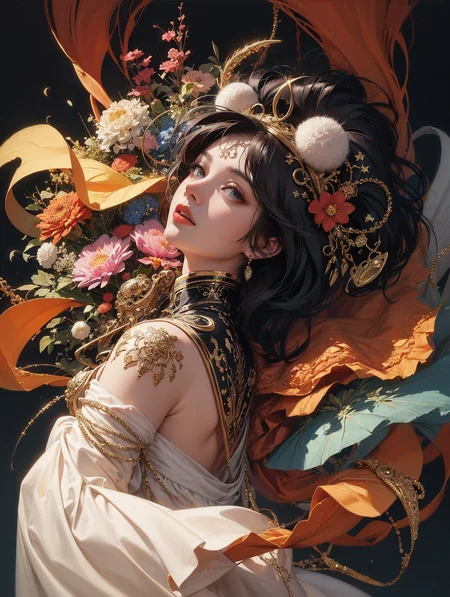
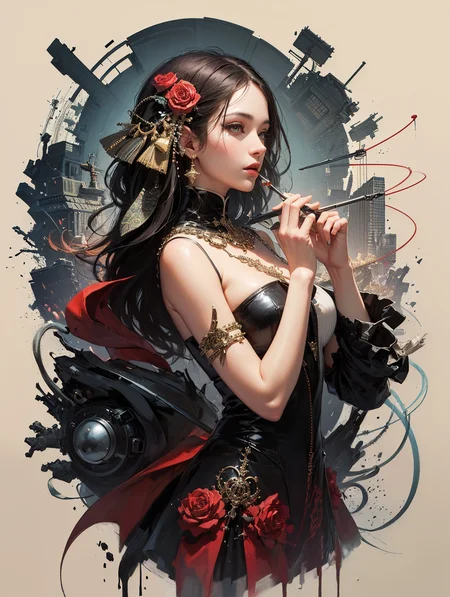
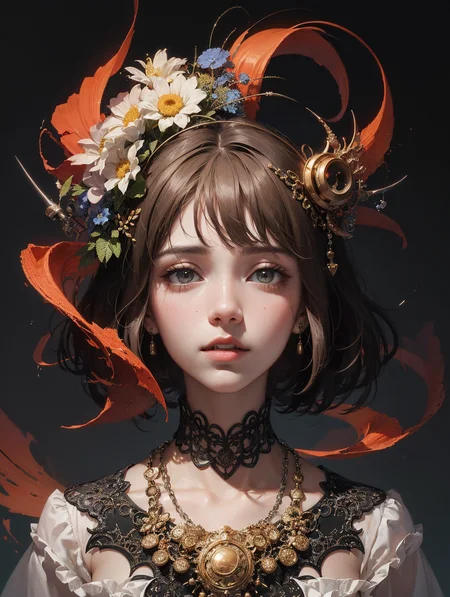
if you want to remake my front image, check this out: Lightflow | SD webUI Extension - workflow restore & save in one click - majicMIXfantasy example | Stable Diffusion Other | Civitai
v3 is here. Shouldn't be difficult to use. Simple and complex prompts can be used, unleash your imagination.
v3来了,简单复杂的提示词都可以用。
I developed the v3 version towards 2D in order to make more room for 2.5D models like majicmix lux.
v3版本我往2D发展是为了给majicmix lux等2.5D模型让出更多空间。
merged from融了:
Jack Of All by GeneratedJudge
majicMIX fantasy v2 =
Noosphere by skumerz + dalcefoPainting + 饭特稀V08 by zhazhahui345 + GhostMix
Enjoy the randomness!
TRY THIS: official art, unity 8k wallpaper, ultra detailed, beautiful and aesthetic, masterpiece, best quality, (zentangle, mandala, tangle, entangle), (fractal art:1.3) , 1girl, extremely detailed, dynamic angle, cowboyshot, the most beautiful form of chaos, elegant, a brutalist designed, vivid colours, romanticism, by james jean, roby dwi antono, ross tran, francis bacon, michal mraz, adrian ghenie, petra cortright, gerhard richter, takato yamamoto, ashley wood, atmospheric, ecstasy of musical notes, streaming musical notes visible
这个模型风格炸裂,远距离脸部需要inpaint以达成最好效果
This model is strongly stylized in creativity, but long-range facial detail require inpainting to achieve the best results.
请参考我的prompt来使用
recommended positive prompts: official art, unity 8k wallpaper, ultra detailed, beautiful and aesthetic, beautiful, masterpiece, best quality, (zentangle, mandala, tangle, entangle)
use ng_deepnegative_v1_75t and badhandv4 in negative
inpaint the face-->only masked-->set to 512x512-->Denoising strength:0.2~0.5
formula: (noosphere_v10Bakedx0.7+dalcefoPainting_2ndx0.3) x 0.6 + 饭特稀V08 x 0.4
version 2: add GhostMix
我的TG频道可以看到更多例图 https://t.me/majic_NSFW
Description
I mixed with GhostMix to make the colors a bit more fantastic.
FAQ
Comments (37)
I REALLY love this model, but... I'm having a lot of trouble getting 4k quality upscale results that I really haven't run into with other models so far. Oddly enough I can get the face looking amazing just with "restore faces" option, but everything else upscales quite blurry and not very detailed. Wondering what I'm missing. I do multiple individual upscales by multiples of 2 to get the image to 4608 x 6144, every other model I do this on I get amazing results but this one not so much. Again the face ends up looking photograph quality but the rest of the details of the image look low res upscaled (at least when viewed up close). Any tips?
As you can see, the rest of the details in this model are usually quite random, which means they are not fully recognised by AI as objects that can be upscaled properly. The solution could be to inpaint the detail which you are not satisfied in only masked after upscaling. Try to describe the object (which is really hard when they are random elements). I am not sure what method you are using to upscale, but multi diffusion is better than SD upscale and extra upscale. You should try this out if you are not using.
@4044 I think I found the issue. I was using DPM++ 2M Karras as a sampler but the ones in yours and others examples have "TEST" at the end. So that must be a different sampler (newer version I guess?). When I switched to Euler A, the other sampler you're using, everything rendered with more detail and doesn't look so out of focus, then when I did my upscaling I got the higher def results I normally see.
@Snipes Oh yes, sampler can be the issue. I am using a bug-fixed DPM++2M Karras. I have pasted the link in introduction. Glad to hear that you fix it. Post more good pictures you create, please.
@Snipes hey there! I'm also having a bit of trouble getting faces to look high res. Can you explain this step here? inpaint the face-->only masked-->set to 512x512-->Denoising strength:0.2~0.5
I'm new to stable diffusion and I just want to understand what this means. More specifically, what is inpainting?
@Hiatus I don't use impainting much, never had much success with it. Just click "Restore Faces" and "Hi Res Fix" in txt2img, upscale by two. Then send that result to img2img and upscale more if your want. Faces always turn out great for me that way. Make sure to deselect "Restore Faces" in img2img you don't need to do it a second time and it usually messes it up if you do.
放眼整个ckpt界也是相当炸裂的
能炼一炉敦煌飞天的风格的吗
请问需要什么VAE?
这个模型多少把我震惊了。。。。。牛!逼!!!
大神能搞个discord吗,电报进不去,无法注册
艺术家太多一点都不好,甚至都不知道图片大概的样子,跟抽奖有什么区别。
效果很惊艳!!! 赞!!
这个跟nooSphere好像
This model is so well trained, it's so hard to have a bad result. so good. thank you very much.
That's exactly what I was going to say! It's super impressive.
请问lz这个 DPM++ 2M Karras Test sampler 哪里有?
应该是自带的吧。。就是ui界面的采样方法(sampler) 下拉选单里的。 默认是 Euler a
请问这些图有版权吗
你自己做的图,要啥版权?
版权小鬼来什么C站?
@aose C站是版权法外之地吗
属于是连AI绘画的原理都没明白
@syh9798 你都翻墙了,你还谈法律?谈法去libulibu,出来了就别搞笑了。
为什么我生成的图不够精细
设置小尺寸。然后勾选Hires.fix (两步生成),放大倍数1.5-2,重绘选择0.5左右
@wontonaaa675 生成的图不够精细,而且没有原图那种干净感,请问您用哪个放大算法?
@orange0329 可以用高清修复,有关高清画质的提示词,或者用图生图2倍放大
推荐的抽奖tag很酷,但在不使用这串tag时表现不佳。无论是将这串无意义的tag作为前缀,还是将精简版作为前缀,然后加之想画的内容,均无法取得及格水准的画面表现。
那倒未必
确实,随机性太大了,整体上来说可能是提示词污染的比较厉害,风格固定比较差。
除了reverie外我最愛用的模型, 請問作者還會在更新嗎? 如果能改善手就更完美了.
正在更新,很快
Details
Files
majicmixFantasy_v20.safetensors
Mirrors
majicmixFantasy_v20.safetensors
majicmixFantasy_v20.safetensors
majicmixFantasy_v20.safetensors
majicmixFantasy_v20.safetensors
majicmixFantasy_v20.safetensors
majicmixFantasy_v20.safetensors
majicmixFantasy_v20.safetensors
majicmixFantasy_v20.safetensors
majicmixFantasy_v20.safetensors
majicmix.safetensors
RealisticFantasy.safetensors
majicmixFantasy_v20.safetensors
majicmixFantasy_v20.safetensors
majicmixFantasy_v20.safetensors
majicmixFantasy_v20.safetensors
majicmixFantasy_v20.safetensors
majicmixFantasy_v20.safetensors
majicmixFantasy_v20.safetensors
majicmixfantacyv2-fp16-no-ema.safetensors
majicmixFantasy_v20.safetensors
majicmixFantasy_v20.safetensors
majicmixFantasy_v20.safetensors
majicmixFantasy_v20.safetensors
majicmixFantasy_v20.safetensors
majicmixFantasy_v20.safetensors
majicmixFantasy_v20.safetensors
01.majicmixFantasy_v20.safetensors
majicmixFantasy_v20.safetensors
majicmixFantasy_v20.safetensors
majicmixFantasy_v20.safetensors
majicmixFantasy_v20.safetensors
majicmixFantasy_v20.safetensors
majicmixFantasy_v20.safetensors
majicmixFantasy_v20.safetensors