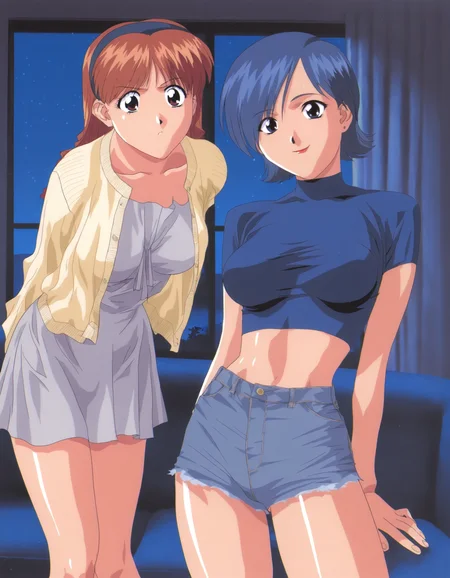

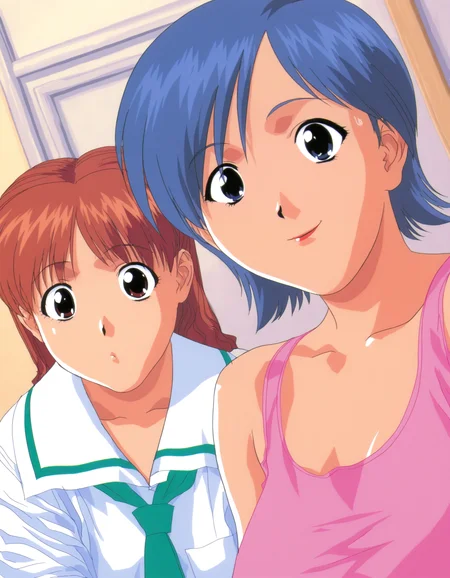




Illustrious version on Illustrious-XL. Examples generated with SmoothFT (game style) and NoobAI (promotional art style).
Pony version trained on Pony Diffusion V6 XL. Examples made with Anime Confetti Comrade Mix.
Used weight 0.8 in example images.
Asuka
trigger: aska, brown hair, black hairband
dress: white dress, medium dress, yellow cardigan
serafuku: serafuku, skirt
hakama: hakama, white shirt, blue skirt
Miki
trigger: miki, blue hair
crop top: crop top, turtleneck, dark blue shirt, short sleeves, cutoffs
crop top with jacket: turtleneck, dark blue shirt, red jacket, cropped jacket, cutoffs
Add short hair if needed
Description
Training data updated and trained on Illustrious-XL. Images generated with SmoothFT (game style) and NoobAI (promotional art style).
FAQ
Comments (6)
hi tappy, I like your lora very much, may I know how you train more than 1 characters within 1 lora?
Thank you. Give each character a different trigger tag and have a similar amount of images for each character by themselves. Avoid using the same clothing tags for each character.
Also include images with both characters in the same picture. This is what can help you generate both characters in the same image. However, the only consistent way to make that work is using extensions like forge couple or regional prompter.
@tappy thank you for your information, I dont know if you first created the tags using https://github.com/toriato/stable-diffusion-webui-wd14-tagger and then the trigger word should be entered in "Additional tags (comma split)" ? https://imgur.com/a/JSoDQdq I am not sure if I understand correctly
@leepeter1231 what i mean is the txt file for each image should have the character's name in the txt file.
For example, images with Asuka have the aska tag. The images with Miki have the miki tag. These tags are the first tags that appear in the txt file. I also choose to keep 1 token when training using Kohya or civitai.
For images with both characters then both aska and miki tags are included.
I am not familiar with wd14-tagger so I am not sure what "additional tags (comma split)" does.
@tappy oh, so for images with both 2 characters, you have aska and miki tags, but will the AI identify which one is actually aska and which one is miki? or will it mix up?
@leepeter1231 yes. if you have enough images with only one character you will be able to generate images with only asuka or only miki.
if you try to generate them together in the same image it may work sometimes but also sometimes mix them up. if it mixes them up use the forge couple (for forge-ui) or regional prompter (for automatic1111) extension to help the model generate them separately.
Details
Available On (1 platform)
Same model published on other platforms. May have additional downloads or version variants.