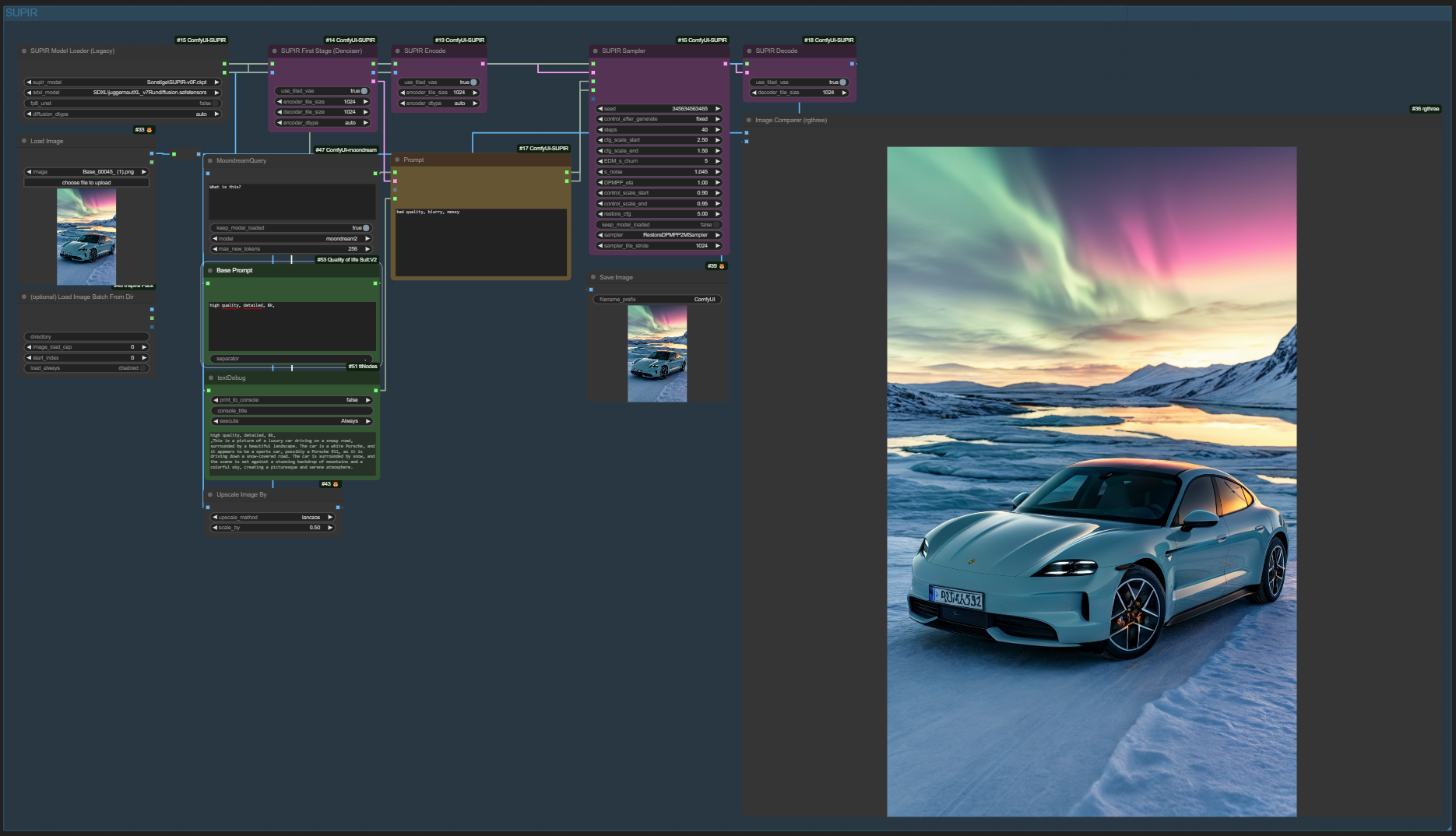
New Version !
Moondream LLM for Prompt generation:
GitHub: https://github.com/kijai/ComfyUI-moondream
This is a simple ComfyUI workflow for the awesome SUPIR upscaler. The prompts are automatically generated using the wd_14 tagger.
SUPIR Upscaler!
GitHub: https://github.com/kijai/ComfyUI-SUPIR
Models: https://huggingface.co/camenduru/SUPIR/tree/main
WD_14 Tagger for Prompt generation:
GitHub: pythongosssss/ComfyUI-WD14-Tagger: A ComfyUI extension allowing for the interrogation of booru tags from images. (github.com)
Description
Use Moondream for Prompt Generation
FAQ
Comments (7)
I can't get this to work either. I downloaded a shitton of stuff, but I still get errors everywhere. Weirdly, the generation keeps going on, and it takes almost 40 minutes to finish, but even then it just return a black image.
F*ck... I kinda wish I made a backup of comfy before installing like 18-20GB of custom unnecessary stuff, lol
How many GB of VRAM does your graphics card have?
Have you installed the requirements?
Can you write a basic guide on the different settings? I am fairly new to ComfyUI. I have managed to get this to work on my 4090 and the first generation the results are nice but running a second generation, I am getting poor results. A few questions:
1) When to use Restore sampler vs TiledRestore sampler? Can you walk us through the node options?
2) How do I insert additional text in the positive prompt? For example, Moondream identifies a celebrity as "beautiful woman" when I know the exact name of the celebrity. How do I insert the celebrity name?
3) The image is generated at the same original size. Where do I go to actually increase the dimensions? I changed "scaled_by" from 0.50 to 1.00 but it's still the same size.
This seems to not work.
This is broken (because of the MoondreamQuery).
U can change moondream to ollama(llava) or JoyCaption.
When I have time I will update the workflow.
Thx
MoondreamQuery
'dict' object has no attribute 'to_dict'