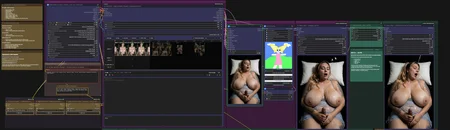
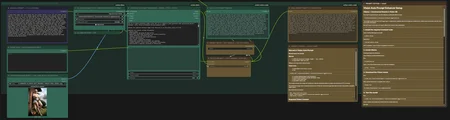
NEW — ILLUMINATE AI LTX 2.3 AUTONOMOUS VISION DIRECTOR v1.2
COMPLETE CIVITAI PACKAGE — WORKFLOW, CUSTOM NODES AND INSTALLATION
ILLUMINATE AI v1.2 is a major quality and prompting update for the LTX 2.3 Autonomous Vision Director.
The workflow analyzes the supplied reference image, understands the visible starting situation, creates a physically achievable chronological scene, writes the complete LTX 2.3 production prompt and validates it against the original image before video generation begins.
The final validated prompt is displayed directly inside the workflow before it is sent to LTXDirector.
NEW IN v1.2
Improved Image Quality
The complete render and refinement path has been reworked for noticeably cleaner output.
Improvements include:
cleaner hair structure during movement
finer skin, fabric and facial detail
reduced coarse and blocky motion textures
improved moving-edge quality
stronger Stage 2 detail reconstruction
native FP16 output without the previous downscale and bicubic enlargement chain
Current quality configuration:
Stage 1: 8 steps
Stage 1 CFG: 1.25
Spatial latent upscale: enabled
Stage 2: 4 steps
Stage 2 sigma endpoint: 0.40
Native FP16 output: 1.00
no third sampler required
More Accurate Autonomous Prompting
The autonomous Prompt Director has been expanded and refined.
It now handles:
duration-aware scene planning
more accurate participant and anatomy tracking
improved position and action recognition
better hand, limb and contact ownership
persistent anatomy consistency during occlusion
improved multi-participant continuity
primary and secondary action validation
more stable movement planning
stronger protection against morphing, anatomy loss and role changes
The system remains image-guided and preserves the original scene whenever a complex transition cannot be completed safely.
FOUR PROMPT MODES
Manual Prompt
Uses your own finished prompt without an Ollama request.
Standard Vision
Qwen analyzes the reference image and creates a compatible cinematic or character-animation prompt.
Adult Assisted
Uses the reference image together with a short written idea and expands it into a complete chronological scene.
Adult Full Auto
Creates the complete scene automatically from the reference image, selected duration and visible starting situation.
Adult modes require confirmed adult and consenting participants.
INCLUDED VERSIONS
STANDARD — RECOMMENDED
The main release version.
Use this version first for the best balance of:
image quality
motion quality
anatomy consistency
render time
workflow stability
ANTIGHOST — EXPERIMENTAL
An additional experimental version with optional temporal Anti-Ghost processing.
This version is included for testing and comparison. It may improve ghosting or duplicated motion in some scenes, but it will not necessarily improve every video.
The Anti-Ghost processing is disabled by default and can be activated for individual tests.
IMPORTANT — NEW CUSTOM NODES ARE REQUIRED
The updated ComfyUI-ILLUMINATE-AI-LTX node pack included with v1.2 is mandatory.
The newest workflow will not work correctly with an older ILLUMINATE node pack.
The installation method has not changed.
Installation
Close ComfyUI completely.
Delete the existing folder:
ComfyUI\custom_nodes\ComfyUI-ILLUMINATE-AI-LTXAlso remove the old standalone cleanup package if it is still installed:
ComfyUI\custom_nodes\ComfyUI-Illuminate-Ollama-CleanupCopy the included folder:
02_CUSTOM_NODES\ComfyUI-ILLUMINATE-AI-LTXinto:
ComfyUI\custom_nodes\The final path must be:
ComfyUI\custom_nodes\ComfyUI-ILLUMINATE-AI-LTX\__init__.pyDo not create an additional nested folder.
Load the included workflow and use:
ComfyUI Manager → Install Missing Custom NodesRestart ComfyUI completely.
Load the new v1.2 workflow JSON.
A browser refresh with Ctrl + F5 is recommended after updating the Custom Nodes.
OLLAMA AND QWEN
The autonomous Vision modes use:
fredrezones55/Qwen3.5-Uncensored-HauhauCS-Aggressive:9bInstall Ollama and run:
ollama pull fredrezones55/Qwen3.5-Uncensored-HauhauCS-Aggressive:9bOllama must remain running whenever Standard Vision, Adult Assisted or Adult Full Auto is used.
Manual Prompt mode does not require Ollama.
REQUIRED BAT FLAGS
The included system check expects:
--fp8_e4m3fn-text-enc --fast-diskExample:
.\python_embeded\python.exe -s ComfyUI\main.py --windows-standalone-build --fp8_e4m3fn-text-enc --fast-diskA ready-made BAT example is included in the package.
FIRST TEST
For the first successful generation:
load the same starting image into the LTXDirector and the Vision Reference Image node
use the STANDARD version first
leave optional LoRAs disabled
keep Anti-Ghost disabled
generate at 24 FPS
enable RIFE only after the normal 24 FPS output works
review the final generated prompt before LTX generation begins
PACKAGE CONTENT
The download includes:
v1.2 STANDARD workflow
v1.2 experimental ANTIGHOST workflow
updated mandatory ILLUMINATE Custom Nodes
Windows Portable BAT examples
Ollama/Qwen installation BAT
English installation guide
German quick-start guide
model and node checklist
troubleshooting information
release notes
Models are not included in the ZIP.
Please read 00_READ_ME_FIRST.txt and the included installation guide before the first run.
Description
Version Changes
New Prompt Edition
This version introduces a complete Manual / Auto Prompt system for the 32GB High-VRAM workflow.
Auto Prompt Enhancer
Added optional Ollama-based prompt enhancement
Uses
dolphin3:8bas the recommended High-VRAM prompt modelExpands short user ideas into one coherent LTX 2.3 image-to-video prompt
Preserves the intended subject, motion, camera behavior, environment and continuity
Designed to avoid automatic scene splitting, timestamps, multiple shots or unrelated additions
Manual / Auto Prompt Switch
Added a dedicated lazy prompt switch
Manual mode remains available for full direct control
Auto mode sends the enhanced prompt directly to the external
global_promptinputOllama is not executed while Manual mode is selected
Prompt Preview System
Added Auto-Enhanced Prompt Preview
Added Final Prompt Sent to LTXDirector Preview
Makes it easy to verify the final prompt before generation
Ollama Integration
Added integrated setup instructions
Added Ollama download link and installation guide
Added model installation commands
Added troubleshooting for connection errors, model loading and stalled cold starts
Recommended
Keep Alive: 1 minutefor improved reliability
LTXDirector Improvements
External prompt routing is now fully integrated
Stored local segment prompts are intentionally cleared
Prevents duplicated instructions and unintended prompt segmentation
Image segments must still be activated manually inside LTXDirector
Final Output Improvements
Reworked the final video output system
Only one final video file is saved
Added a dedicated final output mode switch:
OFF = original 24 FPS output
ON = interpolated 48 FPS RIFE output
Added lazy image and frame-rate switching
Disabled unnecessary metadata sidecar saving
Preview Comparison
Added Original 24 FPS Preview
Added Interpolated 48 FPS Preview
Both previews are visible inside ComfyUI
Preview nodes do not save additional files
Makes it easier to compare interpolation quality before choosing the final output
RIFE Interpolation
Optional 24 → 48 FPS interpolation remains included
RIFE output is now integrated directly into the final output selector
Audio duration remains synchronized
Interpolation remains optional and does not affect the normal 24 FPS workflow
Workflow Cleanup
Removed the redundant legacy 48 FPS Video Combine
Removed duplicate save behavior
Cleaned unused output paths and stale links
Improved layout and grouping
Updated workflow notes and quick-start instructions
High-VRAM workflow remains optimized for 32GB GPUs and maximum quality
FAQ
Looks like we don't have an active mirror for this file right now.
CivArchive is a community-maintained index — we catalog mirrors that volunteers upload to HuggingFace, torrents, and other public hosts. Looks like no one has uploaded a copy of this file yet.
Some files do get recovered over time through contributions. If you're looking for this one, feel free to ask in Discord, or help preserve it if you have a copy.