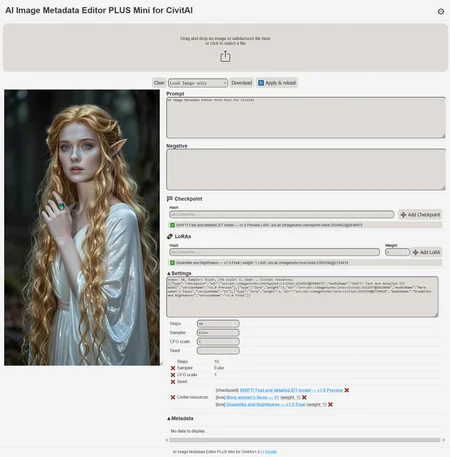
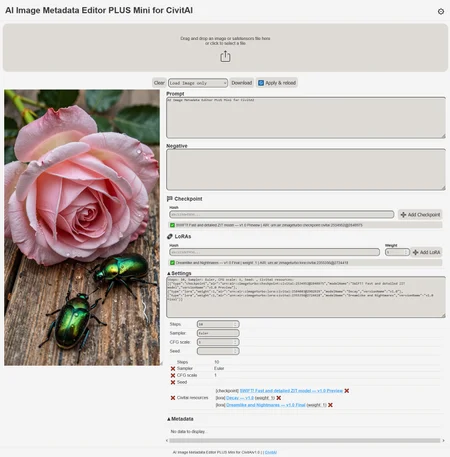
This app will no longer be available indefinitely because I don't want to be an indirect cause of certain, shall we say, ugly practices.
AI Image Metadata Editor PLUS Mini for CivitAI
*If you found this useful, please give it a like!
Image metadata editor specializing in AI-generated images for uploading to the CivitAI website.
This editor is specialized in CivitAI and adding QOL functions for easily adding checkpoints and multiple LoRas to metadata (and edit them easily)
The editor is made entirely in HTML for use in any internet browser LOCALLY (It does not require a server or to be uploaded to the internet.).
You only need the HTML file, nothing else.
Why is it PLUS?:
- You can easily add Checkpoints and MULTIPLE LoRas by simply entering the model's Hash in the Checkpoint and/or LoRa fields.
- You can easily and INDIVIDUALLY delete Checkpoints and LoRas from the metadata by clicking the X to the right of them in the "Civitai resources" section.
- You can easily edit the weights of the LoRas in the "Civitai resources" section after adding them, without having to add them again.


Why is it for CIVITAI?
-All model data is stored in CivitAI's AIR format metadata. 100% compatibility with this website.
When you enter the model's hash, the app requests the model's data from CivitAI and inserts it into the image's metadata.

Why is it MINI?
I've created a version with more features (it allows you to save/load Model and Metadata presets for easy reuse), but that version is still "personal" and not yet suitable for the average user. (UI without QOL)
So this is the MINI version, easy and simple, for everyone.
Where do I find the hash of the model?
On the model's own page:

Clicking on the hash will copy it to the clipboard
How to use it?
- Upload the image (just the image or with its metadata, it's up to you).
- Add models (checkpoints or LoRas) by entering their hash. You can do this multiple times. The app will add them in AIR format, 100% compatible with CivitAI.
- Fill in, modify, or delete the fields you want.
- Save the image.
You can also edit the data manually, but it's practically unnecessary since almost everything can be done through the UI.
.
I hope you find it useful, enjoy!
*If you found this useful, please give it a like!
Description
v1.01
minor changes
Comments (2)
hmmm 🤔
?
Looks like we don't have an active mirror for this file right now.
CivArchive is a community-maintained index — we catalog mirrors that volunteers upload to HuggingFace, torrents, and other public hosts. Looks like no one has uploaded a copy of this file yet.
Some files do get recovered over time through contributions. If you're looking for this one, feel free to ask in Discord, or help preserve it if you have a copy.