

EN
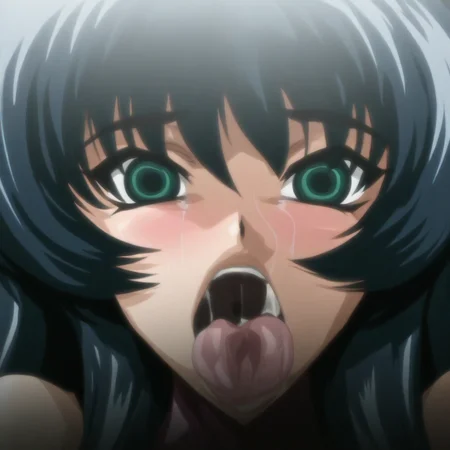
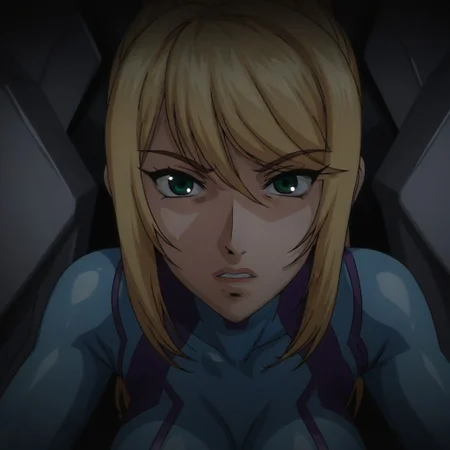
Based on the 4 DVD OVAs of Taimanin Asagi, I manually took frames from the 4 DVDs
Please generate images to see what it looks like on other workflows, I am using sd forge with this prompts to try to replicate the style locally:
Positive:
[Characters+scene] anime screenshot, anime frame, from anime, 2000s anime style, ova style,compression artifacts, slight blur, color banding, low resolution, film grain, cel shading, soft shading, dvd screencap Negative:
high quality, highres
Using DDIM+Normal, but you can play around (for local generation)
For in site generation use LMS, CFG ~4 to 5, and ~30 to 35 steps, and add anime screenshot, anime coloring to the positive prompts
JP
『対魔忍アサギ』の4本のDVD OVAをベースにしており、4枚のDVDから手作業でフレームを切り出しました。
他のワークフローでどのような見た目になるか確認するために、画像を生成してみてください。ローカルでこのスタイルを再現するために、SD Forgeで以下のプロンプトを使用して試しています:
ポジティブ:
[キャラクター+シーン] anime screenshot, anime frame, from anime, 2000s anime style, ova style,compression artifacts, slight blur, color banding, low resolution, film grain, cel shading, soft shading, dvd screencapネガティブ:
high quality, highresDDIM+Normalを使用していますが、ローカル生成ではいろいろ試してみても構いません。
サイト内生成では、LMS、CFG は約4~5、ステップ数は約30~35を使用し、ポジティブプロンプトに anime screenshot, anime coloring を追加してください
CN
繁體中文
這個模型以《对魔忍阿莎姬》的 4 部 DVD OVA 為基礎,我從這 4 張 DVD 中手動擷取了畫面。
請生成一些圖片,看看在其他工作流程下呈現出來的效果。我目前使用 SD Forge 搭配以下提示詞,嘗試在本地重現這種風格:
正面提示詞:
[角色+場景] anime screenshot, anime frame, from anime, 2000s anime style, ova style,compression artifacts, slight blur, color banding, low resolution, film grain, cel shading, soft shading, dvd screencap負面提示詞:
high quality, highres目前使用 DDIM+Normal,不過你也可以自行嘗試不同的設定。
在網站內生成時,請使用 LMS,CFG 約為 4~5,步數約為 30~35,並在正面提示詞中加入 anime screenshot, anime coloring。
Description
FAQ
Comments (4)
You beat me to it, I wanted to do it too :'V
I've been trying to do it as well for a while, finally got some free time haha
Awesome style!
nice