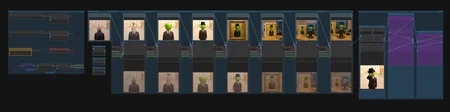
SVI2Pro+FLFVideoExtension
Allows you to extend existing videos using keyframes.
SVI2PRO FLF V1.1
Added a switch to enable/disable end_samples (Last Frame) directly, without manually connecting/disconnecting inputs. This toggles the First/Last Frame functionality: if disabled, the node reverts to the base SVI 2 PRO behavior. (Requires updating the Wan-SVI2Pro-FLF nodes to the latest version)
Added contrast adjustment widget, useful if your output looks washed out.
SVI2PRO FLF V1
Workflow for ComfyUI that combines SVI 2 Pro motion continuity with Wan 2.2 First/Last Frame (FLF) style control over the end of a clip, enabling smooth video generation from a sequence of frames.
SVI2PRO VideoExtension
This workflow uses SVI 2 PRO to extend existing videos: just load your video, add a prompt, and watch it seamlessly generate the continuation.
3-Stage Loop Automation
Experimental: 3-Part Loop Mode
Uses 3 images (Start / Loop / End) and 3 prompts to automate sequences:
Start → Loop entry
Repeating loop action (varies per cycle if increment is enabled)
Loop exit → Final frame
Ensure prompts match their corresponding image transitions.
If you like these workflows, I’d love to see your results, please share your videos in the Gallery or link them in the comments.
Repository:
Recommended models for these workflows:
SFW:
• https://civarchive.com/models/2053259?modelVersionId=2376074
• https://civarchive.com/models/2053259?modelVersionId=2376133
NSFW:
• https://civarchive.com/models/2053259?modelVersionId=2540892
• https://civarchive.com/models/2053259?modelVersionId=2540896
Description
Combines SVI 2 Pro motion continuity with First/Last Frame control
FAQ
Comments (8)
Do you have any tip on preparing the frames in advance so there are better consistency? I used to generate a I2V and use the last frame to extend it, but you seem to prepare well each images first.
Also, it seems your custom node is still using the CustomNodes Template as that is the warning from missing node in the workflow.
https://github.com/jhj0517/ComfyUI-CustomNodes-Template/tree/master
I originally designed this workflow to work with existing images, since I'm not great at generating consistent sequences from scratch. The cat and apple examples use ComfyUI's sample assets. You might want to look for workflows similar to this one: https://civitai.com/models/1982949/newqwen-image-edit-plus-version-workflow?modelVersionId=2244608
I've checked my repository, but I couldn't find any references to that template in the current version. If you could share the exact warning text or the workflow JSON where you're seeing this, it would really help me identify which node ID is causing the issue. I appreciate your help with this!
@WhateverName That's weird. They were the nodes from your Wan-SVI2Pro-FLF node pack, like WanImageToVideoSVIProFLF and WanCutLastSlot. Comfy would point me to the CustomNodes-Template as missing nodes.
As soon as I clone your github node to my custom nodes and re-started the workflow they worked fine.
Ah yeah I remember seeing that comfy challenge. I'll try out your suggestion to edit with Qwen, haven't used that one much. Thanks!
I see the sample video doesn't have those few last frames burnt like in other loop workflows. Did you cut those frames yourself or you use something else like maybe "Color Match" to fix this?
Thanks!
Or this could be that you used 3 different images... Idk. I wonder if this'll work well with 2 or all the 3 images being the same image (for a continuos looped action).
Regarding the output cleanup: I trim the defective final T-slot from the latents. This is handled by the WanCutLastSlot node placed after the second sampler, which removes the last temporal slot where artifacts and noise tend to accumulate. This is essentially the key insight that made the entire approach feasible in the first place. More details are covered in the repository.
As for using a single image in the looped workflow instead of three: in theory, it should work without issues. In my example the first and third images are actually the same, so you can already get by with just two. I believe using only one image for all three slots should work as well.
I'm able to run the workflow fine but it always makes the output slightly blurry and has noticeable changes in contrast/brightness throughout. I've tried adjusting loras, clip, and vae.
In my testing, the output video was always slightly washed out, so I added a contrast adjustment inside the subgraphs after generation. This restores a look closer to the original input images. The adjustment is subtle and shouldn't cause blurriness.
In my tests, noticeable blurriness and color shift appeared only when using FP8 safetensors. The best results were with Q8 GGUF. Lower quantization levels introduced blurriness, and FP8 tensors, although significantly faster, introduced both blurriness and color shift.
I might update the workflow with external contrast control, but to reduce blurriness, try increasing the frame size or using an upscaler.