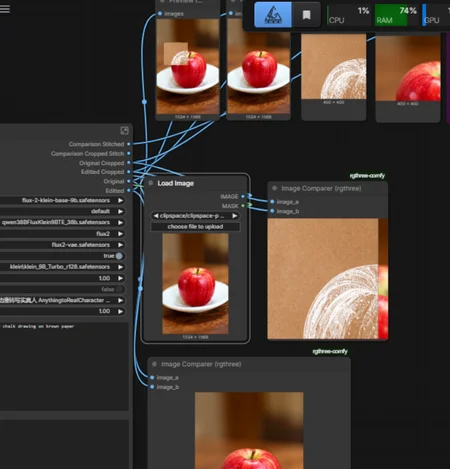
This is designed for Klein (or flux2), but the models & scheduler can be changed for other edit models.
This was designed with the non-base (turbo/distilled) version of Klein in mind, though you can also use base+turbo. non-base Klein is 4 step turbo model, or can use the turbo lora - use with 1 CFG. If using base make sure to increase steps to 20+ & CFG to 4+
This is not exactly inpainting, but with Klein, it sometimes is better than inpainting and it is much faster.
Masked or Unmasked - masking is way faster - crops down to rectangle then composites back into your mask. Great for making small tweaks. recommend 1 hardness or it might resize in the transparent areas. Masked editing only takes like 2.5s on my 5080. unmasked depends on image size and better when you want to change the entire image
Upscaled or not before sample - may help with additional details if your cropped area is too small. or if using unmaksed you can downscale if your image is too big. I usually leave it off.
color match or no color match - definitely a godsend if you are trying to inpaint and you want to bring the color back to the original. Helps gets rid of inpaint auras. turn off if you don't need to match the original (changing styles, to black & white, etc
PURPOSE
Fast I2I image editing - edit just a small crop and composite it back or edit the whole image, all with one workflow.
This workflow is great for creating new I2I datasets - it will output the original and edited version in the same size and filetype, and optional color match helps ensure that color is consistent between both versions.
Note that image edit models by themselves do not always keep subjects in the same composition. finetunes and loras can help prevent subjects from shifting. You can tweak your prompt, expand your mask, or increase batch size to get a closer match.