

EQUIREMENTS
Custom Node: Comfyui-tetestyle-image-video
Model/LoRA:
diffsynth_Qwen-Image-Edit-2509-telestyle.safetensors(Place inmodels/loras)VRAM: Minimum 6GB (using the LoRA hack) or 8GB+ (for full node with TF32).
Engine: Wan 2.1 (Compressed 5GB version recommended).
LINKS Video Tutorial:
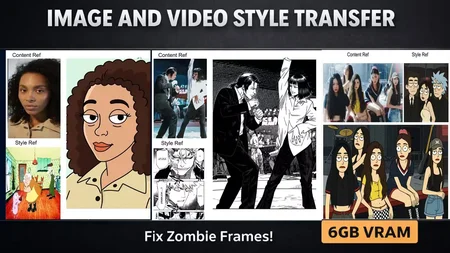
DESCRIPTION This workflow fixes the common "Zombie Morphing" and flickering issues in video style transfer by applying a "Frame 0" logic. It treats your style image as the start of the video timeline to "push" the texture onto the clip without breaking the structure.
Key Features:
Zero Morphing: Solves temporal inconsistency by locking the style to the first frame.
Low VRAM Mode: Includes a "LoRA Hack" method to run this on 6GB cards by loading the TeleStyle weights into a standard Qwen workflow.
Speed Optimization: Pre-configured with
enable_tf32(TensorFloat-32) to cut generation time by 40% on RTX cards.
| Full Documentation & JSON: Get the Workflow Here