


flux2_klein-i2i_T2i_workflow
(image edit and text to image)
A very simple workflow using
ComfyUI-PainterFluxImageEdit node.
Edit up to 3 images and switch between Text to Image.
Note: If you want to specify the image size using images, please use images 2 and 3 to specify the size for "T2i Latant".
Bypassing all images results in T2i and brown Latant is enabled.
When using image-edit, be sure to enable it from image1

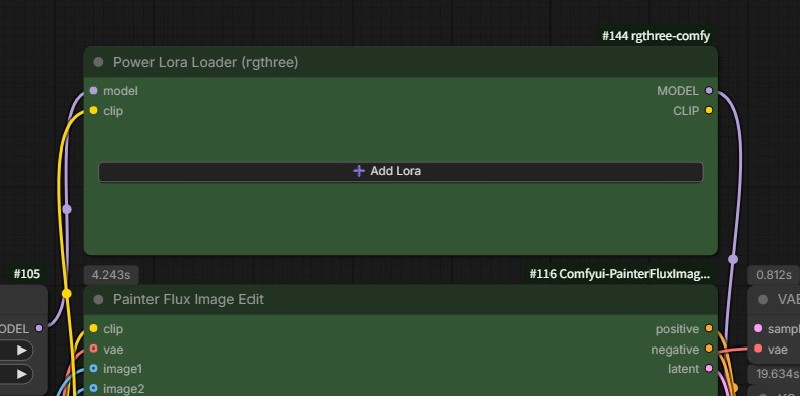
Lora Loader
Requirements
ComfyUI ver. 0.9.2 or higher
flux2_klein
Models
flux-2-klein-4b-fp8.safetensors
or other FLUX.2-klein models (Excluding FLUX.2 [dev])
FLUX.2 - a black-forest-labs Collection
text_encoders
VAE
https://huggingface.co/Comfy-Org/flux2-dev/resolve/main/split_files/vae/flux2-vae.safetensors
Use Custom Node
https://github.com/princepainter/Comfyui-PainterFluxImageEdit?tab=readme-ov-file#comfyui-painterfluximageedit
Description
FAQ
Comments (8)
I keep getting a ksampler error - mat1 and mat2 shapes cannot be multiplied (512x7680 and 12288x409
I confirmed the error with ComfyUI v0.9.1.
I updated to ComfyUI v0.9.2 and confirmed it worked.
I've updated the recommendation to v0.9.2 or higher. Sorry for the inconvenience.
The operating environment is RTX2060 12GB and system memory 32GB.
qwen3 4b or 8b
same problem with comfyui 0.20.1@ukr8b3g201
@darthprincess thx, fixed
I really like your workflow. The buttons you added allow flexible use of 1, 2, or 3 images to generate pictures. But I found two issues: First, the versions of the nodes are somewhat outdated, and updating to the latest versions improves both performance and speed; Second, when generating images using only 1 or 2 images, how can the final image size be controlled? Manually entering the size doesn’t work. So can you tell me how to adjust it?
To Eva033:
I confirmed that updating the Painter Flux Image Edit node significantly speeds up the generation process.
In that case, please specify the size of "T2i Latant" using images 2 and 3. Since "T2i Latant" is enabled when all images are turned OFF, I didn't anticipate and therefore didn't explain how to control image size using images. This is because the size is obtained from the image in image 1.
Thank you for providing the information.