

Z-Image_clear_vae
Compare to Original VAE (Flux1_ae.safetensors)
Z-Image_vivid_vae | Flux1_ae.safetensors
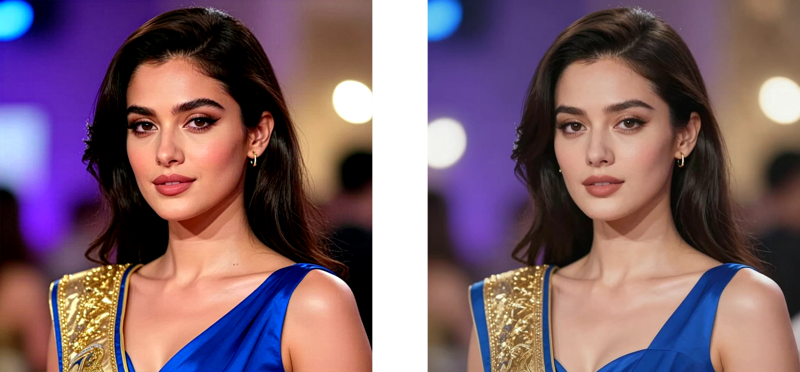
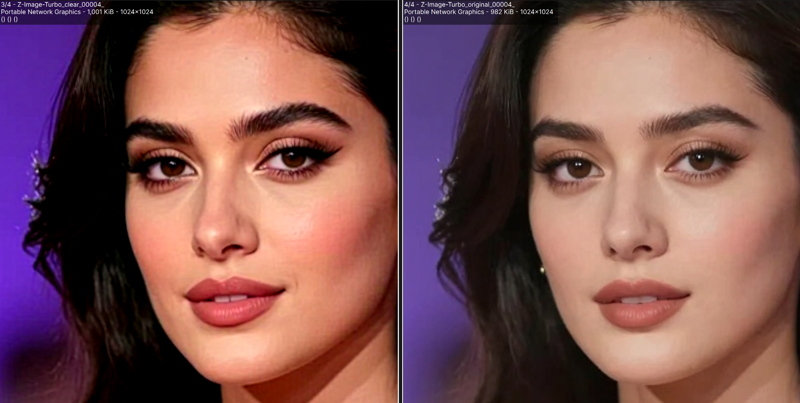
Z-Image_clear_vae is a custom VAE for Z-Image, Flux.1, and HiDream.
A fine-tuned version based on Anzhc's Z-Image_Anime_VAE, enhancing color saturation, red tone rendition, and improving skin tone representation.
half-natural, natural, clear, vivid
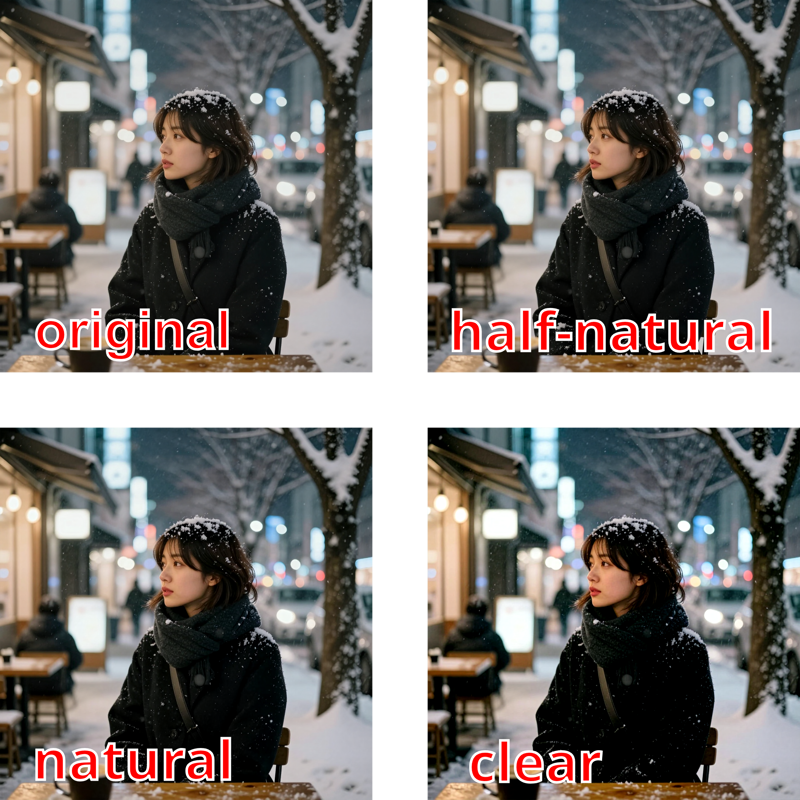
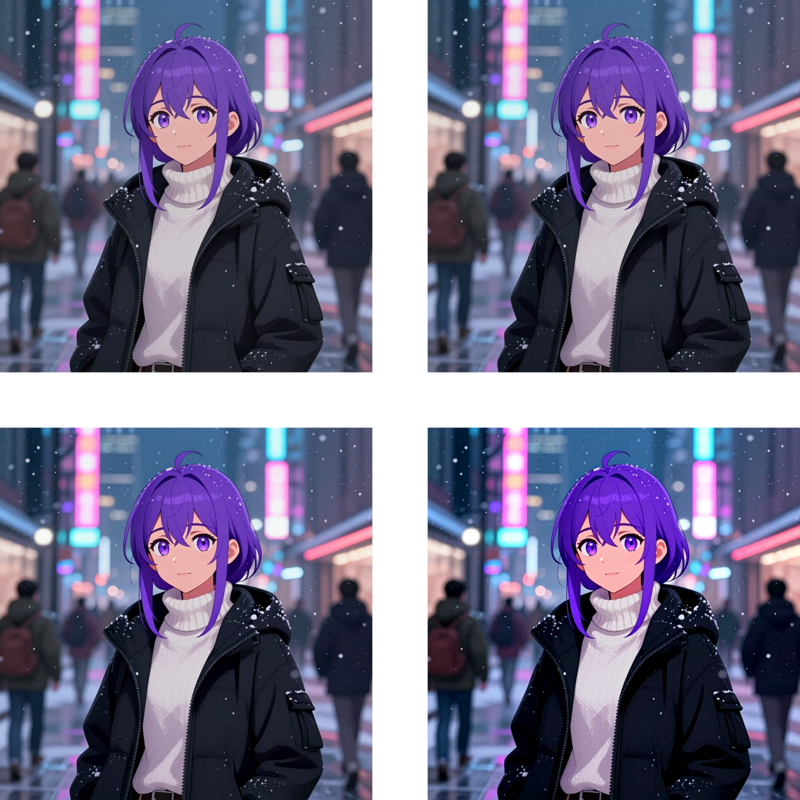
Z-Image-half-natural-vae: Has slightly higher contrast and saturation compared to the original.
Z-Image-natural-vae: Higher contrast and saturation, offering a natural expression.
Z-Image-clear-vae: More Increases contrast and saturation for a clear visual expression.
Z-Image-vivid-vae: Offers a further increase in saturation. It results in a distinct expression for black, but in most cases, it becomes oversaturated.
Please use them as appropriate for the situation.
Z-Image, Flux.1, HiDream
Z-Image: Z-Image-Turbo_clear
Z-Image_clear_vae | Z-Image_vivid_vae
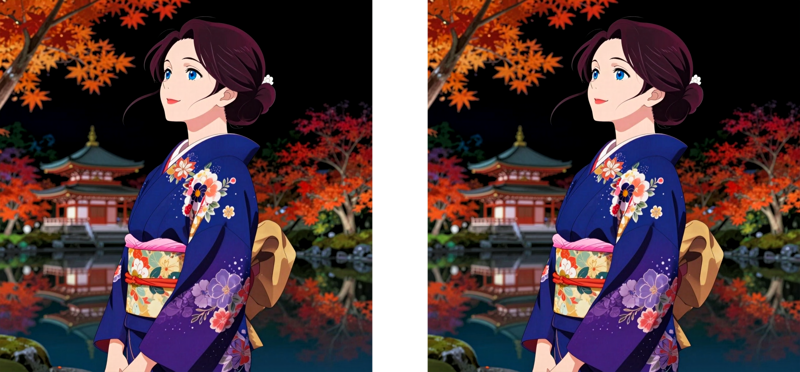
Flux.1 [dev]: blue_pencil-flux1-v0.0.1
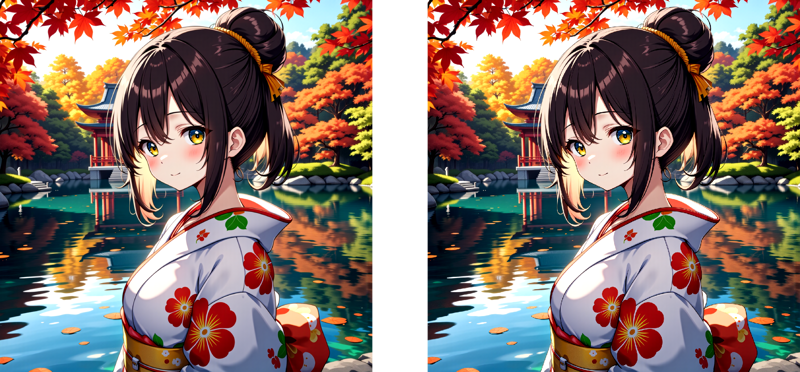
HiDream: HiDream-I1-Dev_clear
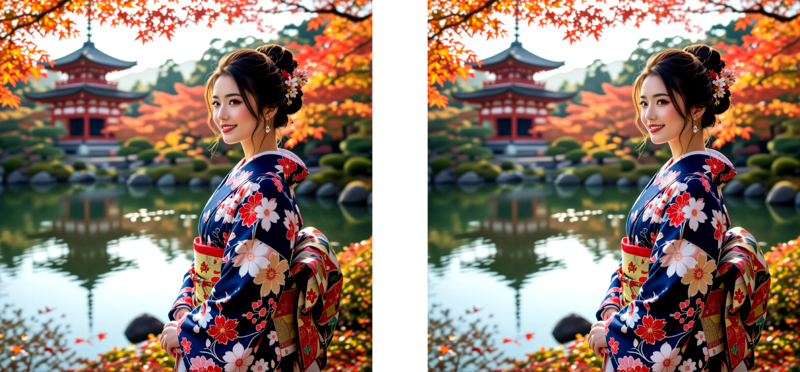
Tips (External site)
License
Description
FAQ
Comments (8)
Thank you for the work but i think the natural vae is a bit over saturated. Are you able to produce another vae between the original vae and your natural vae ?
Uploaded Z-Image_half_natural_vae !
@easygoing0114 Thank you, it's the best for me.
It this the same as the UltraFlux VAE? https://huggingface.co/Owen777/UltraFlux-v1/tree/main/vae
That is the best one I have tested so far, but I will test this.
This is a custom VAE based on Anzhc's Z-Image_Anime_VAE, and it is a different model from the UltraFlux VAE.
this just makes the image look overbaked and oversaturated
This vae is good, but it has a brownish tint in 100% of my test gens.
Sorry, but I think the UltraFlux VAE is noticeably better than all 4 of yours.