

If you encounter any problems during use, please check the user guide first. T2I and I2I
More pixels mean higher clarity, which is definitely a benefit for the printing industry or practitioners with higher requirements for image clarity. In other words, this workflow is very suitable for certain commercial purposes.
This is roughly what it looks like. Let's see how it works.
T2I
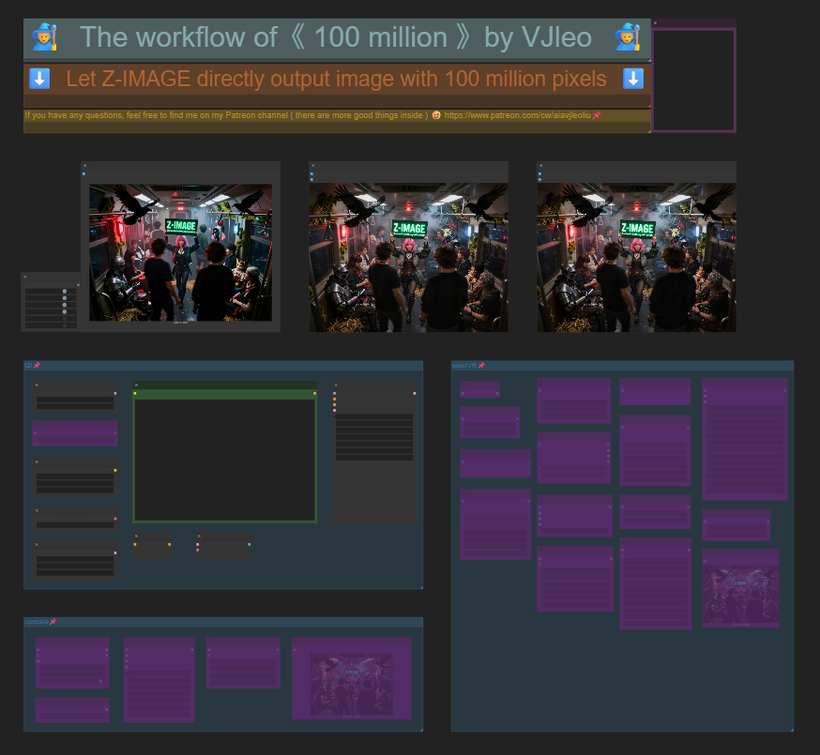 I2I
I2I
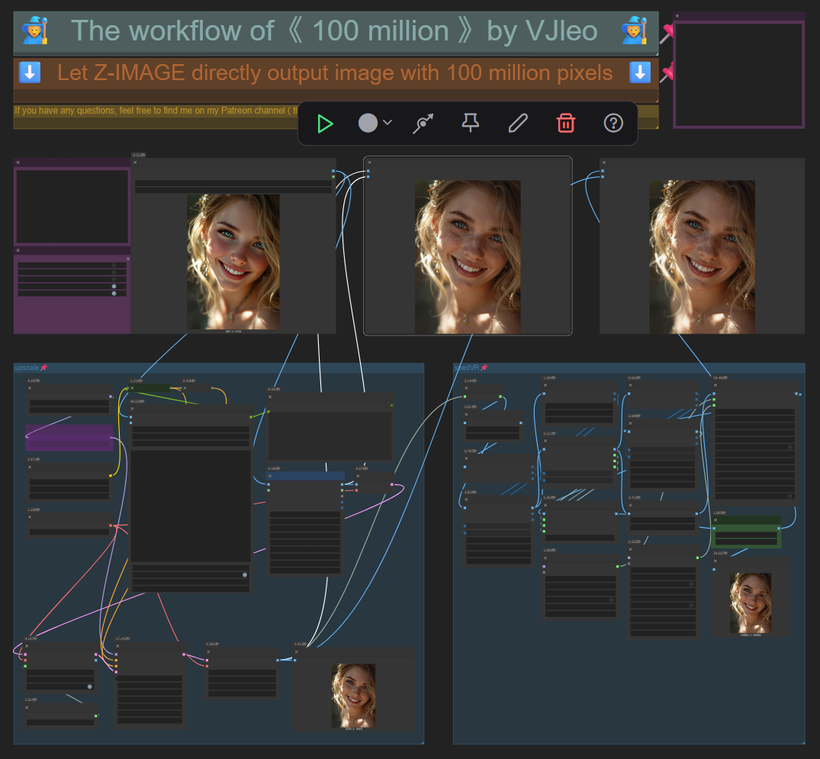 It starts with a small image (640*480). The advantage of a small image is that you can quickly generate a bunch of images, select the most satisfactory one from them, and then repair the image through upscale. It will not damage the main subject and composition of the image, and will also add a lot of details to the image. After being satisfied with the details, enter seedVR. The biggest adjustment made here is to combine seedVR with TTP, and finally generate a 100 million - pixel image.
If you still don't know how to use it, I have also prepared a simple tutorial
T2I and I2I
Image comparison
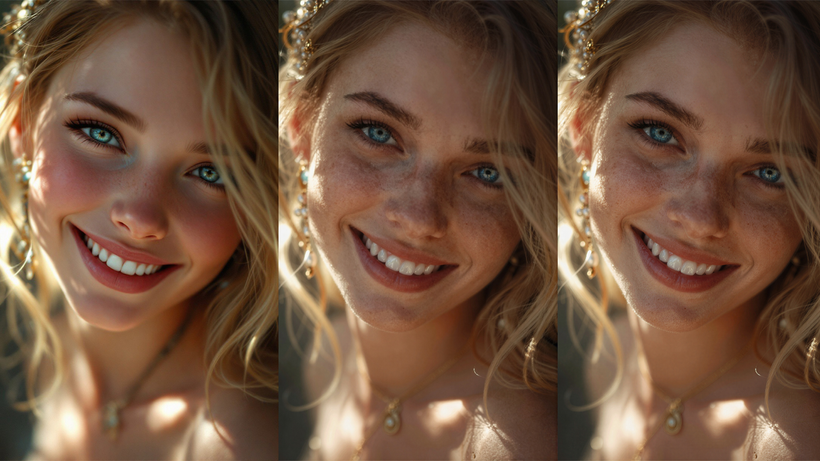 Some people may not have a concept of 100 million pixels. Let's take what we usually call full HD (1920*1080) as an example. If we put a 100 million-pixel image into this size, how much content can be displayed?
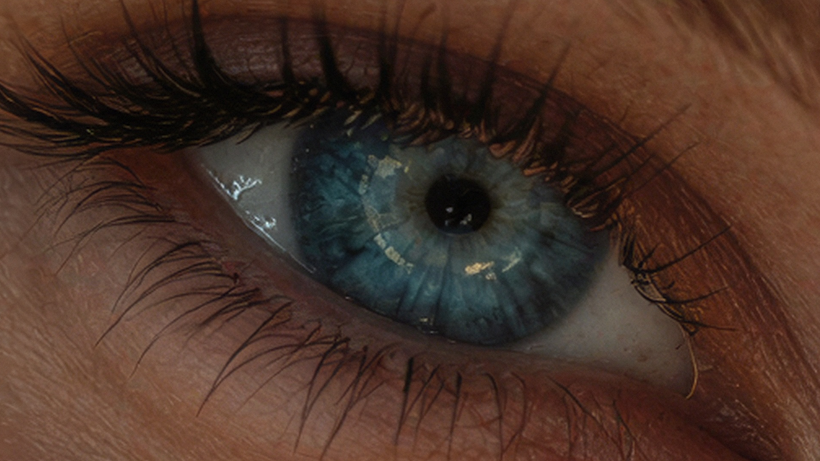 Yes, it's only enough to display one eye, and as you can see, every detail of the eye is clearly visible. This is the power of the 100 million workflow.
🙈🙉🙊🐵OK! That's all
What do you think of this result? Welcome to leave a message for discussion.
Thank you for reading this far.
English is not my native language. The above is translated by AI. If there is anything inappropriate, welcome to correct me. Finally, I hope you have fun!
👉👉👉My CivitAI homepage👈👈👈
FAQ
Comments (27)
Can you adapt this for Flux dev 2?
Also, when I installed the LTXV node, it says the FilmGrain part of it is missing still.
@ArtDesignAwesome You can ignore that node; it is a node that adds noise. It is only to make the final effect more realistic and has no direct impact on the 100 million pixels.
Haven't been paying attention - what are the new controversial terms?
LTXVFilmGrain node not present and will not install no matter what I try. Has anyone found a workaround for this?
It is a node that adds noise; turning it off will not affect the final data results.
Would like to see the models hyperlink, like which Zimage you using, qwen, etc
Currently trying to find the right ones. Will leave my feedback about the workflow after. Really well organized, first impressions
zit can be found on civitai,https://civitai.com/models/2168935/z-image
Doesn't seem to work. Might be the LTXVFilmGrain problem.
LTXVFilmGrain can be deleted
Same issue, can not rectify the LTXVFilmGrain node, despite dozens of tries. No help to be found on the internet or reddit.
LTXVFilmGrain can be deleted
@vjleoliu i switched to "fast film grain" from vrgamerdev nodes pack, you may want to try that instead. i had that LTX grain node in the past and i loved it, it was the fastest and most reliable grain node but recently i updated comfy and coudnt get that node back, so..
qwenvl node (https://github.com/1038lab/ComfyUI-QwenVL) is different from yours, so which qwenvl node you used?
No problem, you can replace it with your QwenVL
Which version is the QwenVL node ?
If it's the nighty version, the workflow is missing "attention" variable.
"properties": {
"widget_ue_connectable": {},
"Node name for S&R": "AILab_QwenVL"
},
"widgets_values": [
"Huihui-Qwen3-VL-8B-Instruct-abliterated",
"8-bit (Balanced)",
"auto", <<<< missing
"Describe this image in detail.",
......
You can replace it with your commonly used QwenVL node; it won't have much impact.
can we somehow change the resolution? i always get "Crop sizes do not match" at TTP_Image_Assy node
This thing is wild dude! Thank you for sharing this A+++ :) !
Anyone struggling with the LTX Film Grain node, copy the github code fix to the python file (red deletion, green addition): custom_nodes\ComfyUI-LTXVideo\tricks\modules\ltx_model.py, from: https://github.com/Lightricks/ComfyUI-LTXVideo/pull/286/files or worst case just bypass it.
If you want to save the image files change your preview image nodes to save image nodes ;).
@mythllc ahh thanks for the LTX Film Grain fix brother, that thing has been bugging me lmao
This is crazy good. I am so glad i came across this. Much appreciated, I also have issue with LTXVFilmGrain node (not in comfyui manager missing node detection) so i swapped with using VRGamerGirl's Film Grain node, does the same thing.
I'm glad to be able to help you.
Looks great however I'm trying to use the I2I workflow but the QwenVL node causes my comfyui to bottleneck after a second, do you know why? It just says it is fetching files in my log but it never moves. I'm running 24gbs of vram.
is this workflow still works? everything about are deleted, are you still available to help about this?
Send me a private message and tell me your specific situation to see if I can help you.
This workflow uses custom nodes you haven't installed yet.
LTXVFilmGrain
---
cant be installed
use this https://github.com/boobkake22/ComfyUI-FilmGrainLTXV instead