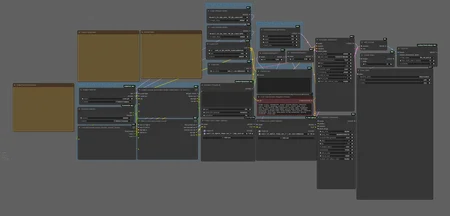
ComfyUI Scenario + Subject Auto LoRA Workflow
Base Text2Image workflow created by playtime_ai.
Stole the other one. If you want credit let me know.
Custom Lora's created mostly by ChatGippity.
Most of this post is also written by ChatGippity.
Modified to support selectable subjects and scenarios that automatically insert the correct LoRAs and prompts into the workflow
These workflows allow you to write a single prompt and dynamically combine both character LoRAs and scene/action LoRAs for consistent generation across different scenarios.
Drop down selector allows you to quickly take a subject and apply the scenario Lora and the prompt you have created .
Example:
playtime_ai's latest lora had some banger prompts and a great model. Download the Lora files, rip the prompts from the embedded workflows (again, chat gippity can make a python script that automagicly rips prompts out of videos with embedded workflows in about 5 seconds and automagicly combines them into a random prompt and then adds the new file to the scene prompt folder). select the character Lora and Bobs your uncle.
Purpose
I am Lazy.
This workflow was designed to eliminate repetitive prompt writing and manual LoRA swapping. It automatically merges character traits from a character Lora with a scene/scenario Lora (from a scenario file). The merged text is then passed through the WAN 2.2 prompt and the Lora's are loaded into the workflow for video generation, maintaining visual and stylistic consistency across all scenes.
This assumes a 2.1 character Lora passed to both high and low and a 2.2 Lora for the action/scene
Custom Nodes Used
These are now published on Comfui .
I could not find nodes that did what I wanted cleanly so I created them.
Each selector node reads from a local folder containing .txt files.
These files define LoRA model names, prompts, and triggers that are automatically loaded into the workflow.
Example Text File Setup (Default separator is #)
Subject File Example
Text files Located in: custom_nodes/ComfyUI_subjectselector/SubjectFiles/
The examples path has the custom models in folders under Comfyui/models/loras/fodlername.
So for example: person\wan_2.1_exampleperson.safetensors is located at Comfyui/models/loras/person\wan_2.1_exampleperson.safetensors.
person\wan_2.1_exampleperson.safetensors
#
bodytype\wan_2.1_examplebody.safetensors
#
A confident woman with short hair wearing a leather jacket, standing in studio lighting.
Scenario File Example
Text files Located in: custom_nodes/ComfyUI_ScenarioSelector/ScenarioFiles/
position\wan_2.2_outdoor_high.safetensors
#
position\wan_2.1_outdoor_low.safetensors
#
The subject is walking down a city street at sunset with warm light reflecting off the windows.
The workflow reads both files, merges the LoRA models and injects them into the model flow. The descriptive prompts are merged into a unified prompt block. This prompt is sent into the WAN 2.2 text-to-video text encoder.
Key Features
Automated character and scene pairing through selectable lists
Dynamic prompt merging using custom node logic
Mix of wan 2.1 for character Loras and 2.2 for action/scenario Loras
Randomized prompt handling via
Dynamic PromptsintegrationClean layout with step-by-step grouping for loading models, prompts, and video output
Folder Setup Summary
ComfyUI/
├── custom_nodes/
│   ├── ComfyUI_subjectselector/
│   │   └── SubjectFiles/
│   │       ├── character1.txt
│   │       └── character2.txt
│   └── ComfyUI_ScenarioSelector/
│       └── ScenarioFiles/
│           ├── scene1.txt
│           └── scene2.txt
No installation commands are required—just clone the repo or download the files and place the folders and restart ComfyUI.
Notes
This workflow has the standard model links from playtime already there. I modified it to use the 4 step lora. feel free to select your own.
Each generation dynamically pulls the LoRA and descriptive prompt from your selected text files.
Useful for character continuity across multiple scenes or for projects requiring consistent visual identity.
Description
1.0 Initial release with subject and scenario selectors
1.1 Added OptionalSwitchLoRA integration, auto-bypass support, updated node layout
Version 1.1 of the Workflow introduces a reliability update.
Some generations did not require 2 or even 1 Lora.
new custom lora loader looks for "" or just an empty line instead of a Lora path.
That will trigger the bypass for the Lora Loader so character prompt or scene/scenario prompt without a Lora wont trigger an error.
I (and Chat Gippity) had to create a Lora loader that did this.
Repository:
➡ OptionalSwitchLora-for-ComfyUI
you still need the same formatting in the prompt text.
This is a buff.
FAQ
Looks like we don't have an active mirror for this file right now.
CivArchive is a community-maintained index — we catalog mirrors that volunteers upload to HuggingFace, torrents, and other public hosts. Looks like no one has uploaded a copy of this file yet.
Some files do get recovered over time through contributions. If you're looking for this one, feel free to ask in Discord, or help preserve it if you have a copy.