
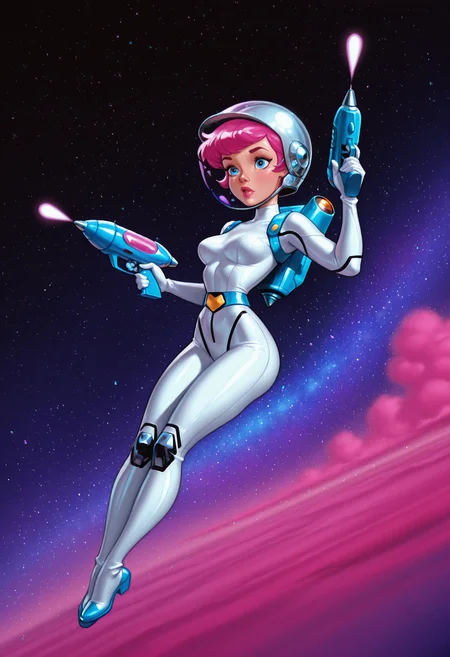


Increase or decrease the shading of your generations! Make something flat more sculpted and rendered. Make something heavily shaded flatter and more cel shaded.
Negative weights = Flatter shading. Cel shaded.
Positive weights = More shading. More depth.
Recommended settings:
For flatter colors, -.8
For more depth, .8
The effectiveness will vary based on the baked in shading of your checkpoint and/or style loras. Experiment at your own risk.
It should have minimal effect on the style. Slight shift towards warmth and higher saturation the further into positive numbers you go.
It will NOT flatten out realism checkpoints. It might darken/light shadows a little, though.
Description
Trained on NoobAI XL blah blah whatever the alphabet soup of the original NoobAI is called,
but it works perfectly for Illustrious and Pony
FAQ
Comments (20)
Very cool!
Glad you like it :)
No idea what black magic is powering this one but I love it. Works perfectly.
I'm glad you like it! It took several tries to get functional
Works quite well. Hoping you've more plans for similar tools, like a roughness slider since that's hard to prompt.
What exactly do you mean by roughness? Rough line art? Scratchy coloring?
I've been trying to think of other tools to make :)
@Bridgewalker I'd say line roughness, sort of where the colors of a character blur into their surroundings? Making it sort of blurry? Whatever you do I look forward to it!
Hm, probably very relevant as a tool to train a Qwen-Edit LoRA to arbitrarily shade an input image more, or less.
I haven't really explored qwen, or anything outside of pony/illustrious/noobai, to be honest. I'd be willing to take a look but I don't know if I can run qwen locally. SDXL-based stuff pushes my computer to its limit already.
@Bridgewalker Yes, unfortunately those meme models require renting a server :- )
@Bridgewalker Even with shared system ram?
gj man. haven't used but it should be really useful
Nice effect. I just wish it didn't affect the bokeh. adding more texture without affecting the sharpness of the background would be a nice addition. Thanks!
Couldn't you just use a VAE that messes with saturation, shading, and lighting? Since the base SDXL VAE is what causes the washed look on most checkpoints.
Do you have an example of a VAE that lets you incrementally alter the amount of shading in both directions? I haven't messed around much with VAEs.
Though, this tool wasn't intended for correcting washed out looks. It's for creating cel shading (or flat colors), or more rendered shading, depending on positive or negative.
@Bridgewalker You can hires with a vae you know that adds saturation/shading dunno what to tell you. And hiresing with that VAE adds to it.
can you do anime to cartoon slider?
soo goodd
Straight into my tool box lora.
I know you aren't much active right now but If you could do these for anima, it would be amazing.