

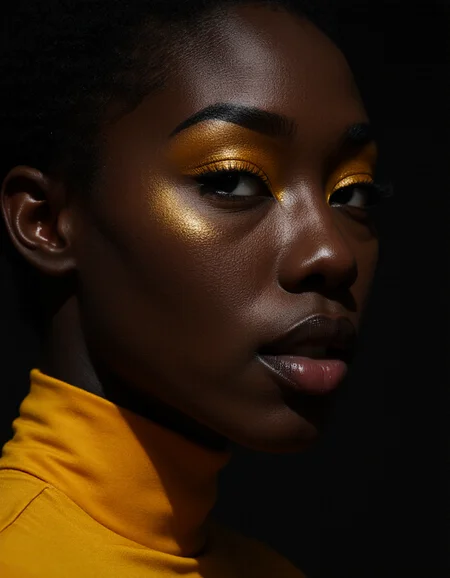


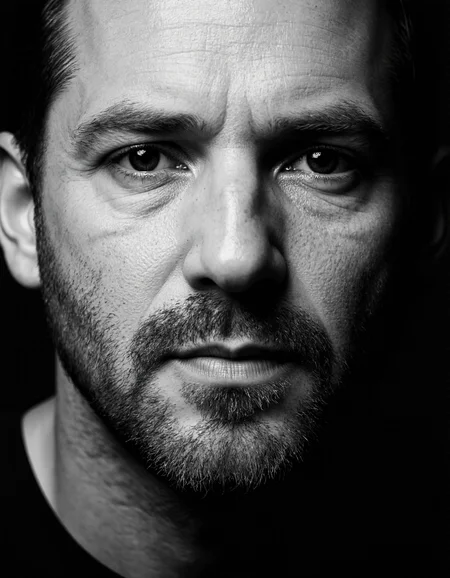





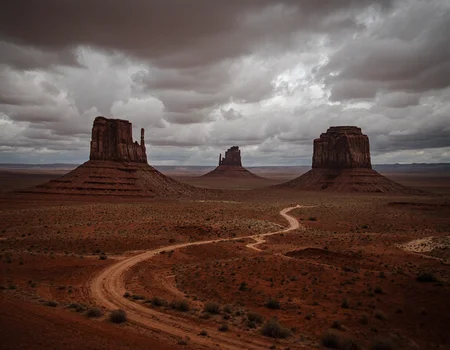

Based on my Centerfold Flux 5, trying to merge in Chroma and Krea.
Diffuser version 2.3 https://huggingface.co/Tiwaz/CenKreChro_V2_3
For version 2.3 I will add the quantizations under the same "tab".
Big thanks to Spooknik for making the SVDQ versions https://huggingface.co/spooknik/CenKreChro-SVDQ
Q4 KM works fine in Comfy UI but not in Forge for example.
If you need the diffuser version: https://huggingface.co/Tiwaz/CenKreChro (not 100% tested yet).
You can try using it as low as 12 steps even if I prefer 30.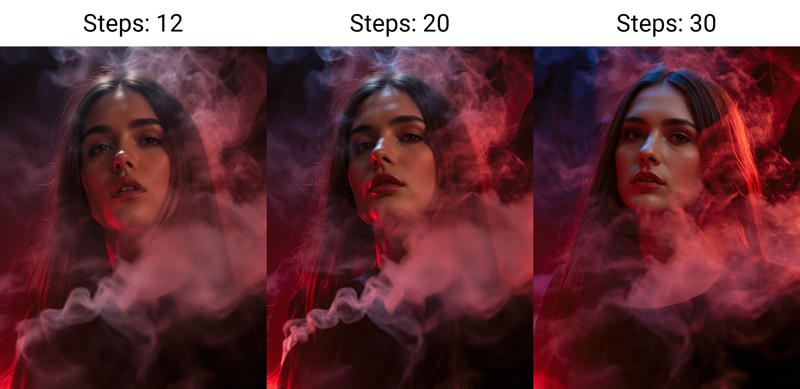
Description
FAQ
Comments (32)
Do you have a workflow for NF4 version?
No I use and make NF4 in Forge, have not tried it in Comfy UI.
if you use comfy I would recommend the Q4
@TiwazM Thanks mate I found a custom node for the NF4 version. TBH though Q4 just gives better results. (my experience, at least)
@CrystalVisage yes in mine too thats why I said it.
Here you go, a wf just for you, cause I use this model a lot. All you will need to do is change out the model loader for your NF4 and you're golden :) cheers
@subotaplaya565 Thanks mate. I've been using the Q4 now, but I'll give this a go as well. (Your example image looks very nice, btw. lol)
@CrystalVisage Hey, thanks! And, no problem. Yeah, I didn't have much time to generate more, so I used a pretty ok one using the prompts from the showcase here (+seed.) Surprisingly, the model works very well with many subjects and easily produces great result even without any Photoshop post-modification or real photograph splicing! I'm no expert, but I doubt there is a internal 3d software, to produce such good hands, with no lora, for example, which makes CenKre a keeper in my book.
@subotaplaya565 glad you like it, I know it has some issues but not sure yet how to improve it so I am experimenting a bit with Qwen.
This model doesnt seem to want to do male parts.
use penis instead of dick or cock and you will be fine
int4 version for pre-Blackwell GPU is available on huggingface here spooknik/CenKreChro-SVDQ at main
yes fp4 too testing it will add then here to
I'm trying the int4 model and it seems to add cinematic/film grain effect in all result while not prompted for it. Basically the images look "dirty" in compare clean Nunchaku Flux-dev. Is this possibly by weights of Lora used to bake in the model or could it be the rank too low?
I'm so far test img2img with denoise 0.5-0.7 and same prompt produce wastly different quality being this model worse than basic Nunchaku flux-dev INT4 model, no other Loras used. Everyting is grainy almost like lowres. I was trying 1024x1024. I will try with empty prompt also.
@vladulidlo I cant say I have not made it nor used the int4 so far @Spooknik377 any ideas?
@vladulidlo the model as it has some Flux Krea in there will never bee as clean as Flux Dev, probably closer to Nunchaku Krea
@TiwazM
I see the problem only with img2img denoise under 1.0, but most visible with denoise under 0.5 which produces lowres images while flux-dev works as expected with loras where I can set weight to reduce any side effects.
Text to image (denoise=1.0) produces realistic images without problems.
@vladulidlo seems not bad the fp4 https://imgur.com/a/6WlDOEI
Comfy does not let me use the int4 on Blackwell so I can't say if that would be different.
@TiwazM Could you please try with denoise 0.5 or 0.3? You used denoise 0.95 where it is not so easy to see it. With lower denoise it is very easy to spot, at least on INT4. But not in default Flux-dev, only with this model.
@vladulidlo I can test the int4 version, can you please upload your workflow somewhere (or just a screenshot)
My results with the Int4 model - https://imgur.com/a/yL1CeYo
@Spooknik377 As I wrote before, the problem is on img2img low denoise. Your workflow with 1.0 and 0.95 denoise do not show the problem, as the problem is best visible with 0.5 or less denoise. I will post my workflow and example of the output.
@Spooknik377 here are the workflows and results https://imgur.com/a/qDyTSRP
flux-dev-int4 maintains the quality and details while CenKreChro-int4 add noise/artifacts and removes details.
@vladulidlo Yes, I see how. I re-created your workflow and tested with int4, fp4, and fp8 and also get a noisy image at denoise 0.5 . I think it's just this model that does that? I also quickly tested with Flux Krea Int4 and it seems to inject a lot of noise. So rough theory is that it's a Krea thing?
@Spooknik377
Thank you for testing and confirming it is probably the model itself and not an issue with just INT4.
You are probably right. I now tested flux-dev + Krea-dev lora rank 256 weight 1.0 and 0.5 and there it is clearly visible. The problem is with Krea on high weight.
I added the new images https://imgur.com/a/qDyTSRP with Krea-dev weighs 1.0 a 0.5.
Why does it take 134 s/it for the fp8 model? this is the slowest that I have ever seen, the image to generate is only 768x1024. The subsequent iteration is double the time. I'm using the standard flux workflow.
I can’t say without more details, like what gpu, are you sure your not running on shared memory…
I use nunchaku version and get 1.1s/it with rtx3060
@flo11ok874 yes fine here to takes 5-6 sec depending on settings about 5 it/s
RTX3050 8GB, 32GBRAM. Nothing running other than ComfyUI. Usually I'd run WAN, QWEN, at 18-24 Sec/it. But this FP8 is really slow. I am running the Nunchaku version of it and the speed is fine (around 6 sec/It even with PulID.)
By the way, by far this is the best merge that I have come across. Absolutely a beast.
@Learning2025 yes with 8GB the SVDQ int4 or Q4 are better options