


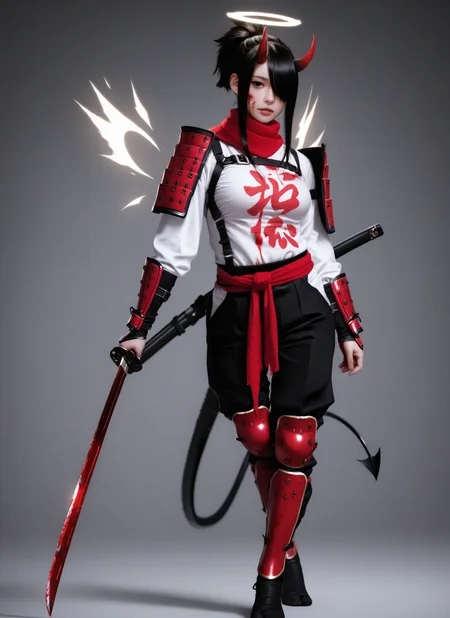

IM SURPRISED THIS NEEDS TO BE SAID, BUT THE MODEL NEEDS DANBOORU STYLE PROMPTING. IT IS BASED ON ILLUSTRIOUS SO IF YOU DON'T USE DANBOORU PROMPTING YOU WILL GET BAD RESULTS!
v3.0 is now available! This release delivers the following improvements:
This release brings the detail and realism enhancements of v2.5 while keeping the diversity of v2.0
v3.0 took a while because I was experimenting with making it truly photorealistic, but honestly while that IS possible, it ends up making the model too stiff. What I mean by this is that it first of all stops re-creating characters properly, so for example if you try to generate Sakura from naruto you will end up getting a girl with pink hair, but her face will look nothing like Sakura. On top of that prompt adherence suffers. Both of these symptoms can be seen in other models which are pretty photorealistic (specifically talking about illustrious based models ofc).
I decided to keep my model as realistic as possible while still being able to be flexible, so my model can still re-create most characters with 200+ posts on danbooru AND it is still flexible enough to do generations with multiple characters or weird poses etc.
Enjoy v3.0! :)
Little tip that should improve character likeness in some cases:
If a character's tag on danbooru is listed with parenthesis you should add a backslash before the first and last parenthesis. So for example "raven_(dc)" becomes -> "raven_\(dc\)".
The point of this model is to have all the characters built into WAI-NSFW (full credit to WAI0731 for creating this incredible model), while having a more realistic look.
!!! Important note !!!
Existing Loras won't work with this model since it is a fine tune, not a merge. It's possible that some loras might work, but most of them won't.
Popular loras that I have tested and confirmed that work well with my model: ExpressiveH, Detail Tweaker XL
THE RECOMMENDATIONS BELLOW APPLY FOR ALL VERSIONS
Recommended settings:
Steps:: 15-30
CFG scale: 5-7
Sampler: Euler
Use size larger than 1024x1024 for the original dimensions
Recommended upscale settings:
Hires upscale: 1.5
Hires steps: 20
Denoising strength: 0.35~0.5
Hires upscaler: 2xNomosUni_span_multijpg_ldl (I tested a bunch of upscalers and this seems to work quite well for more realistic images, and it is pretty fast). If you want the best possible quality you can use 4xRealWebPhoto_v4_drct-l, just keep in mind that it is a lot slower.
All the preview images have the workflow attached, it automatically calculates a 1.5x resolution for you so you don't have to change multiple fields each time you want to change resolution.
Everything is included in the checkpoint (vae, text encoders, unet)
Recommended prompts:
Positive Prompt
photorealistic, photograph, realistic, masterpiece, best quality, amazing quality, absurdres, detailed_skinNegative Prompt
bad quality, worst quality, worst detail, sketch, censor, watermark, signature, text, multiple_poses, multiple_scenes, speech_bubble, patreon_username, multiple_images, multiple_angles, bad_hands, wrong_hand, bad_anatomy, extra_fingers, extra_digits
Basically all characters in the WAI-NSFW model should work here too, you can check all the characters available here: https://huggingface.co/spaces/flagrantia/character_select_saa
Of course due to the nature of full fine tuning some characters might be impossible to be generated anymore, but from my testing all characters that I tried worked fine.
Old version update logs:
v2.0 is now available! This release delivers the following improvements:
Slightly enhanced stability and prompt adherence across all outputs
Expanded dataset with ~3x more training data (compared to v1.0), this helps diversify results
1536px training, yields more detail than previous versions
Facial expressions have been improved, with previous versions smirks/slight smiles and other facial expressions often looked creepy, this is now mostly fixed, all facial expressions should look better (still possible to get bad results but a lot more rare now)
v1.0 is now available! This release delivers significant improvements:
Enhanced stability and realism across all outputs
Reduced CGI/plasticky look (still happens, but is more rare)
Expanded dataset with ~2x more training data
Multi-resolution training (1024px and 1280px vs 1024px only in v0.1)
Description
FAQ
Comments (9)
can i ask how you finetune? ive been meaning to try it myself but i cant really find any good info on it. Do you have a writeup somewhere that u used or sth elsemaybe
I have made my own models in the past (not stable diffusion related), so I just had to adapt my existing knowledge to finetune models like illustrious (or any other diffusion model). I don't really have any online articles or anything like that to share, my best advice would be to download any open source training tool (ai-toolkit, onetrainer, kohya etc), and just try stuff out and see what works best for your use case, you will build up good intuiton for LR values, how to caption and which optimizer/scheduler combo to use with time. If you don't have good enough hardware to finetune a model you can always use cloud services like runpod or vast, which are fairly cheap (I'd recommend the super cheap rtx 3090s on vast to learn on, since they're like ~0.2$/h).
I'd suggest installing ai-toolkit since it's one of the simplest tools for loras and full finetuning. Then get a small dataset of an art style that you like (since you can get away with not captioning art style loras), and just train any model that your hardware can handle with the default settings. Then try fiddling with the settings and see what changes, later on you can try captioning your dataset... and so on, you will eventually learn :).
I will say though, your experience will be a lot better if you have an nvidia gpu and if it has at least 16GB vram.
P.S. If you want to do a full finetune with ai-toolkit specifically you need to open the advanced settings and remove the whole "network" section.
Lmao I just opened your profile and realized you've already made loras so you're not a beginner :D. If you can already make loras the full finetuning process is not much different, just keep in mind that you need to use lower LR (especially important for the text encoders).
jorkingtoncityshallwe i see! how big is your dataset for the finetunes?
bigmantingzz for this particular finetune, a little over 4000 images
jorkingtoncityshallwe damn i better start gathering, what is the strategy for it? Is it whatever i want to incorporate split into subfolders? Concepts,style,characters to add etc. Sorry for all these questions 😭
bigmantingzz No problem :D. If you're doing a character finetune you can get away with way smaller dataset. The reason that my dataset is large is because I have a decent amount of images for many different concepts, because I want this model to be realistic across the board, not for just one specific concept.
Personally I like Onetrainer a lot because it lets you organize your concepts really well. And yes basically each concept is just a separate folder with all the images and captions.
I'd suggest writing simple scripts to scrape data for you, this way the process is a lot less boring, and you can gather data overnight while sleeping. Just please be respectful and have proper timeouts (don't spam 100s of requests a second), and always check whether the website allows scraping or not.
jorkingtoncityshallwe gotcha, thanks !
Whoa... This is great!
Details
Files
Available On (2 platforms)
Same model published on other platforms. May have additional downloads or version variants.