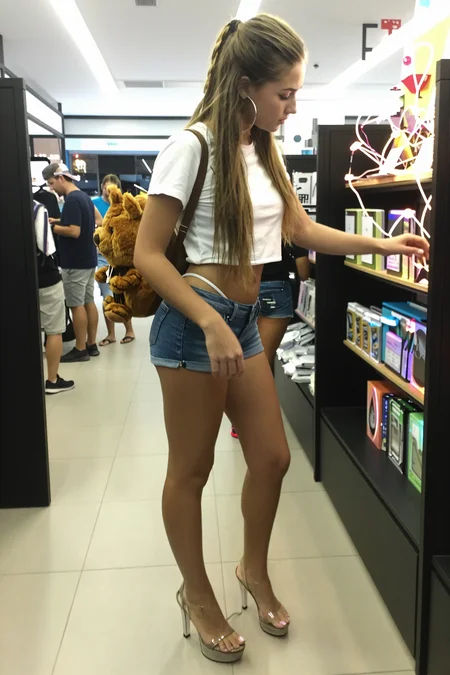

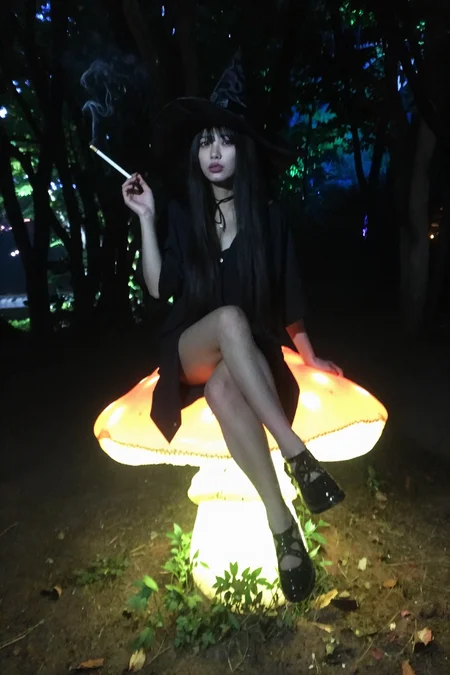
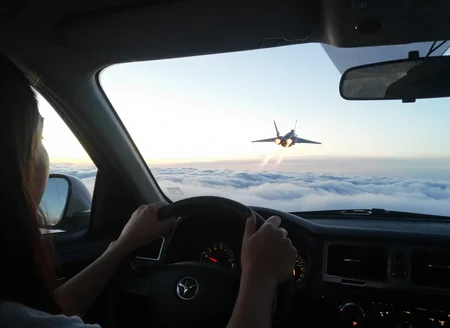
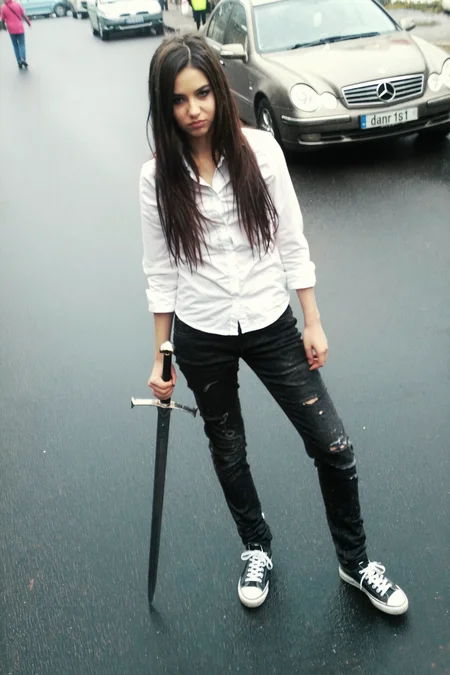
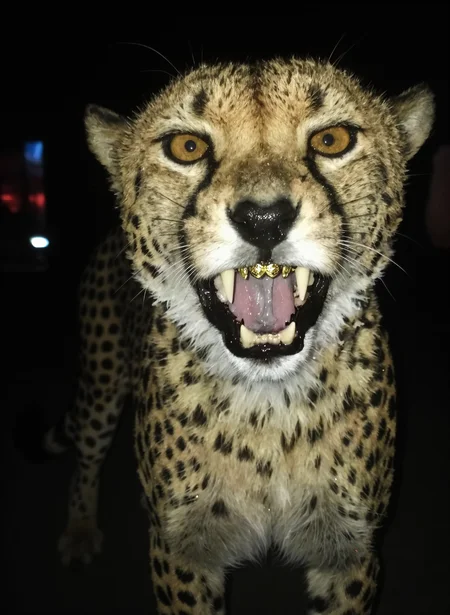
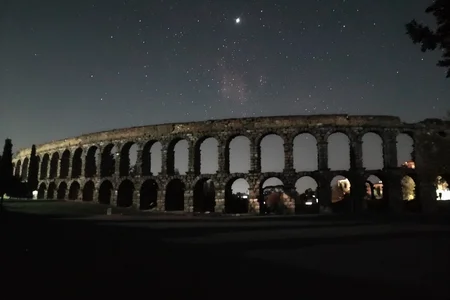
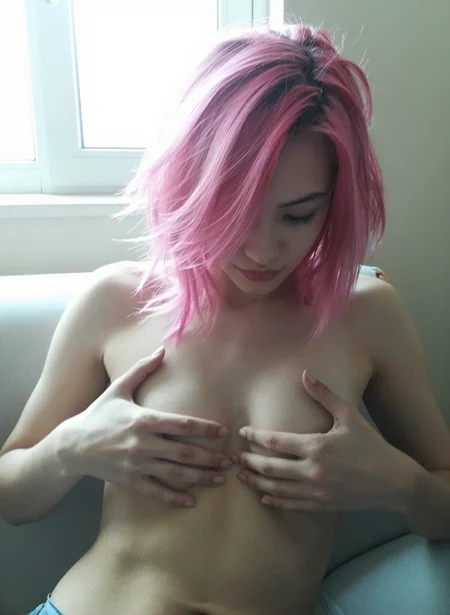
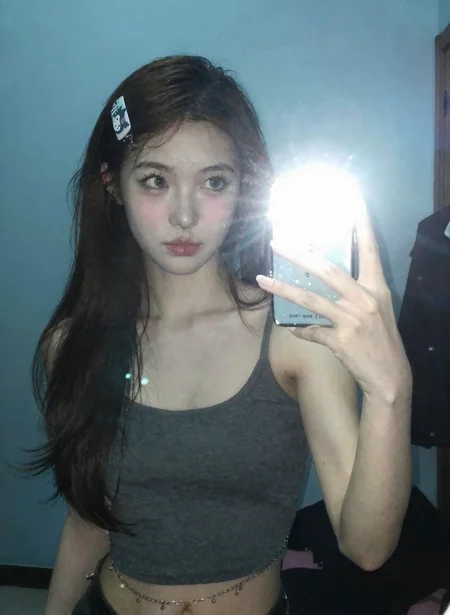



--Qwen2.1
Me recommendations: 3-4 cfg (but if image become slop, then change to 1) beta scheduler, res_2m / res_2s / res_multistep (2s best quality, multistep the fastest, 2m balance)
I'll post my flow a bit later when finish uploading other loras
P.S: im in a hurry so more exmaples will be soon for all my loras
--Krea2
Actually i tested with different combinations raw and turbo. For best quality i use raw with cfg4, for fast result i use raw, but witth cfg1 and turbo lora (it really gives better quality then kreo2 turbo model). U can use with other loras freely, also works good with nicegirls lora and nsfw loras. recommended weight 0.8 for raw and 1.2-2 for turbo
--Ideogram4
Works good with realism engine lora for nsfw images.
Also updated my repo for better lora control https://github.com/DanrisiUA/ComfyUI-LoRA-Block-Filter
One more. Made cool nodes with cursor (i have no clue how some of them to use) for ideogram https://github.com/DanrisiUA/ComfyUI-Ideogram4-Enhanced.git
--Anima1.0
Trained on top of my last ultrareal_finetune_base1 checkpoint for a slight realism boost. I also "vibecoded" a few experimental nodes for Anima (pretty sure something similar already exists, but here we are): https://github.com/DanrisiUA/ComfyUI-AnimaDynamicCFG
Consider this a temporary realism upgrade until I train the next major fine-tune.
--Anima0.5
Trained on anima3. Recommended strength: 0.6.
Works best with block filtering — I created a ComfyUI nodepack for this: ComfyUI-LoRA-Block-Filter. Examples generated alongside my other LoRA — nicegirls.
Experimental version. Results may vary depending on prompt and block weight settings.
--Flux2
I use it with res2m+beta57, guidance 4, and it works very well. The quality is similar to my Qwen Lenovo, but I noticed that Flux2 is more flexible and has better prompt adherence.
Recommend to use with strength 0.85-0.9
-- Z-image Turbo
Actually i'm not sure that my workflow is correct, i believe the result could be better
Recommend to use with strength 0.80-0.9
I used euler + sgm_uniform with 4 guidance
P.S: at this moment for ComfyUI u need this pack to load lora properly https://github.com/PGCRT/CRT-Nodes
--Chroma
My first try to train lora that enhance realism in Chroma.
I'll upload my workflow today a lil bit later (or atm u can just take it from images) cause there some nuances about settings. But from my observations i noticed that for fast gen dpmpp2m + beta with cfg 3 works good . More experimental settigns are res_2s_rkmk2e + beta57 and cfg 3, more accurate gens, better limbs and fingers, but gives a bit weird grain on very small details + plus this method is pretty long
--Qwen
Works perfectly and much better then other versions. Gives extremely "live" images with amateurish quality with dramatic light and shadows, some blur and with vibe of 2000s street photography
You can take workflow here https://huggingface.co/Danrisi/Lenovo_Qwen/resolve/main/Qwen_danrisi.json
Thanx to fox23vang226. i understood that it's possible (and even have better effect) to use lora with values 1.5 - 2.0.
P.S.: almost all example images generate with both loras (NiceGirls)
--Wan
This is the first release — mainly a test to explore Wan's capabilities.
Note: In this initial version, facial details are somewhat lacking. For better results, I recommend using it alongside the Instagirls LoRA by my friend, which significantly enhances facial features.
--Flux
Who needs a fancy name when the shadows and highlights do all the talking? This experimental LoRA is the scrappy cousin of my Samsung one—same punchy light-and-shadow mojo, but trained on a chaotic mix of pics from my ancient phones (so no Samsung for now)
Description
FAQ
Comments (57)
He's done that again! <3 Thank you so much!
Always wanted to use ur loras, but the models you were making loras on i couldnt run, but z-image i can, thank u for this.
Hey, glad it works for you! I started with Flux2, but realized Z-image is too good to ignore. It might be a little weaker on small details, but the quality is still great. Flux2 is just the heavy hitter right now
@Danrisi z-image is the new SDXL, seems like the hyper is deserved
@Danrisi Dont forget this is the turbo model, this isnt even the full base moel :)
@MonkeyForever yeah, ofc, i know. so i pray for base model soon. i bet for release in monday
@Danrisi Yeah it will be great they even specified they want it to be fiddled with by the community, this model will turn out amazing in a few weeks
The Z IMAGE version is simply incredible! The results I'm getting are fantastic, greatly increasing the realism of Z-Image. They look absurdly like real-life amateur images; you can't tell if it's real or AI, and the variations in scenes, lighting, shadows, action dynamics, bodies, and faces are absurdly extensive with this tool!
Note: I'm using Force: 1.0 / Euler/Beta / cfg 0.8/1.0 / denoise: 0.8 (feel free to change these settings.)
Fully agree Z Image is incredible and it isn't even at base or fine-tuned yet, imagine this kind of training on a new 5B or 8B video model to use in tandem with Z Image. Also Euler Beta works really good but try Euler + DDIM_Uniform, promise it gets even better ;)
@7satsu I use mainly with euler and ddim/sgm. This combo works the best + best stability. But in some cases res2s_ode + beta57 works very cool, but sometimes cause bad limbs
Thanks so much for the feedback, @AI_2_addicted. Glad that you liked it. I hope the base model will be available on Monday, for example, and then we will see its full potential. Of course, I'll make a LORA for it ASAP when tuners will add z-image base support
Absolutely agree. And it handles aspect ratios amazing. I remember SDXL would add extra heads or body parts if you tried to make things just a bit higher or wider lol
We've come a long way. And we've still got a lot to look forward too.
Almost in the golden age for real now :D
can you share workflow?
I prefer it when model/lora makers use filenames that match the CivitAI page.
Lenovo_UltraReal_z_v1.0.safetensors
would be better than:
lenovo_z.safetensors
If i have a list of many LORA files,
the name "lenovo" only makes me think of a laptop computer and if a newer version comes out, I can't look at the filename to see what version I have.
I mean, you can name it anything when you download it.
The model doesn't care what the filename is when you load it :)
I always rename Loras to something I can remember.
another solution is to use the power lora loader from rgtree, you can easily fetch the civitai page from it.
Hellooo, where do I find the LoraLoaderZImage?
@Danrisi I installed the CRT Nodes but its still showing the error for loraloaderZImage.
@therionro maybe need some dependencies to install to make it work?
@therionro I'm using the power lora loader (rgthree) and it's working fine for ZimageTurbo.
If all else fails, update everything.
ComfyUI via the update_comfyui.bat,
all nodes via manager, just everything. And then give it another shot.
Before I updated my nodes, almost everything was broken after the new Comfy nodes2.0 update.
@Danrisi well all of the ai files are installed in their right directory and all of the nodes. Just that LoraLoaderZImage turns red and gives an error that the node is missing when I click run. Other workflows that also use zimage-turbo works just fine on my end
@HackSlash Yup I did that, everything is fully updated just loraloaderzimage wont work the box turns red and it says node missing when I click run. CRT Nodes is installed to the latest version
@HackSlash One question. Do u use the workflow from the image? I just downloaded one image and drag&dropped it on my comfyui session
To be honest, I copied your prompt without using the Lora, pasted it in the workflow, deleted the first word l3n0v0, the result is identical.
I have a node for Grain, by the way. I tried with 3 different prompts, it gives same result as yours with Lora.
Furthermore, I see no need for a Lora at all to get an amateur photo result in this z-image_turbo model.
@therionro I just built my own workflow using the basic nodes, it's a very simple workflow.
Just the three model loaders (vae, model, text encoder) ➡ power lora loader ➡ prompt ➡ ksampler ➡ vae decoder ➡ save image. (and I'll build it out to my liking as time goes on)
I never use workflows from images as people love their fringe specialty nodes that almost always have compatibility issue with MY fringe specialty nodes :)
You should just have something basic (like the comfy template) to get things running first, then add to it.
Damm that was fast. Time to clear up space for Z turbo.
@Danrisi Called it.
Eager to see what you come up with.
To be honest, I copied your prompt without using the Lora, pasted it in the workflow, deleted the first word l3n0v0, the result is identical.
I have a node for Grain, by the way. I tried with 3 different prompts, it gives same result as yours with Lora.
Furthermore, I see no need for a Lora at all to get an amateur photo result in this z-image_turbo model.
you do need a specific node to load the lora, did you add that?
@coolstrad No, I added the regular Lora node. Tried it with and without the lora, the results are same and very similar to the images that the Lora lenovo is previewing.
@tomi_tom185 Try cranking it to 11 and see if it burns it, that'll confirm if it's actually applying
Why the downvotes? Z-image is specifically designed for amateur style, photorealistic images, this lora and similar ones add nothing at all to the image, if anything they make the quality worse.
@azeli Try and follow along. Dude is saying it does work, but is using the wrong lora loader.
@brnfd24434343d Exactly, I literally told him that.
How did you train Z-Image Lora? results are AWESOME!
Thanx <3
Via ostris ai toolkit
@Danrisi Locally or server rental like runpod? Thanks!
@Tezozomoctli vast.ai
Actually i'm not sure that my workflow is correct, i believe the result could be better
Recommend to use with strength 0.80-0.9
I used euler + sgm_uniform with
>>>4<<<< guidance
this can't be true
?
Amazing lora. Thanks for doing a Flux2 lora 👍I'm a big fan of your loras since the Sony Alpha A7 III Style. I hope you'll consider to do it again for Flux 2. This would be the best Christmas gift 👌🔥 Keep on making great loras and thanks !
Thanx, glad u like my work <3 Actually, u are not the first to ask about Sony Alpha for new models, so I guess it's a sign =)
@Danrisi haha, thanks a lot ! Do what you can of course 😊 Take care.
This is desperately needed for Flux 2. I don't know what it is, but 90% of my raw Flux 2 images have looked like digital paintings. It's even less realistic than Flux 1.
But i made for flux2 lenovo lora https://civitai.com/models/1662740?modelVersionId=2449027
and looks very good honestly
FLUX 2 was most likely trained on same datasets as FLUX versions before. Also if they didnt change anything, its still very much synthetic dataset including captioning, hence it looks.. yea synthetic.
hi, may I know how to prompt the ass line when girl wears very short shorts almost showing her buttock? (just similar to your 1st sample image)
"low-rise denim shorts, white thong straps visible above waistband" helps, but the most important part is low-rise or low-waist to get this look.
Also, the correct term is whale tail. It describes exactly when the thong straps are visible above the waistband
@Danrisi https://cbx-prod.b-cdn.net/COLOURBOX10898312.jpg?width=1200&height=1200&quality=70 I want to generate something like this, but I have tried to add words like "buttock, gluteal fold" but it didnt work

@leepeter1231 if nothing else works, you could add an img2img stage into your workflow. Have Z-Image generate the photo, and then pass that image to Flux Kontext with a prompt like "make her shorts low waist, showing her buttocks, gluteal fold" or something like that, mentioning to avoid altering any additional details or elements. That may work, but will be slower for sure :P
Can you stack your own lora w this?
Unfortunately stacking loras trained on default z-image turbo just corrupt generated images. I'll try to retrain with new de-distilled version of z-image
@Danrisi I trained my character on ai toolkit 10 images with captions, not really getting realistic results. Any tips for the best training settings>?
@akashmalhotra1996699 i dunno what to recommend you. did u train on synthetic images (i mean on already generated ai images) or images of real human?
@Danrisi 10-15 images of my self. DIff angles. I used gemini to caption. Face is still all messed up bro...
@akashmalhotra1996699 I checked your dataset its absolute perfection! Wow! ... The result you are seeing is just reality, seeing your face as others see it for the very first time!
Details
Files
lenovo_z.safetensors
Mirrors
lenovo_z.safetensors
lenovo_z.safetensors
lenovo_z.safetensors
11_lenovo_z_dec17.safetensors
lenovo_z.safetensors
lenovo_z.safetensors
lenovo_z.safetensors
lenovo_z.safetensors
lenovo_z.safetensors
lenovo_z.safetensors
lenovo_z.safetensors
lenovo_z.safetensors
lenovo_z.safetensors
lenovo_z.safetensors
lenovo_z.safetensors
lenovo_z.safetensors
lenovo_z.safetensors
lenovo_z.safetensors
lenovo_z.safetensors
lenovo_z.safetensors
lenovo_z.safetensors
lenovo_z.safetensors
lenovo_z.safetensors
lenovo_z.safetensors
lenovo_z.safetensors
lenovo_z.safetensors
lenovo_z.safetensors
lenovo_z.safetensors
l3n0v0.safetensors
lenovo_z.safetensors
lenovo_z.safetensors
lenovo_z.safetensors
lenovo_z.safetensors
lenovo_z.safetensors
lenovo_z.safetensors
lenovo_z.safetensors
Lenovo UltraReal ZImageTurbo v1.safetensors
lenovo_z.safetensors
lenovo_z.safetensors
lenovo_z.safetensors
lenovo_z.safetensors
ZIT-lenovo.safetensors
lenovo_z.safetensors
lenovo_z.safetensors
lenovo_z(1).safetensors
lenovo_z.safetensors
lenovo_z.safetensors
lenovo_z.safetensors
realism.safetensors
lenovo_z.safetensors
lenovo_z.safetensors
lenovo_z.safetensors
lenovo_z.safetensors
lenovo_z-mid_1662740-vid_2452071.safetensors
lenovo_z.safetensors
lenovo_z.safetensors
lenovo_z.safetensors
LenovoUltraReal.safetensors
lenovo_z.safetensors
lenovo_z.safetensors
lenovo_z (1).safetensors
lenovo_z.safetensors
lenovo_z.safetensors
lenovo_z.safetensors
lenovo_z.safetensors
lenovo_z.safetensors
lenovo_z.safetensors
lenovo_z.safetensors
lenovo_z.safetensors
lenovo_z.safetensors
lenovo_z.safetensors
lenovo_z.safetensors
lenovo_z.safetensors
lenovo_z.safetensors
lenovo_z.safetensors
lenovo_z-mid_1662740-vid_2452071.safetensors
lenovo_z.safetensors
lenovo_z.safetensors
lenovo_z.safetensors
lenovo_z.safetensors
l3n0v0.safetensors
lenovo_z.safetensors
lenovo_z.safetensors
Lenovo_UltraReal_ZIT_[Danrisi].safetensors
ZIT_Lenovo_UltraReal.safetensors
lenovo_z.safetensors
lenovo_z.safetensors
lenovo_z.safetensors
Available On (1 platform)
Same model published on other platforms. May have additional downloads or version variants.