

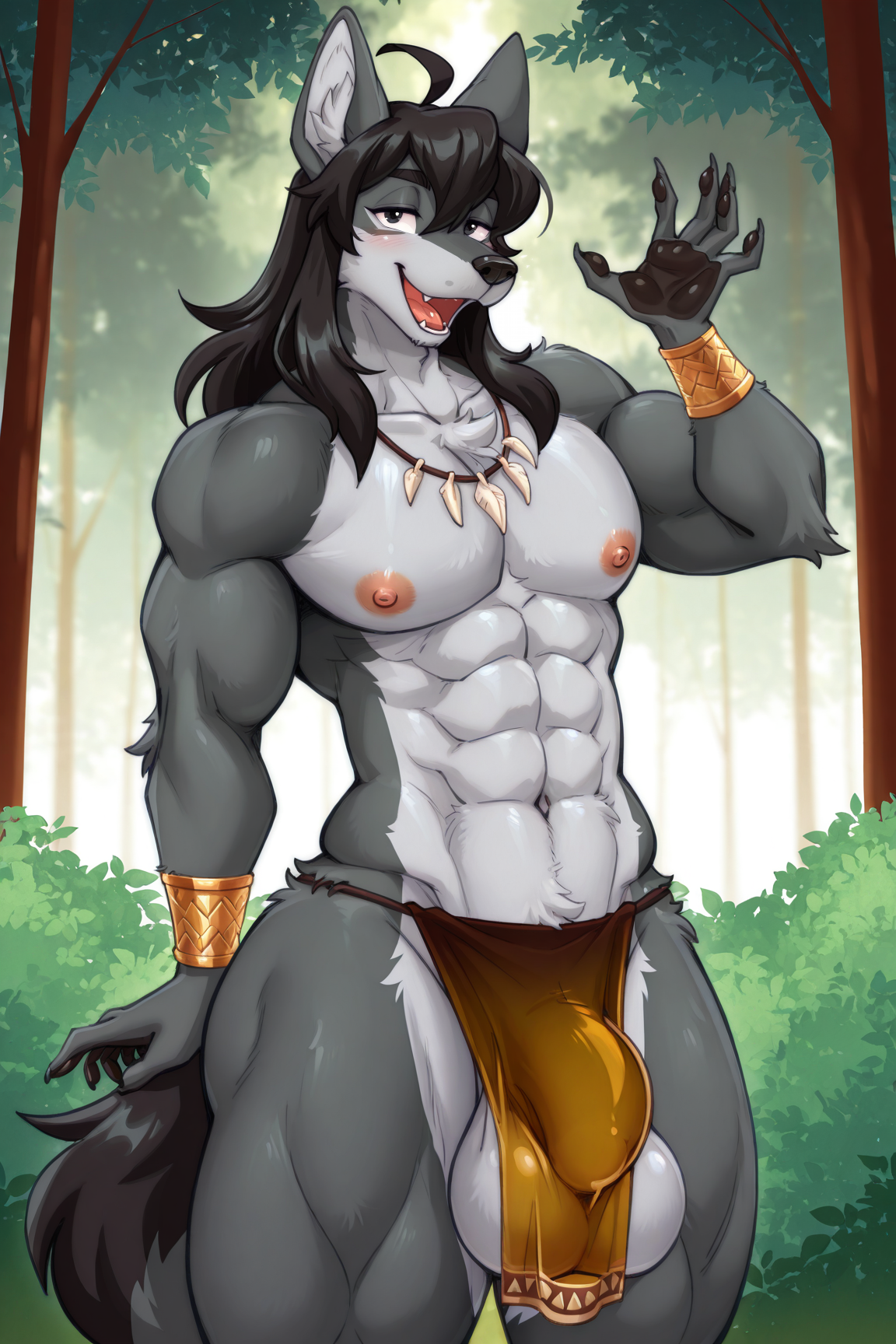


LoRA, trained at Civitai based on furry artist Melosoleaf
or known as ahiru. / ahiru8 / domestic_ahiru / homeduck / melonripple / melosoleaf / メロソリーフ / lomenleaf
Support the artist using these links:
https://www.furaffinity.net/user/melonleaf
https://www.pixiv.net/users/15978968
https://www.pixiv.net/users/32600
https://inkbunny.net/LomenLeaf
https://melonripple.blog61.fc2.com
1) Always use the tag by melosoleaf
2) This LoRA was based on the Illustrious
3) Even though the Illustrious base model is used, some other models may have some inconsistencies in the images, especially in the eyes and hands, if used in Civitai, use some Embedding / Face Fix to get better results. For those who use Comfyui, the best results will be with some Hirefix / DDetailer to improve the image of the character's face.
4) LoRA weight change in Civitai is at your discretion
5) To better use Lora in Civitai, I recommend using VAE (SDXL VAE) to reduce errors in the details of the hands and eyes
6) Add the censored, mosaic censoring, heart censor, bar censor, covenient censoring tag to the negative prompt if you wish to see images without any type of censorship, as some images composed by Lora were drawn by the author with some type of censorship
7) Check first for a model compatible with your chosen image, some models affect Lora in the final result of the image generation for some types such as: furry, human, realistic images, etc. Therefore, the same model may not always be suitable for different types of images.
8) If you want to force the image generator to use the Lora weight you chose, use the following tag in the positive prompt:
Illustrious (v1.0)
<lora:Melosoleaf_Style_Lora_Illustrious:1>Note: the number at the end of the Lora name (1) refers to the Lora weight. In image generators, we have a weight slider, but if you want to "force" it, use the same number as the image generator slider in the positive prompt, for example:
Illustrious (v1.0)
Civitai slider = 1

positive prompt: <lora:Melosoleaf_Style_Lora_Illustrious:1>
Below is an initial configuration, but any other type of configuration is up to you:
ILLUSTRIOUS
Model
Nova Furry XL - v8B
Lora
Melosoleaf Style Lora v1.0 (illustrious) - 0.5 ~ 1.0 (Preferably 1)
Advanced
CFG Scale - 3.0 ~ 9.0 (Preferably 7)
Sampler - DDIM / Euler a / Euler / Heun / DPM2 / DPM++ 2M Karras / Uni PC (Preferably Euler a)
Steps - 20 ~ 60 (Preferably 30)
Clip Skip - 1/2
VAE - SDXL VAE
Prompt (Positive)
masterpiece, best quality, amazing quality, very aesthetic, high resolution, ultra-detailed, absurdres, newest, scenery, depth of field, scenery, volumetric lighting, by melosoleaf, furry, furry female, anthro, bunny, rabbit, 1girl, solo, animal ears, white body, white fur, body fur, shorts, rabbit ears, blonde hair, shirt, jewelry, navel, earrings, short shorts, rabbit girl, large breasts, covered erect nipples, choker, smile, cleavage, purple eyes, camel toe, hand on hip, off shoulder, buck teeth, denim shorts, :3, looking at viewer, denim, gradient background, blue background, yellow background, striped background, short hair, blue shorts, thick thighs, star \(symbol\), short sleeves, off-shoulder shirt, animal nose, cowboy shot, open mouth, midriff, blush, heart, standing, motion lines, micro shorts, collarbone, purple shirt, happy, bright pupils, wide hips, bow, polka dotPrompt (Negative)
multi breast, censored, mosaic censoring, heart censor, bar censor, covenient censoring, bad quality, worst quality, worst detail, sketch, censor, human, multiple tails, modern, recent, old, oldest, graphic, cartoon, text, painting, crayon, graphite, abstract, glitch, deformed, mutated, ugly, disfigured, long body, lowres, bad anatomy, bad hands, missing fingers, extra digit, fewer digits, cropped, very displeasing, (worst quality, bad quality:1.2), bad anatomy, sketch, jpeg artifacts, signature, watermark, username, simple background, conjoined, ai-generated, worst quality, low quality, off-topic, old, early, chromatic aberration, abstract, jpeg artifacts, scan artifacts, logoGeneral Observations:
If possible, give credit to the author Melosoleaf while using this LoRA.
Do not sell or commercialize this LoRA.
Do not remove metadata from images generated by LoRA.
Description
About this version
More distant images may show some artifacts, distortions or disproportions in the face when generating images in Civitai, which is why the recommendation of this LoRA is to use characters closer to the image or use some Embedding / Face Fix to reduce errors in the face.
Example Images - (https://civitai.com/posts/18030566)
FAQ
Details
Available On (1 platform)
Same model published on other platforms. May have additional downloads or version variants.