


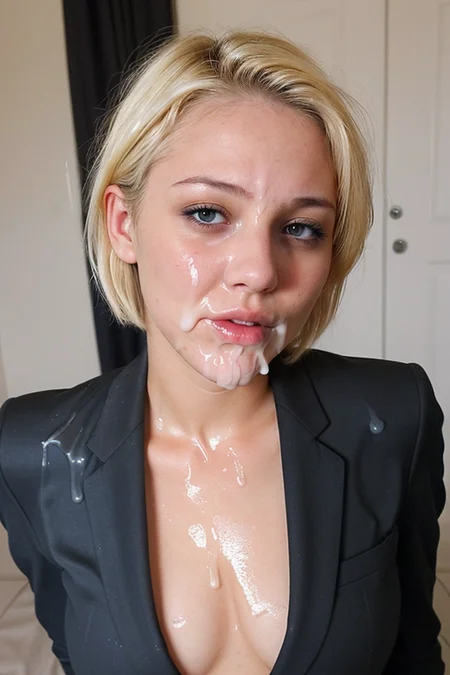


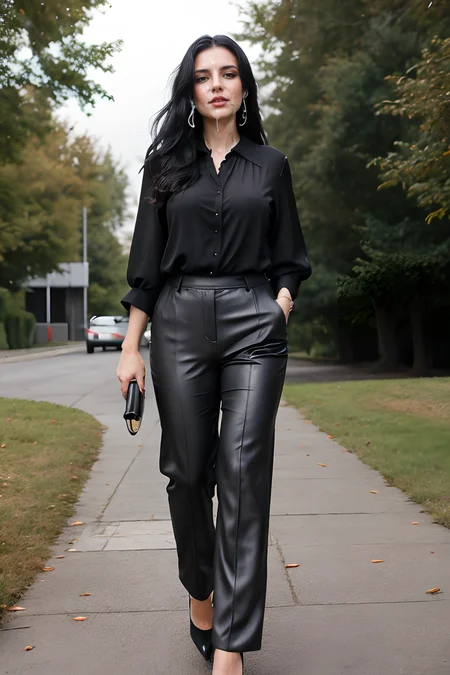
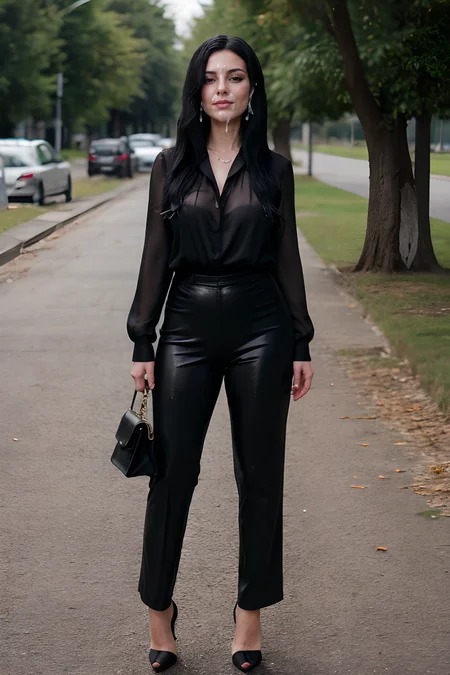


Suggested Sampler: DPM++ 2M Karras
Weight: 0.2-1
Further down is a guide on how to use and control it and also an example on how to use it in combination with inpaint or img2img.
Added Inpainting example workflow using a normal SD model and CompfyUI. Shows up as training data, cloud not upload otherwise.
Version 1.0
More subtle, better to control.
Version 2.0
More cum, works a bit better with dark skin. Experiment with different weights of the lora and use ADetailer to improve quality.
How to control it?
If you want to have some control over it, you can play around with the weight of the LoRA itself or with the weight of the prompt. In these cases I recommend to use only the cumfacial55 prompt.
Prompt weight
I got the best results when playing around with the prompt weight and leave the weight of the LoRA. Here is an example using the prompt:
<lora:cumfacial55:1>, woman, face, close-up, cumfacial55:1.0
The LoRA weight stays at 1. The prompt weight for cumfacial55 changes from 1.0 to 0.6 and then to 0.2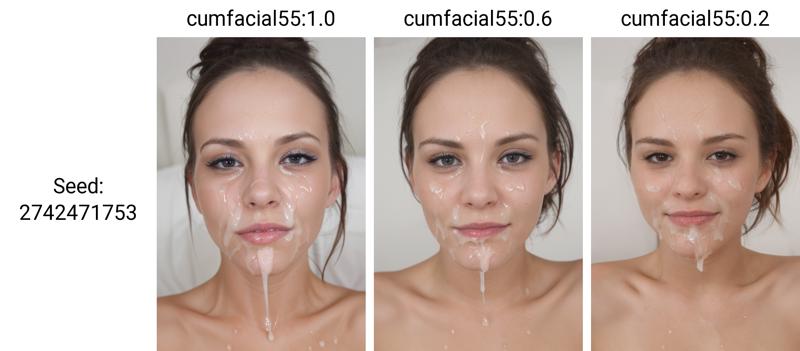
LoRA weight
You can also use the LoRA weight to get the desired effect. Here is an example using the prompt:
<lora:cumfacial55:1.0>, woman, face, close-up, cumfacial55
Here the LoRA weight is changed from 1.0 to 0.6 and finally 0.2: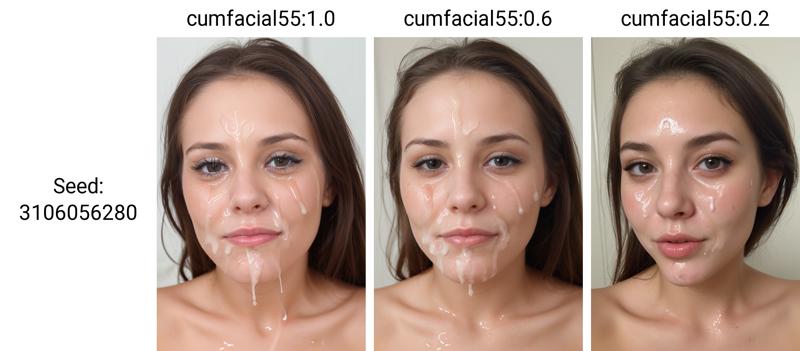
LoRA and Prompt weight
If you want even more control, you can modify both weights to get a very subtle effect.
Here the LoRA weight is locked at 0.5, while the prompt weight changes from 1.0 to 0.6 and finally to 0.2: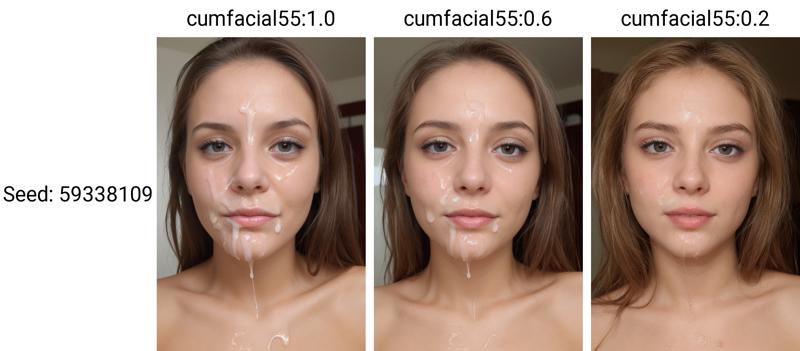
And here the Prompt weight is locked at 0.5 and the LoRA weight changes from 1.0 to 0.6 and 0.2: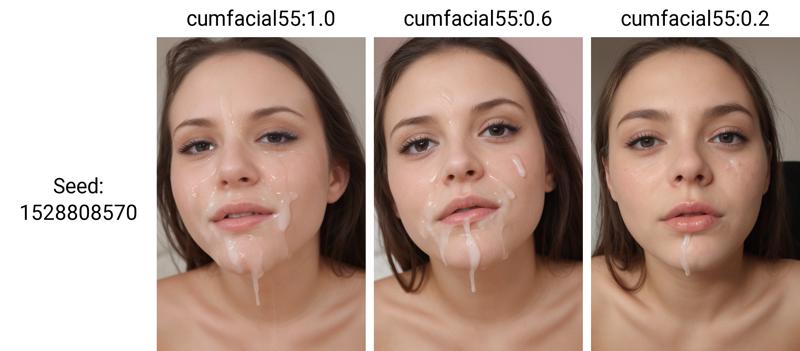
How to Inpaint
as usual, there are multiple way. As an example, let's use an image from my fictional model stella here

The lazy way
Use img2img and go with a simple prompt and a very low denoising strength!
load the image and keep the prompt very simple:
<lora:cumfacial55_v2:0.8> cumfacial55
Sampler: Euler,
Resize by: 1
CFG Scale: 7
Denoising strength: 0,1
You end up with something like this:
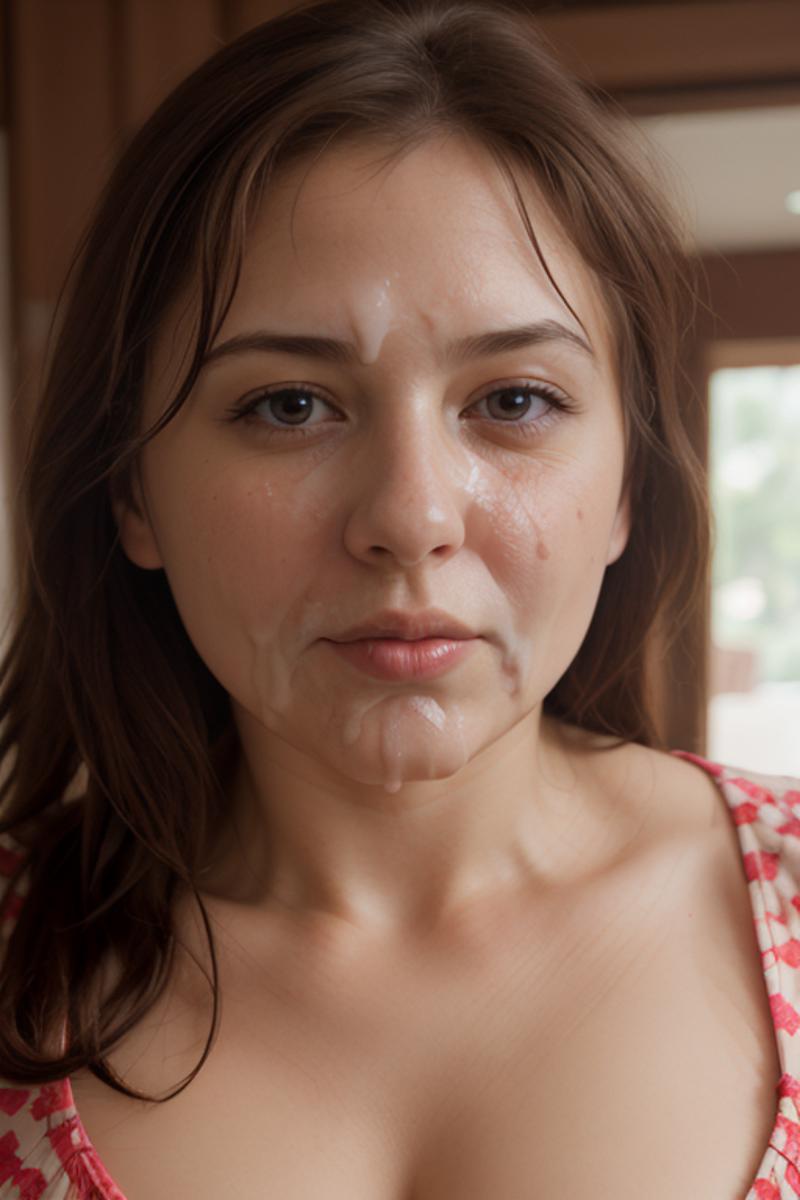
Not that bad, considering we put almost no effort into it. In most cases it modifies the mouth and the chin a bit, but all in all it's acceptable.
Inpaint
If you have a more complex image and/or just want certain parts of the image to change, you need to use Inpaint.
Load the picture, paint in the area that you want to change. Prompt is very simple:
<lora:cumfacial55_v2:0.8> cumfacial55
Mask mode: Inpaint masked
Masked content: original
Inpaint area: Only masked
Use a higher Denoising strength, you need to experiment a bit: 0.25-0.4 worked fairly well for me, but it depends on your image.
In this example I only painted in one side of her face and the chest area. You end up with something like this: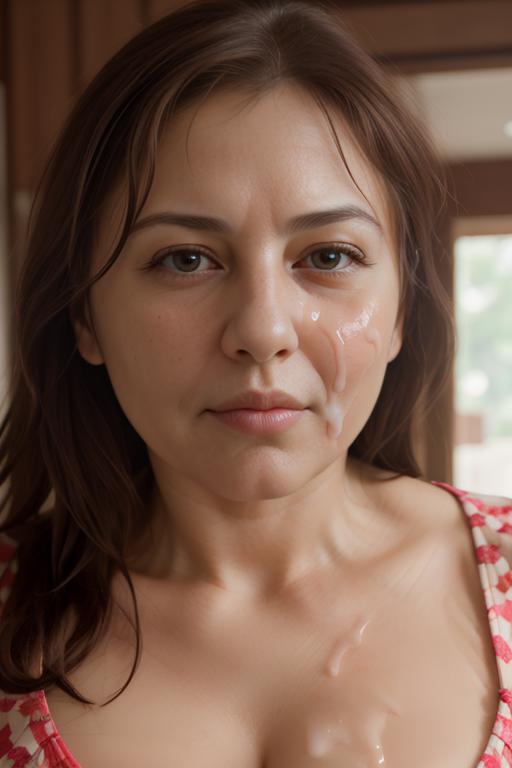
Target only the face
If you want to target only the face, the easiest way is to have normal prompt and then use ADetailer with a face model and have a dedicated prompt like <lora:cumfacial55_v2:0.8> cumfacial55 only for ADetailer.
That will give you something like this:
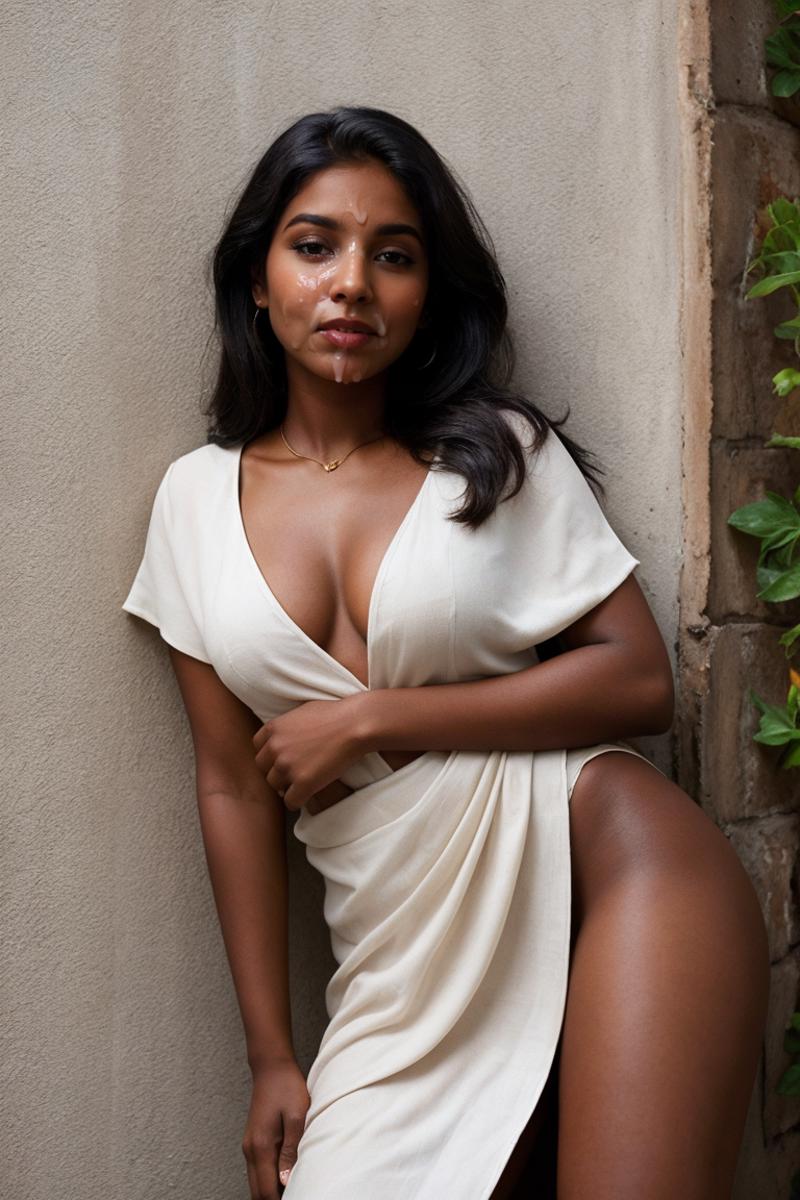
As an alternative you can use Inpaint yourself, but ADetailer pretty much does that for you in a faster and easier way.
Description
more cum, more training images, better with dark skin
Use V1.0 if you want it more controlled and subtle.
FAQ
Comments (21)
Any tips or ways to get this to work on inpainting? i'm having the hardest time finding a lora/settings combo to make it work
That depends on what you want to do.
I'm using AUTOMATIC1111, so I only have experience with that.
img2img and select inpaint. I use just resize, Inpaint masked, original masked content and "Only masked" with a fairly small padding. Resize by a scale of 1.
Only select small areas for Inpainting and use "<lora:cumfacial55_v2:0.8>cum" as only prompt.
That worked quite well for me when I tried.
Found a better way for inpainting with this LoRA. That way you won’t need to paint in using multiple steps with several tries.
Take the image you want to modify,
Mask Mode: Inpaint masked
Masked content: original
Inpaint area: Only masked
Prompt: <lora:cumfacial55_v2:0.8> cumfacial55
Keep the Denoising strength low: 0.25 for example
Keep the Seed random (-1)
If you have ControlNet: Use it. I had good results with Canny as Control Type to keep the facial features.
With a low enough Denoising strength you do not require ControlNet, but you might need to give it a few tries.
I only tested with the face, not sure how it works with other parts.
I've posted an example image for this with the before and after.
https://civitai.com/images/5214651
@astdio Hello there. I am pretty new to it and managed it to work, but then it doesn`t work now. Inpaint stays gray out area. I dont know how I managed to make it work,? Anything is missing. Is it normal to be such a trial and error to make it work.?
- And qualitywise, it is nice but I wish I could have it applied constantly on the impainted areas. And a knob to control it is shapes. I either get blobs or stripes. - You could try to train it with PremiumBukkake stuff. -youknow?
Do I just need 1000s of screenshots to train my own? (sorry for asking so much)
@sandlaphp There is a small guide to inpainting in the description of this LoRA. Normally it isn't too hard. The Automatic1111 interface has changed a bit with recent updates, but it still works. Make sure you use img2img > Generation > Inpaint and not Inpaint sketch or something. You can go with the default values, just select the size and the denoising strength and put it to "Only masked". That should already be good enough.
And yes, it's hard to control. As you want to preserve most of the original image it won't be too strong.
@astdio thanks, yes I managed it again, I needed another checkpoint, not the cumfacial55 LORA.
But in generell, why is it so hard to generate constant cum stripes and blops, where I inpaint.?
It gives you one blob and makes her face partially red.
How could you force it to make either cum or ignore it, instead of making her look like after a beating/slapping by her lover. - I just don't get it, why a textgen looks so much better. I have seen the ai create the face and then add the cum after.
So I assume it, I should in theory just "understand" > face > put cum pattern there. - it cannot be that hard, cum is pretty consistent by texture but just not in shape/pattern. AI guessing can really suck sometimes.
Did you train with extreme Bukkake too?
@sandlaphp I did not train with extreme Bukkake images.
> It gives you one blob and makes her face partially red.
That should not happen and was nothing I observed when inpainting. Did you look at the example in the model description? It has sample pictures too. I used my Flabbergast checkpoint when creating this.
Do not use inpainting in combination with anime checkpoints, that won't work well. When inpainting, mostly stick to the cumfacial55 prompt and do not use anything else. Also keep the denoising strength low.
@astdio for some reason I'm trying all of this and for the life of me can't get ANY results
@anonfaker Works perfectly fine for me. You have left "Masked content" on "original"? "Mask mode" should be "Inpaint masked". "Inpaint Area" is "Only masked". If you set your "Denoising strength" to 0 as a test it should not modify anything.
I can only assume you use a far too high denoising strength or multiple loras with the wrong prompts. Try to keep it as simple as possible.
@astdio yeah I did exactly what you said and nothing, are you using an inpainting model or regular model?
@anonfaker I mainly use my Flabbergast model when inpainting, but most realistic ones should work fine as well. I think I'll create an article about inpainting someday.
So I figured it out - I forgot that cum LORAs don't really work on Inpainting with Inpainting specific models - you need to use regular models you'd use for txt2img @astdio
I'm stuggling to get this to work. Is there a model you would recommend ? I have it set on Epicphotogasm and nothing's working.
Can you explain what you mean by "use ADetailer to improve quality"? I have trouble using ADetailer correctly, especially with LORAs that affect the face, like this.
What settings do you use on ADetailer? Same prompt as original image? Different prompt but include all words related to the LORA? Different prompt completely?
Would appreciate adetailed explanation
I use the ADetailer model face_yolov8n.pt with the main prompt that I use for the image and the mail negative prompt as well. I leave the rest on the default settings.
This is a facial model, so it was mainly trained on faces and it doesn't work that well with full body images, so I only use a face oriented model for ADetailer.
Im using comfyUI, I have been using the prompt -O to name the checkpoint. This file wont let me do this
Did you use your Stella model in the training? I ask because the lora keeps subtly changing faces to resemble stella's face, giving them her lips and bone structure.
No, the Stella model was not used during training.
to be honest, it does not work very well, at the moment you are using another lora (of a person) it does not work anymore.
Sorry if my English sounds a bit rough; I'm French (please be understanding). Well, personally, it works very well with inpainting. I think I've never had such good results with this LoRa. I'm using a bukkake model, maybe that makes a difference? In any case, I'm thrilled with the results using ADetailer, thank you very much!
I can't provide any results because they involve real people. I don't want to tarnish their image, and I believe it's prohibited here.
very nice lora. probably the best for inpainting. what are the rules for using it?
Details
Files
cumfacial55_v2.safetensors
Mirrors
162639_cum-facial-55.safetensors
cumfacial55_v2.safetensors
SD15_cumfacial55_v2.safetensors
cumfacial55_v2.safetensors
cumfacial55_v2.safetensors
cf_v2.safetensors
cumfacial55_v2.safetensors
cumfacial55_v2.safetensors
162639_cum-facial-55.safetensors
cmv2.safetensors
cumfacial55_v2.safetensors
cumfacial55_v2.safetensors
cumfacial55_v2.safetensors
Available On (1 platform)
Same model published on other platforms. May have additional downloads or version variants.