


You can now get all my LoRAs in one single package if you subscribe to my Patreon (including those not on CivitAI):
The Complete Catalog Download | Patreon

Colorize is a slider LoRA. Higher weight values makes the picture more colorful while lower values make it more dim. You can also use negative values to get a greyscale picture. You can use values between -5 and 5, but I highly recommend using values around 0.4-0.6 to avoid changing the colors too much.

This LoRA has been trained using Mistoon_Anime_v2 as a base, so if you want to get results similar to mine, I recommend you to use that model.
This LoRA also works very well with my Mistoon_Sapphire_v2 checkpoint.
I haven't used this LoRA on other checkpoint, but feel free to share your results in the gallery.

In the past few months I've had a lot of people asking me why their pictures are not as detailed or clean as mine. I've written a few articles about SD, but if you want to learn my exact workflow I highly recommend you to check out my latest one: My Workflow
If you want to test this (or other models), I have made an extension to help me create pictures using a variety of different tags. The previews images have been generated using my custom extension Ranbooru which scrapes tags from random images on gelbooru, safebooru and rule34.
If you want to learn more about my workflow, check out the guides below.

Learn how to create pictures like mine with my step-by-step tutorials:

I've got a lot of models here on CivitAI (and even more on Patreon), here's some of them:
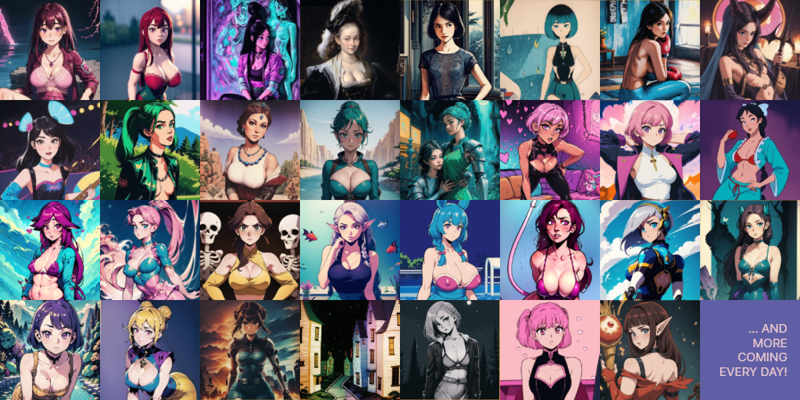
Initially I used to release every LoRA here on CivitAI, but after a while it became very time-consuming, so I started releasing only my favourite new LoRAs here on CivitAI while still releasing all the models for free on Patreon.
So if you don't want to miss a release be sure to follow me on Patreon (for free you don't need to sub if you don't want to) here:
https://www.patreon.com/Inzaniak
If you want to check out my other models, you'll find them here:
All LoRAs: Inzaniak - Catalog
Civitai: Civitai | Share your models
Patreon (Free): Inzaniak | Generative Art and Tech Blogging | Patreon
Patreon (All): Inzaniak | Generative Art and Tech Blogging | Patreon

I've started developing custom models for myself a few months ago just to check out how SD worked, but in the last few months it has become a new hobby I like to practice in my free time. All my checkpoints and LoRAs will always be released for free on Patreon or CivitAI, but if you want to support my work and get early access to all my models, feel free to check out my Patreon:
https://www.patreon.com/Inzaniak
I'm also open to commissions for pictures or LoRAs. Check out my Deviant Art commissions page:
If you want to support my work for free, you can also check out my music/art here:
Description
FAQ
Comments (6)
Works astonishingly well. The effect is dramatic and noticeable. Thanks so much for this, it's easy to use and makes a dramatic difference.
This does look like a good LoRA. I just hope there aren't a lot of people out there who haven't figured out what a VAE does who try to use this to boost the washed out colors they're getting without one, and end up having to push it to like +10 and then complain that it doesn't work or that it changes their image too much.
It should probably also be noted that the choice of VAE can have a lot of effect on color saturation and lifelike appearance. Some VAEs are made to be more muted, and some to be vibrant. So probably I'd recommend that people looking for more vibrance and/or saturation first check which VAE they're using. If they've chosen a more vibrant VAE and still want more, then they should try this LoRA. Changing VAE can have a huge impact on the color saturation, but negligible effect on the image composition.
Also... you know, I installed Ranbooru a month or so ago, but I didn't even notice that you had created it. I actually haven't tried it yet either. Eventually...
Encoder and decoder have nothing to colors at all. Colors you can change with simplest color correction.
We have only 2 real VAE checkpoints for SD 1.5, which are fp32 327Mb made by Stabilityai:
vae-ft-ema-560000-ema-pruned (pushed details, more noise)
vae-ft-mse-840000-ema-pruned (smoother image, lost details)
All others so called "Vae" are just finetunes which only distort image quality.
Also with fp16 pruned VAE you will lose details like eye pupils and nails.
(This comment just for other newbies who making first steps).
would this actually work to colorize black and white manga trained loras? did anyone actually try?
did you try this yet?
@OtherPerspectivenot as good as training on colored images but it kinda works. depends on how well the lora is.