


A workflow that creates characters, size then places them on your "canvas" and creates mask of the characters. I included some example usages I have for them.
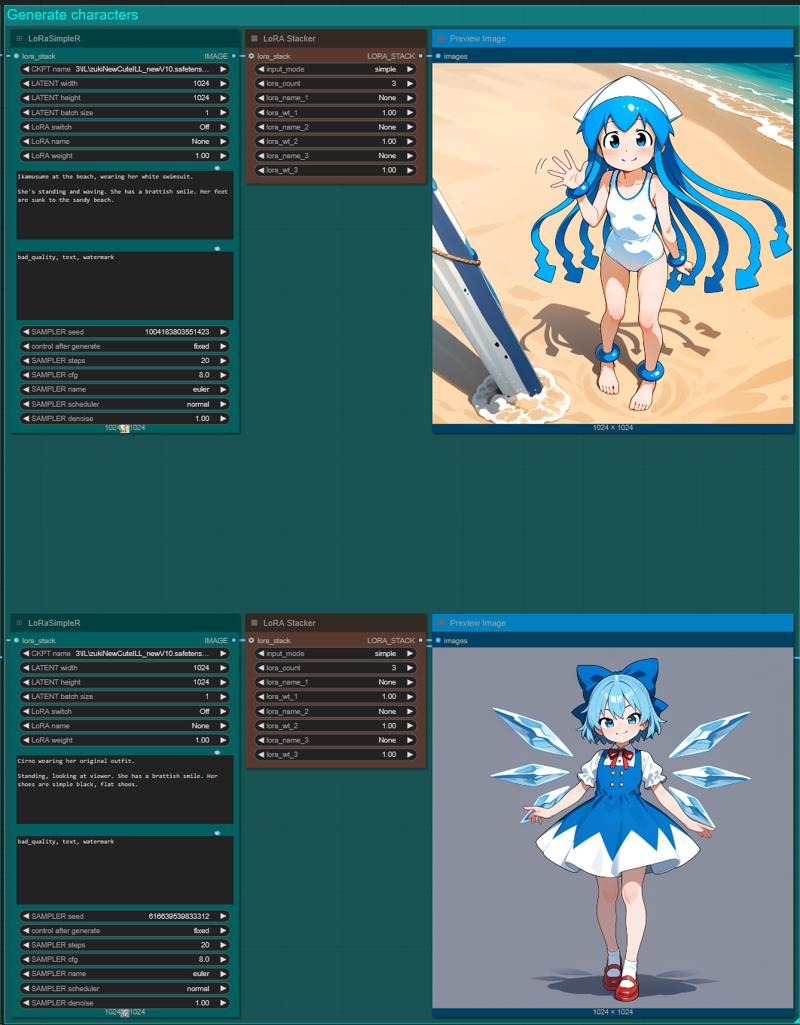
1) Generating characters:
Generate the characters, poses, base images any way you want. These will be used as the base for whatever workflow you have in mind for them.
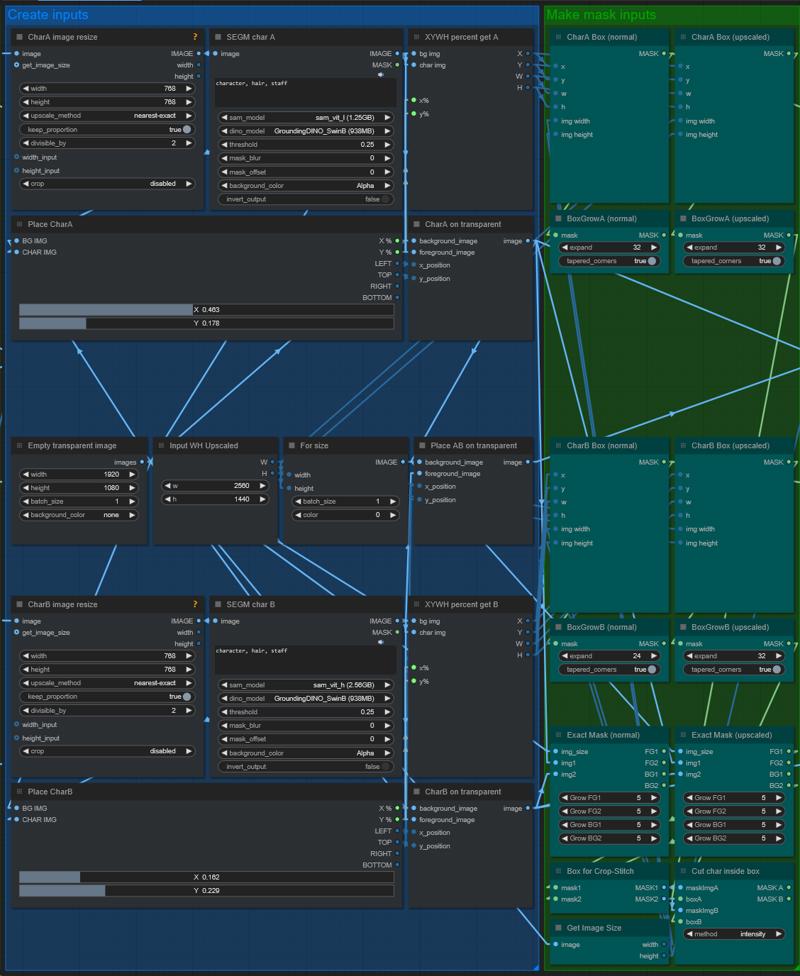
2) Inputs and generate images and masks:
Here you can resize the characters and place them (XY axis) on the canvas. The workflow will make separate and combined masks and images from them, the former you can use for inpainting, regional prompting, etc, while the latter will make it ideal to be used with ControlNet. You can also give an upscale size you might want to use for refiner/inpainting later on.
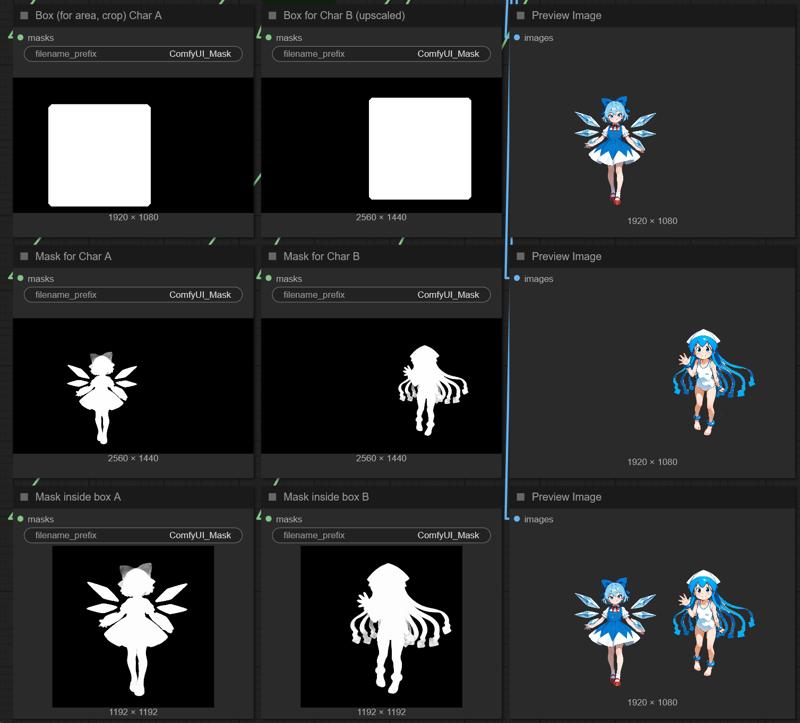
3) The generated masks and images:
The generated outputs will have both normal size and optionally the upscaled size for you to use. The masks have a character box (square containing your character), a cut-out from that box (I found this way very useful for cropping / stitching) and an exact character mask. The images will be on transparent background. Both the exact masks and images will have separate and combined versions. One additional thing I found useful for inpainting when the two characters intersect each other is having a separate foreground (FG) and background (BG) mask, the background one being only the mask of the given character with the intersected parts cut out of the mask, the foreground is the full mask.
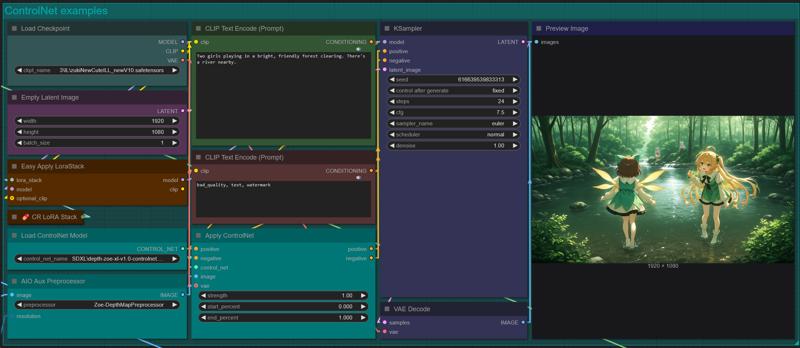
Examples included in the workflow:
Simple ControlNet using the combined image of the characters. Without specifying anything else it will behave as expected, I used depth in the example; it has two characters that are placed and have close to same general outlines as you define in the first 2 steps.
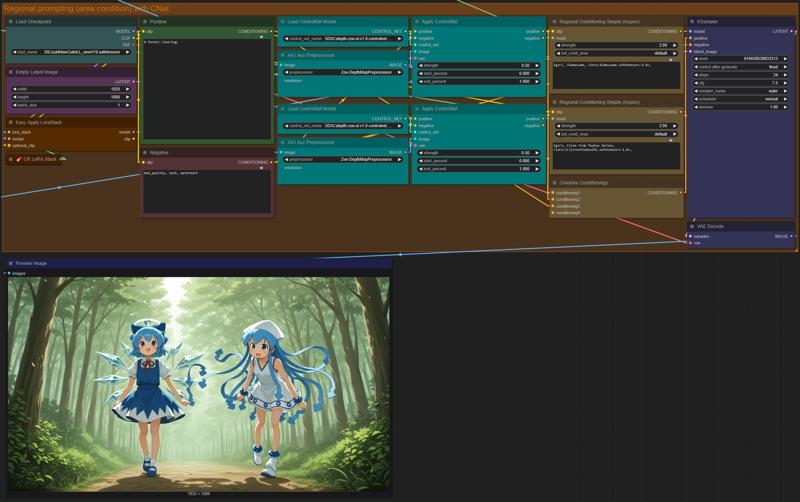
Regional prompting combined with ControlNet: for this I used the character boxes as the mask area for the regional prompts, and separately used the character images to apply ControlNet to each regional prompt. Decreased the ControlNet's strength so that I only have similar poses and placement. I have used the same characters as I generated as the base, with separate LoRAs, but making them into other characters work just as well.
Description
Removed old segmentation nodes, replaced with a fresh one.
FAQ
Comments (15)
I'm missing a bunch of nodes that seem to be a part of (In group node 'workflow>XYSlider for Box'), but I can't seem to find that.
Hello!
I'm going to revise that one since ComfyUI's numerous updates broken parts or the whole for a lot of people according to the feedback I got. Please check it out in a few days, hopefully I'll be able to simplify and fix it this week.
@yorgash Awesome, thank you kind internet stranger
@yorgash Any update on a fix for this? Thank you so much :)
I also interested
@jack_brennan901 Yes, I've reinstalled Comfy and fixed most of the flow, I'd say there are only a few complicated broken nodes left, but since I can finally progress as intended, I'll probably be able to release the fix this weekend. Took way longer than expected!
@Per4illo If everything goes well I'll have it fixed for the new ComfyUI this weekend.
any progress? Thanks
@yorgash waiting your update so much, thanks a lot for your work
@coppu Hello!
I have recently finished this one:
https://civitai.com/models/1747556/place-resize-control-add-style-to-2-characters-single-character-version-included
Which does more or less the same (plus a lot of optionally additional things).
In the next few days I'm going to make a simplified version of that one that does just the same as this one did, without the additional things.
Hey, Ive managed to add all the nodes and got the first two pictures generating but then it fails with:
Prompt outputs failed validation: CR LoRA Stack: - Value not in list: switch_2: '1' not in ['Off', 'On'] - Failed to convert an input value to a FLOAT value: model_weight_1, None, could not convert string to float: 'None' - Value not in list: lora_name_2: 'Off' not in (list of length 707) - Value not in list: switch_3: '1' not in ['Off', 'On'] - Value not in list: lora_name_1: 'Off' not in (list of length 707) - Failed to convert an input value to a FLOAT value: model_weight_2, None, could not convert string to float: 'None' CR LoRA Stack: - Value not in list: switch_2: '1' not in ['Off', 'On'] - Failed to convert an input value to a FLOAT value: model_weight_1, None, could not convert string to float: 'None' - Value not in list: lora_name_2: 'Off' not in (list of length 707) - Value not in list: switch_3: '1' not in ['Off', 'On'] - Value not in list: lora_name_1: 'Off' not in (list of length 707) - Failed to convert an input value to a FLOAT value: model_weight_2, None, could not convert string to float: 'None' SeargeFloatMath: - Return type mismatch between linked nodes: op, received_type(FLOAT) mismatch input_type(['a b + c', 'a + c', 'a - c', 'a b', 'a / b']) SeargeFloatMath: - Return type mismatch between linked nodes: op, received_type(FLOAT) mismatch input_type(['a b + c', 'a + c', 'a - c', 'a b', 'a / b']) Create Rect Mask: - Return type mismatch between linked nodes: mode, received_type(FLOAT) mismatch input_type(['percent', 'pixels']) - Return type mismatch between linked nodes: origin, received_type(FLOAT) mismatch input_type(['topleft', 'bottomleft', 'topright', 'bottomright'])
Forgive me for so long, but I will answer at least like that
just reload 2 LoraSimpler
slemes thanks buddy! to be honest I was trying to use workflows that were too advanced for me at the time! I will go back to it now I have a bit more knowledge
itsgeneralbuttnaked Thanks the spirit!
Hello. I was a little wounded up and your workflow works for me, but I have a question: why is Idle in loading after "XYWH PERCENT GET A" (both characters)? IDLE appears and WorkFlow stops. I have a suspicion that the main picture (background) does not load, but then how to make the picture first to be made, and then the characters?