EDIT: tutorial video added to the examples of the 1.0 version, take a look.
This is an i2v test workflow to generate seamless (or close) video using flow-two ComfyUI-WanStartEndFramesNative.
It's not perfect. if you got better solution for seamless loop, i'm aware.
details in the workflow.
help: RuntimeError: output with shape [1, 14850, 5120] doesn't match the broadcast shape [2, 14850, 5120]
it's pretty rare but sometime a random error can pop, can't find why, it's totally random.
solution: increase or reduce the video length to the next or previous step and re-run.
Description
FAQ
Comments (32)
One tip I've heard... Use the same first, and last image. Use prompting for everything in between.
I am having an issue with the workflow. I cannot quickly adjust the start/end frames because even with fixed seed it still will fully re-render the video again as opposed to just using the existing frames. In your guide at the top it say it is not supposed to do this. I think that of your workflow feature is not working.
Oh, Okay. It seems to work if I do it VERY soon after the render is complete. If I wait one minute it un-loads.
@ralphtandy be careful to don't touch any generation setting til the final result is saved. don't upload another image nor modify the prompt. it's note supposed to regenerate, it's a basic function of comfyui.
This works great, thanks!
It'd be appreciated if you could give clearer instructions on how to set up the parameters. I didn't understand much from the guide inside the workflow
i suppose you're right. i will update that.
how it work: i use the same image at start and end to try to do a loop with WanStartEndFramesNative. but it's not perfect.
so, i take the last and first frame of the loop and use the interpolation to generate the missing frames and close the loop.
this work well but it's very linear and not natural, this is why i say to be gentle.
the point of the frame skip, the last and first frames will be close, but don't loop naturally, so i will create a gap on purpose to be filled with end interpolation. or sometime the loop end too soon letting a blank at the animation end, same, i skip this frame to force a fluid loop. sometimes on a 100 frames video, i can skip until 20 frames (8 at start and 12 at end for exemple), but it's pretty rare. the point is having, 2 close frames for clean interpolation, not to close, not to far.
i use the preview image to choose 2 close frames.
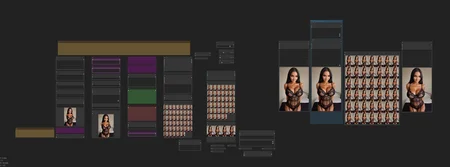
preview on the left: raw image at generation exit, without skip frames nor interpolation, not really useful
big preview on middle: result frames after frame skip, no end interpolation
small preview on the middle: interpolated end frames, first and last are auto-skipped, only the intermediate frames are used
big preview on the right: final result including skip frames and interpolation, the most important, i navigate between the lasts and firsts frames to see in detail how much frames i must skip to a fluid loop.
video combine left: final result, the most important, including frame skip and end interpolation.
video combine middle: full vid interpolation and save.
video combine right: video including frame skip but no end interpolation to be sure the end interpolation don't create a "jump" if the original video is a perfect loop by default.
hope this will help you. don't hesitate to ask if needed.
i add a video tutorial to the examples. maybe a little to fast, pause if needed.
If using a large WAN model, set virtual VRAM to a value big enough for the entire model- you do not want any layers moved to VRAM. When will devs get it through their heads that large models are read from RAM as they are used per iteration, and must not reside in VRAM?
hum, ok, i wil try that. i just do what the github told me.
🔄 Real-World Example
With a 12GB GPU running an 8GB model:
Set Virtual VRAM to 4GB
DisTorch moves 4GB of model layers to RAM
Your GPU now has extra VRAM for larger batches, higher resolutions, or longer video
thanks for the tip. did i just allow the model raw size to ram, i mean if the model size is 8gb i allow 8gb ?
no other parameters to take into account?
Thanks for the workflow - It is really nice to see it loop seamlessly!
I am having some issue with some renders in Anime style and some functionality that I'm not using in the workflow. Sometimes I'm getting some part of the image being stuck still while the rest is animated, not quite sure if it's 1 of the the 2 Lora fault.
1. When and how do you use the "Image Crop By Mask" node below the image reference? Seems I get a ratio error and not sure if it's because I've already rendered something before.
2. From my understanding, the total frame length in "WanImageToVideo (Flow2)" node are the (number of seconds * 16 frames) - Interpolation. So for example if I want 4 secs (16x4 {64 frames} - 3) = 61. I am thinking this is the way to get a seamless loop otherwise there might be some extra frames too many?
Note: I believe it was set to 24 frames by default, but that's Hunyuan frames. Wan does 16frames.
3. I am still not exactly sure what is the instructions order of bypass in the in the workflow. The instruction 3, "Turn the group on", do you mean to test the Start/End frames slider and when satisfied with animation, then turn on interpolation? Or is there something with the mask node too?
I think I use a load video and then feed to interpolation at this point so it doesn't render again.
4. on Step #4, "turn the group off again", that is the interpolation group?
Also, how would you adjust the sliders since I don't see what else to manipulate other than interpolation at 2. Start frames is always 0 and End frame always 1 no?
Thanks!
1. When and how do you use the "Image Crop By Mask" node below the image reference? Seems I get a ratio error and not sure if it's because I've already rendered something before.
---- crop by mask is optionnal, i use it only to reduce the input image size without third party software and to keep only the subject to animate, video generation is heavy, so i cut all the useless pixels for ligther gens.
---- i always random resize the image without any ratio aspect respect. the only error i got sometime is because of frame numbers generation, i just add or remove 4 frames and it work again. don't know why. so strange.
---- for you firsts tests, bypass the image crop and use the image of your choice, resize it in paint or anything if needed.
2. From my understanding, the total frame length in "WanImageToVideo (Flow2)" node are the (number of seconds * 16 frames) - Interpolation. So for example if I want 4 secs (16x4 {64 frames} - 3) = 61. I am thinking this is the way to get a seamless loop otherwise there might be some extra frames too many?
Note: I believe it was set to 24 frames by default, but that's Hunyuan frames. Wan does 16frames.
---- i read the wan documentation, inspect the code of ComfyUI-WanStartEndFramesNative, tried to modify it by my own and i've tried a lot of things and settings and i can't achieve a clean perfect loop, the perfect loop is like 1 on 20 gen or something like this. so, this workflow is the best way i found, i'm not a great dev, i hope the ComfyUI-WanStartEndFramesNative devs will find a solution for clean loop.
3. I am still not exactly sure what is the instructions order of bypass in the in the workflow. The instruction 3, "Turn the group on", do you mean to test the Start/End frames slider and when satisfied with animation, then turn on interpolation? Or is there something with the mask node too?
I think I use a load video and then feed to interpolation at this point so it doesn't render again.
---- yep, just, once you satisfied with your preview video, just turn the group on for a full vid interpolation and save. nothing to do with the mask.
4. on Step #4, "turn the group off again", that is the interpolation group?
Also, how would you adjust the sliders since I don't see what else to manipulate other than interpolation at 2. Start frames is always 0 and End frame always 1 no?
---- yep, just turn it off once rendered so it will not auto full interpole and save at the next generation. i've post a tutorial video some hours ago in the examples, did you see it ? this is the best way to understand the process i use and what the point of the sliders and how you're supposed to use it.
hope this will help you, don't hesitate to ask if needed. cya
@ekafalain Ahhh I just saw your video. I've totally forgot about the function that your render keeps in cash and you can re-render specifically the differences instead of re-rendering the entire thing.
That seems like an awesome idea - 1 issue is that I tend to render 10+ videos with 720p model overnight and that means I need a fully automated system.
It would be super nice if there was a formula to apply on the Start/End Frame so that it always loop at the exact same time depending on the total amount of frames.
1. Right, I guess that make sense to use a mask and re-render the style on top. I use a specific style that needs to be there on I2V, so I'm guessing I can't use mask.
2. I hope the dev of that StartEnd frame also find a solution. Have you made an issue specifying it and inserting your workflow? They might be able to either modify your workflow, add a new functions or find the perfect formula for start/end frame.
You might want to add the video explanation directly in the workflow description, will be visible to most people :)
Thanks for taking the time to answer and make a clear video, it helps a lot to see it.
@Catz sorry but i'm not sure you understand the mask part, it's just a basic crop function, the mask is not use anywhere else in the gen part. it's just an easy way to crop the input image to the good size. with or without, your image will keep her style. you can totally remove it or replace it by the basic crop node, don't care.
i don't find the "magic auto perfect loop" gen for now, fully auto is not available BUT you can split the workflow in 2:
on the left, you just batch gen your videos, you remove all the skip frame part, your video will gen during night and saved raw on the hard drive without interpolation or anything else.
then another workflow, but this time, you remove all the generation part and just keep the skip frame part, you replace the gen part by a "video upload" node, then you do the optimization part by hand on each video.
this will be faster than gen->optimize->save, gen->optimize->save, etc,etc. just gen->gen->gen, etc then optimize,save->optimize,save->optimize,save, etc etc
we will call that, semi-auto ;) (warning, you may lose a little in quality due to the dual h264 compression first on raw gen, then second in optimize, the best way will be to save frames, not video, then import them with an import frames node)
i'm not sure if it's clear, ask if you have questions.
finally, no, i don't do an issue for now, for what i've see on my code modification test, i'm not sure it's possible, but like i said, i'm not a good dev.
@Catz thx for the tip,<3
@ekafalain Ah that's a good idea to render all queue without frame skip and then re-frame skip. I believe ProRes is a lossless codec in the list, which mean I could render the first batch in ProRes (.mov) and then compress in h264 (.mp4).
Any tip on which node are in charge of frame skip? I'll have to try and dissect your workflow - "WanImageToVideo (Flow2)" into a Ksampler is a first for Wan for me.
Unless you think it's easy enough to make a workflow and divide both part into bypass groups and upload as a new version for this workflow page :o ?
@Catz yeah, really easy, here the to modified workflows,
this one is gen part without skip frame part. i replace the "load image" by "load image from dir" and set the seed to increment. the workflow will process an image, once done, increment the seed an process the next one, this will continue endlessly except if you use a image load cap. i put a video combine with save on at end, forgot to set to prores, i let you doing it.
https://www.mediafire.com/file/oinn92xvyf14blr/catz_workflow_1.1.json/file
This one is the skip frames part without the gen part, just replace the gen part by a load video node. https://www.mediafire.com/file/8y9m8kltlll9nkh/catz_workflow_2.json/file
oopsie, i've do a small modif on first workflow, be sure to use workflow 1.1, link above edited, the seed now increment the start index of the load from dir to avoid loading the same image forever.
edit: "image load cap" in "load image from dir" node must be set to 1 or all the directory will be loaded not the image 1 by 1.
edit2: it's not really good, because if the seed is higher than the number of image in the directory the program stop, my bad, i was sure this will loop :/ there is better solution i know, but i can't look now, i need to go to bed, i do this quick, sorry for the errors! i look tomorow, cya
@ekafalain Ouuu thanks a lot man! I now see what you mean by separating both section.
I'll that a spin tonight for what I need. I think this will be perfect for every videos that requires seamless loop,which is many as it emplify the video quality when wanting to show an effect or a pose.
@ekafalain Ohhh I see. Thanks for looking into it and testing it out. I'll try some stuff, but will wait for your findings at the same time. Thanks for the heads-up!
@Catz i've found a solution, the images in the directory will be incremented at each gen in an infinite loop, once the last image done, the loop restart at first image. the same image can generate multiple videos but with different results due to different seed. here the workflow. the only way to stop it is manually (or a computer overheat maybe). https://www.mediafire.com/file/v83jd6tzrfuio32/catz_workflow_1.2.json/file
@ekafalain Awesome thanks! I'll give that a spin tonight!
@Catz hope i'll can see the result ! have fun !
@ekafalain Hey! Still doing lots of testing with your workflow. Trying to figure out how to reduce the amount of render time because 720p model takes ~30minutes for 45 frames.
I guess time isn't an issue if it work, but I'm just trying to understand why you chose the Ksampler node instead of SamplerCustomAdvanced?
@Catz wow, what's your pc specs ? i think i've done my best to optimize the workflow before posting it. 45 frames took me something like 3/4 mins (ryzen 7900x - rtx4080 - 64gb ram). maybe you'll must use the 480p model with upscale. i can't find an upscale setup that satisfy me and the 480p model is globally less good than the 720p, this is why i've done my best to use the 720. but a good setup is required.
@Catz i forgot to answer your question, initially i've tried to change the sampler and some other things, especially cuz i want to use the split sigma feature but it never worked. i supposed flow2 start end can work only with ksampler. but, i just take a look at the original workflow by flow2 and i see he now use a custom sampler with split sigmas !!!!!! nice, i'll test that right now. if i got good results i'll update the workflow, be aware. https://civitai.com/models/1400194?modelVersionId=1589151
EDIT: firsts test looks awesome, 2 minutes gens @ 304*720 45 frames. update of the workflow will be done in some hours i think.
@ekafalain Hey! got pretty busy. My PC spec is 3090 (24gb vram) + 64gb ram.
Yeah 306x720 45 frames takes 100secs, but I'm trying to render at 1280x720p to have best possible output result, unless you have a trick to render in 306x720 while keeping full quality of image reference then upscale and have good quality for a final output of 1920x1080? My previous attempt introduced artifacts and grains so it felt meh. Not sure if that's the case for realistic style output.
I've had issue finding good lora for some pose, but you made me think that I should definitely test them at your resolution, then when I'm happy with movement, full on 1280x720, otherwise it take ages.
I'll try out your new workflow! Seems you were successful in adding the SamplerCustomAdvanced.
Ok your newer workflow is extremely better than your first version, congrats! Way faster and super on point with the seamless loop! I wonder if I can adjust the number of total frames and output frames without having loop issue. Back to more tests!
Also, I believe the image needs to be fed in the "Clean VRAM Used" node then feed to Resize Image and Color Match Image nodes? I think when you switched the image node it might have been an oversight.
@Catz hey, i'm a little busy too, so i'll just do a quick answer, 1280*720 is a crazy resolution ! i understand why it's this long, it's maybe a little too soon in the AI video generation world to work on this kind of resolution ^^ i mean, you can do this by using upscaler, but the quality video will be far than the original one, i don't really like the upscalers render, i only use this to resample the image after, but this kind of technique is not efficient for videos for now. i never even think about doing a 1080p video, i'm really happy to generate really clean 720p video so fast for now.
so, no, i don't have any solution to your problem, i think we need to wait a little more to 16:9 1080p vids.
"you made me think that I should definitely test them at your resolution, then when I'm happy with movement, full on 1280x720, otherwise it take ages"
i'm pretty sure this will not work, just changing wide or height of the latent by some pixels (even 1 pixel i think) change the output. i'm not 100% sure of what i say, do test !
"I wonder if I can adjust the number of total frames and output frames without having loop issue"
i don't use this workflow enough and do test enough for answer that for now but i think it's not a problem.
"Also, I believe the image needs to be fed in the "Clean VRAM Used" node then feed to Resize Image and Color Match Image nodes? I think when you switched the image node it might have been an oversight."
yeah, you're right ! my bad, i will update the workflow. thanks for the feedback.
last thing, seen you're from quebec, did you spreak french btw ?
i'm really curious to see what you can do with this workflow, your gens are pretty cool ! have a nice day :)
(finally that's not a quick answer)
@ekafalain Yeah I've been successful in generating 1080p videos! Quality are same as the input, it just take 30mins to 1h, which is fine when everything is automated and I can leave my PC running.
"i'm pretty sure this will not work, just changing wide or height of the latent by some pixels (even 1 pixel i think) change the output. i'm not 100% sure of what i say, do test !"
Ah you might be right- I'll have to try that. I know from tests that the Seed + the total frames does depends on the final generation, but didn't thought about the ratio, so I hope not, because I don't want to wait 30mins just to see if the gen is good hehe.
Currently I've tried various output and they all loop very well! Since WAN normally do 16fps, I would not get good loop if I modified the total frames and fps, so I keep everything at 24 and only at interpolation I make it 32fps output. The current 24fps make the animation a bit too fast than normal. When I get the 32fps output at the end, the speed is back to normal.
Currently doing lots of videos for a project I can't post here, but I am going to try to post some other cool stuff that I've made images of in the past when I get 100% comfortable with the workflow.
Right now I am still not sure about some specific WAN lora effects, so testing a few. Also I am still not sure how Wan prompt worked. I mastered Hunyuan prompting, but Wan (mostly I2V) is a totally different game.
And yep Québec, poutine, sireau d'érable, tabarnak! From your time response, I can guess you're in Europe, so maybe if you're asking, then perhaps you're from France or Belgium?
@Catz "Ah you might be right- I'll have to try that. I know from tests that the Seed + the total frames does depends on the final generation, but didn't thought about the ratio, so I hope not, because I don't want to wait 30mins just to see if the gen is good hehe."
did you try the wan fun model? i never try but it seems you can have a better control of the generation with things like controlnet.
or maybe you can try a vid2vid workflow, generate low res vid + upscale and use it as an input at high res generation in a vid2vid workflow.
or the dev of WanStartEndFramesNative post this workflow, i don't try it, it's surely faster, but not fast enough for you i think. https://civitai.com/models/1385056/wan-21-image-to-video-fast-workflow?modelVersionId=1655971
"Currently I've tried various output and they all loop very well!...................."
good to know ! i will do test with this setting and try 24 multiples. for a smooth result you can try to increase the final interpolation from 2 to 3, a 20fps vid in input will be a 60fps vid at output. but a too high interpolation number can create artifacts on fast movements, be gentle.
"Right now I am still not sure about some specific WAN lora effects, so testing a few. Also I am still not sure how Wan prompt worked. I mastered Hunyuan prompting, but Wan (mostly I2V) is a totally different game."
maybe training your own wan lora will be a better solution for clean results and really understand how it affect the gens. civitai loras are cool but training method are so varied, sometime too much trained, sometimes not enough, sometimes tmi, sometimes not enough.
I generally prefer to use my own trained lora. i think the loop issue in my workflow is due to the loras trained on different fps video and for sure, not on seamless loop at all, i think a lora trained on seamless loops video generated with my workflow with constant framerate and resolution could be pretty awesome. i want to try that someday, for now i'll wait a little more in hope a revolution allow me to train locally without blocking the computer for 2 days, but i think i will at least do a try on an online trainer soon, at least to answer the question, did a seamless loop lora generate seamless loop vids.
for the prompt i use the one in the lora civitai page or i take a look inside the lora to see what prompt the lora is trained with if available. the only thing i know about wan prompting is you need to use phrases like flux, not tags like sdxl.
i'm from france yeah, you know, baguette, fromage, grève, grande gueule :D as long as we're talking here, we will continue to use english but if i found a cool workflow that can help you, i'll send you a PM probably in french.
cya