


How to create realistic advertising photos with SDXL & SD1.5 in Invoke AI 3.1.0 with matching backgrounds?
In a nutshell:
We use a real photo of a person or object and remove the background. Then we save it as a PNG file with transparent background. In Invoke AI 3.1.0 we drop it into the Unified Canvas adjust some settings add a Control Net and let the AI create matching backgrounds based on our PNG file and prompt. Download the PDF guide!
UPDATE: I also created a Node Workflow for Invoke AI 3.1.1 - it's so much easier with the Node Workflow. Here is the link: https://civarchive.com/models/145921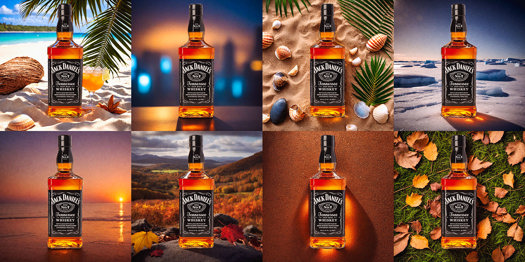
Description
Advertising Photos with SDXL & SD1.5 in Invoke AI 3.1.0 - PDF guide v1.0
FAQ
Comments (5)
Would this work similarly in comfy UI using the same control net?
yes it should, you can also try canny control net. I just did a nodes workflow for Invoke AI but I have to polish it a little bit more before I release it. Im a beginner when it comes to nodes.
Exactly, what is the point using InvokeAI instead of Automatic1111 or ComfyUI?
literally has everything comfy has but way better implementation. easy model installs, better workflows.
I am trying to make this work but I cannot replicate.. it never creates the background. Every time it just makes some weird background. I copied the prompt and workflow entirely (or so I thought) and I do not similar results. Can anyone help me out with this?