
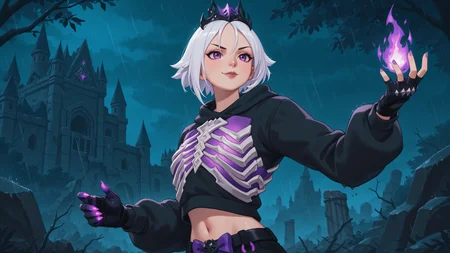




Note: As I mentioned earlier, I am working on retraining this model to make a couple of necessary corrections to help stabilize the generation.

However, you can also get it to work decently using the following method:

- First I generated an image in 1280x720 resolution, only using this Lora with a weight of 0.3.
The image is not of good quality, but the composition is just what I was looking for.

- From this image as a base, I sent it to image2image in a 1920x1080 resolution, replacing this model with any other that increases the image quality.

- Finally, already having a very good quality image, I sent it again to image2image with a resolution of 2560x1440, but reducing the number of steps to half (this to work as an upscaler).

This method helped me to generate beautiful images without unwanted artifacts.... JUST WHAT I WISHED FOR!!!
I know that the model as it is, did not have much prominence. But that one time I used it, it generated an image that I could work with later, that is, a good composition without anatomical deformities.
"I'm sick of not being able to generate good images with horizontal resolution... This model should help with that".
• Wallpaper Resolution •
Activation Tags: WallRES,
• Training Data •
Images: 426
Epochs: 10
Repeats: 1
Steps: 1420
Description
NOTE: This model presents errors due to overtraining. However, it is perfectly usable with very low weights and especially with the method mentioned in the main post.Comments (1)
Not exactly sure why you would need to use this since you can render images with an aspect ration of 2560x1440 using hires fix at 2x with a resolution of 1280x720.
I would try setting the hires fix denoising strength to 0.33 and the steps to 12 and that should fix any weird issues with upscaling.
Also using aDetailer for the face, eyes, and any other features would help improve quality too.
When I tested with your model I could tell however you trained it, it was definitely overfit. you realistically should be able to push the lora's weight to 1.0 as that is the same as running the lora at 100% since it uses float-point integers to determine weights. A good lora should be able to work from ranges 0.1 to 1.0.
I hope this helps, let me know if you have questions on lora training or anything related to the software!~
Looks like we don't have an active mirror for this file right now.
CivArchive is a community-maintained index — we catalog mirrors that volunteers upload to HuggingFace, torrents, and other public hosts. Looks like no one has uploaded a copy of this file yet.
Some files do get recovered over time through contributions. If you're looking for this one, feel free to ask in Discord, or help preserve it if you have a copy.