


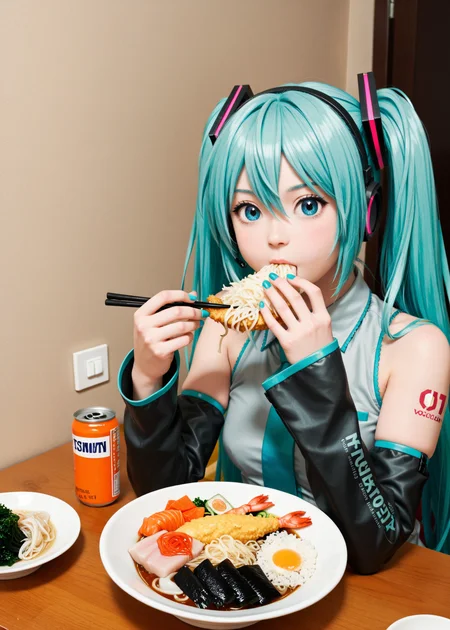

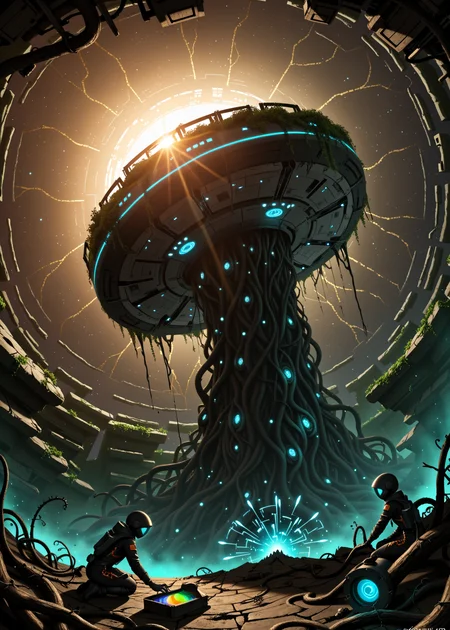


This model has previously been named AnimagineXL Realistic or Stylistic and Make Art Not Goon.
What makes this model special? I prioritized prompt following and composition, making it excellent for art. This makes it excellent at NSFW as a consequence, not by over training on pr0n at the cost of general knowledge, like many other models.
How did I do this? I took the under-appreciated Animagine XL v4.0 because it was well trained from scratch on SDXL 1.0 Base for character knowledge up to Jan 2025. The prompt knowledge of the clip + model is something really special. With the right tags, it is rather artistic and magical with lighting, shadows and composition. CagliostroLab have a discord too. I didn't use "Opt" or "Zero" in the mix, as I think they broke the magic with those.
I think the style and prompt following peaked in v5, and I pushed too hard to improve realism in v6, v7, v8. I also focused too much on integrating DMD weights to get faster generations with all samplers - both normal samplers and LCM samplers.
v9_wip update
It's a work in progress, using the animagine clip with illustrious weights, but maintaining prompt following. For general photorealistic generation, end the prompt with explicit or safe followed by:
sharp focus, depth of field, fine hair strands texture, photo \(medium\), photorealistic, realistic, masterpiece, high score, great score, absurdres
And negative:
ugly, blurry, lowres, worst quality, low score, bad score, text, sketch, drawing,
Previous versions
Check out the workflow in the "Training Data" download! The v8 model is basically tuned for ddpm at cfg 1, 20 steps. However, Euler a works almost as well, and LCM is particularly good as a first pass for architecture, strong shapes, followed by a ddpm pass to add more detail.
Many of the early versions are designed for low CFG. If you want to use cfg > 1 then add the cfg norm node in comfyui to stop burn!
For characters, the prompt format is:
1girl, name, series, rating, stuff, ... , stuff, ..., stuff, ... , masterpiece, high score, great score, absurdres
1girl, remilia scarlet, touhou, safe, riding a horse, sunset, masterpiece, high score, great score, absurdres
Prompting guide for Animagine: https://cagliostrolab.net/posts/optimizing-animagine-xl-40-in-depth-guideline-and-update
You don't need to add masterpiece, high score, great score, absurdres to the end of the prompt - it is tuned to work without it. Only add it if you want more anime style.
Version History
v9 - ⭐⭐⭐ - It's almost an entirely new model. The clip encoder is the same, and the clip attention layers come from v5, but many of the weights are 50% or more from realistic illustrious models. Photorealism is better, prompt following is ok, hands and eyes are a little better.
v8 - ⭐⭐ - Heavily reworked the original Animagine 4.0 to maintain dynamic range in lighting and shadow, knowledge and prompt following, and vastly improved photo-realism.
v7 - ⭐⭐ - Squeezed a little more out of Animagine by optimizing specific booru tags and darkness.
v6 - ⭐⭐ - Quite a leap in prompt following, realism, and surrealist art.
v5 - ⭐⭐⭐ - Improved prompt following, shadow and light dynamic range, better artist style flexibility, and good anatomy and acceptable hands. It's still a bit more horny than I'd like but it's difficult when all the realism models excel at XXX.
v4 - ⭐ - An improvement in anatomy, realism, highlights and shadows. It also follows closely to Animagine XL 4.0. Unfortunately it became more horny, use "safe" in the positive and (nsfw, explicit) in the negative.
v3 - ⭐ - I focused on improving the prompt following from the base model, face expressions and only "good enough" photo-reality. Works with wider range of samplers, steps and cfg.
v2 - more photorealism but less authentic to Animagine and broke lighting and expressions.
v1 - quite authentic to Animagine, but noisy except with specific samplers.
License
This model adopts the original CreativeML Open RAIL++-M License from Stability AI without any modifications or additional restrictions. The license terms remain exactly as specified in the original SDXL license, which includes:
✅ Permitted: Commercial use, modifications, distributions, private use
❌ Prohibited: Illegal activities, harmful content generation, discrimination, exploitation
⚠️ Requirements: Include license copy, state changes, preserve notices
📝 Warranty: Provided "AS IS" without warranties
Please refer to the original SDXL license for the complete and authoritative terms and conditions.
Description
Improved everything: especially lighting, but also prompt following, anatomy, hands, authenticity to the original model. The clip and VAE are identical to Animagine XL 4.0 base. The Unet weights are as similar as I could get them. It can do artist styles, 2D and some photorealism.
FAQ
Comments (15)
I'm thinking of splitting the model and releasing 3 variants of Animagine 4.0 models on civitai:
1. AnimagineXL Authentic - maximum authenticity to artist styles with improved speed, hands, anatomy.
2. AnimagineXL Realistic - authenticity / realism balance (this checkpoint's goal)
3. AnimagineXL Cyberrealistic - maximize photorealism.
just make one model.. commit and perfect the one variant. diversifying is a zero sum game.
@axicec thanks for the advice! Which version do you prefer? Have you tried doing any merges of mine with 4.0/opt/zero at low weights to get any affects you prefer?
If you think it is necessary and helps to hone the results the models outputs then split the model. Or start a new model with the focus on realism/photorealism. I am not a model designer, so i cannot say what works best in a given environment. Thanks for the model as it is now btw. - works great!
Realistic version= maximize photorealism .... simple and understandable
and many versions = I don't want to read this complicated stuff
If you do this I would say limit it to two variants for reasons of self preservation =p Selfishly I would want Authentic, an artistry tuned cyberfix, though Realistic and Cyberrealistic would likely be more popular. NEOAingDiffusion and UrangDiffusion have done similar work on artist styles, they cover fewer artists than RouWei but the expression is top knotch. And there is an animagine-cyberfix, but no model has combined both of these aims. It would be a feat!
I'm gonna list a few tricks that might help with prompting Animagine.
'edge lighting' : if you want a contre-jour shot this tag seems to deepen the shadow and really improve the feel of the picture. I used it on my fairy in the metro pictures, for example
'japanese architecture, japanese temple': put it in your negative prompt if you do anything that isn't set in Japan. Animagine is obviously biased toward japanese style. With those tags you'll avoid getting japanese style columns and roofs. It's very useful for wood buildings and temples.
'(((watercolor)))' in positive, 'photorealistic, painting' in negative: If you want to tone down realism it seems to do the trick. painting in the negative help avoiding the risk of having a literal picture frame in your image.
'oversized eyes': again it might help tone down the realism and gives some charm to the character (that's subjective). I bet you run the risk of getting some kind of bug eyed monster if you crank up that tag. 😅
If there's interest I might do an article with some examples images and more stuff.
Painting is not an actual tag on danbooru, and probably matches all of painting \(object\), and painting \(medium\) which can be used to separate out these concepts.
Nice, I should really think about looking for the tags on danbooru! I would cut down on useless gens and spare my poor GPU.
I highly recommend the Tag Autocomplete userscript for the civitai generator. Makes it easy to vaildate if what you're prompting is a real tag or to explore what's available with a partial string. There are similar extensions for comfyi and a1111 for your local gens.
@allamalla That's awesome, I edited the script to work on my setup.
RE: <If there's interest I might do an article with some examples images and more stuff.>
I'm very interested!
This model is great, but I'm new to it, and I'm finding your tips very useful. But of course, I totally understand if you're busy, I'm just registering my vote.
I like what I am seeing so far
Thanks! The animagine team training such a good clip and unet was a good base. I'm hoping v6 will be even better. I'll be uploading another beta soon that improves faces and hopefully art styles and general. https://civitai.com/models/1646335