

This pack has two nodes, MultiLora Loader and Lora Text Extracter. For detailed instructions & diagrams see the github repo because I don't feel like typing everything again,
https://github.com/skfoo/ComfyUI-Coziness
Installing
Put the MultiLoraLoader.py file into ComfyUI's custom_nodes directory. You'll find MultiLoraLoader in the 'loaders' category, and Lora Text Extractor in the 'utils' category.
MultiLora Loader
You use MultiLora Loader in place of ComfyUI's existing lora nodes, but to specify the loras and weights you type text in a text box, one lora per line. Each line is the file name of the lora followed by a colon, and a number indicating the weight to use.
Lora Text Extractor
Lora Text Extractor let's you write a prompt with loras specified like Automatic1111. It takes text input and filters it into two text outputs; one is the text with lora information removed which you can feed to CLIP Text Encode, and the other text output has the lora information which you feed into MultiLora Loader.
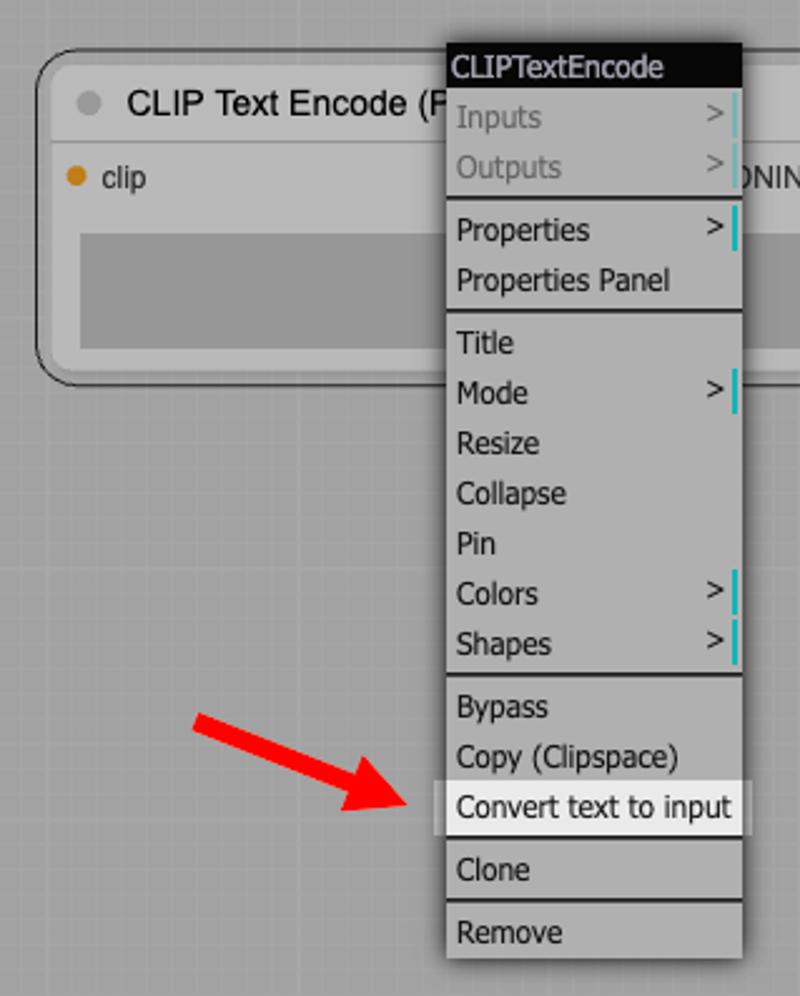
To connect to those nodes (CLIP Text Encode and MultiLora Loader), you have to convert their text boxes into inputs by right-clicking them and choosing that menu option.
What's next for this?
Nothing! Probably. These nodes are really handy so I wanted to share it. I'm surprised that nobody's made these nodes already.
Description
FAQ
Comments (4)
I separated my LORAs into subfolders:
...models\loras\SDXLLORAS and loras ...models\loras\15LORAS
what is the correct way to activate them? Thank you!
Also would like an answer to this as i recently stumbled across this node and am having issues getting it to load from a folder.
Thanks for multi-LoRA loader, can it be compatible with autocomplete extensions? What about a text extraction tool for separating A1111 style prompts from LoRA requirements?
太棒了,感谢你