

Join The Tinkerer on Whop. Membership gets you early releases, private tools and a bunch of extra stuff.
👉 Join on Whop
💬 Join the community for support, free tools and early news on Discord
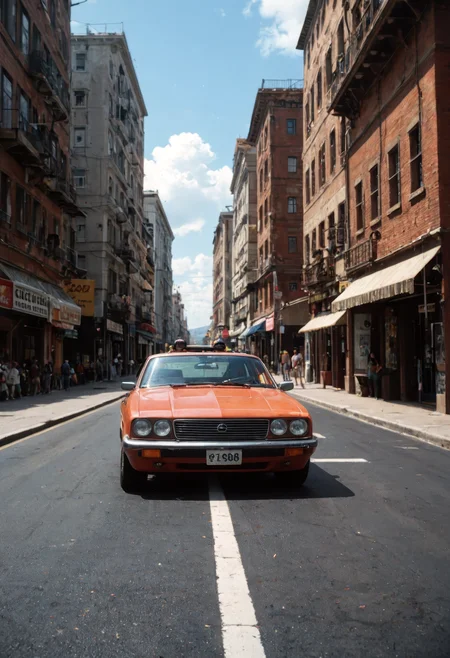
This Positive Embedding (TI) can assist you in achieving a more realistic result.
Download negative TI here.
How to use
Download the file and save it to your "embeddings" folder. If you're using A1111 WebUI, the folder path is typically stable-diffusion-webui/embeddings. For other programs, please refer to their respective documentation to find the correct location for embeddings.
After placing the file in the designated folder, you can use the embedding by entering its name into the "positive prompt" box at the start.
CyberRealisticPony_POSV1,Description
Compatible with all Realistic Pony checkpoints.
Sample images: CyberRealistic Pony V8.5
FAQ
Comments (27)
Should we use this one for v8 too? Since it's the same name..
You can use it for V8. But what's the same name?
@Cyberdelia (CyberRealisticPony_POSV1.safetensors), then i'll replace it with the new one in the embeddings folder.. Thanks!
I have another question, if we put the pos embeddings, should we still need the score9, score8 etc...? Or it replace it?
@LerestesunirIA this replace that.
PSA: this will make absolutely any prompt rating_explicit, lol
Oh, absolutely! Just sprinkle a bit of chaos, and voilà.
But I think I see the problem. Will try to correct this.
So you are trolling us, haha. Very funny.
I don't quite understand you right now.Trolling? Me? Never! I'm just here to add a little sparkle to your day :)
@Cyberdelia i see people now are using with sex prompts, and man they dont understand whats the problem
Wait. You are genuinely not trolling.
The problem is very serious. My testpose is sideview doggystyle, because its hard for many realistic models.
Your model can do that pose easily, but i enabled this and got 5/5 solo girl. I thought its for safe.
@ayidencayman872 no not trolling :) but I will check it out. (Not trolling part but the results)
@ayidencayman872 you can prompt specific sex prompts that have good result? tell me more!! :D
how to enable this with fooocus
Put the file in the embeddings folder.
Then, in the positive prompt type. "YOUR PROMPT", embedding:CyberRealisticPony_POSV1
@hujakuja Thank you 💖
Works much worse than: "score_9, score_8_up, score_7_up, realistic, masterpiece, best quality, highres, real life"
In that case, feel free to skip it! I only shared it because I used it with sample images and anticipated that others might find it useful.
Sorry about dumb question, but How can I use this model (positive, negative prompt) with ComfyUI?
For your positive prompt - place this somewhere near the beginning: CyberRealisticPony_POSV1,
For your negative prompt - enter: CyberRealistic_Negative_PONY_V2-neg
Note: Download both models into the same ComfyUI/models/embeddings folder. (Almost all Negative Embeddings will have "neg" at the end of the file name).
you can also use (embedding:ebeddingfilenamehere.safetensors:0.8) the 0.8 scales the power of it. Files have to be in your \embeddings folder to work.
I just get an image of a Pony :-D I think I'm doing something wrong
Good. Thanks.
Thanks for the share Cyberdelia.
One question tho, does your positive embedding includes scores and which tags are included into your positive embedding?
Because without knowing it people can't adjust their positive prompt to their needs.
Are there some common tags such as score_xxx I can remove if I use this embedding? (Is there a list of what it defines somewhere?)
what is this supposed to be ?? making the prompt more good or what ? explain please
Details
Files
CyberRealisticPony_POSV1.safetensors
Mirrors
CyberRealisticPony_POSV1.safetensors
CyberRealisticPony_POSV1.safetensors
CyberRealisticPony_POSV1.safetensors
CyberRealisticPony_POSV1.safetensors
CyberRealisticPony_POSV1.safetensors
CyberRealisticPony_POSV1.safetensors
CyberRealisticPony_POSV1.safetensors
CyberRealisticPony_POSV1.safetensors
CyberRealisticPony_POSV1.safetensors
CyberRealisticPony_POSV1.safetensors
CyberRealisticPony_POSV1.safetensors