


This workflow is now discontinued as I will focus on Qwen Edit 2509 model and the workflow I did for these kind of generations.
With this workflow you will be able to generate a 3x3 grid with the same character face in 9 different poses and with small expression differences.
The workflow will output an upscaled image that can then be split in 9 different square image for LoRA training.
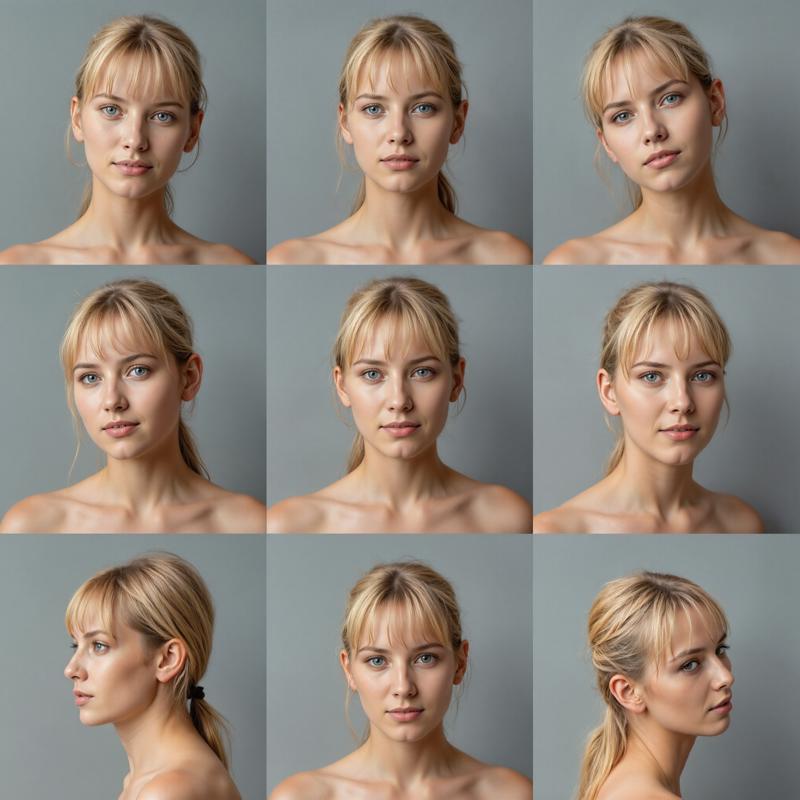 The workflow needs a reference image for the 9 poses in the 3x3 grid.
You can use the one I made for the workflow, but you can make up your and use that instead. Here is mine:
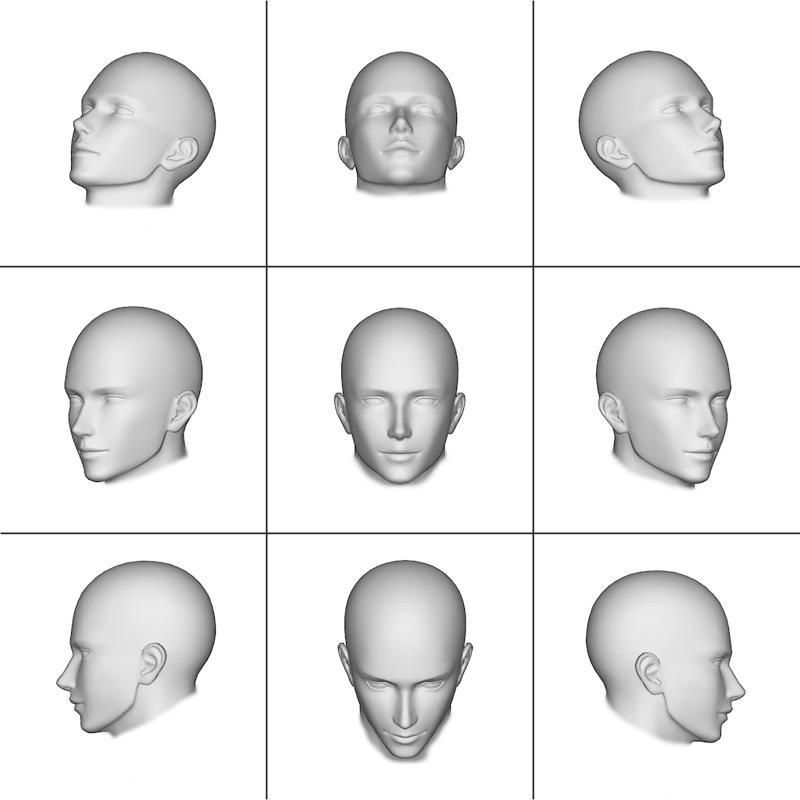 Please, use this link to download the above image in the correct resolution (1024x1024): Reference-Grid.png
I suggest not to change too much the prompt, just modify the description of the subject you want to be portraied (age, skin, physique, face, hair and eyes).
The workflow uses the FLUX.1 depth LoRA from Black Forest Labs:
https://huggingface.co/black-forest-labs/FLUX.1-Depth-dev-lora
Set the LoRA strength to 0.75, the FluxGuidance to 10.00. You can use also additional LoRAs' (for better skin details for example, or to obtain more faces from a previous character LoRA you trained)
If you have less that 24Gb Vram, it is suggested to use the GGUF Q8 model in place of the original Flux.1 Dev, as the workflow need a lot of Vram during the Adetailer part of the generation.
Enjoy!
Important: please, make sure you update ComfyUI, the Python dependencies and all the Custom Nodes before using the workflow.
P.S.
Please be advised that the Adetailer part of the workflow will take very long to complete the generation as it has to work on 9 faces and then again on 9 pairs of eyes. Also, the Upscaler may be slow if you want to use an upscale ratio of 2.0 or above.
Description
Updated the workflow to the latest ComfyUI version and the latest Custom Nodes versions.
FAQ
Comments (18)
An way to load a prepared portrait photo? I can't really reproduce it within this workflow, due to very stubborn LoRa which give great output, but needs Expression Editor, 2 controlnets, external editor
You mean something like this: https://civitai.com/models/1260380/facereplicator-for-flux ?
If you can't see it, try changing "Browsing Level - Select the levels of content you want to see" to ONLY "PG" and "PG-13".
Ty, I didn't indeed see the face replicator workflow. Rather counter-intuitive for PG13 to be less restrictive, but yes, that was the reason ;)
@has it been removed? I still can't see it even I have changed to PG and PG-13
@shleevis can't see it anymore either. But I've found other resources I can't see, despite toggling PG ratings
@HallSipsik if you can not see It here on CivitAI go to my Patreon, workflows are free for everyone to download.
@Tenofas ta, exploring it
@Tenofas link 404'd
@jefharris new Civitai rules I guess...
Cant find the node PurgeVRAM V2 anywhere. Trying older versions from node packs but nothing yet
encountered it too. i uninstalled original layer style node in manager, and then install it from github (maybe it requies you to get your security level in config.ini). Then it worked
Hey, thanks for the workflow. Having a bit of an issue with two TeaCache Nodes. In the workflow provided the start_percent: 3 and end_percent: 1 seems to be causing an issue. Hope you can help.
I haven't used the node before. What are the best settings for start and end?
(In ComfyUI) If you search for the node and replace it, it will default the values to a max of 1
Hello Tenofas, thanks for your workflow. Do you have a version that accepts an input image instead of a flux generation, or how could that be achieved by modifying your existing 3x3 WF? Thank you and have a great day
Yes. I did a WF where you input a portrait and It outputs a 3x3 set of consistent portraits in different poses. You can find It free on my Patreon, the CivitAI one was probably banned. https://www.patreon.com/posts/123919854?utm_campaign=postshare_creator&utm_content=android_share
@TenofasThanks for this, it is cool! I'm also interested in feeding it an image. The link provided is dead. Any chance of an alternative? Thanks!
@samwyse yes, my Patreon account was suspended as they consider Qwen Image model a potential NSFW generator... LOL! Anyway, I suggest you to check this workflow, that is much better as it uses Qwen Edit 2509: https://civitai.com/models/2087176/face-replicator-with-qwen-edit-2509
@Tenofas Sorry to hear that... sounds about right. Thanks for your work and the link.